
This Step-by-Step Tutorial explains How To Check TSC Registration Status, providing clear and detailed guidance through each step of the process from start to finish to help you Check TSC Registration Status in a few minutes.
Requirements Needed To Check TSC Registration Status
The process of checking TSC Registration Status requires that you have with you the following requirement.
- ID Number (for Kenyans)
- Passport Number (for Foreigners)
Step-by-Step Guide To Checking TSC Registration Status
To successfully check TSC Registration Status, you need to follow the 5 steps outlined below.
- Step 1: Visit Teachers Online Website
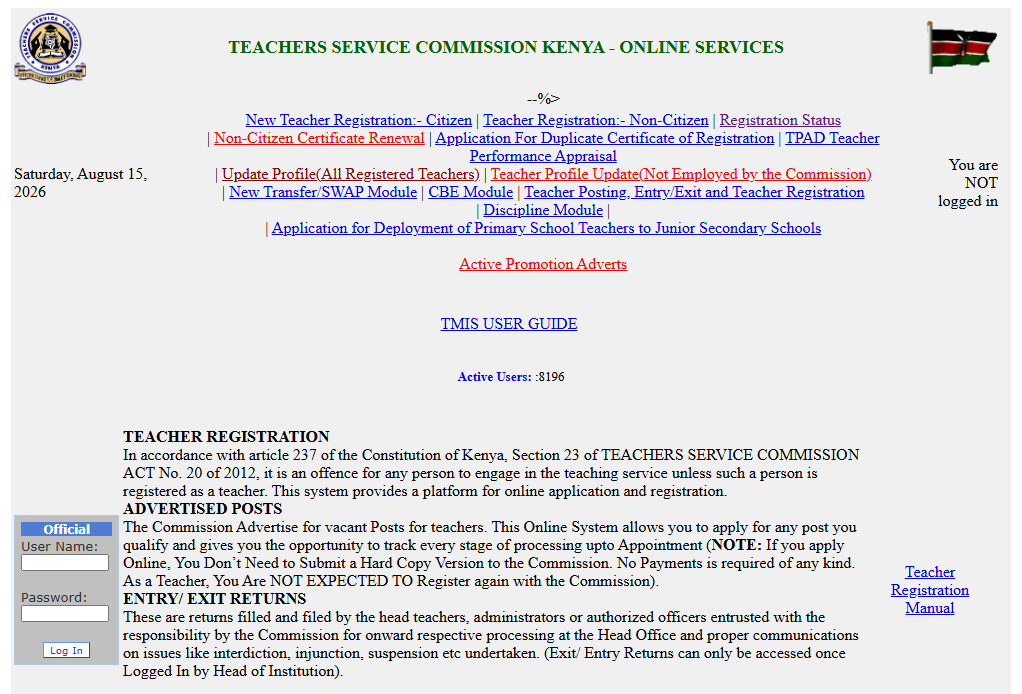
The fist step in the process of How To Check TSC Registration Status is to visit the Teachers Online website using this link – https://teachersonline.tsc.go.ke/
- Step 2: Click on Registration Status
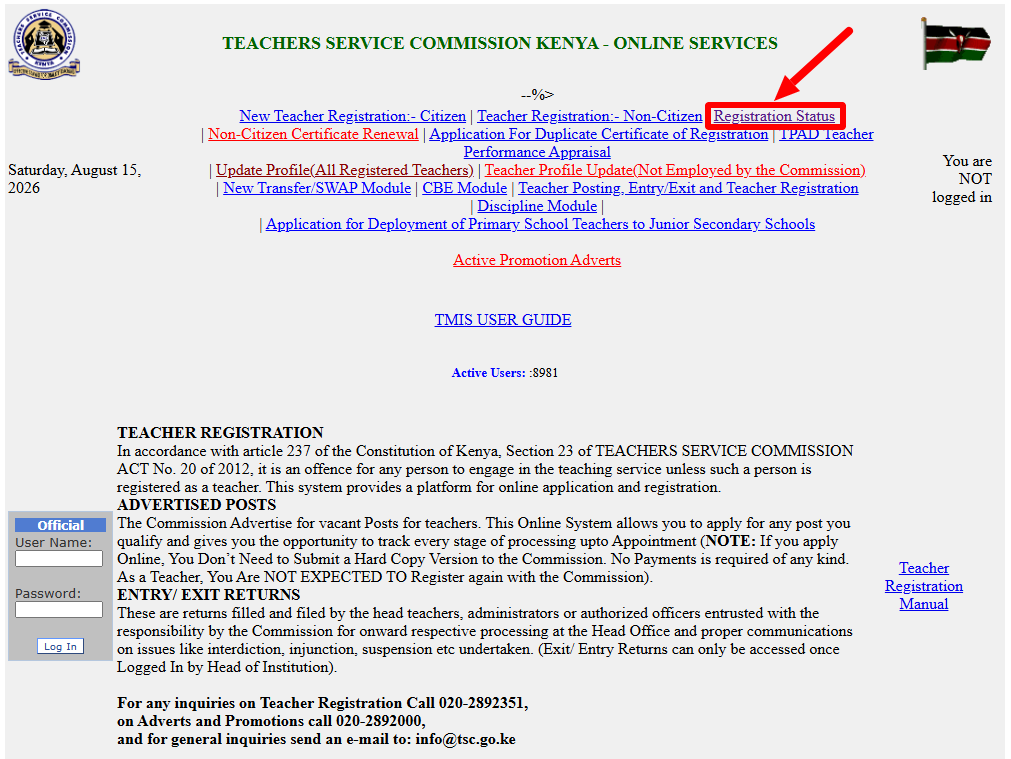
Once you are on the Teachers Online website, click on “Registration Status” link to start the process of checking the status of TSC Registration.
- Step 3: Enter ID Number or Passport Number
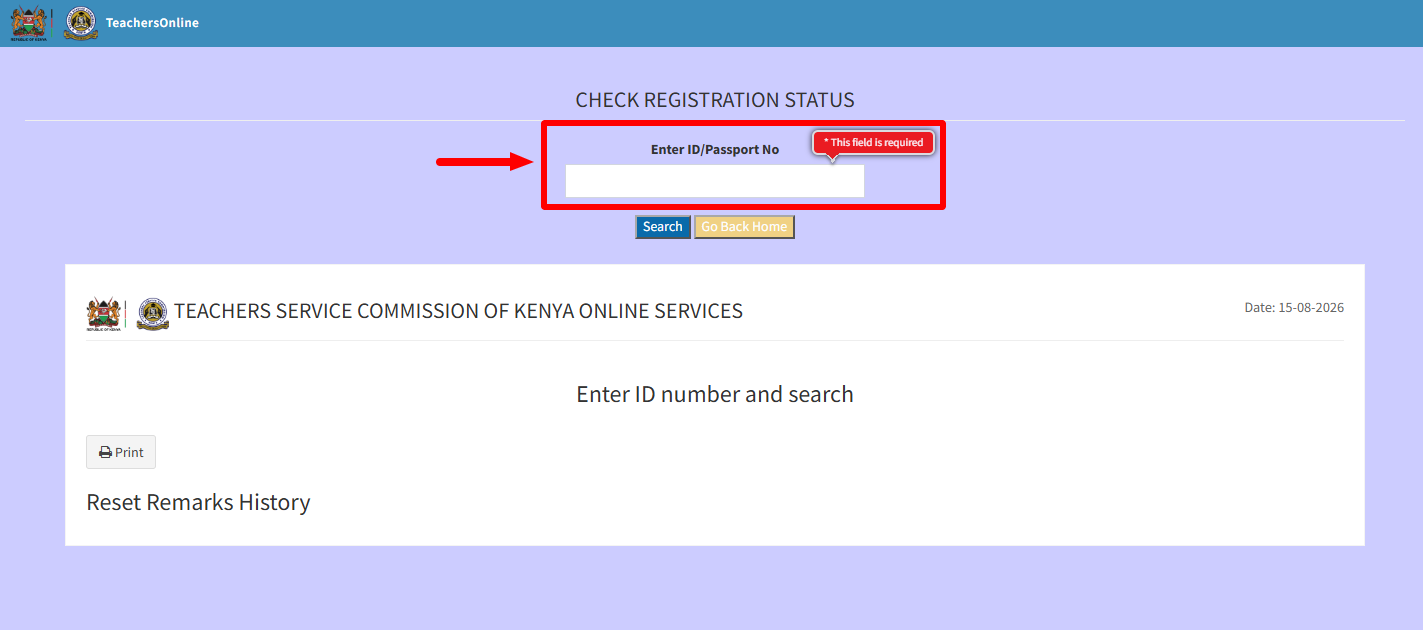
Next, you need to enter your “ID Number” or “Passport Number” depending on the one that you used during the process of TSC Registration online.
- Step 4: Click Search
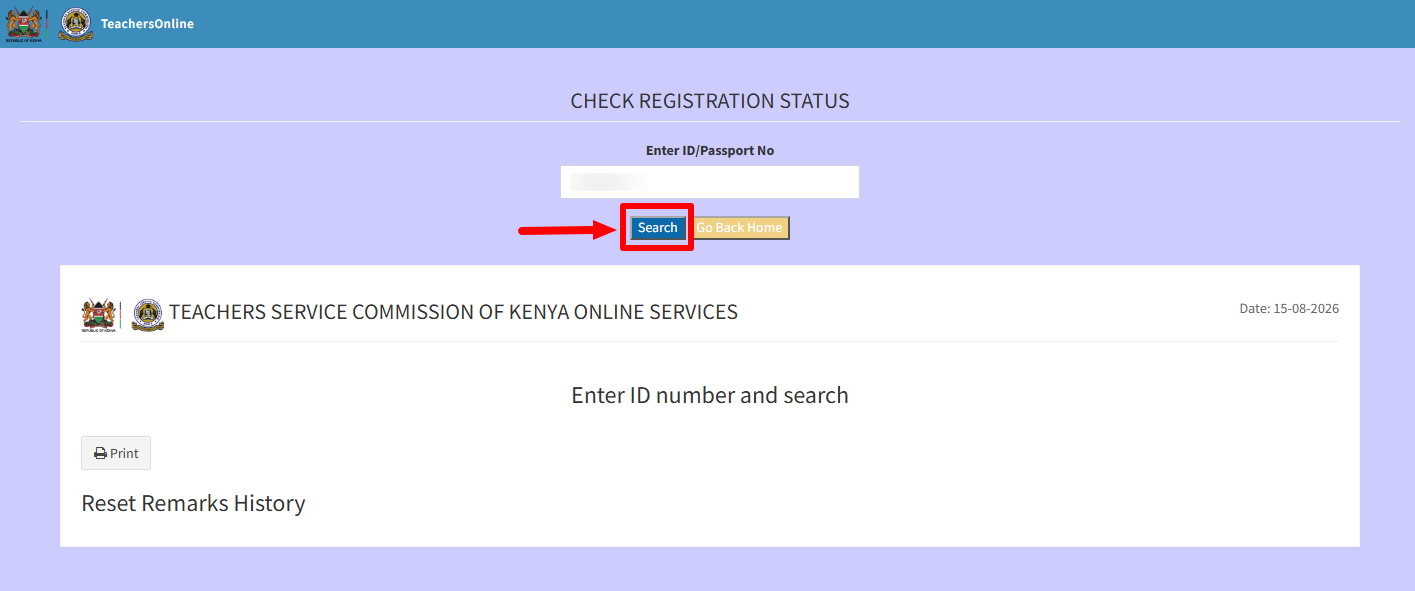
Once you have entered either your ID Number or Passport Number, click on the “Search” button to start the process of checking TSC Registration Status online.
- Step 5: TSC Registration Status Results
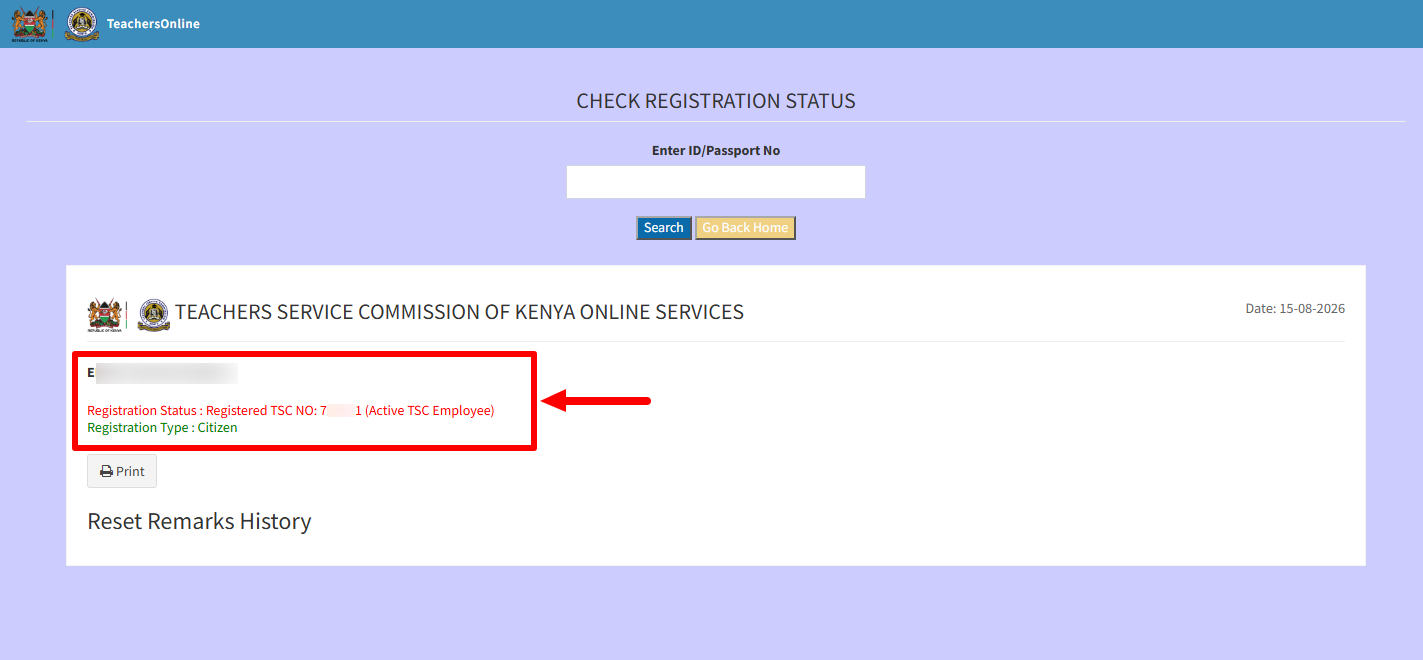
The last step will display the results of your TSC Registration Status. There are only two outcomes that you will see: “The ID Number is NOT associated to any Registered Teacher” or “Registered – TSC Number (Active TSC Employee).”
The above steps sums up the whole process that you need to follow on How To Check TSC Registration Status in Kenya. To be able to check TSC Registration Status, ensure you have either your ID Number or Passport Number that will be needed in this process.