
This Step-by-Step Tutorial explains How To Download KPA 14 Days List, providing clear and detailed guidance through each step of the process from start to finish to help you Download KPA 14 Days List in a few minutes.
What is KPA 14 Days List?
The KPA 14 Days List is a routine shipping schedule published by Kenya Ports Authority (KPA). It provides information on the maritime vessels scheduled to dock at the Port of Mombasa over the upcoming 14 days period. The list helps provide an overview of expected vessel arrivals and port activity during the specified period.
The KPA 14 Days List is useful for shipping lines, clearing and forwarding agents, importers, exporters and other stakeholders involved in port operations. By checking the schedule, users can view the vessels expected at the Port of Mombasa and plan their shipping, cargo clearance and other port-related activities accordingly.
Requirements Needed To Download KPA 14 Days List
To download KPA 14 Days List, users need access to Kenya Ports Authority (KPA) website and an internet-enabled device such as a smartphone, tablet or computer. No registration or special account is required to download the 14 Days List, as it is provided as an Excel file for users to access and view.
Users also need an application or programme that can open Excel files, such as Microsoft Excel or another compatible spreadsheet application. After downloading the KPA 14 Days List, users can open the Excel file to view the vessel names, scheduled dates and arrival times among other key information for vessels expected at the Port of Mombasa during the 14 days period.
How To Download KPA 14 Days List
To Download KPA 14 Days List, follow the step-by-step process outlined below.
- Step 1: Visit KPA website

The fist step in the process of downloading KPA 14 Days List is to visit KPA website using https://kpa.co.ke/
- Step 2: Scroll Down to Links and Downloads
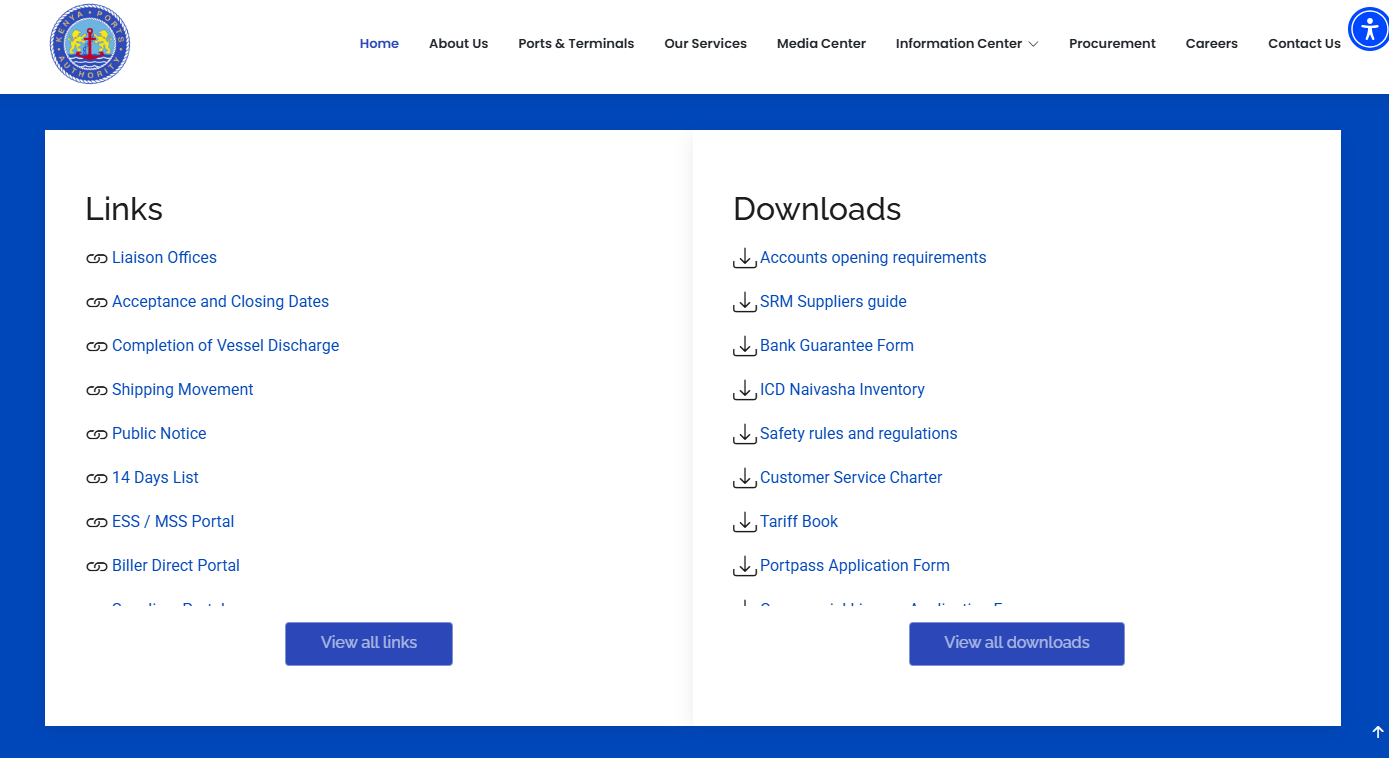
Once you are on KPA website, scroll down to “Links and Downloads” section to start the process of KPA 14 Days List download.
- Step 3: Click on 14 Days List
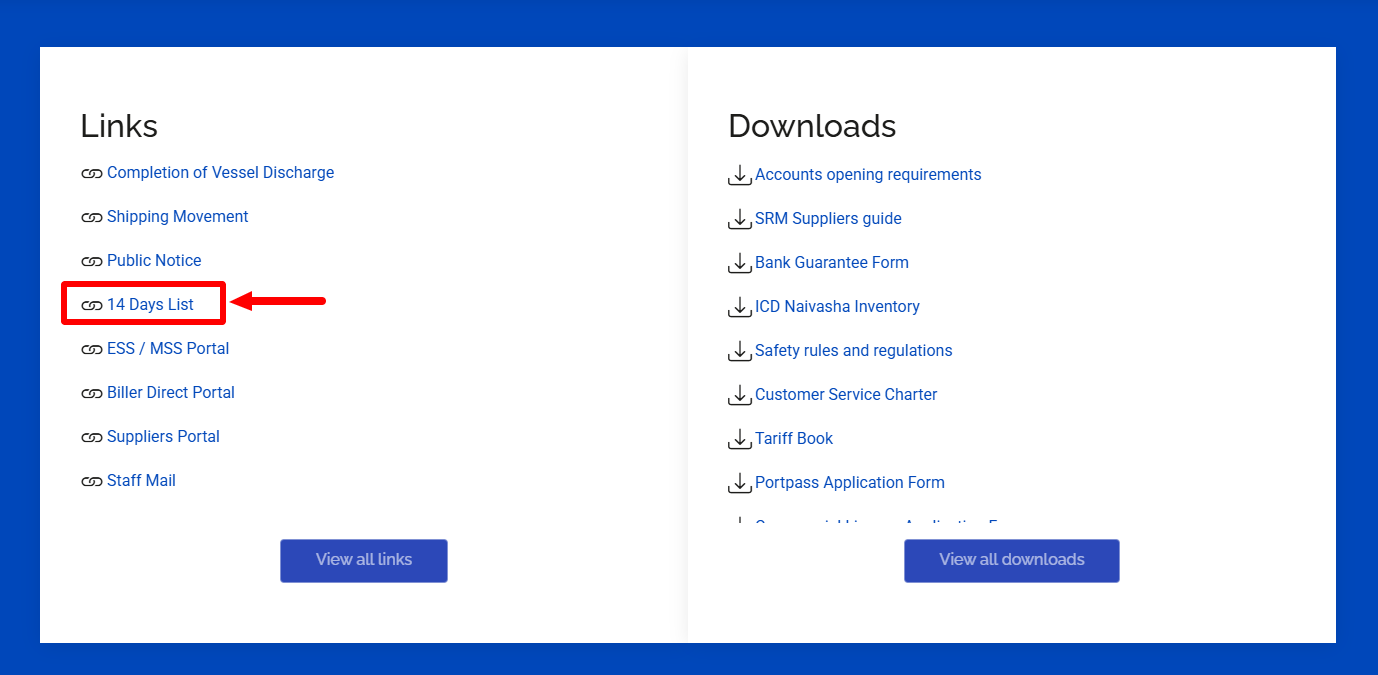
Next, click on the link labeled “14 Days List” and proceed to the next step.
- Step 4: Download KPA 14 Days List
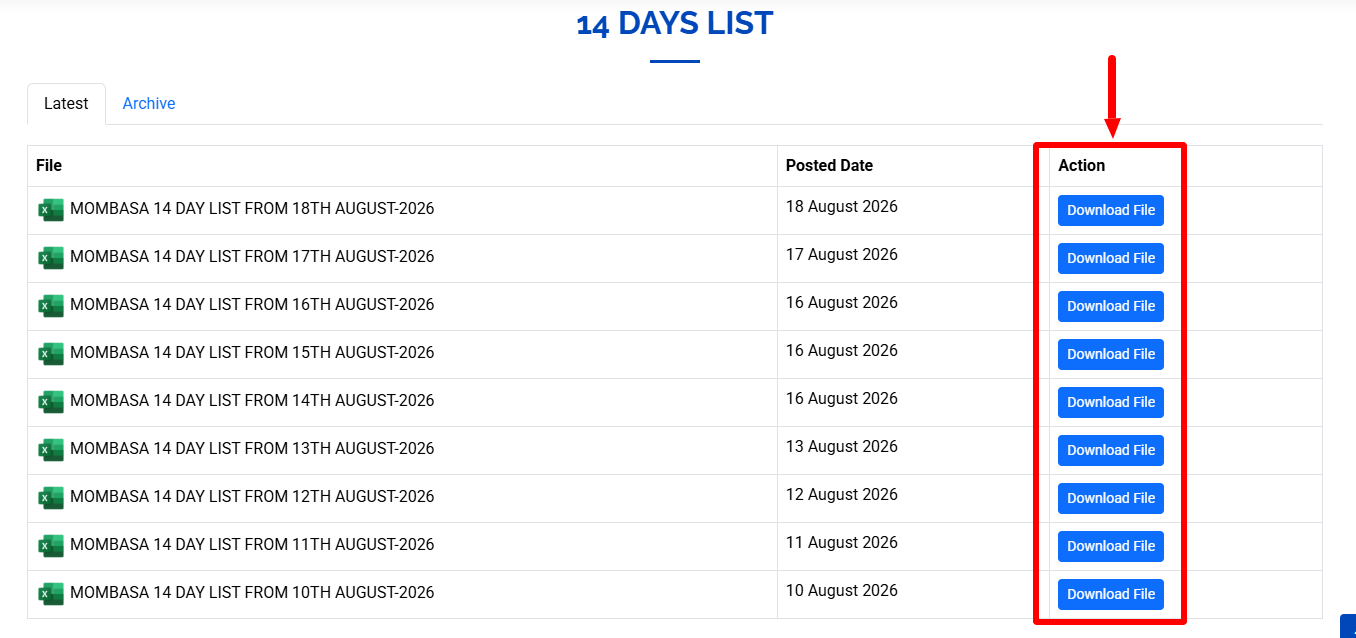
Lastly, download and save the 14 Days List to your device. Take note that the list is in Excel format and you need to have an Excel reader such as Microsoft Excel in order to open and view the KPA 14 Days List.
Overview: KPA 14 Days List Download
To download KPA 14 Days List, start by visiting the official Kenya Ports Authority (KPA) website. Once on the website, scroll down to the Links and Downloads section, where you will find various resources and documents provided by KPA.
Click on 14 Days List to access the shipping schedule, then download the available KPA 14 Days List Excel file to your device. After downloading, open the file using a compatible spreadsheet application to view the scheduled vessels, dates and times.