
This Step-by-Step Tutorial explains How To Log In To KWATOS, providing clear and detailed guidance through each step of the process from start to finish to help you Log In To KWATOS in a few minutes.
What is KWATOS Login?
KWATOS Login is the process of accessing the KWATOS online account using your registered login details, such as your User ID and password. It allows registered users to securely access their KWATOS account and use the available online services.
To complete KWATOS Login, you need to enter the correct account credentials i.e KWATOS User ID and KWATOS Password on the KWATOS login page. If you have forgotten your password or cannot access your account, you can use the available password reset option to regain access.
Requirements Needed To Log In To KWATOS
To log in to KWATOS, you need two main credentials: your KWATOS User ID and KWATOS account password. The User ID identifies your registered account, while the password verifies that you are authorised to access the account.
Before starting the KWATOS login process, make sure you have your correct User ID and account password. Enter these details on the KWATOS login page to access your account and the available online services.
How To Log In To KWATOS
To Log In To KWATOS, follow the step-by-step process outlined below.
- Step 1: Visit KWATOS website
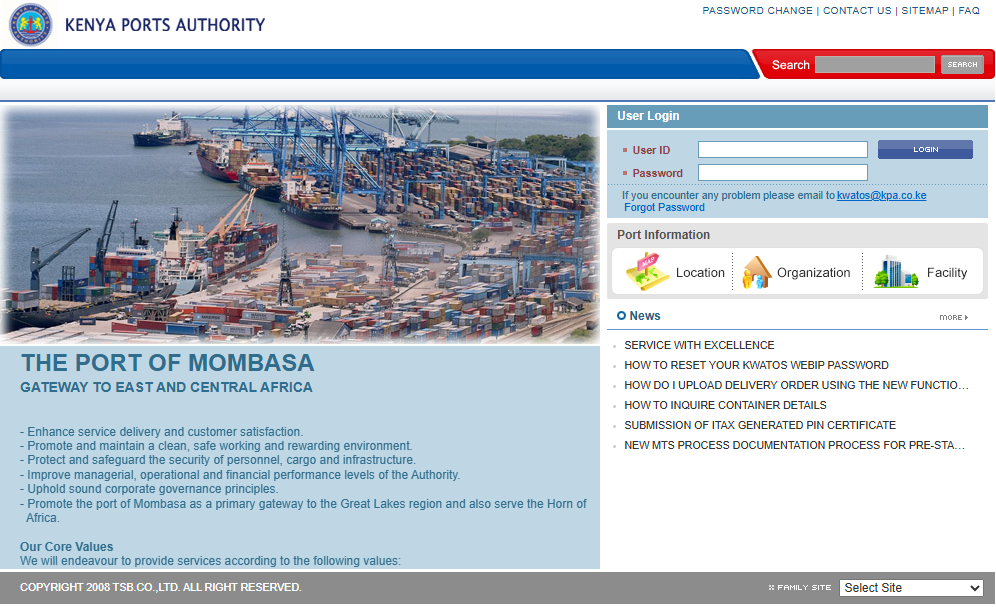
The first step in the process of KWATOS Login is to visit the KWATOS website using this link https://www.kwatos.kpa.co.ke/
- Step 2: Enter KWATOS User ID
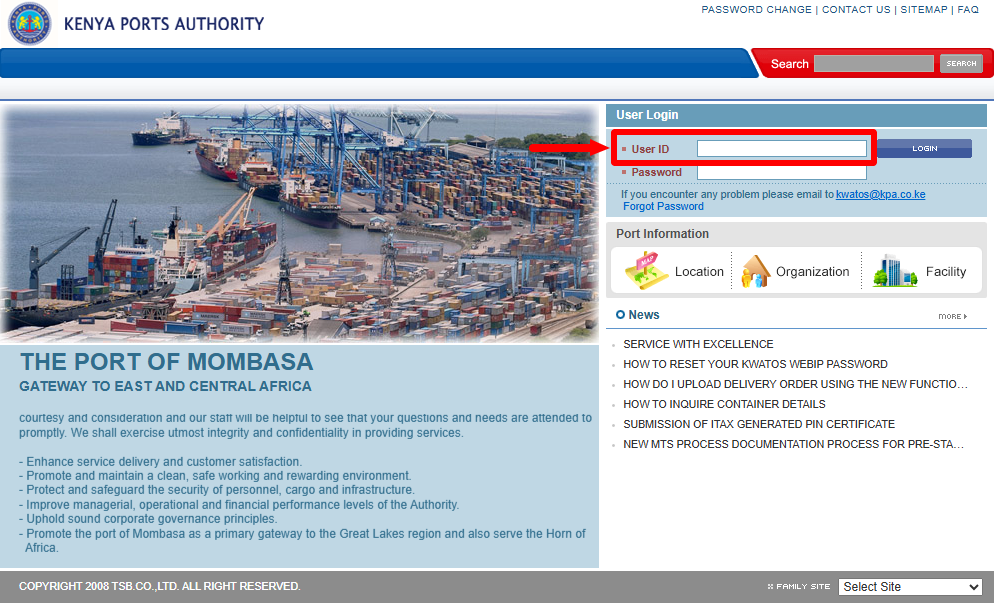
Once you are on the KWATOS website, enter your “KWATOS User ID” and proceed to the next step.
- Step 3: Enter KWATOS Password
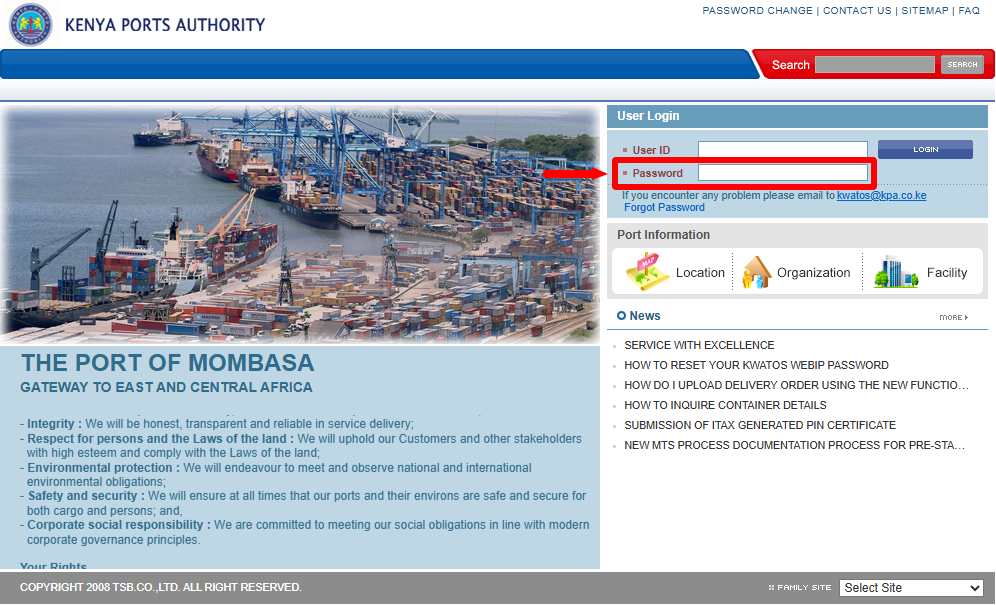
In this step, you need to enter your “KWATOS Password” so as to be able to access your KWATOS account. If you have forgotten your KWATOS account password, you can easily reset it online.
- Step 4: Click on Login
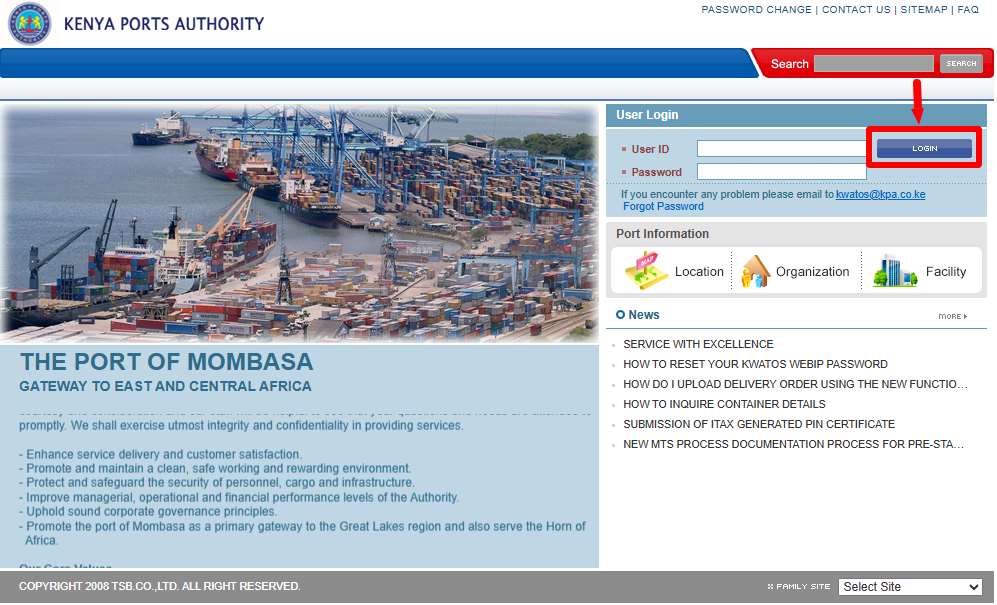
Lastly, once you have entered both your KWATOS User ID and KWATOS Password, proceed and click on the “Login” button to access your KWATOS account dashboard.
Overview: KWATOS Login
To log in to KWATOS, start by visiting the KWATOS website and entering your registered KWATOS User ID in the required field. Make sure that the User ID is entered correctly to avoid login errors.
Next, enter your KWATOS password in the password field and click Login. If the User ID and password are correct, you will be able to access your KWATOS account and continue using the available services.