

This Step-by-Step Tutorial explains How To Download TSC Payslip, providing clear and detailed guidance through each step of the process from start to finish to help you Download TSC Payslip in a few minutes.
Requirements Needed To Download TSC Payslip
The process of Downloading TSC Payslip requires that you have with you the following requirements.
- T-Pay Username (TSC Number/ID Number)
- T-Pay Password
Step-by-Step Guide To Downloading TSC Payslip
To successfully Download TSC Payslip, you need to follow the 8 steps outlined below.
- Step 1: Visit T-Pay Website
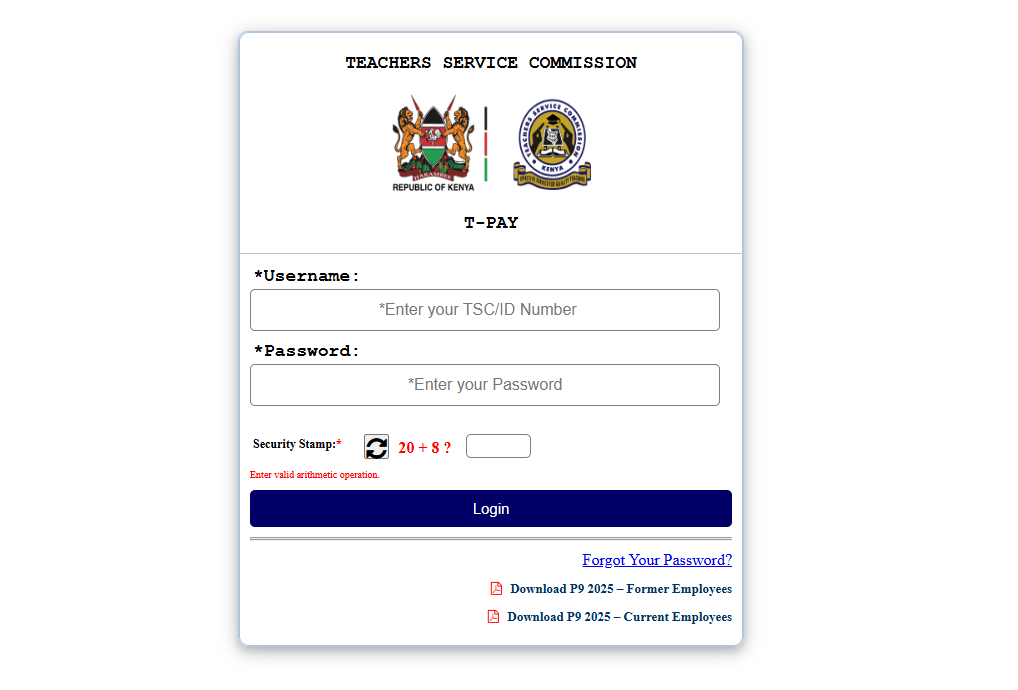
The first step in the process of Downloading TSC Payslip is to visit the T-Pay website using this link – https://tpay.tsc.go.ke/
- Step 2: Enter T-Pay Username (TSC Number/ID Number)
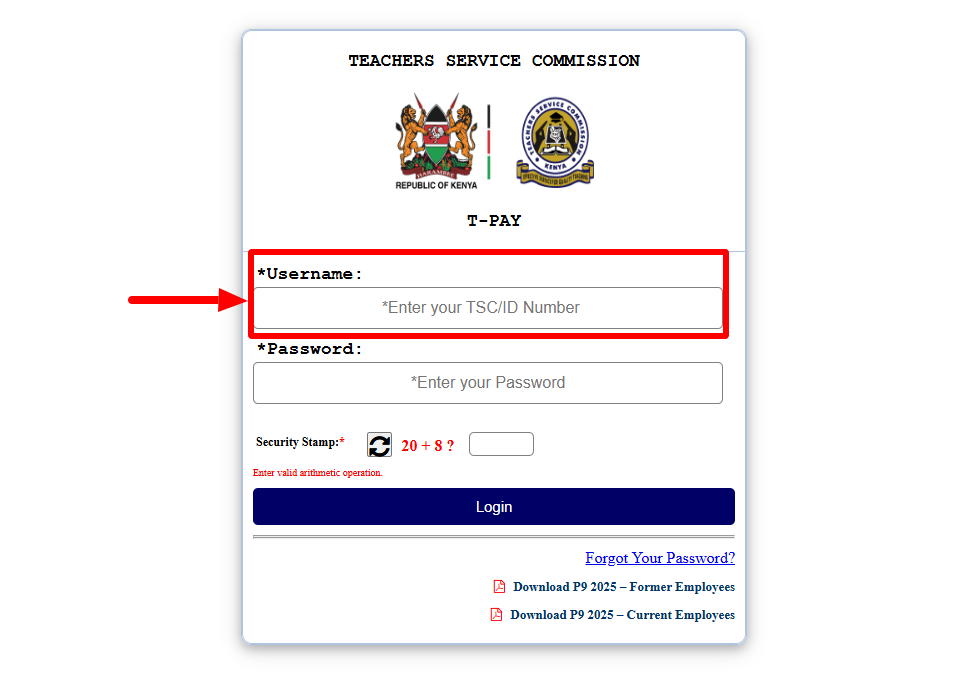
Once you are on the T-Pay website, enter your “T-Pay Username” i.e (TSC Number or ID Number), then proceed to the next step.
- Step 3: Enter T-Pay Password
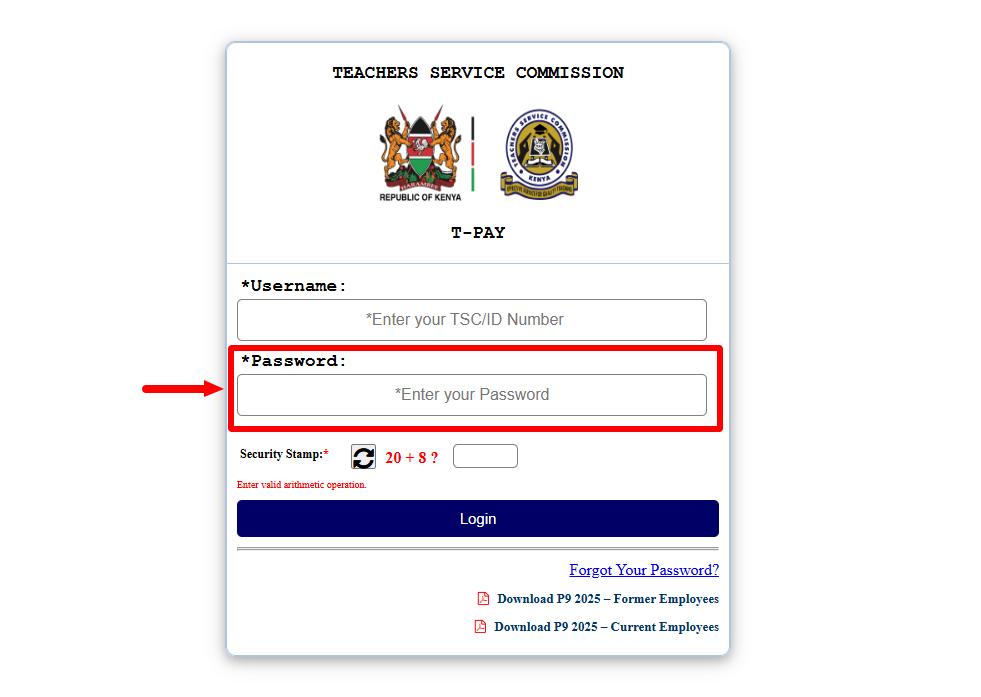
In this step, you need to enter your “T-Pay Password” so as to be able to login to your T-Pay Account. If you have forgotten your T-Pay Password, you can easily reset it also.
- Step 4: Solve Arithmetic Question (Security Stamp)
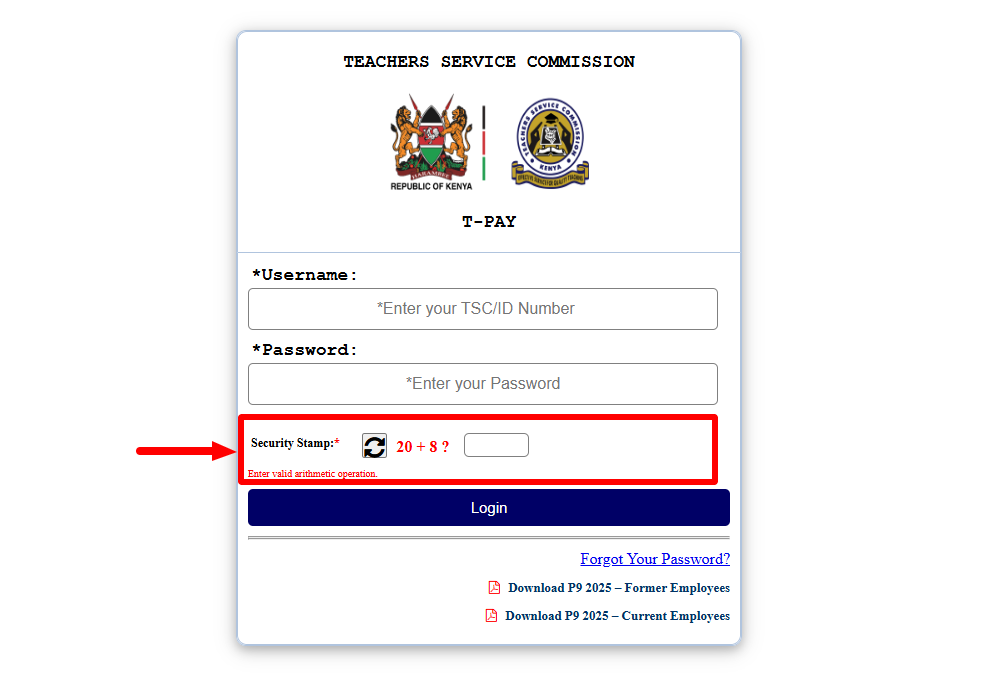
Next, you need to solve the “Arithmetic Question” i.e. Security Stamp by entering the correct arithmetic operation i.e. correct answer to the arithmetic question.
- Step 5: Click on Login Button
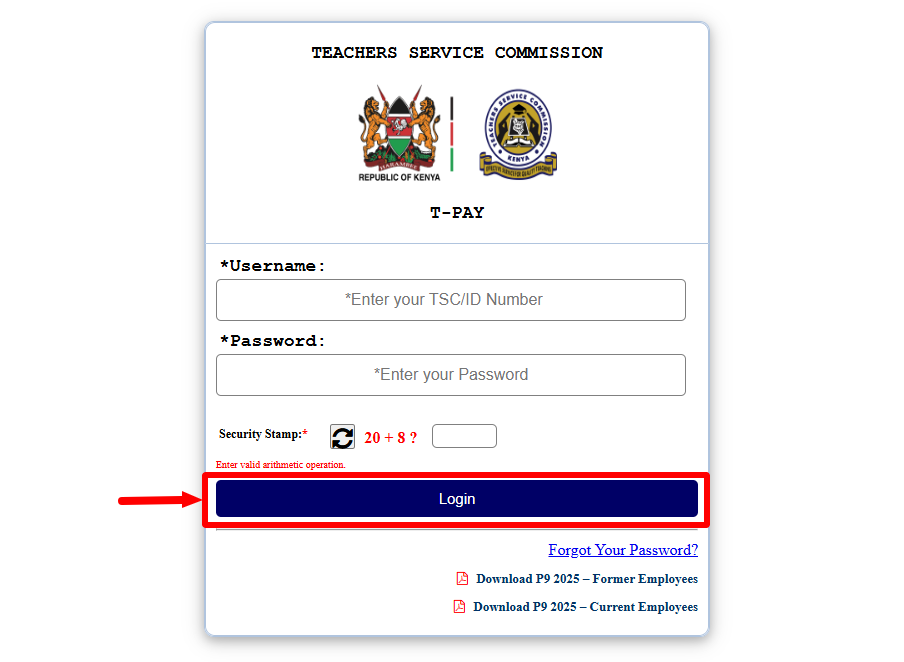
Once you have entered your T-Pay Username, T-Pay Password and have solved the Arithmetic Question (Security Stamp), proceed and click and click on the “Login” button to access your T-Pay Account Dashboard.
- Step 6: Click on Latest Payslip
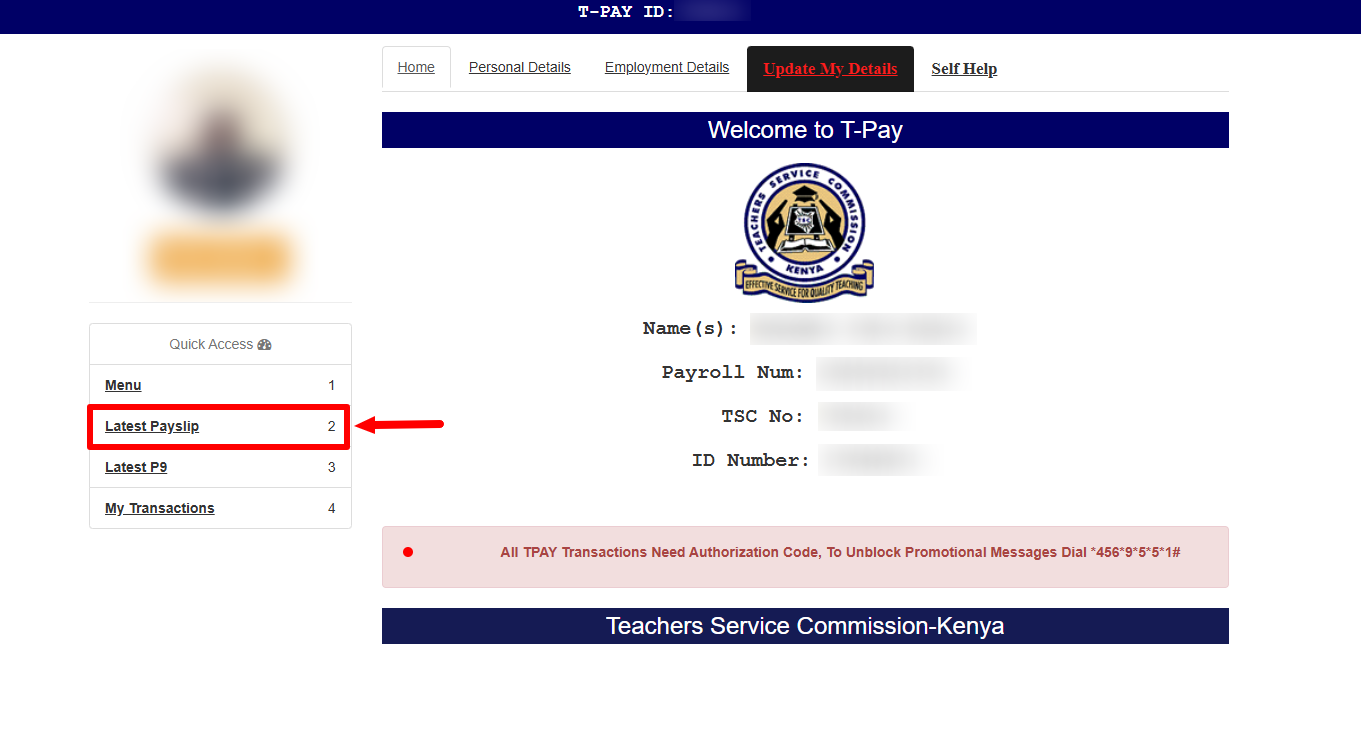
In this step, once you are logged into your T-Pay Account, click on “Latest Payslip” menu to start the process of Downloading TSC Payslip online.
- Step 7: Cick Print TSC Payslip
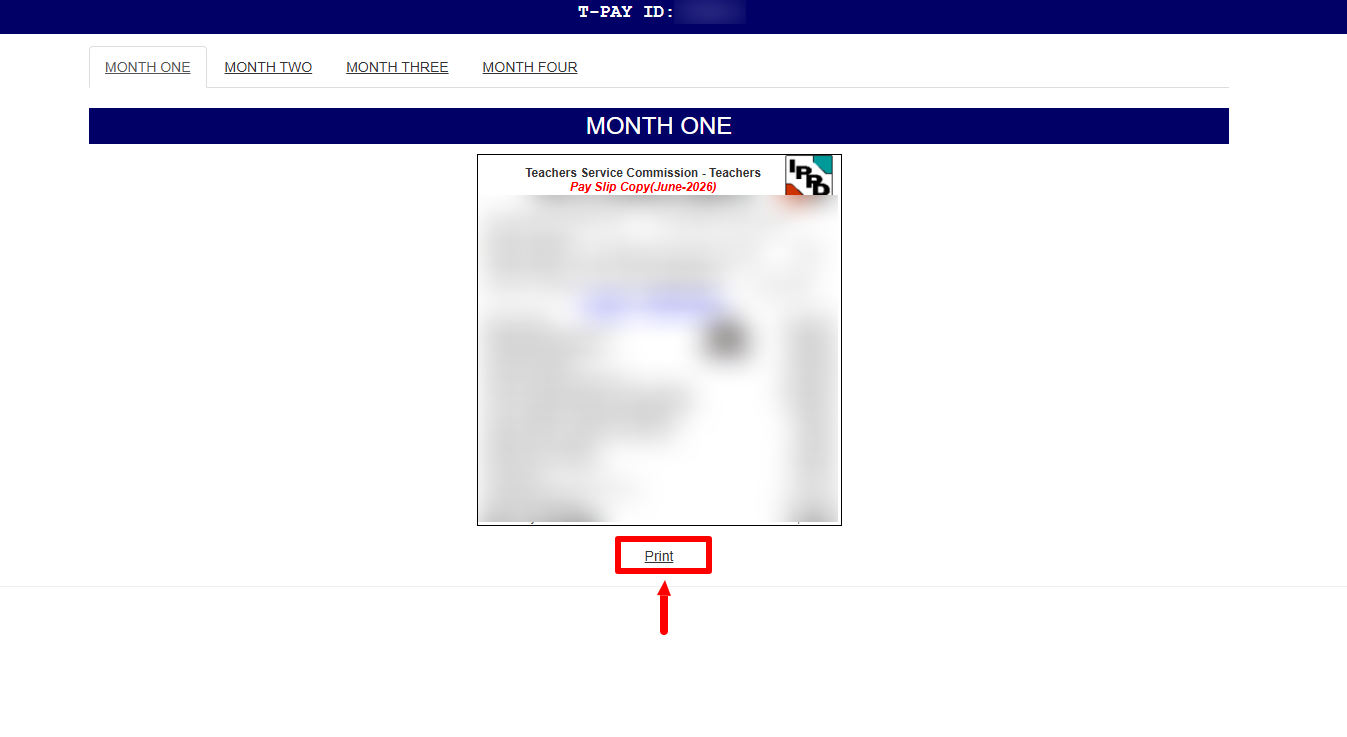
Next, click on “Print TSC Payslip” which will allow you to either download a PDF softcopy of your TSC Payslip or print out a hardcopy of your TSC Payslip online.
- Step 8: Download TSC Payslip

The last step in the process of How To Download TSC Payslip involves downloading and saving the generated TSC Payslip from your T-Pay account.
The above 8 steps sums up the whole process that you need to follow inorder to successfully Download TSC Payslip. To be able to download TSC Payslip, ensure that you have the two requirements i.e. Username (TSC Number/ID Number) and T-Pay Password. Once you have these two, the process of Downloadng TSC Payslip becomes easier and fast.