
This Step-by-Step Tutorial explains How To Register eCitizen Account, providing clear and detailed guidance through each step of the process from start to finish to help you Register eCitizen Account in a few minutes.
What is eCitizen Account?
An eCitizen Account is a personal online account used to access government services through Kenya’s eCitizen platform. It allows users to create a profile and securely access different government services without having to visit government offices for every transaction.
READ ALSO: How To Log In To eCitizen
Once an eCitizen account is created, users can log in using their registered account details and access available services, submit applications, make payments, track applications, and download documents where applicable. The account therefore provides a centralised way of accessing and managing government services online.
What is eCitizen Account Registration?
eCitizen Account Registration is the process of creating a new account on the eCitizen platform to access various government services online. During registration, users provide the required personal and contact information and create login credentials that they will use to access their account.
Once the registration process is successfully completed, the user can log in to their eCitizen account and access the government services available on the platform. An eCitizen account allows users to submit applications, make payments, track services, and access or download documents where applicable.
Requirements Needed To Register eCitizen Account
To successfully Register eCitizen account, you need to have the following 4 requirements:
- ID Number
- First Name as per Your ID
- Year of Birth
- Phone Number and Email Address
How To Register eCitizen Account
To Register eCitizen account, follow the step-by-step process outlined below.
- Step 1: Visit eCitizen website
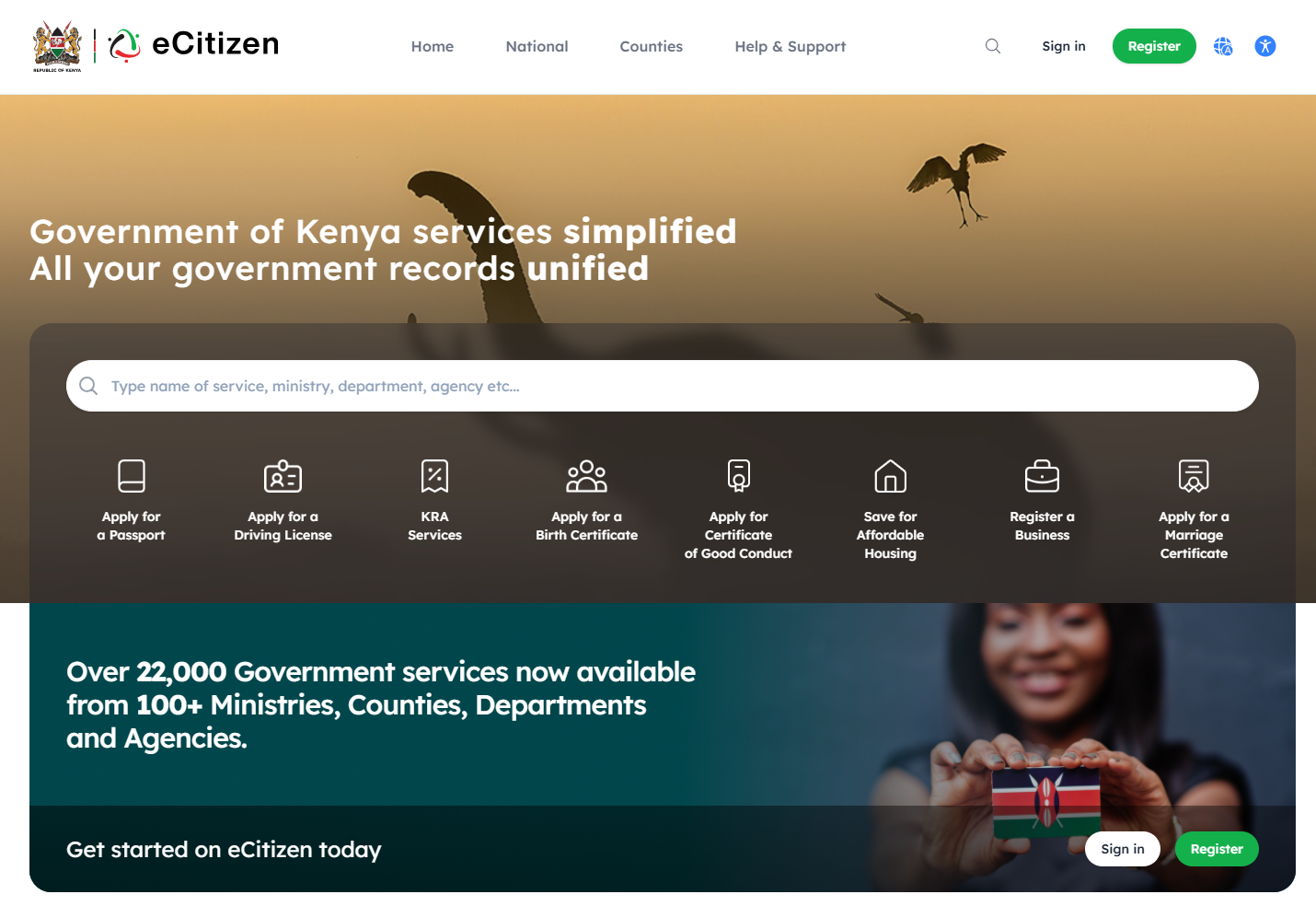
The first step in the process of eCitizen Registration is to visit eCitizen website using https://accounts.ecitizen.go.ke/
- Step 2: Click on Register
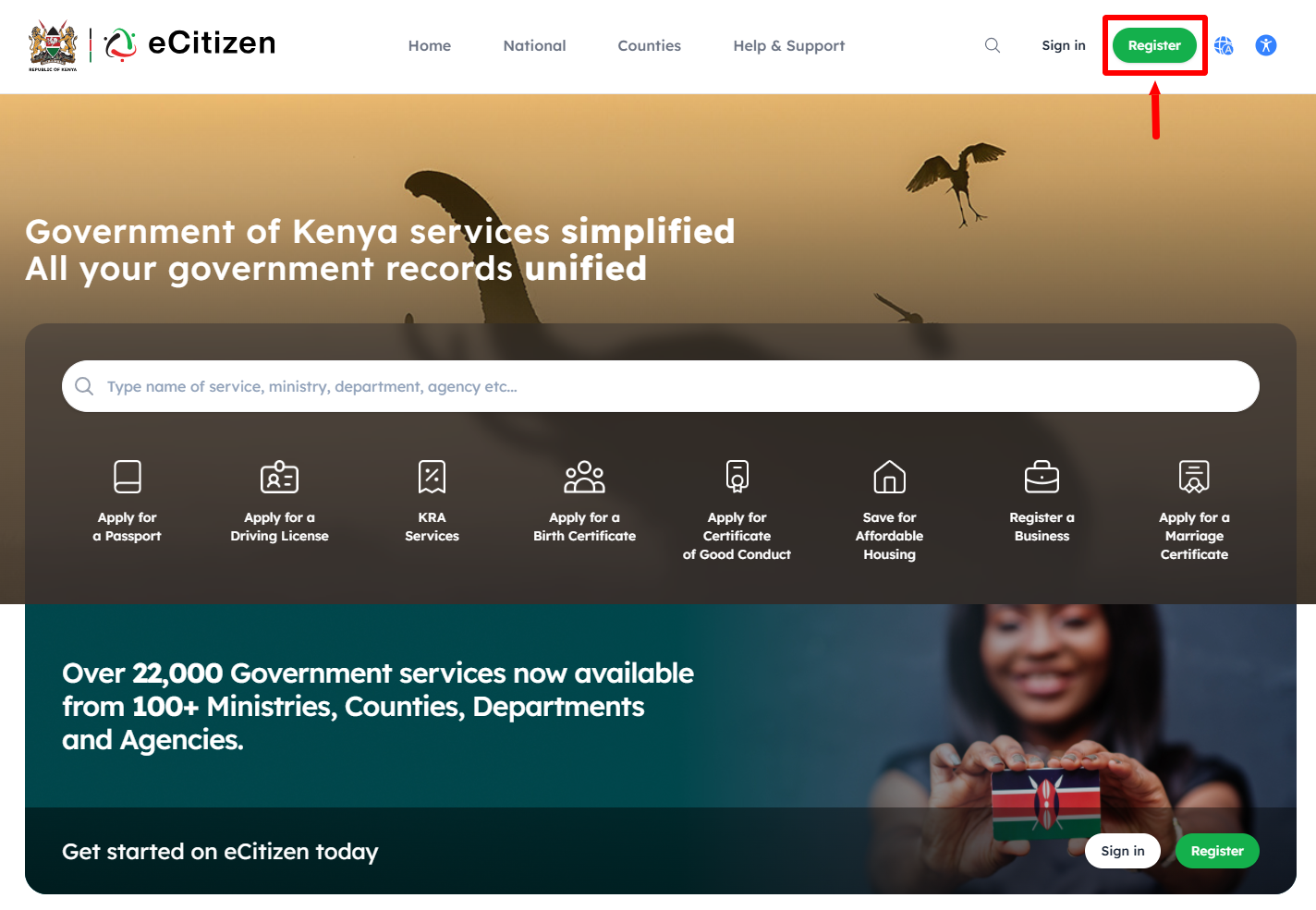
Once you are on the eCitizen website, click on the “Register” button to start the process of registering eCitizen account online.
- Step 3: Select Account Type
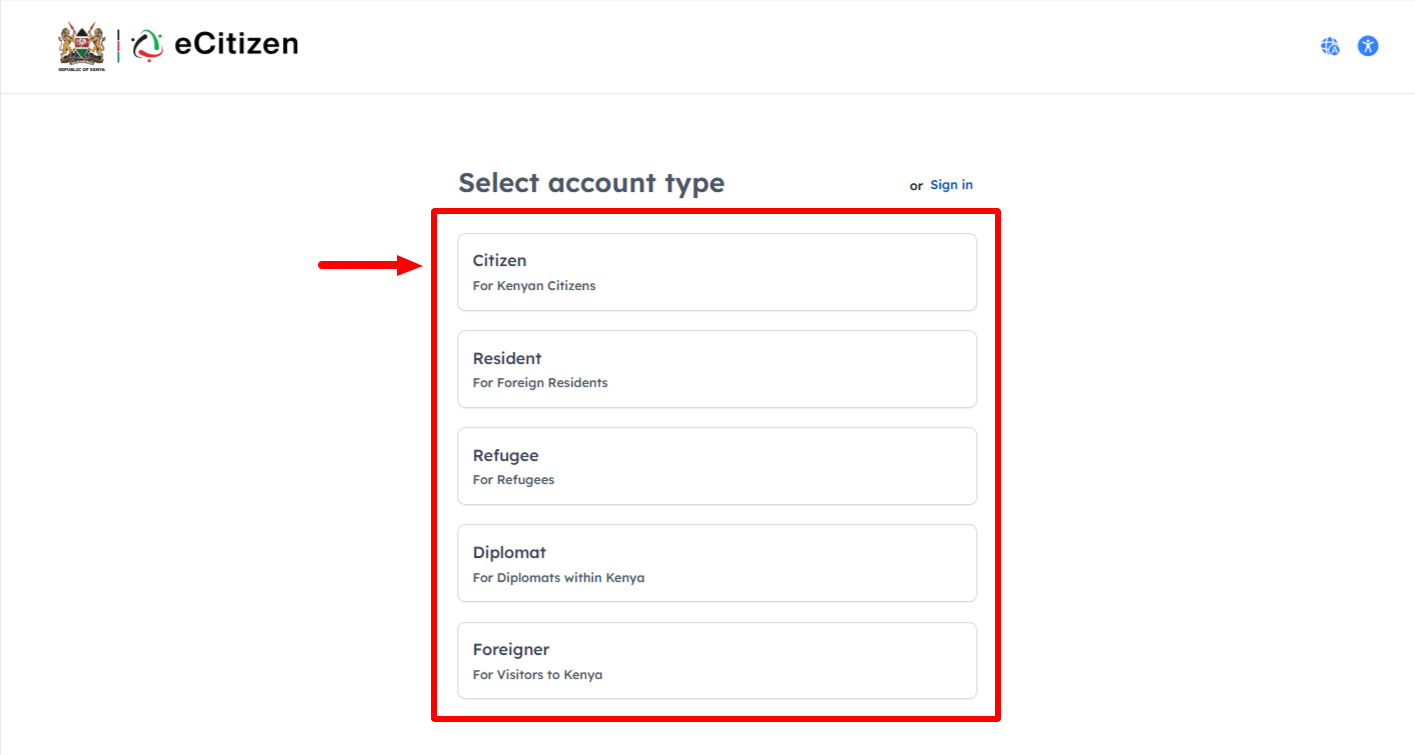
In this step, you need to select the eCitizen account type that you want to register. This can either be the following; Citizen (for Kenyan Citizens), Resident (for Foreign Residents), Refugee (for Refugees), Diplomat (for Diplomats within Kenya) and Foreigner (for visitors to Kenya). Once you have selected the eCitizen account type that you want to register, proceed to the next step.
- Step 4: Validate ID Details
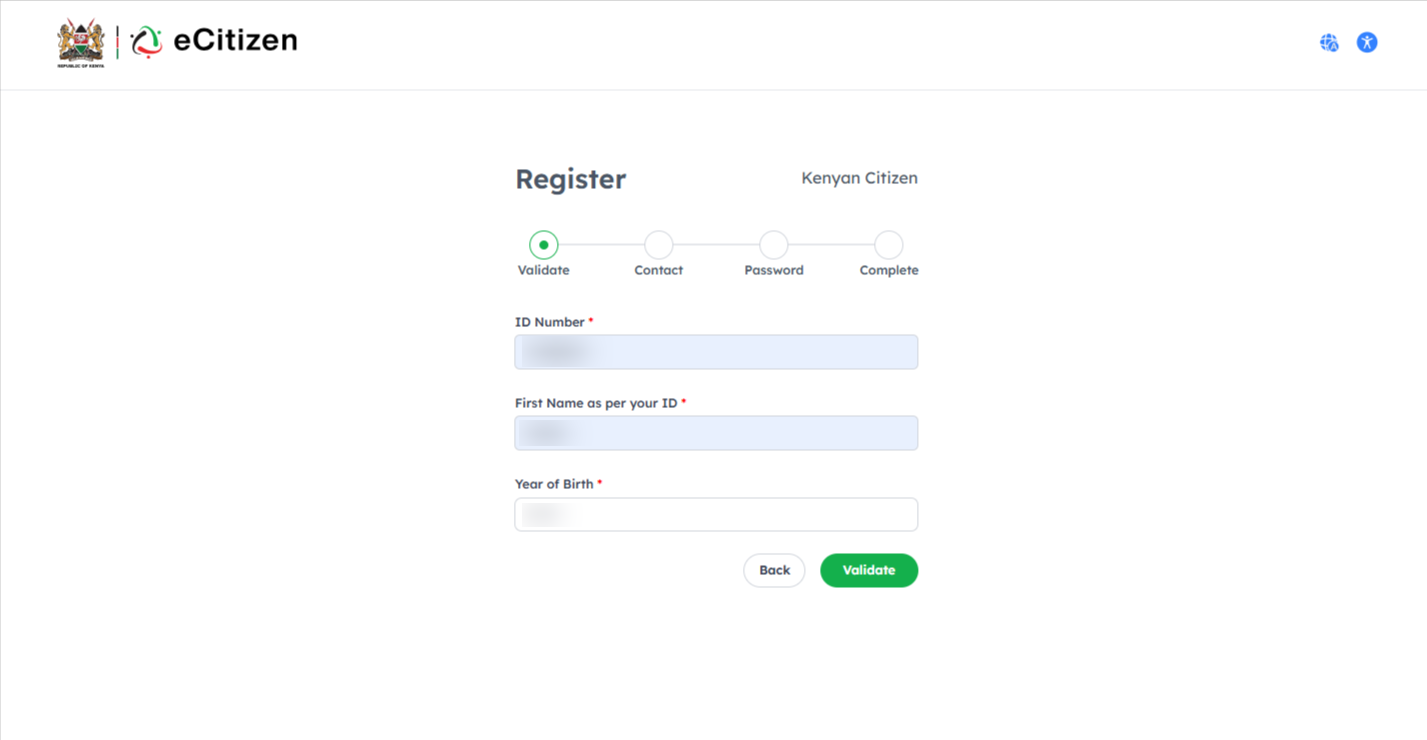
Next, enter ID Number, First Name as per your ID and Year of Birth. Once you have entered the details, click on the “Validate” button.
- Step 5: Confirm Names
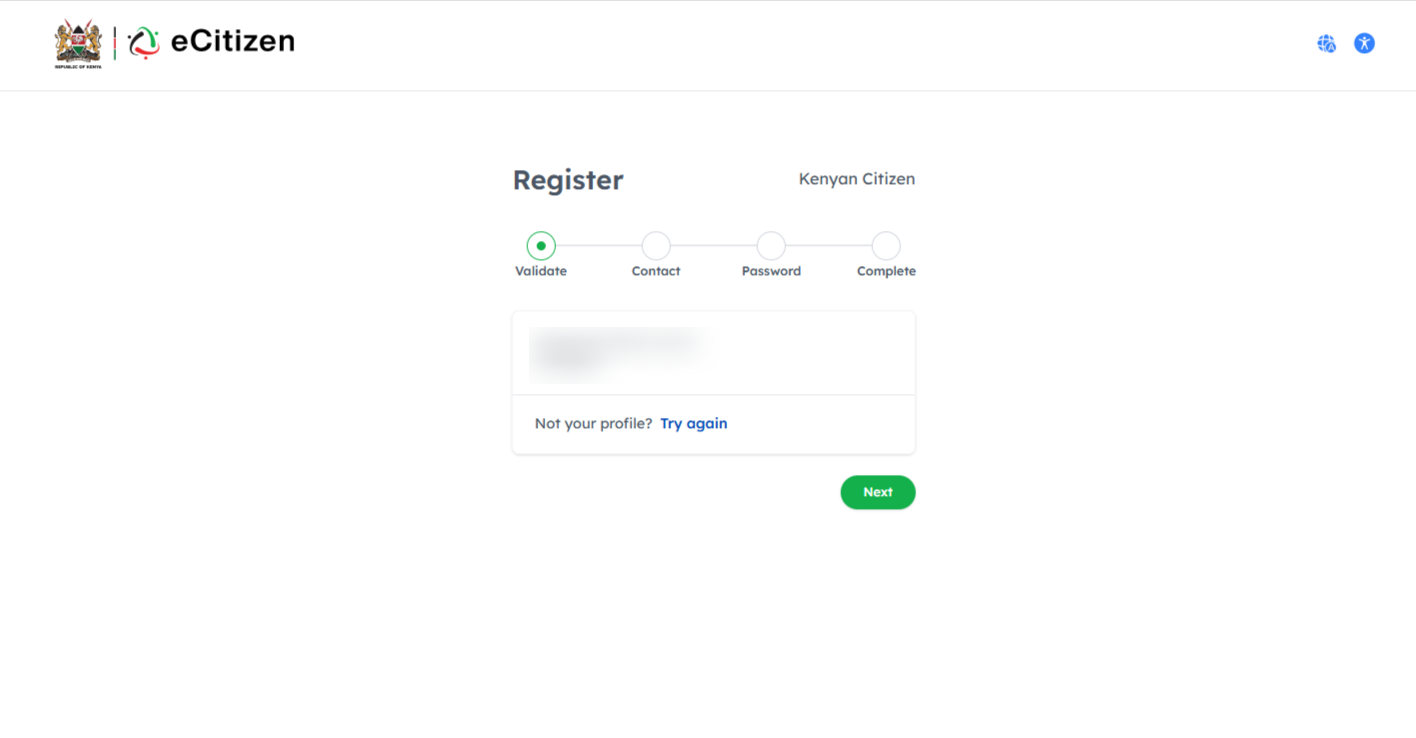
Once you have clicked on the Validate button, you now need to confirm if the Names shown are yours and that they are correct. Click on the “Next” button to proceed to the next step.
- Step 6: Enter Phone Number and Email Address
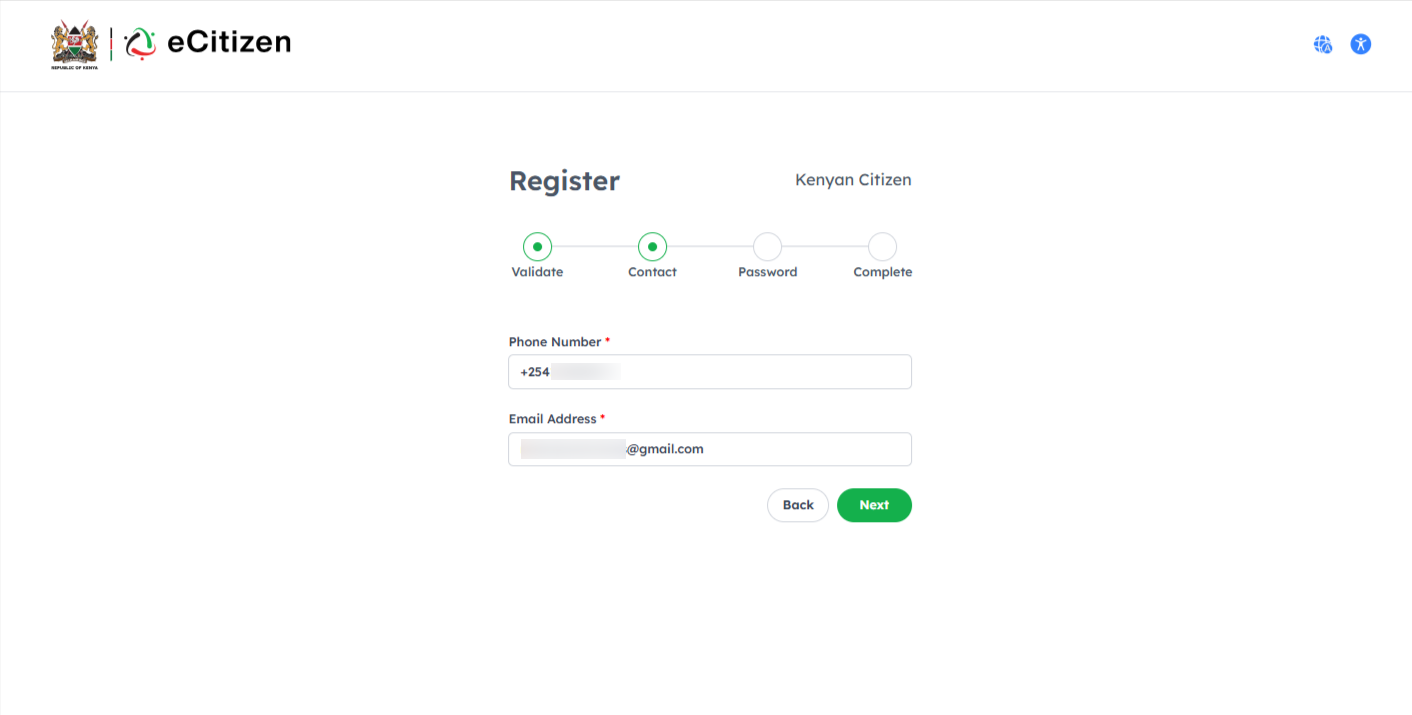
In this step, you need to enter your “Phone Number” and “Email Address” that will be linked to your eCitizen account. Once you have entered the Phone Number and Email Address, click on the “Next” button.
- Step 7: Enter eCitizen Account Verification Code (OTP)
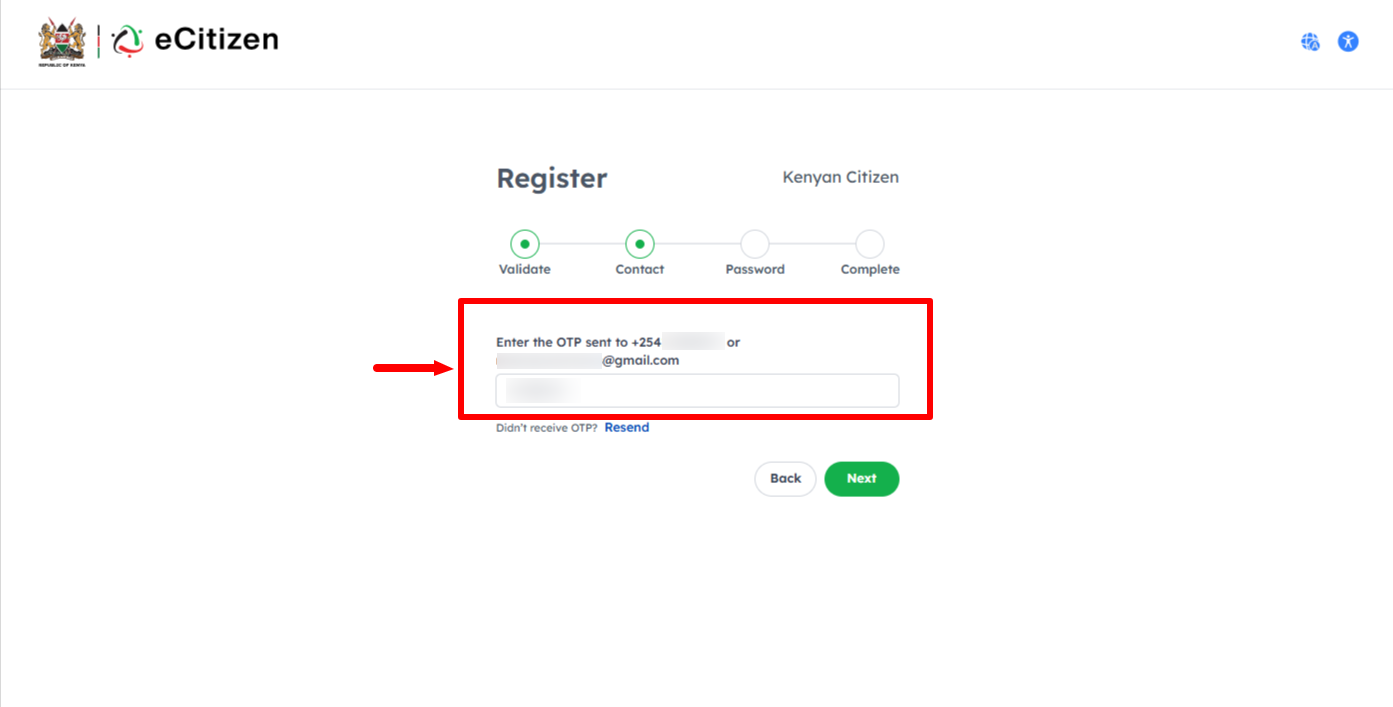
Next, enter the eCitizen account verification code that has been sent to both phone number and email address. Once you have done that, click on the “Next” button.
- Step 8: Setup eCitizen Account Password
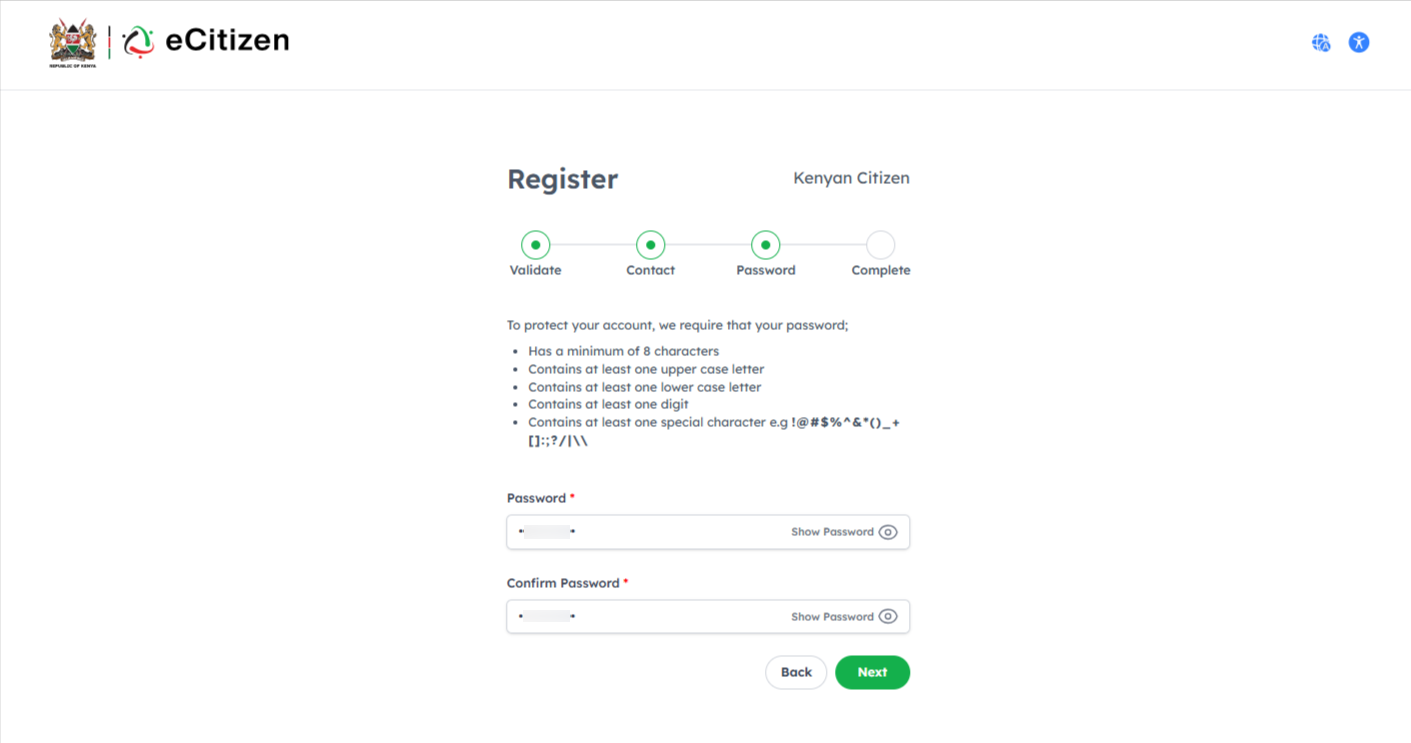
In this step, you need to setup eCitizen account password. To protect your eCitizen Account, ensure your new eCitizen Password has a minimu of 8 characters, at least one upper case letter, at least one lower case letter, containsat east one digit and contains at east one special character i.e. !@#$%^&*()_+[]:;?/|\\. Once you have setup new eCitizen Password, click on “Next” button.
- Step 9: Agree to eCitizen Terms and Conditions
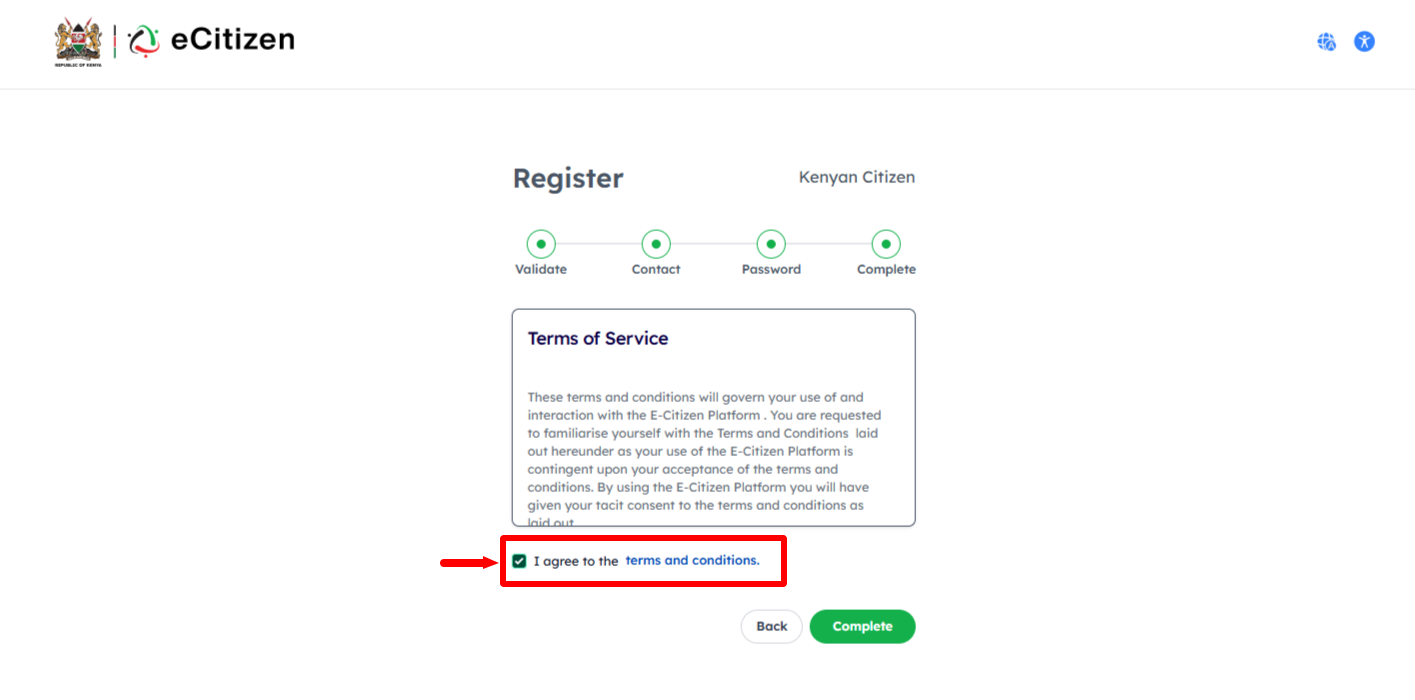
Next, you need to agree to the “eCitizen Terms and Conditions” by ticking on the check box. Once you have done that, click on the “Complete” button.
- Step 9: eCitizen Account Registered Successfully
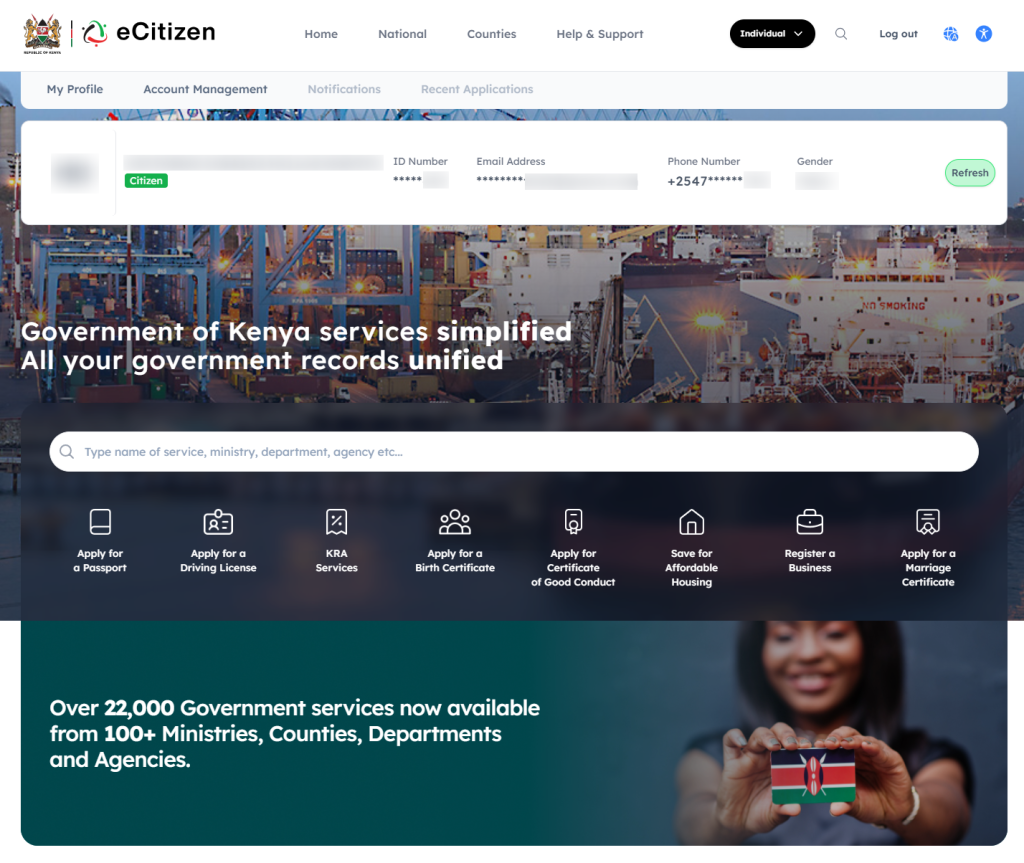
Lastly, once you have done everything correctly, your eCitizen account will be registered successfully and you can now login and access your new eCitizen account dashboard using either Email Address or ID number and the eCitizen account password that you setup.
Overview: eCitizen Account Registration
To register an eCitizen account, start by visiting the eCitizen website and clicking on Register. Select the appropriate account type and proceed to validate your ID details. Confirm your names as they appear on your identification document, then enter your active phone number and email address to continue with the registration process.
READ ALSO: How To Reset eCitizen Password
Next, enter the eCitizen account verification code (OTP) sent to your registered contact details. Set up a secure password for your eCitizen account and agree to the eCitizen Terms and Conditions. Once all the required information has been successfully submitted and verified, your eCitizen account will be registered successfully.