
This Step-by-Step Tutorial explains How To Check eCitizen Account Electronic Signature, providing clear and detailed guidance through each step of the process from start to finish to help you Check eCitizen Account Electronic Signature in a few minutes.
What is eCitizen Account Electronic Signature?
An eCitizen Account Electronic Signature is a digital signature associated with an eCitizen account and used to electronically sign documents through the eCitizen platform. Instead of signing a document manually with a pen, the user can apply a digital signature when completing certain online government services and document processes.
READ ALSO: How To Check eCitizen Account Audit Trail
The electronic signature is displayed on documents that have been signed using the eCitizen digital signature feature. It provides a visible indication that the document has been electronically signed through the eCitizen platform and can form part of the document’s digital authentication and verification information.
What is eCitizen Account Electronic Signature Check?
eCitizen Account Electronic Signature Check is the process of reviewing the electronic signature associated with an eCitizen account. It allows users to check the digital signature information available on their account and confirm that the signature feature is available for use when signing documents electronically.
The electronic signature can be displayed on documents that have been signed using the eCitizen digital signature feature. Checking the electronic signature can help users confirm the signature information before or after using it to electronically sign documents through eCitizen.
Requirements Needed To Check eCitizen Account Electronic Signature
To successfully Check eCitizen Account Electronic Signature, you need to have the following 2 requirements:
- ID Number
- eCitizen Password
How To Check eCitizen Account Electronic Signature
To Check eCitizen Account Electronic Signature, follow the step-by-step process outlined below.
- Step 1: Visit eCitizen website

The first step in the process of checking eCitizen Account Electronic Signature is to visit eCitizen website using https://accounts.ecitizen.go.ke/
- Step 2: Click on Sign in
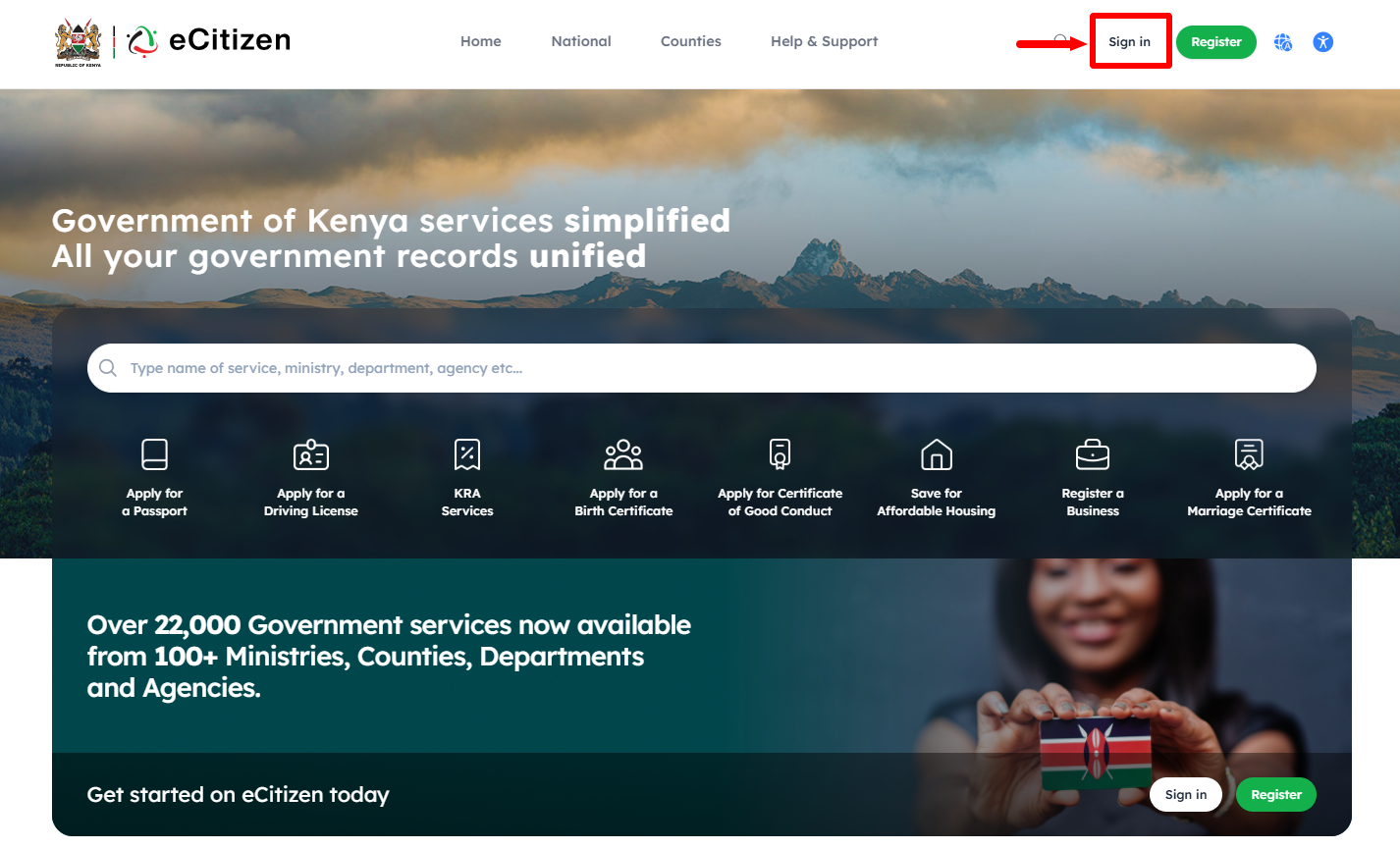
Once you are on the eCitizen website, click on “Sign In” button to start the process of checking Electronic Signature on eCitizen account.
- Step 3: Enter ID Number
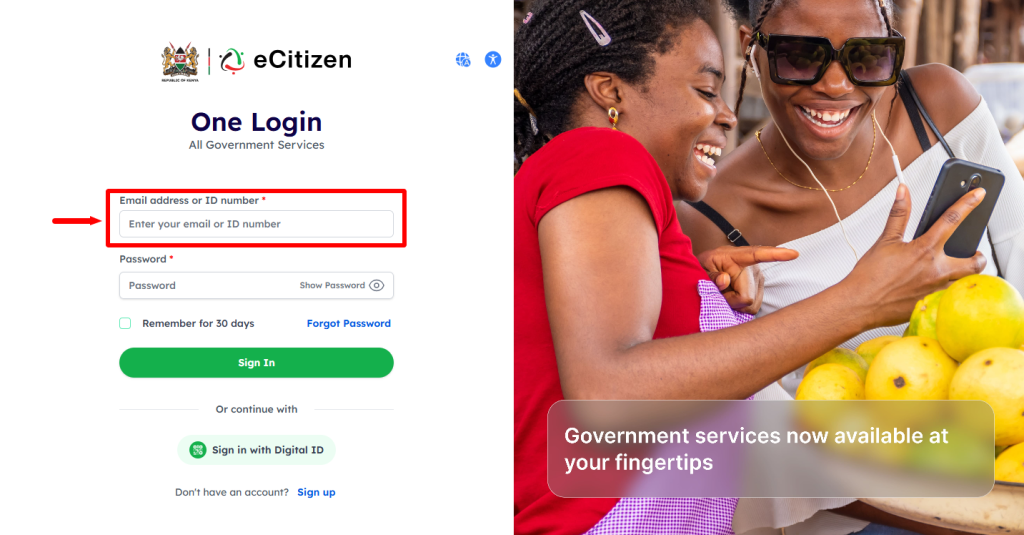
Next, enter your “ID Number” and then proceed to the next step.
- Step 4: Enter eCitizen Password
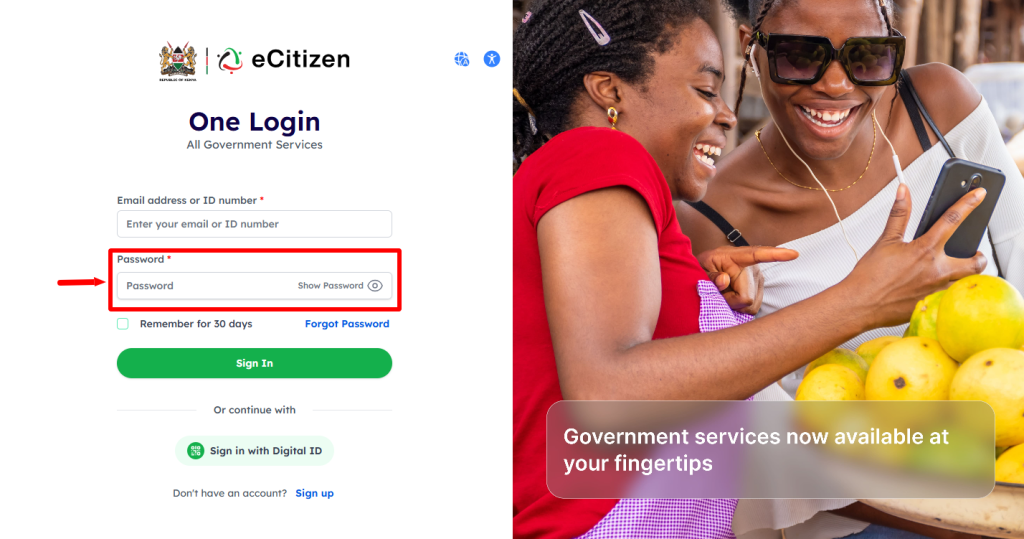
In this step, you need to enter your “eCitizen Password” and then proceed and click on the “Sign In” button.
- Step 5: OTP Verification
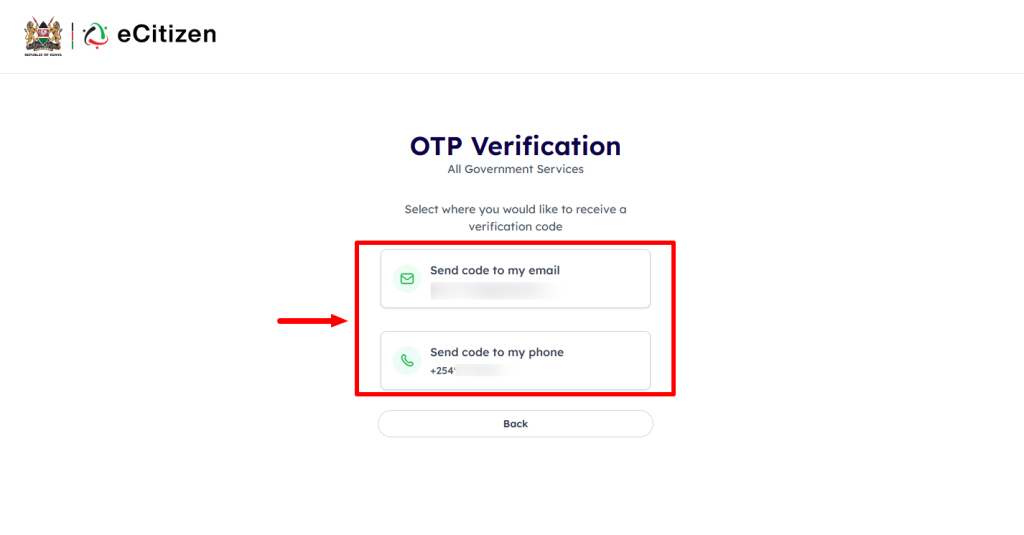
If your eCitizen account has Two-Factor Authentication (2FA) enabled, you need to select the option that you want to receive the One-Time Password (OTP) either via Phone Number or Email Address.
- Step 6: Enter eCitizen OTP Verification Code
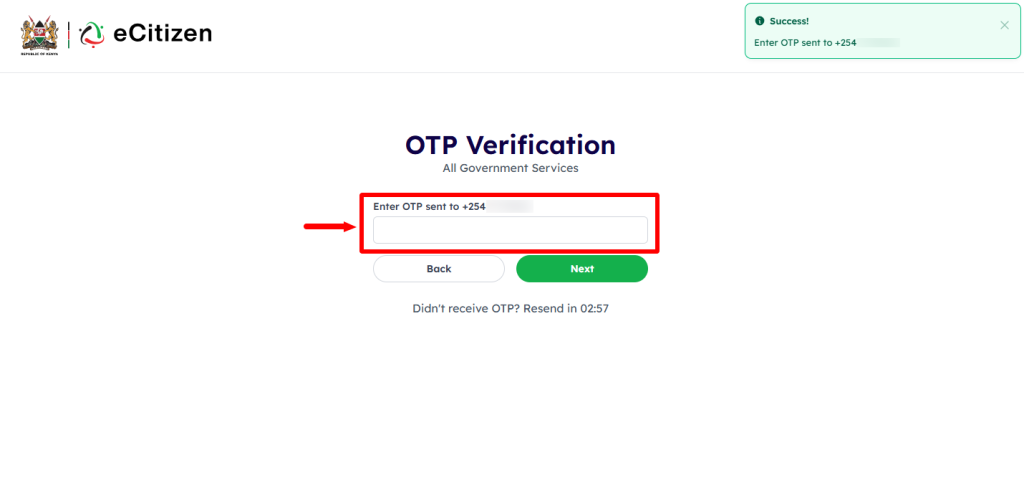
Next, enter the eCitizen One-Time Password (OTP) that has been sent and click on the “Next” button to proceed to the next step.
- Step 7: eCitizen Login Successfull

Once you have entered everything correctly i.e. ID Number, eCitizen Password and eCitizen OTP Code, you will be successfully logged into your eCitizen account. Now you can start the process of checking eCitizen Electronic Signature online.
- Step 8: Click on Account Management
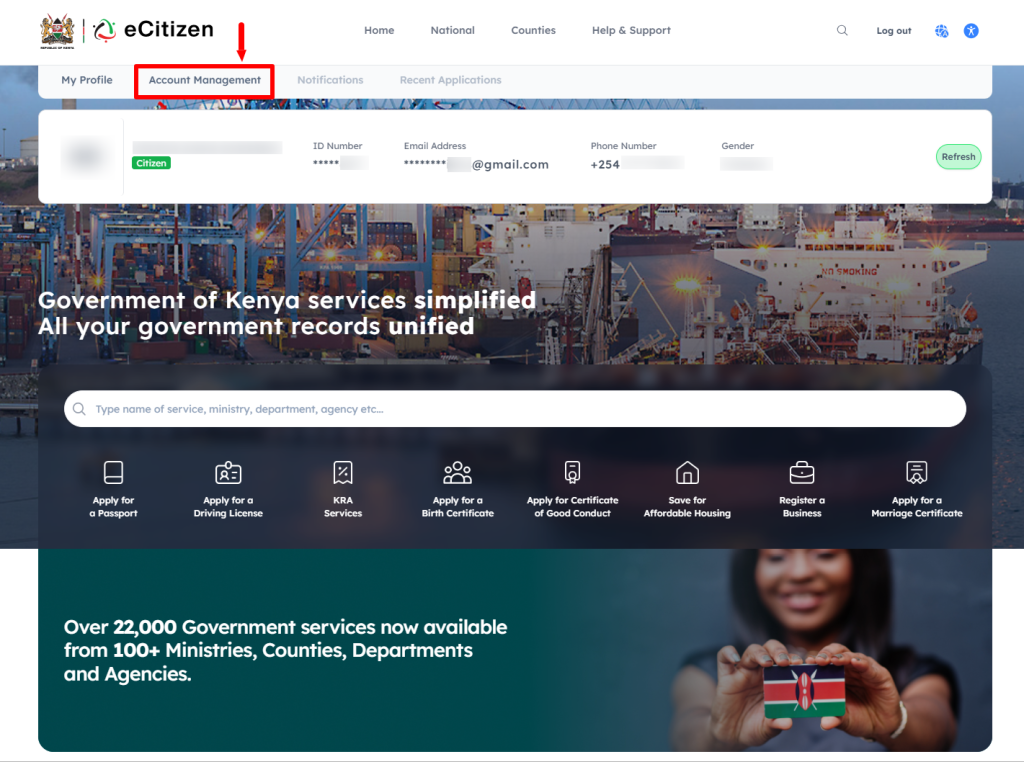
Next, click on “Account Management” and scroll down to “Electronic Signature” section.
- Step 9: Electronic Signature
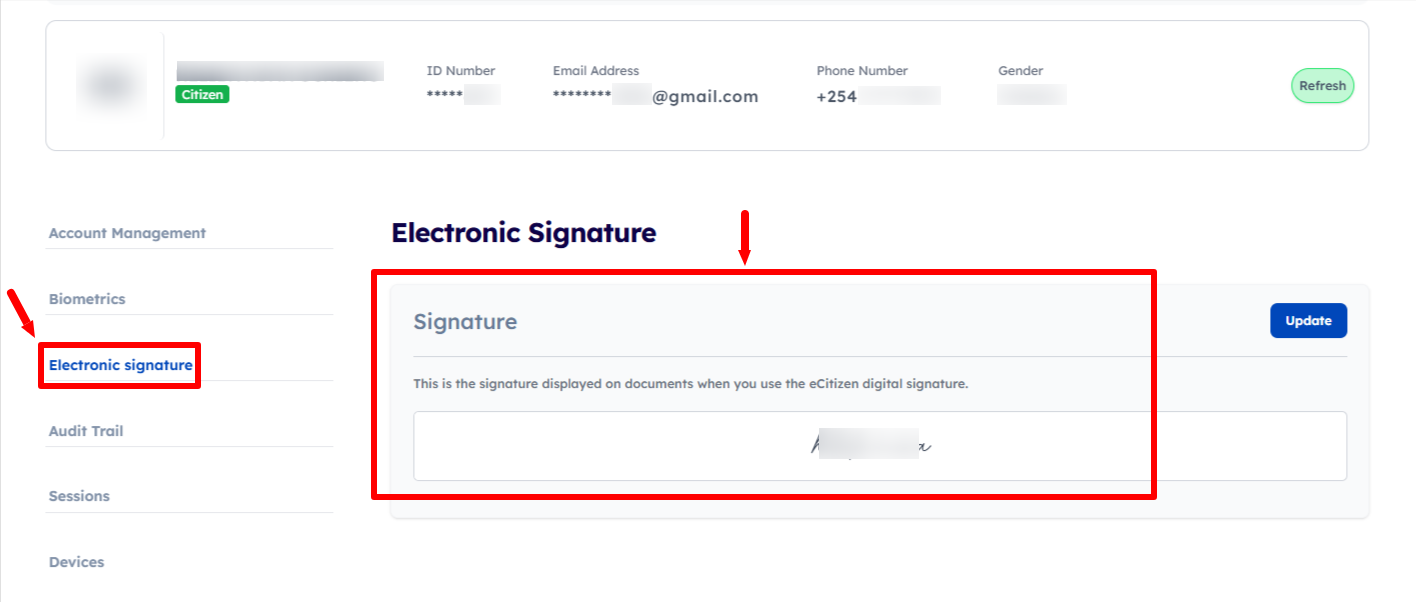
Lastly, your eCitizen Electronic Signature will be displayed on the account dashboard. Checking the eCitizen electronic signature will help you confirm the signature information before or after using it to electronically sign documents through eCitizen. The eCitizen electronic signature is displayed on documents when you use the eCitizen digital signature.
Overview: eCitizen Account Electronic Signature Check
To check your eCitizen Account Electronic Signature, start by visiting the eCitizen website and clicking on Sign in. Enter your ID number and eCitizen password, then complete the OTP verification by entering the eCitizen OTP verification code. Once the login is successful, you will be able to access your eCitizen account.
READ ALSO: How To Disable Two-Factor Authentication (2FA) on eCitizen Account
After logging in, click on Account Management to access your account settings and information. Select Electronic Signature to view the electronic signature associated with your eCitizen account and check the signature information available for use when signing documents through eCitizen.