

This Step-by-Step Tutorial explains How To Log In To eCitizen, providing clear and detailed guidance through each step of the process from start to finish to help you Log In To eCitizen in a few minutes.
What is eCitizen?
eCitizen is the Kenyan government’s online platform that allows citizens, residents, and other users to access various government services through the internet. The platform brings together different government departments and agencies, enabling users to apply for services, make payments, download documents, and check the status of applications without having to visit government offices in person.
READ ALSO: How To Register eCitizen Account
Through eCitizen, users can access a wide range of services, including applications for government documents, business-related services, immigration services, civil registration services, and other public services. To use many of these services, users need to create and log in to an eCitizen account using their registered account details.
What is eCitizen Login?
eCitizen Login is the process of accessing your eCitizen account using your registered account credentials. It allows users in Kenya to securely sign in to the eCitizen platform and access the government services available through their accounts.
To log in to eCitizen, users generally provide their registered Email Address or ID number and password, followed by any required eCitizen OTP verification code. Once successfully logged in, users can access services, submit applications, make payments, view application information, and download available government documents.
Requirements Needed To Log In To eCitizen
To successfully Log in to eCitizen account, you need to have the following 2 requirements:
- eCitizen Email Address or ID Number
- eCitizen Password
How To Log In To eCitizen
To Log in to eCitizen account, follow the step-by-step process outlined below.
- Step 1: Visit eCitizen website
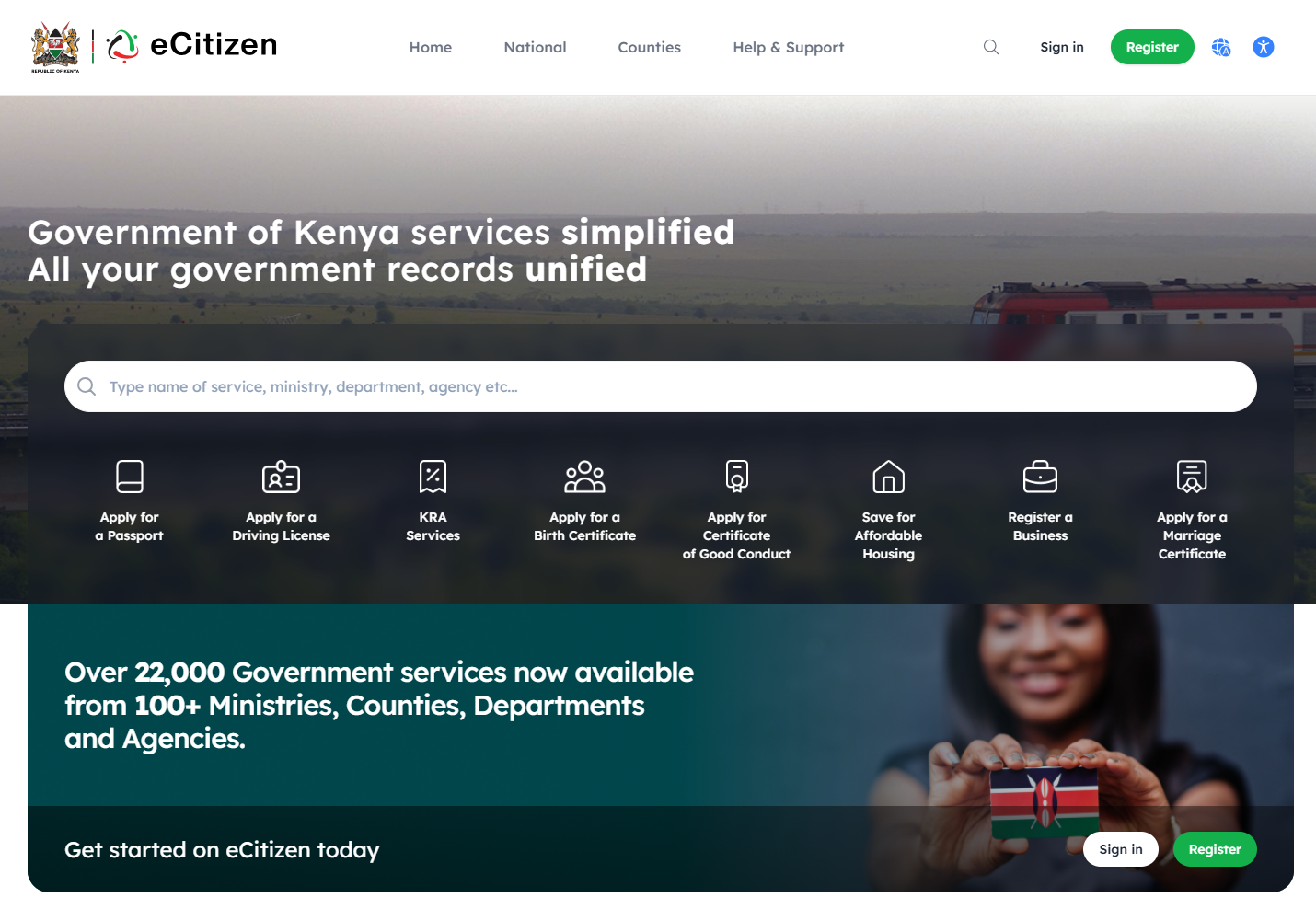
The first step in the process of eCitizen Login is to visit eCitizen website using https://accounts.ecitizen.go.ke/
- Step 2: Click on Sign in
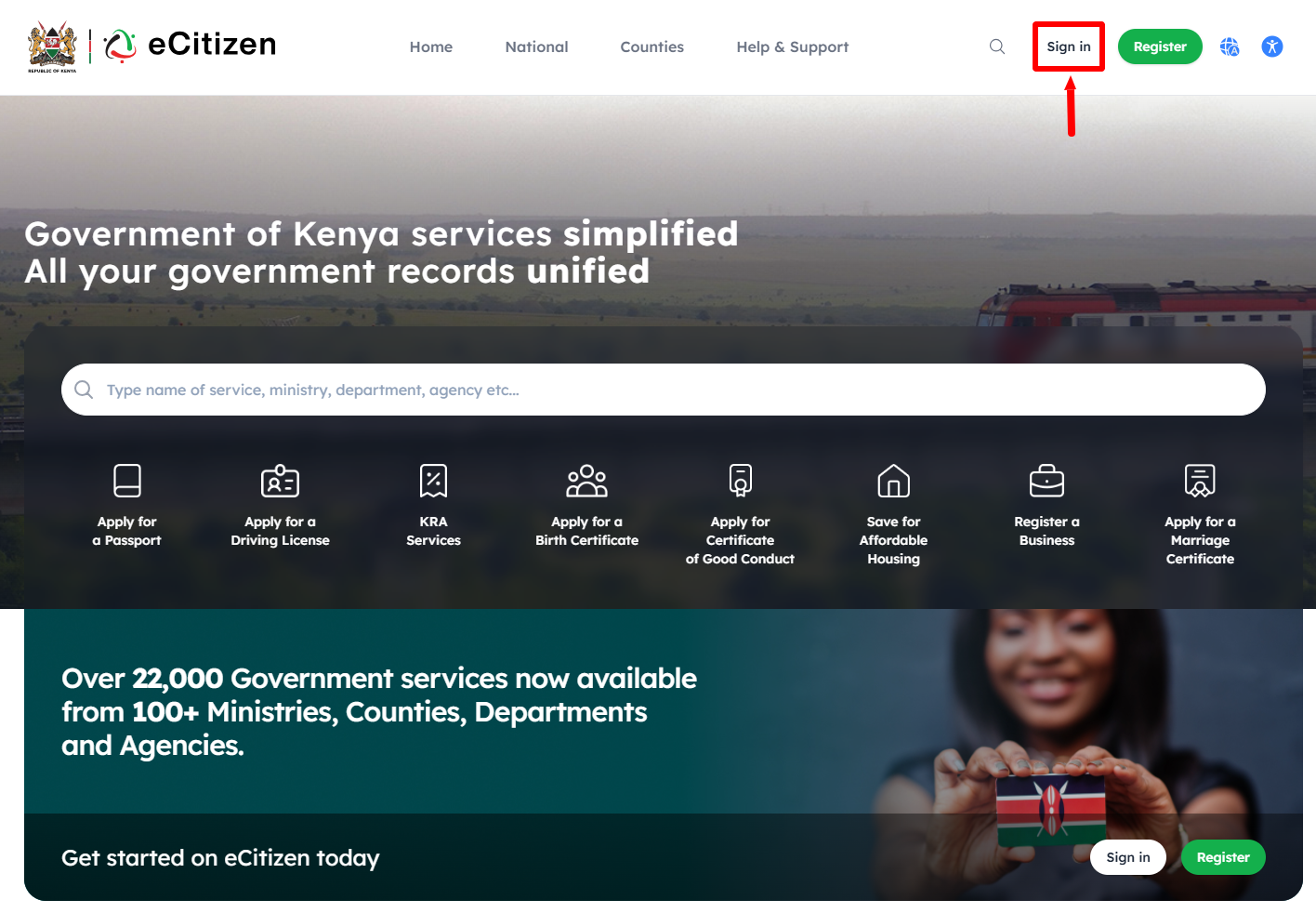
Once you are on eCitizen website, click on the “Sign in” button to start the process of eCitizen account login.
- Step 3: Enter Email Address or ID Number
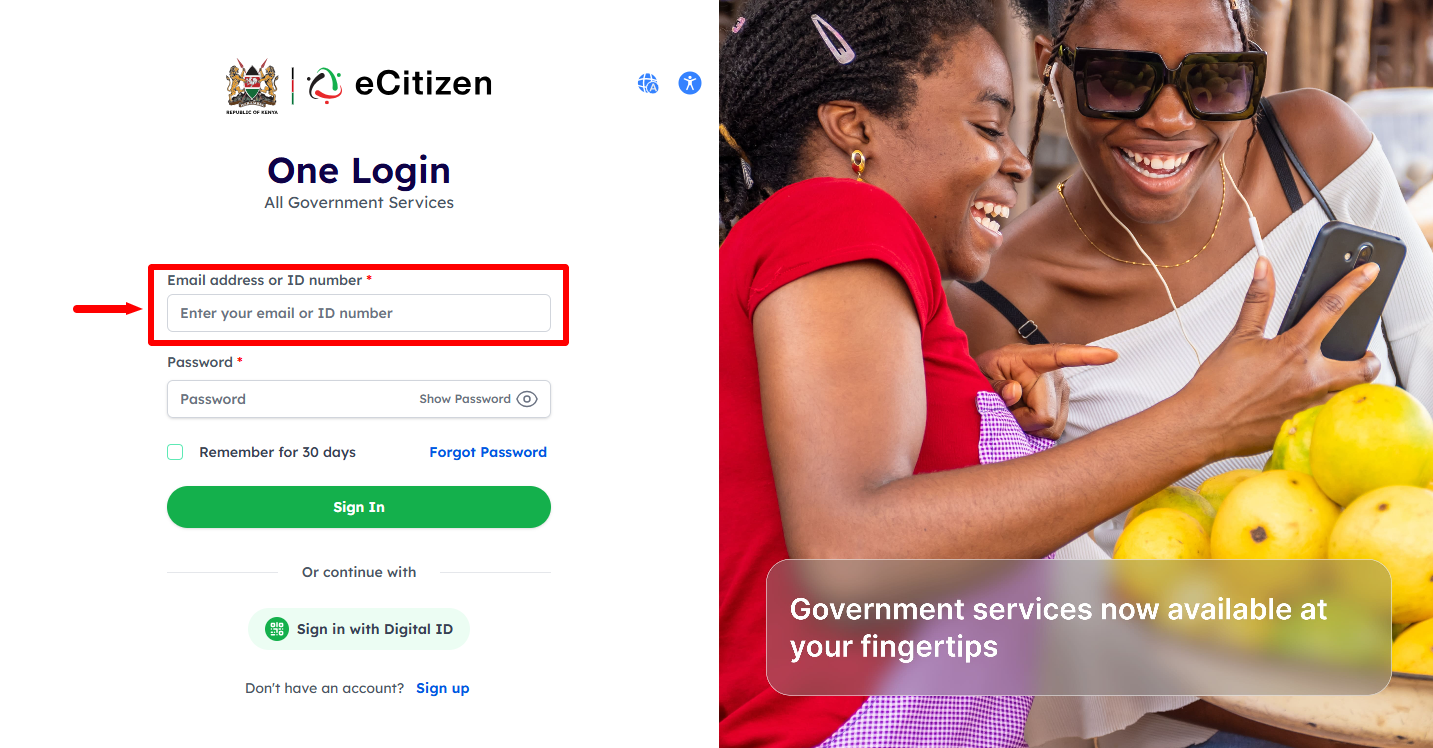
In this step, you need to enter either the “Email Address” registered on eCitizen or “ID Number” so as to be able to access eCitizen account.
- Step 4: Enter eCitizen Password
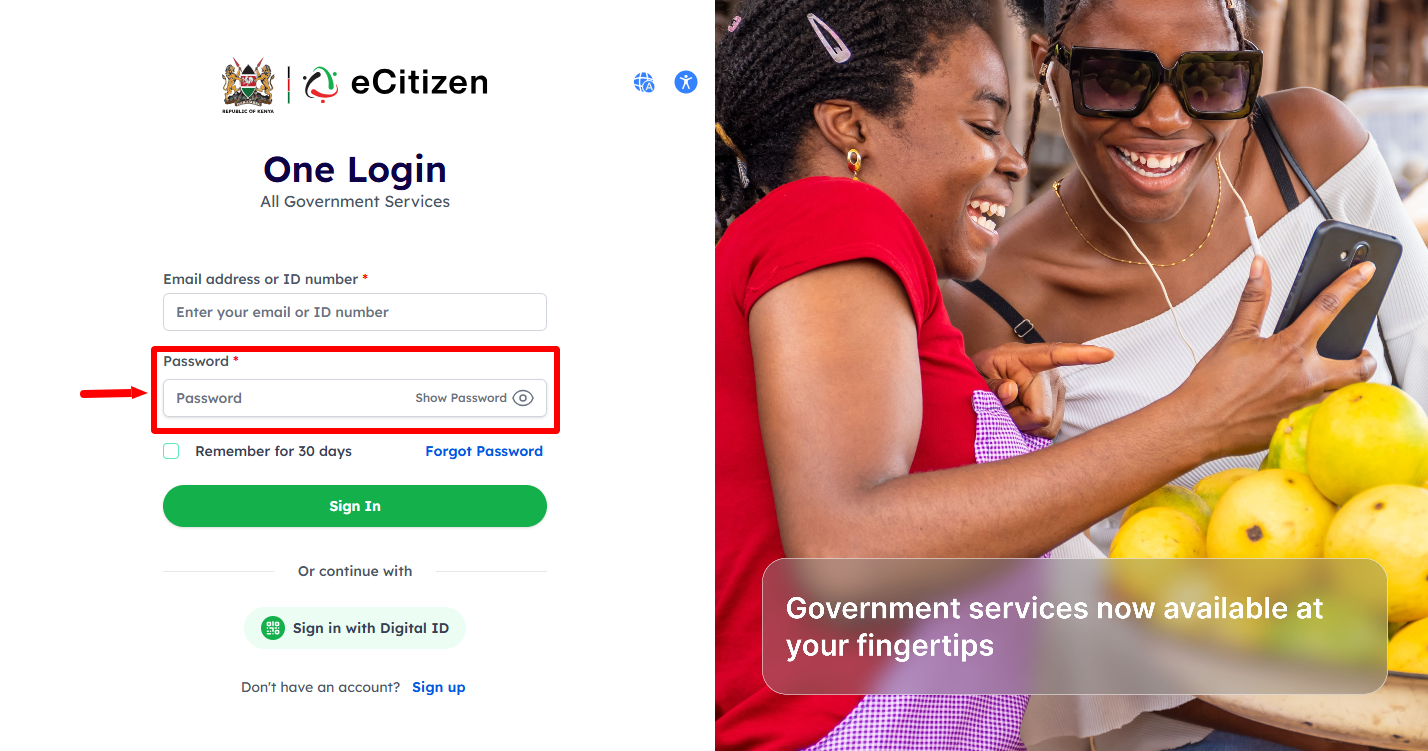
Next, enter “eCitizen Password” then click on the “Sign In” button to proceed to the next step.
- Step 5: OTP Verification
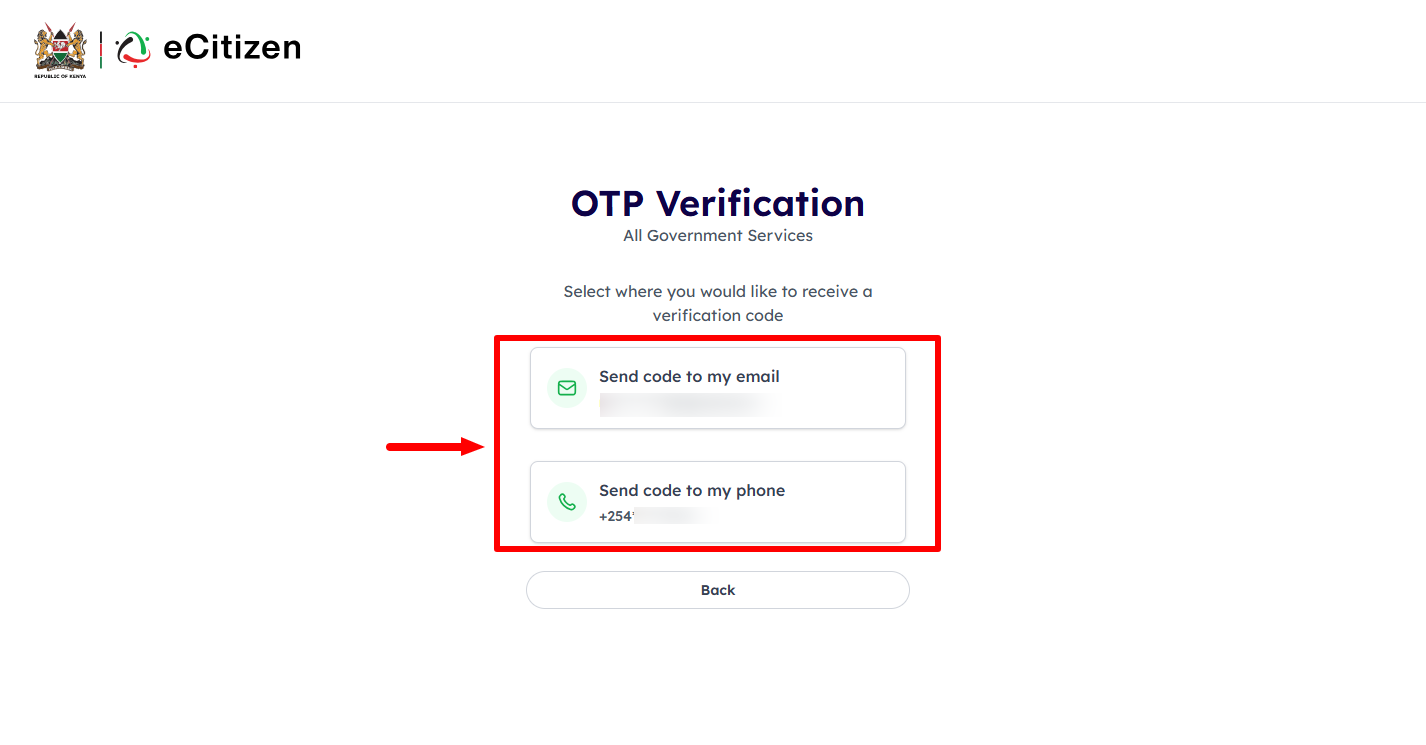
If you have enabled Two Factor Authentication (2FA) on your eCitizen account, you will have to verify using either the OTP sent to “Email Address” or “Phone Number” and proceed to the next step.
- Step 6: Enter eCitizen OTP Verification Code
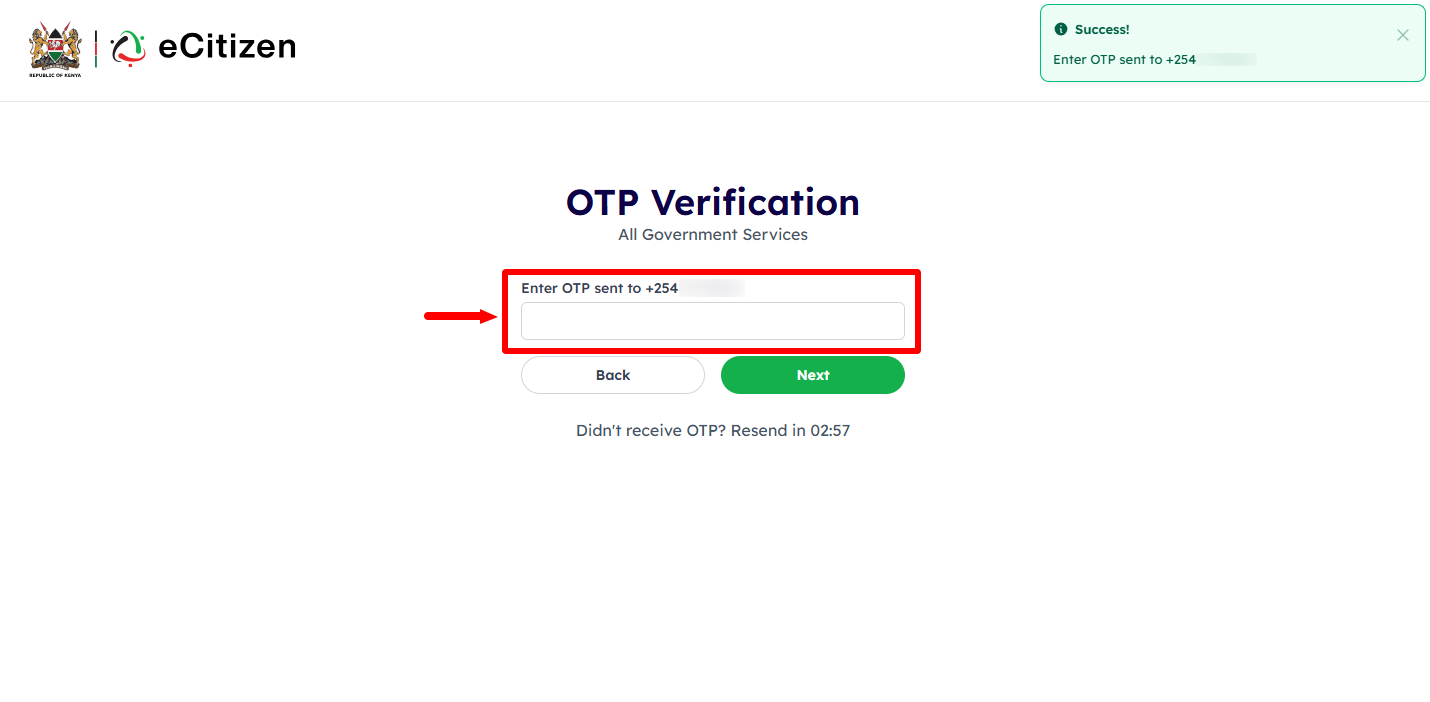
In this step, enter the OTP Vertification code sent to Email Address or Phone Number depending on which verification option method you selected. Click on the “Next” button to proceed.
- Step 7: eCitizen Login Successfull
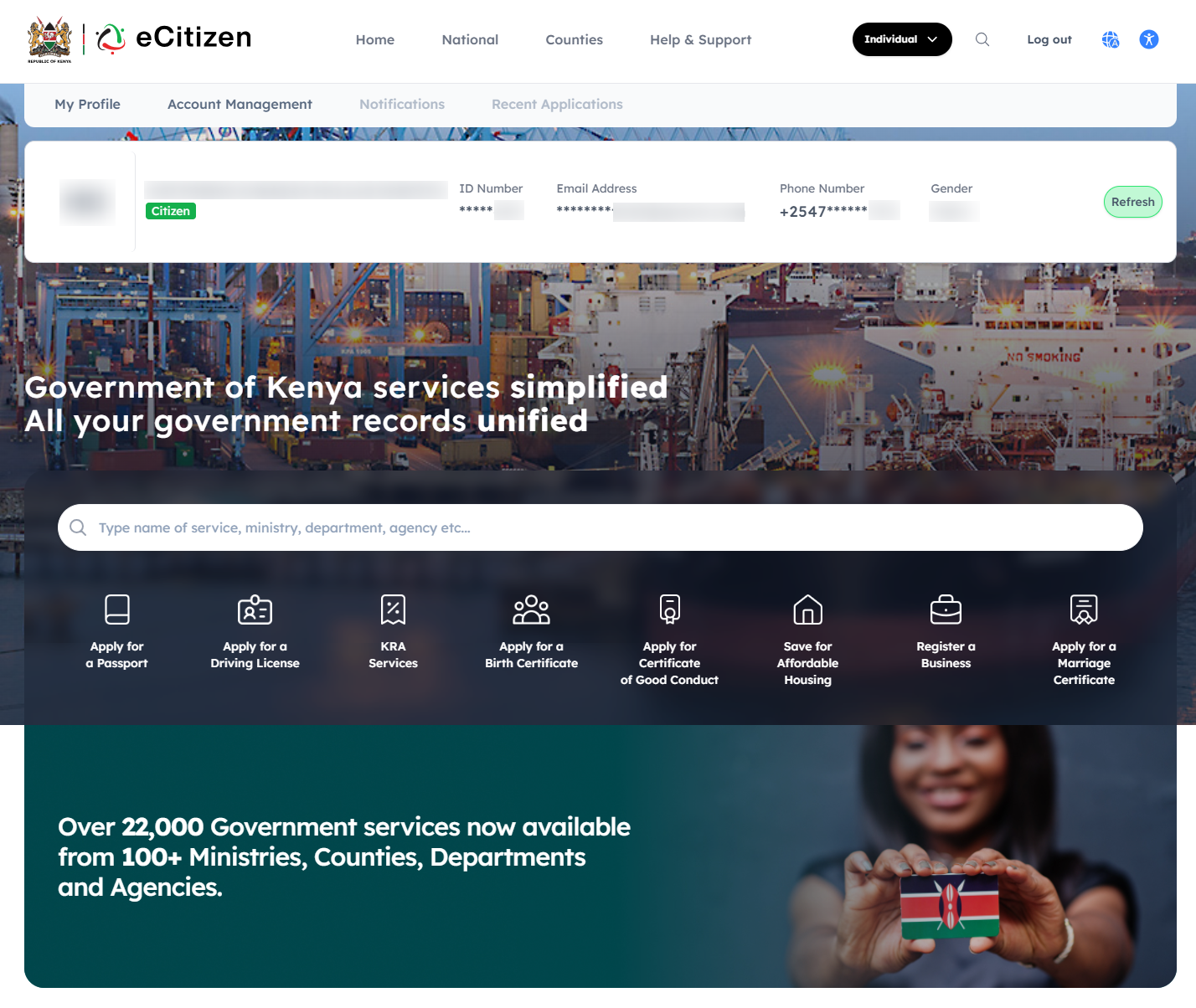
Lastly, once you have entered the correct eCitizen OTP code and the system has verified the same, you will be logged into your eCitizen account successfully.
Overview: eCitizen Login
To log in to your eCitizen account, start by visiting the official eCitizen website and clicking on Sign in. Enter your registered email address or ID number, followed by your eCitizen password. Make sure the details you provide are correct before proceeding to the next step.
READ ALSO: How To Reset eCitizen Password
After entering your login credentials, you may be required to complete OTP verification by entering the verification code sent to you. Once the OTP is successfully verified and your credentials are authenticated, you will be logged into your eCitizen account and can access the available government services.