
This Step-by-Step Tutorial explains How To Book SGR Ticket, providing clear and detailed guidance through each step of the process from start to finish to help you Book SGR Ticket in a few minutes.
What is SGR Ticket?
An SGR Ticket is the official travel ticket issued to passengers travelling on the Standard Gauge Railway (SGR) in Kenya. It contains important journey details such as the passenger’s name, travel date, departure and destination stations, train details, seat number, ticket number and fare paid. The ticket serves as proof that a passenger has successfully booked and paid for SGR journey.
An SGR Ticket is required when travelling on the SGR passenger service and may be presented for verification before or during the journey. Passengers can obtain their tickets when booking an SGR trip through the available official booking channels or via Madaraka Express online booking website. It is important to check the ticket details carefully and keep the ticket information available until the journey is completed.
Requirements Needed To Book SGR Ticket
To book an SGR ticket, you first need to visit the official Madaraka Express website – https://metickets.krc.co.ke/, where you can make your train reservation online. The booking website allows passengers to select their preferred travel details and provide the information required to complete the ticket booking process.
You will need to provide your personal details during the booking process. These details include your full names, ID or passport number, gender and nationality. Ensure that the information entered matches your identification documents to avoid problems when travelling.
You will also need payment details to complete the SGR ticket booking. For M-PESA payments, you should have an active M-PESA mobile number that can be used to make the required payment. Once the payment is successfully completed, you can proceed with the booking and receive your SGR ticket details.
How To Book SGR Ticket
To Book SGR Ticket online, follow the step-by-step process outlined below.
- Step 1: Visit Madaraka Express Online Booking website
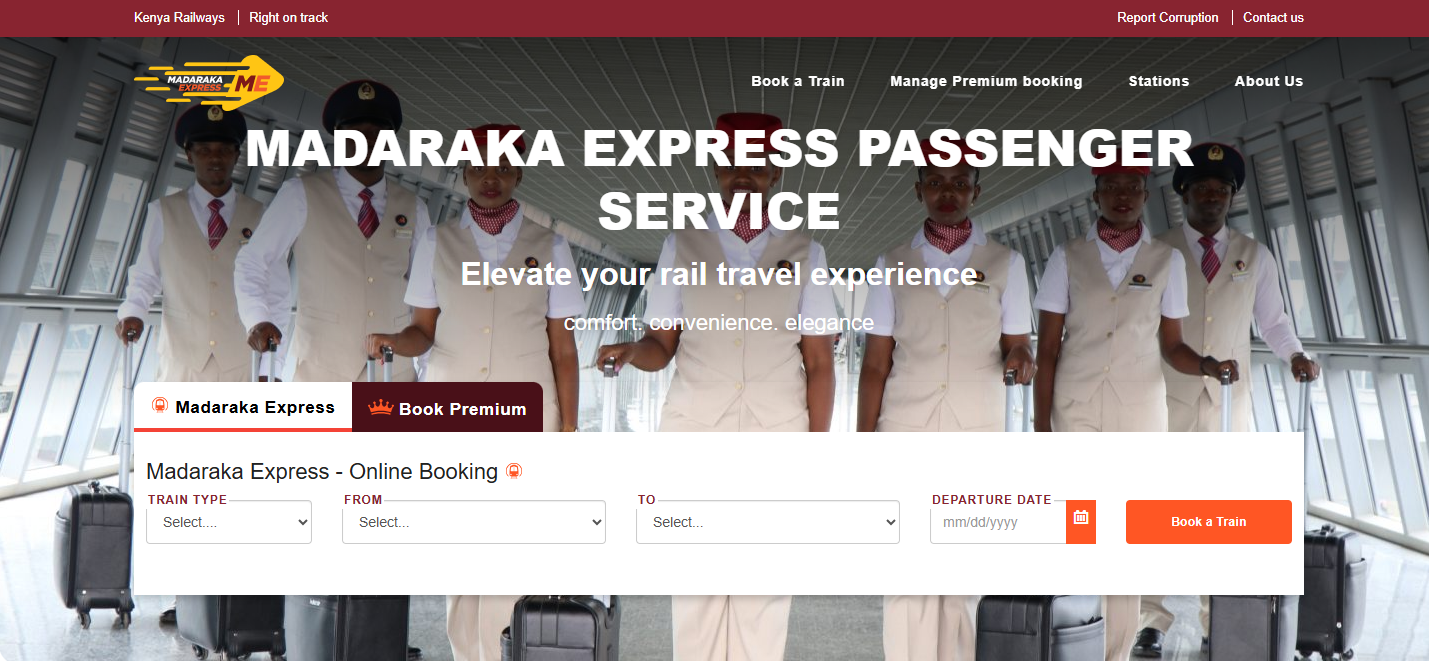
The first step in the process of booking SGR Ticket is to visit the Madaraka Express Online Booking website using https://metickets.krc.co.ke/
- Step 2: Select Train Type, Destination, Departure Date and Time
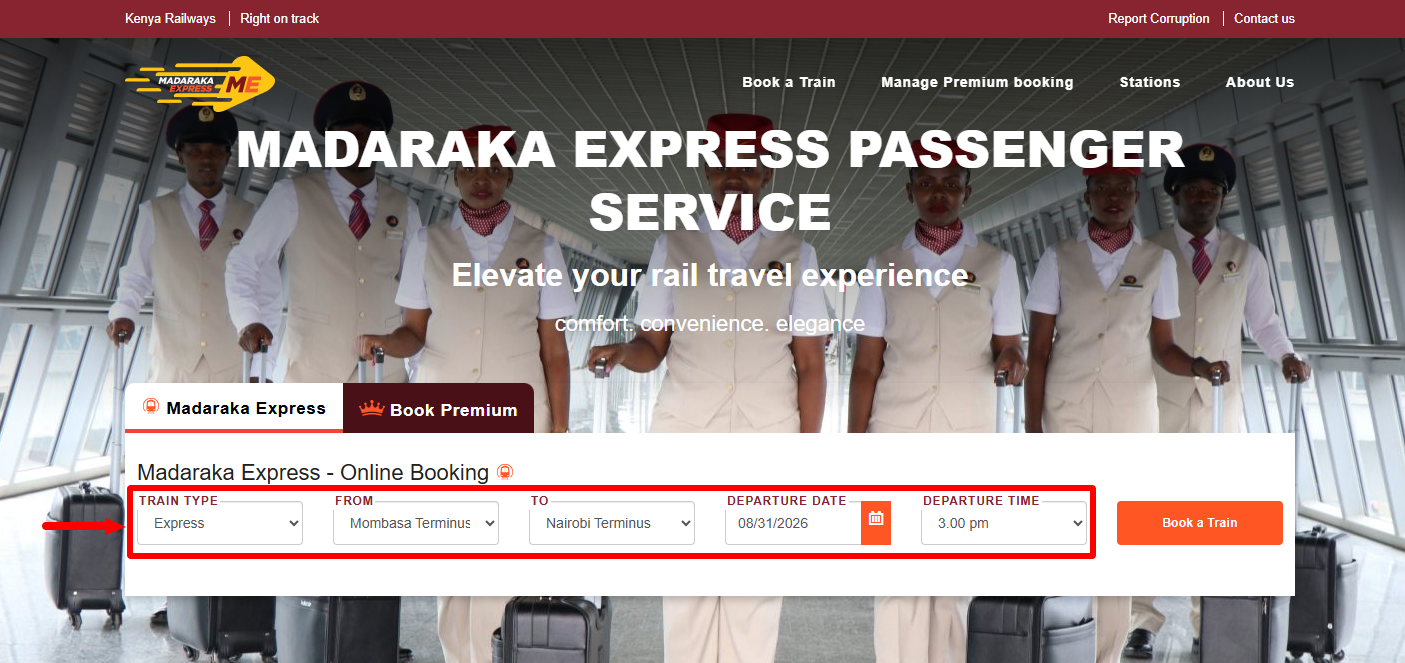
On the Madaraka Express Online Booking website, you need to select “Train Type“; “From“; “To” and “Departure Date and Time.” Once you have selected and enetered these details, proceed to the next step.
- Step 3: Click Book a Train
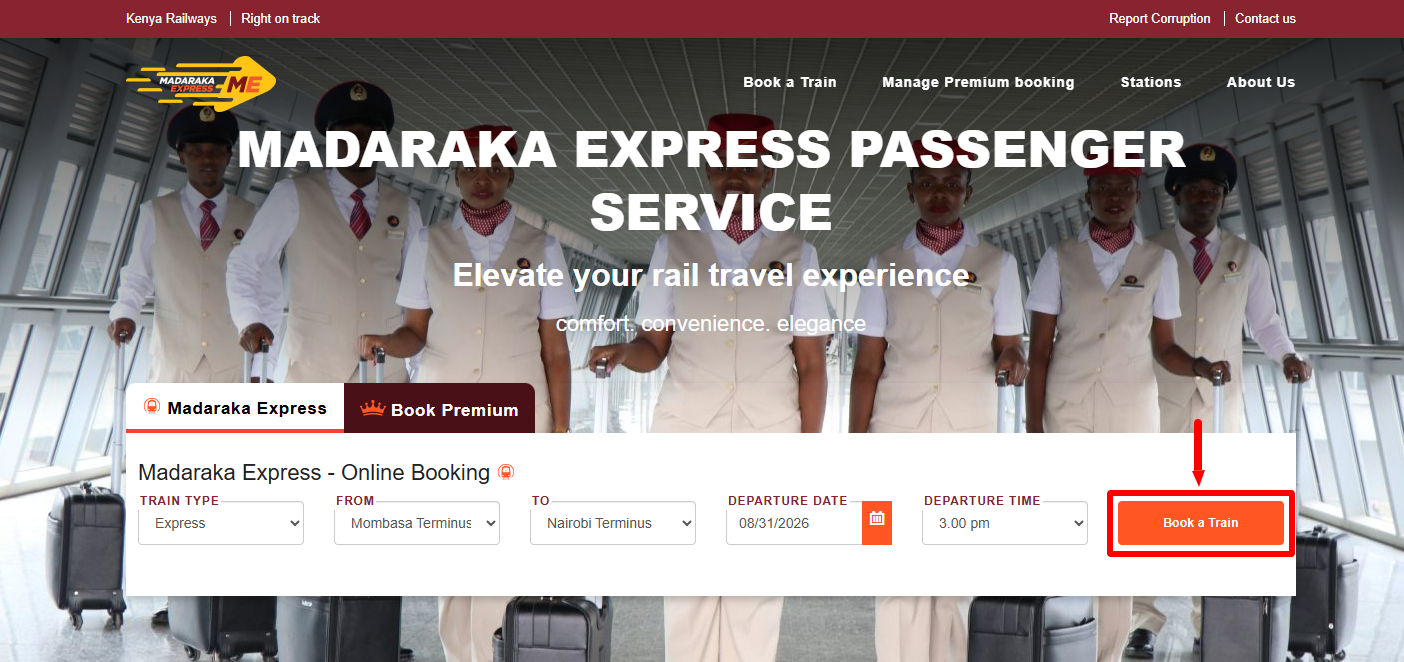
Once you have selected the train type, entered the destination, selected the departure date and time, click on the “Book a Train” button.
- Step 4: View SGR Train Search Results
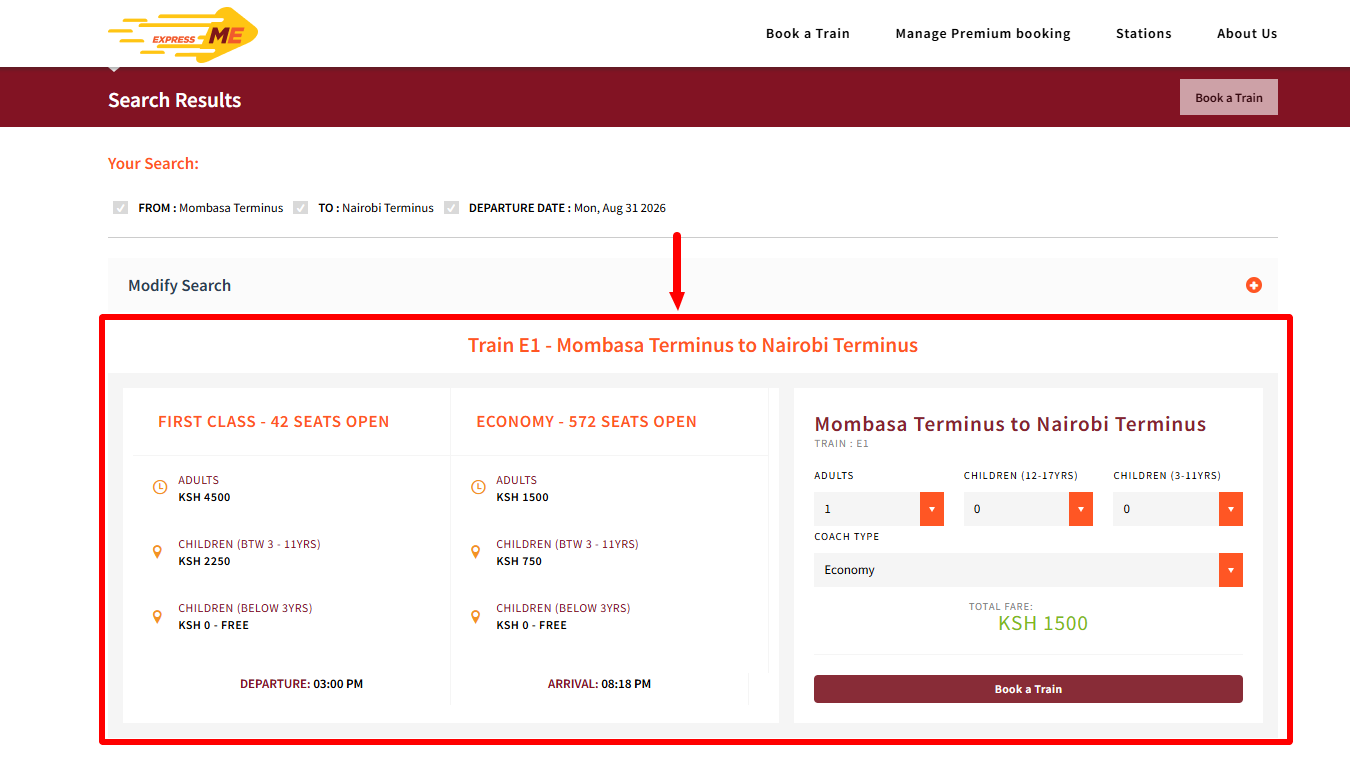
In this step, you need to confirm the SGR train details results, select number of passenger(s) and then select the train type i.e. Economy or First Class. Once yu have done that, click on the “Book a Train” button to proceed to the next step.
- Step 5: Passenger and Payment Details
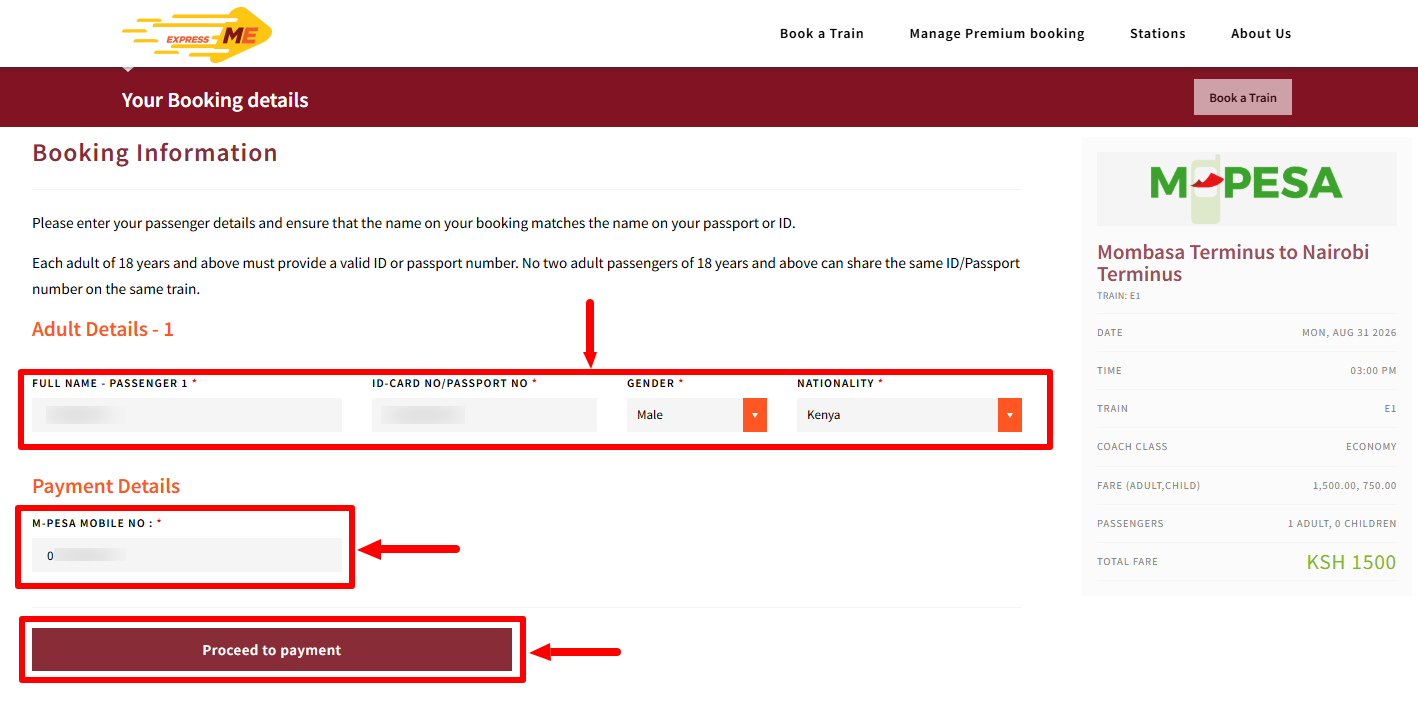
Next, enter “Passenger Details” (Full Names, ID Number or Passport Number, select Gender and Nationality). Once you have done that, on the “Payment Details” section, enter “M-PESA Mobile Number” and then click on “Proceed to Payment” button to initiate M-PESA Payment prompt on your phone.
- Step 7: Make Payment
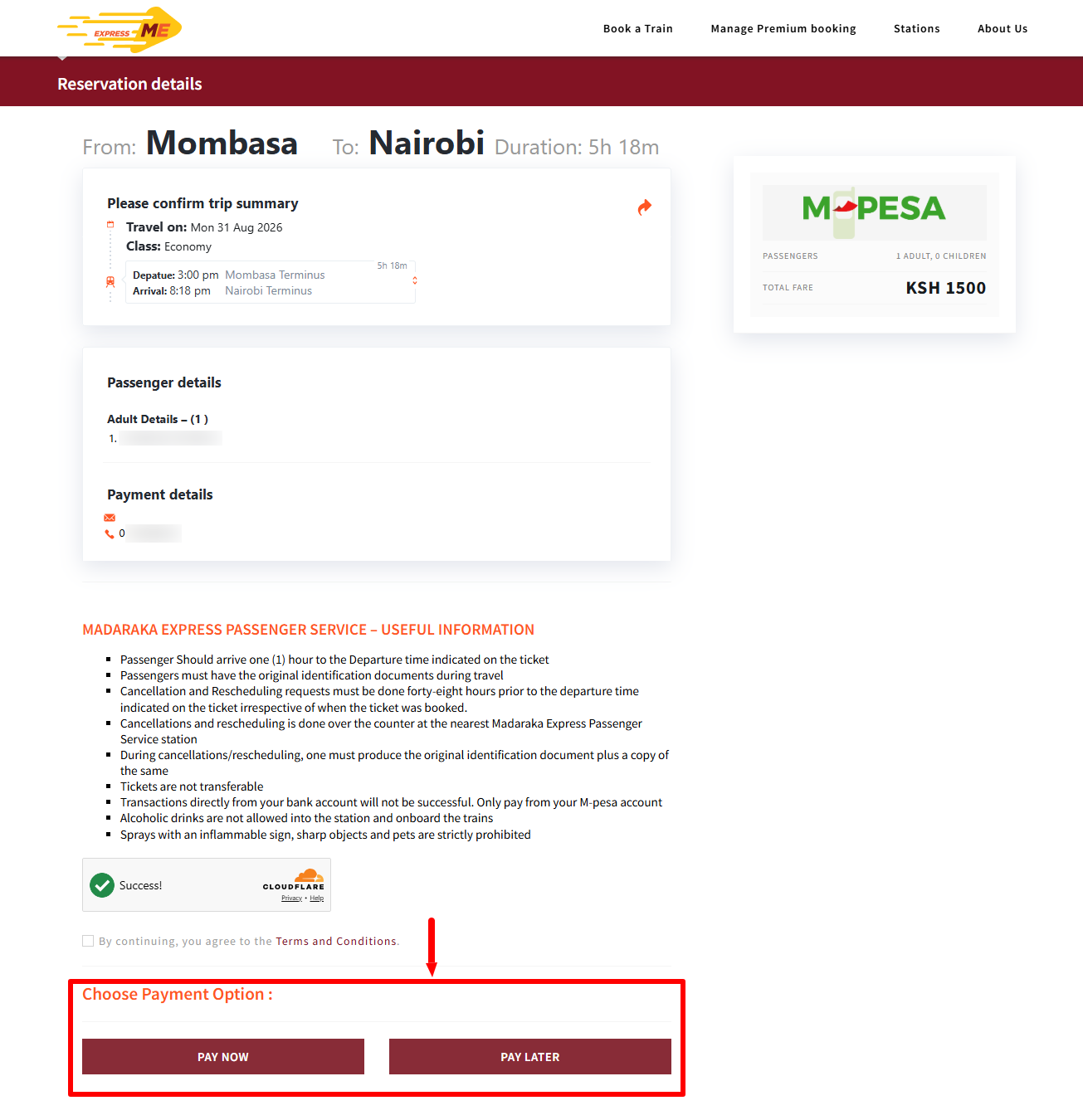
In this step, after agreeing to the “Terms and Conditions“, choose payment option, either “Pay Now” or “Pay Later” depending on your current situation. Once you select Pay Now, you will receive an M-PESA prompt on your phone and you need to enter your M-PESA PIN to confirm your SGR Ticket payment.
- Step 8: SGR Ticket Booked Successfully
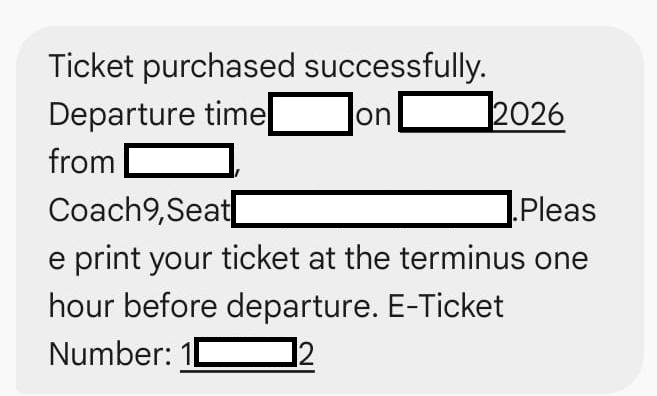
Lastly, you will receive an SMS from SGR confirming successfull SGR Ticket booking. This SMS os important as you will need it on the day of travel once you get to the SGR Terminus or SGR Station during printing of SGR Ticket. Details contained in that SMS includes: Departure Time, Date, From, Coach, Seat Number and the E-Ticket Number.
Overview: SGR Ticket Booking
To book an SGR ticket online, visit the Madaraka Express Online Booking website and select your train type, destination, and preferred departure date. Click Book a Train to view the available train search results, then select the suitable train and proceed to enter the required passenger details.
Next, provide your payment details (M-PESA number) and make the required payment to complete the booking. Once the payment is successfully processed, your SGR ticket will be booked successfully, allowing you to travel on the selected train, date, and route. You will receive an SMS with the SGR Ticket details that will be needed on the travel date when you are going to print SGR Ticket at the SGR Terminus or SGR Station.