

This Step-by-Step Tutorial explains How To Check Number Plate Status at NTSA, providing clear and detailed guidance through each step of the process from start to finish to help you Check Number Plate Status at NTSA in a few minutes.
What is Number Plate Status?
Number Plate Status refers to the process of checking the status of your vehicle number plate through the National Transport and Safety Authority (NTSA). It allows vehicle owners to find out whether their number plates have been processed and whether they are ready for collection.
Checking your number plate status is useful after applying for new number plates or replacement number plates. The status helps you know whether the plates are still being processed or are ready for collection at the designated NTSA collection centre.
How To Check Number Plate Status at NTSA
To check your number plate status at NTSA, visit the NTSA website and click on Online Services. Select Uncollected Smart DLs and Number Plates from the available services, then enter your Vehicle Registration Number details in the required field. Select Number Plate as the option and click Search.
The system will then display your number plate status at NTSA, allowing you to check whether your number plate is ready for collection. This online service makes it easier to confirm the status of an uncollected number plate before visiting an NTSA office.
Requirements Needed To Check Number Plate Status at NTSA
The process of Checking Number Plate Status at NTSA requires that you have with you the following requirement.
- Vehicle Registration Number
The Vehicle Registration Number is important because you are going to use it check on the status of Number Plate at NTSA.
Step-by-Sep Guide To Checking Number Plate Status at NTSA
To successfully Check Number Plate Status at NTSA, you need to follow the steps outlined below in order for you to know te actual status of Number Plate at NTSA.
- Step 1: Visit NTSA website
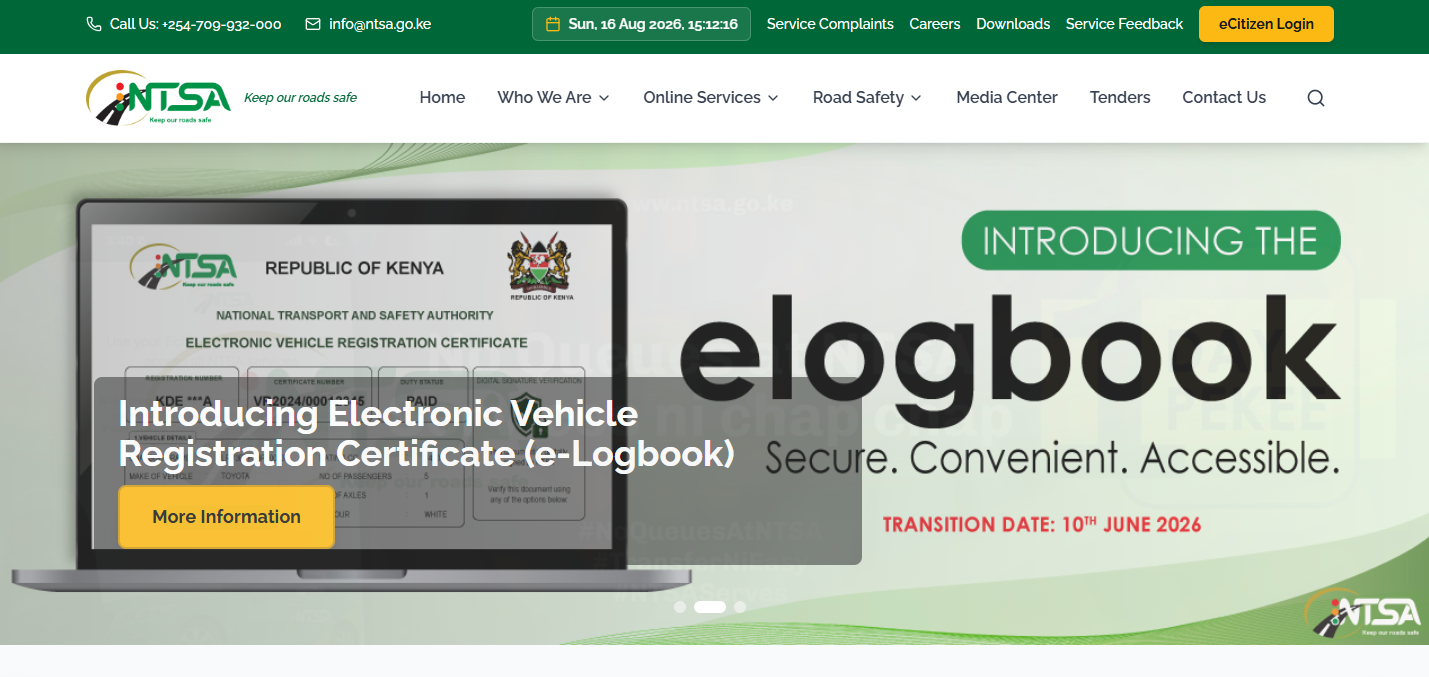
The first step in the process of Checking Number Plate Status at NTSA is to visit the NTSA website using the following url – https://ntsa.go.ke/
- Step 2: Click Online Services
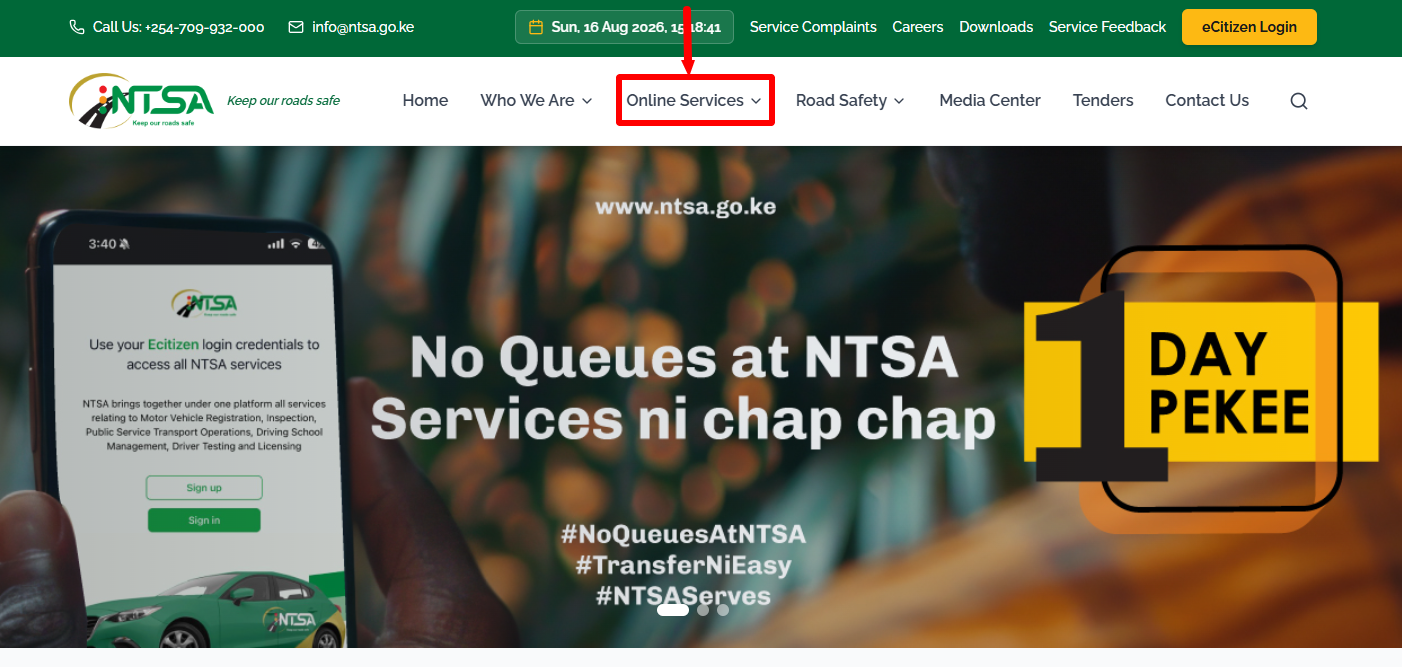
Once you are on the NTSA website, click on “Online Services” to start the process of How To Check Number Plate Status at NTSA.
- Step 3: Click on Uncollected Smart DLs and Number Plates
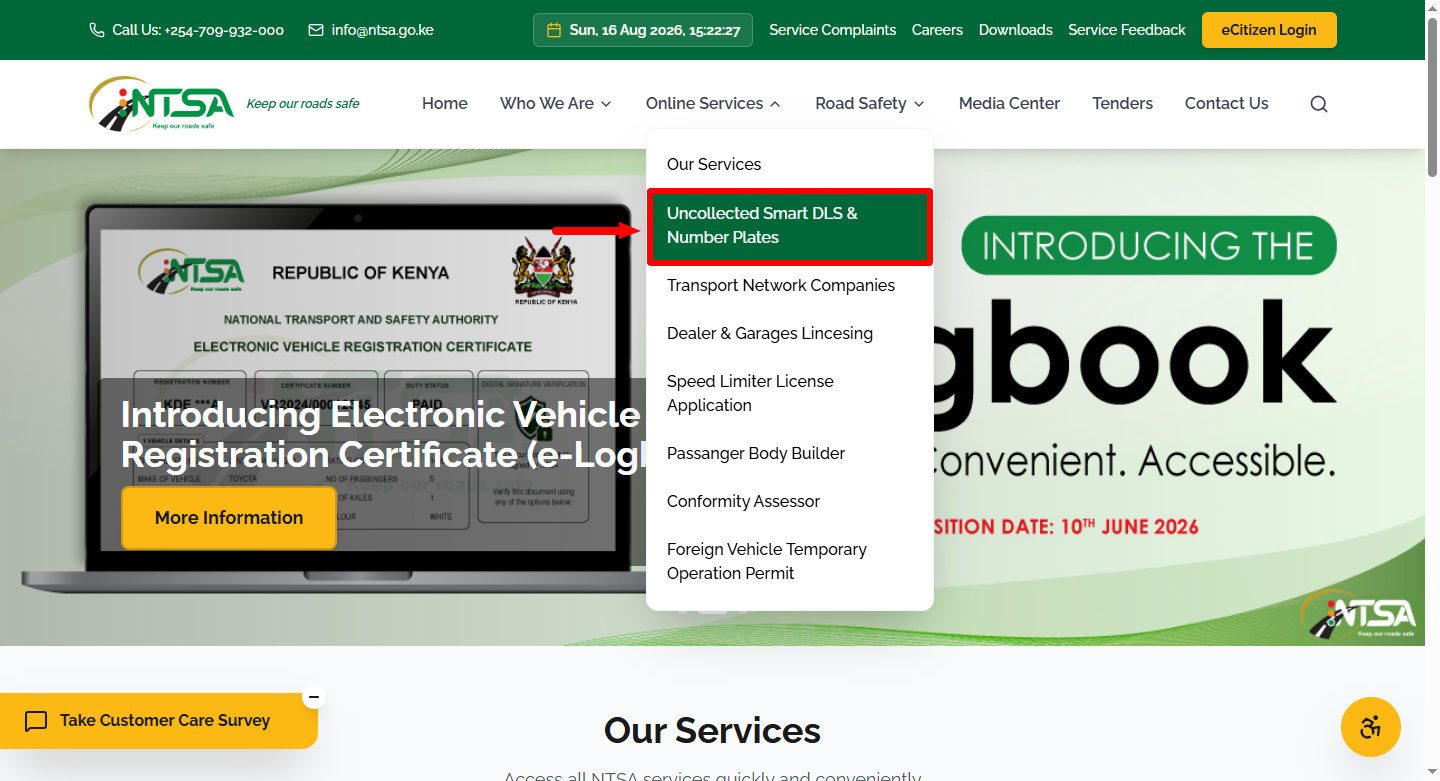
Next, from the menu under “Online Services” proceed and click on “Uncollected Smart DLs and Number Plates.”
- Step 4: Enter Vehicle Registration Number
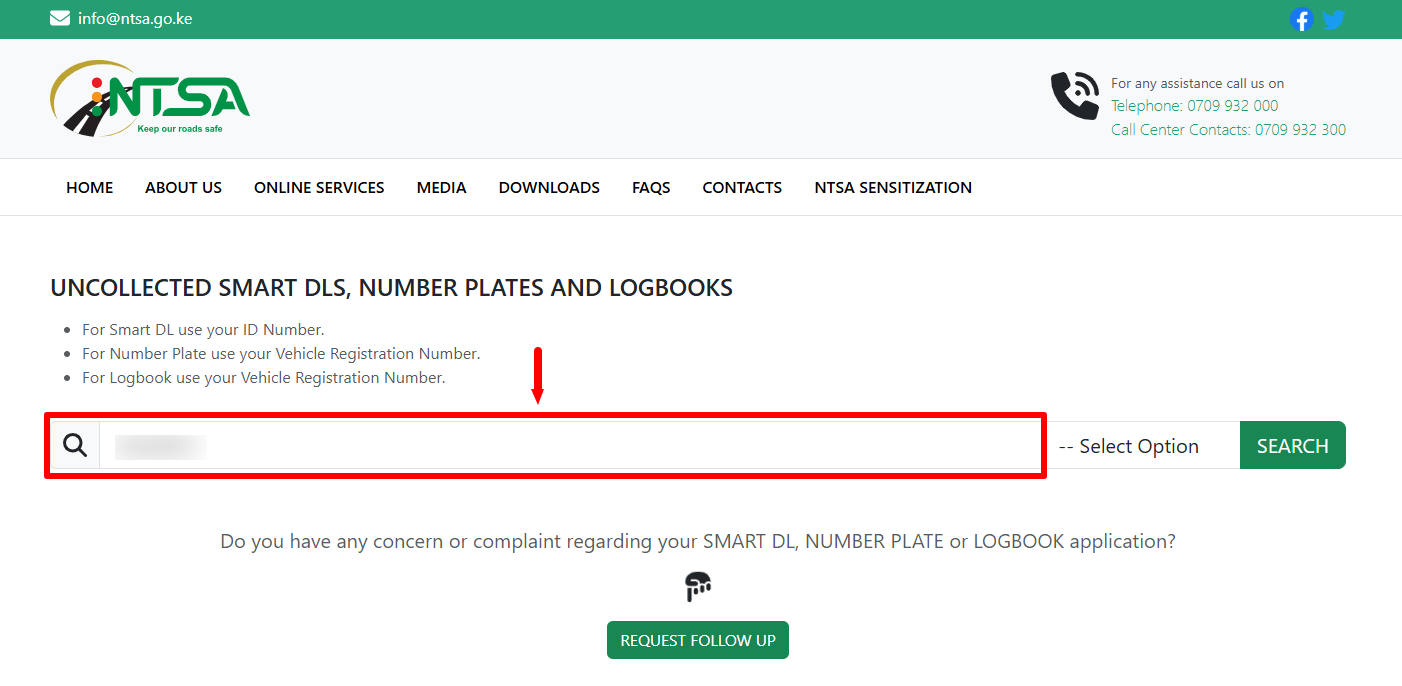
In this step, you need to enter your “Vehicle Registration Number” before proceeding to the next step.
- Step 5: Select Option as Number Plate
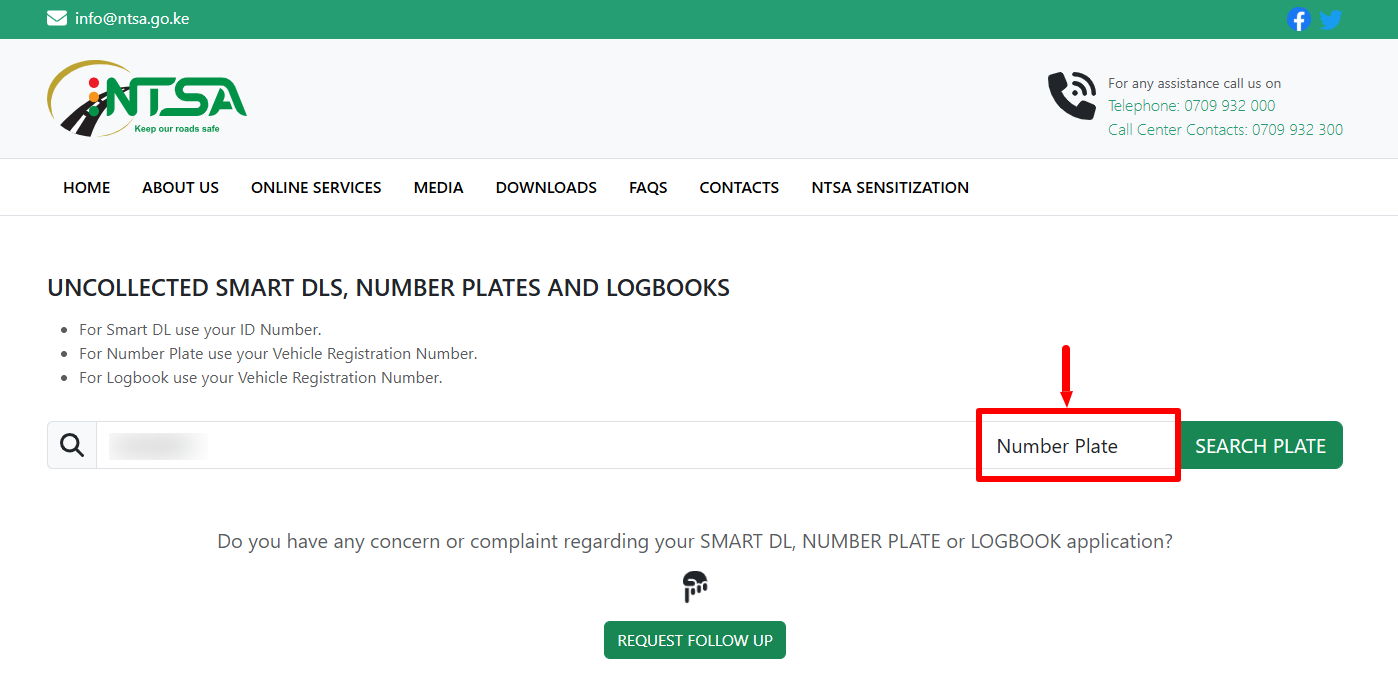
Once you have entered your Vehicle Registration Number, select “Option” as “Number Plate” and proceed to the next step.
- Step 6: Click on Search Number Plate
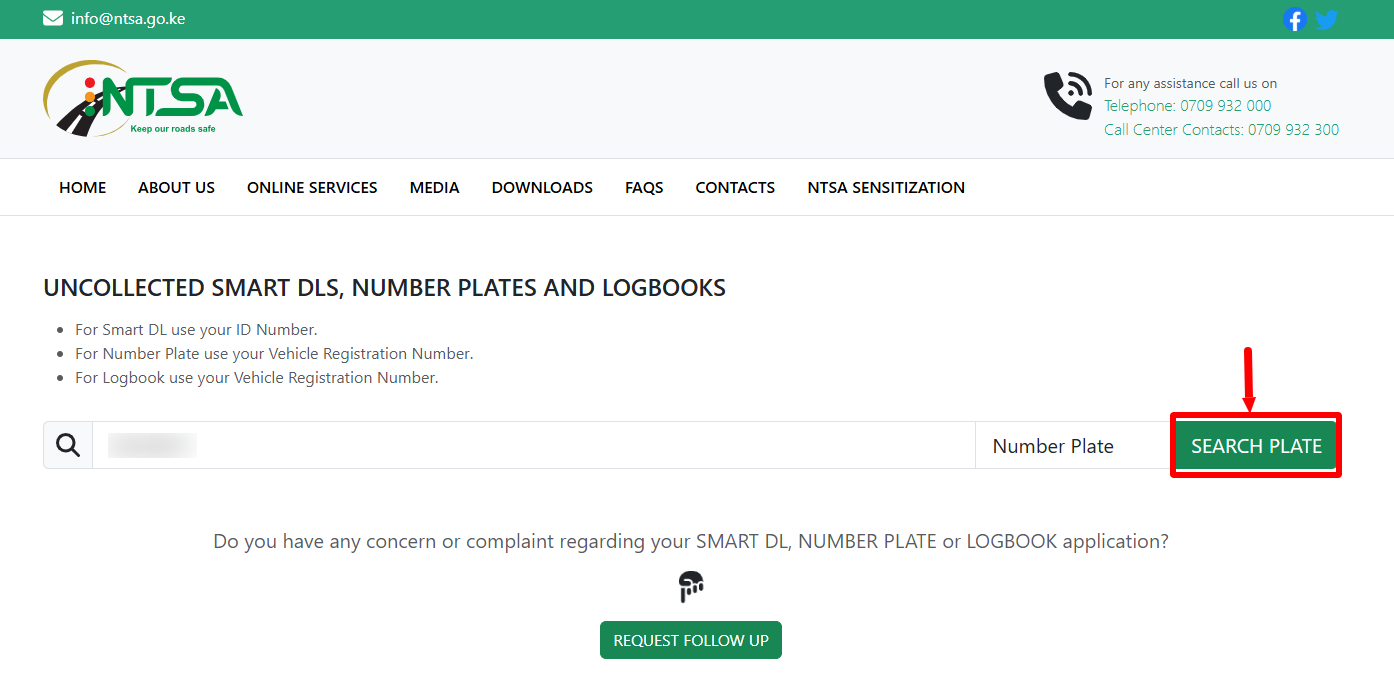
Next, once you have entered your Vehicle Registration Number, selected the option as Number Plate, proceed and click on the “Search Number Plate” button.
- Step 7: Number Plate Status at NTSA
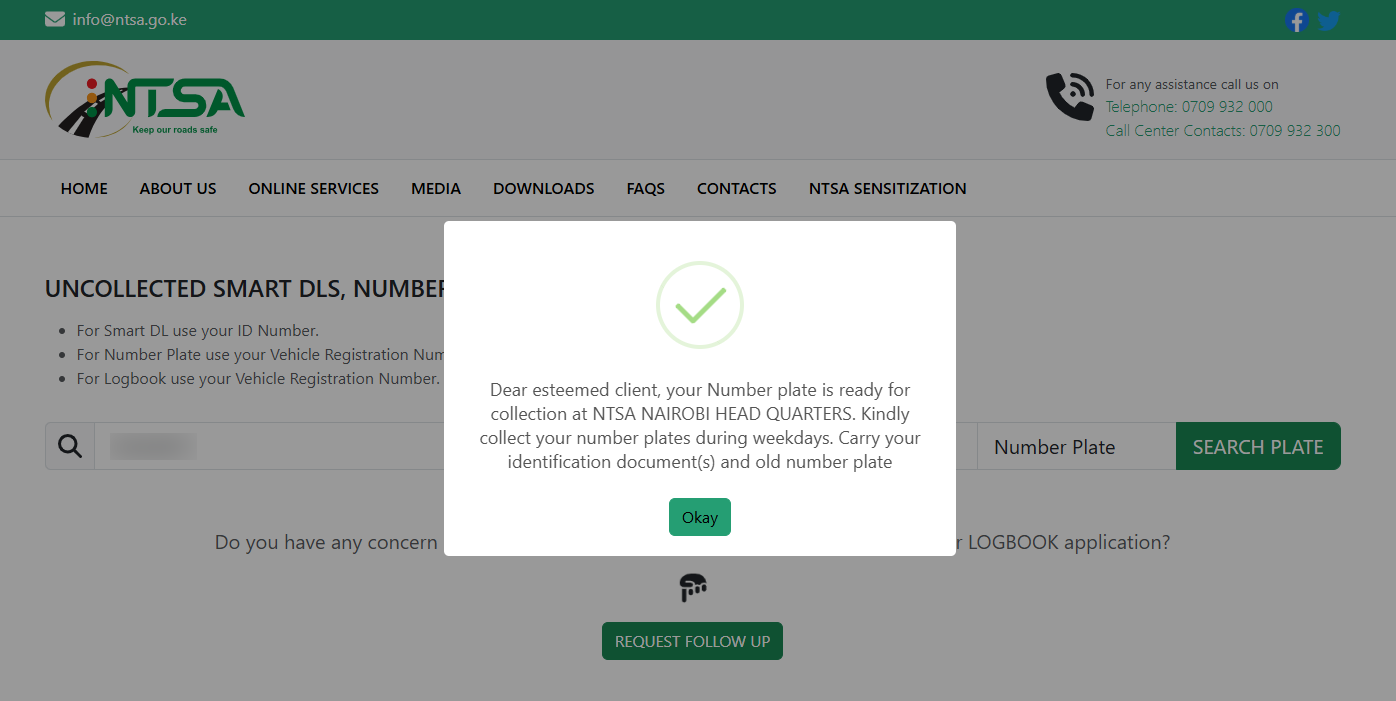
The final step shows the status of Number Plate at NTSA i.e. either “Number Plate is ready for collection at NTSA” or “Number Plate not yet ready.” If the Number Plate Status is ready for collection, you need to visit NTSA offices and collect the same immediately.
The above 7 steps sums up the whole process that you need to follow in order to Check Number Plate Status at NTSA. It is very important to ensure that you have your Vehicle Registration Number as it will ensure you are able to check whether the Number Plate at NTSA is ready for collection.