
This Step-by-Step Tutorial explains How To Reset KWATOS Password, providing clear and detailed guidance through each step of the process from start to finish to help you Reset KWATOS Password in a few minutes.
What is KWATOS Password?
KWATOS Password is the password used to access the Kilindini Waterfront Automated Terminal Operations System (KWATOS), a digital terminal operating system used by the Kenya Ports Authority (KPA). The system helps manage and automate port operations, including cargo handling, vessel schedules, container movements, and clearance processes at the Port of Mombasa and related facilities.
Users who have a KWATOS account need their correct login credentials, including their username and password, to access the system. The official KWATOS platform is available through the KPA KWATOS Portal at www.kwatos.kpa.co.ke, where authorised users can access the services provided by the system.
Requirements Needed To Reset KWATOS Password
To reset your KWATOS password, you need to have your KWATOS User ID and the email address registered with your KWATOS account. These details are used to identify your account and help verify that you are the authorised user requesting a password reset.
Make sure that the User ID and registered email address you provide are correct and match the details in the KWATOS system. If you no longer have access to the registered email address or your account details are not recognised, you may need to contact the relevant Kenya Ports Authority (KPA) support office using [email protected] for assistance.
How To Reset KWATOS Password
To Reset KWATOS Password, follow the step-by-step process outlined below.
- Step 1: Visit KWATOS website
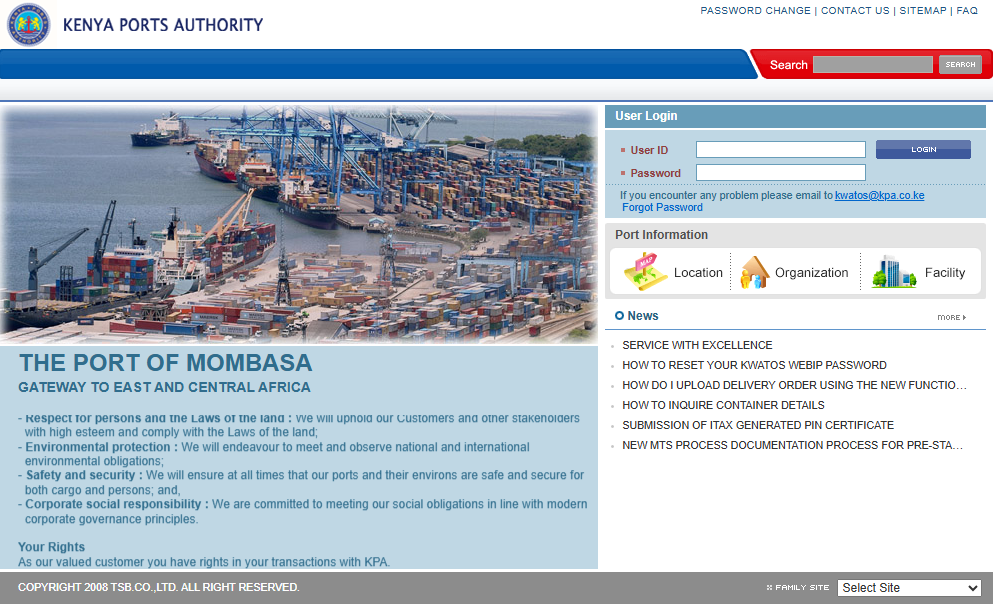
The first step in the process of resetting KWATOS Password is to visit the KWATOS website using https://www.kwatos.kpa.co.ke/
- Step 2: Click Forgot Password
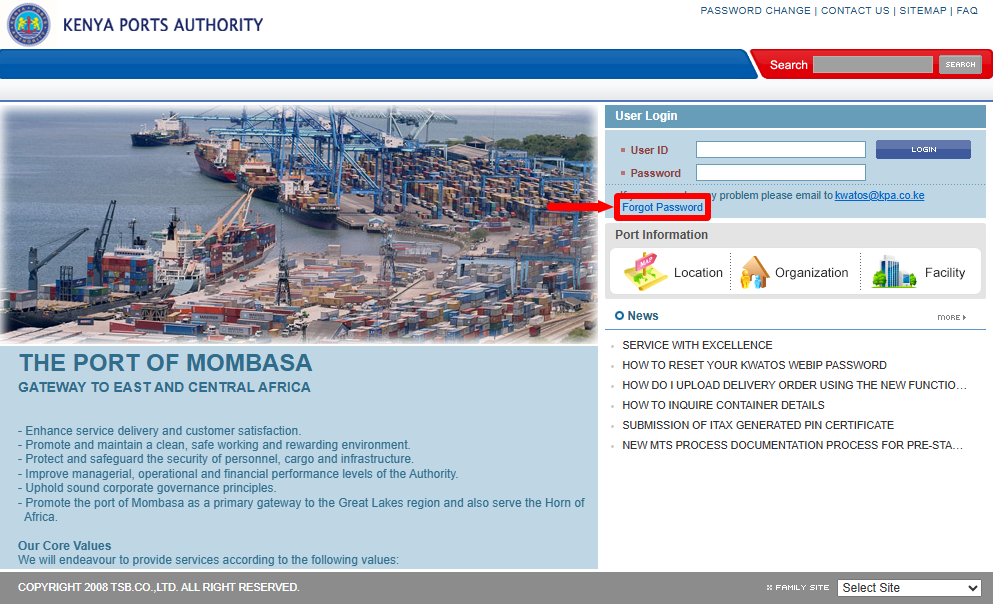
Once you are on KWATOS website, click on “Forgot Password” to start the KWATOS Password Reset process.
- Step 3: Enter KWATOS User ID
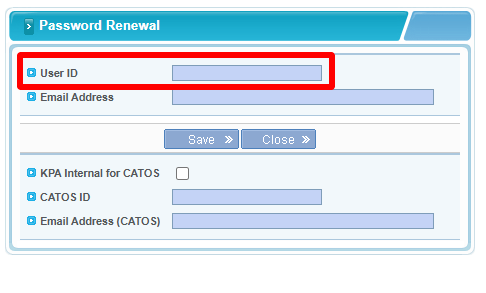 Next, in this step, you need to enter “KWATOS User ID” before proceeding to the next step.
- Step 4: Enter Email Address Registered on KWATOS
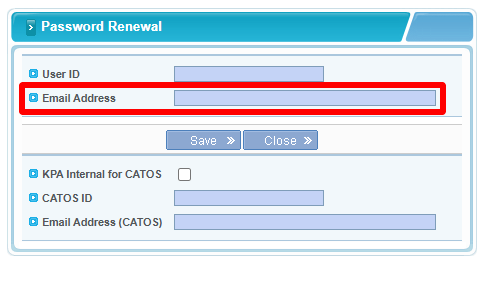 Ater entering your KWATOS User ID, proceed and enter “Email Address Registered on KWATOS” (KWATOS Account Email Address), then proceed to the next step.
- Step 5: Click Save
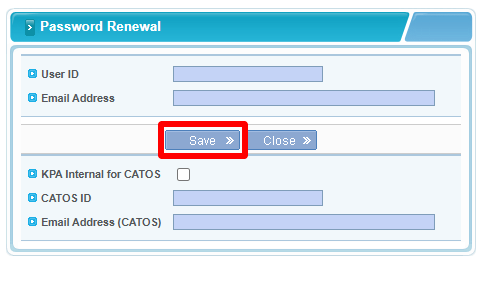
Once you have entered both your KWATOS User ID and KWATOS Email Address (the email linked to your KWATOS account), click on the “Save” button.
- Step 6: Check Email Address for KWATOS Temporary Password
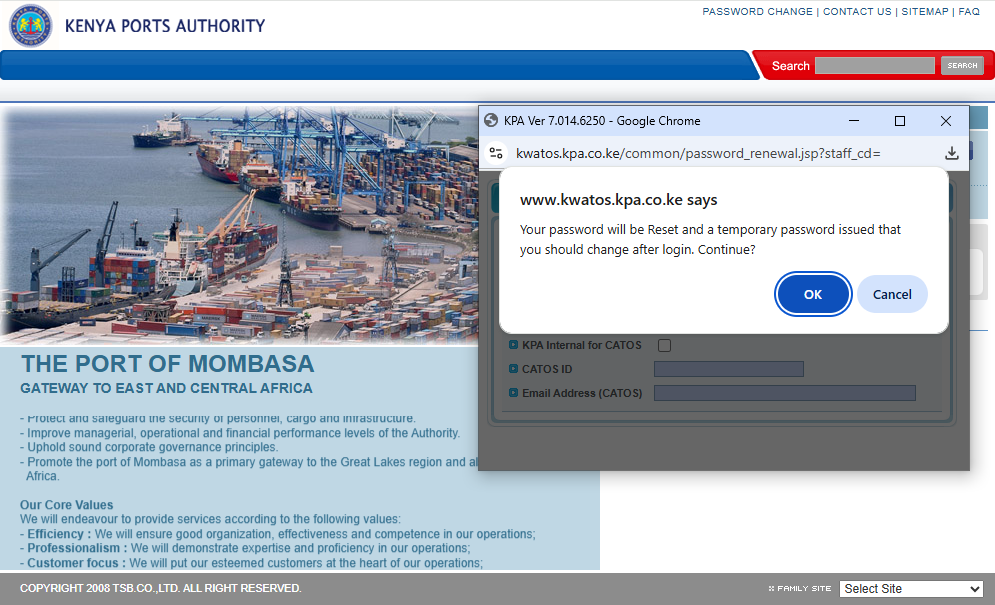
In this step, you need to check your email (the email registered on KWATOS system) for the “Temporary Password” that has been sent there.
- Step 7: Login to KWATOS Account and Change Password
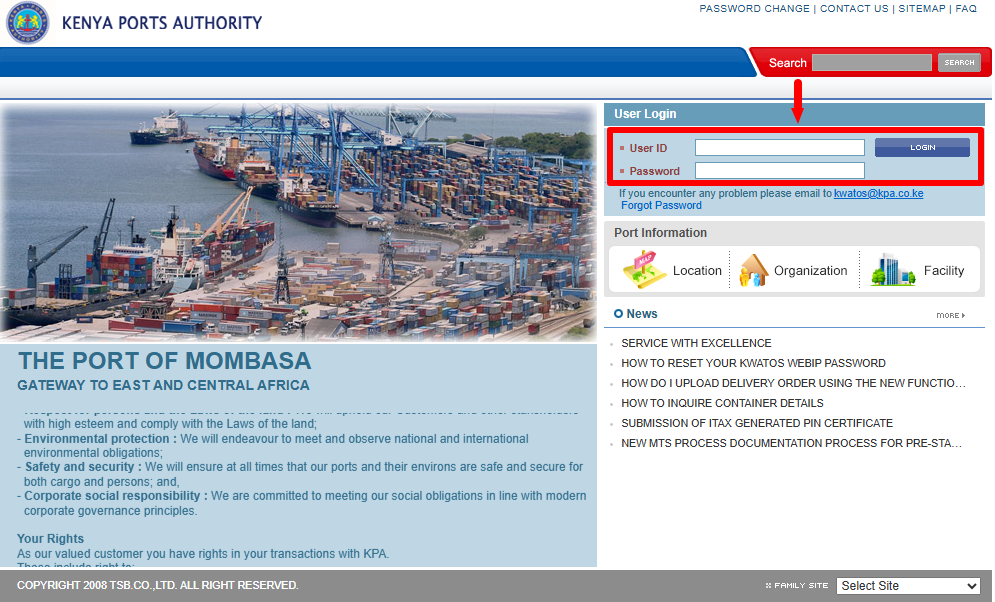
Lastly, once you have received your Temporary KWATOS Password via Email Address, proceed and login to your KWATOS account using User ID and the temporary KWATOS password i.e. enter KWATOS User ID and KWATOS Temporary Password and click on “Login” button.
Once you are logged into KWATOS, you will be prompted to change the temporary KWATOS password and setup a new password for your KWATOS account. Once you have done all of these, you will have completed the process of resetting KWATOS Password successully.
Overview: KWATOS Password Reset
To reset your KWATOS password, first visit the official KWATOS website and click Forgot Password on the login page. Enter your KWATOS User ID and the email address registered on your KWATOS account, then click Save to submit the password reset request.
After submitting the request, check your registered email address for the KWATOS temporary password. Use the temporary password to log in to KWATOS, then change it to a new password that you can remember and use for future access to your account.