

Afyayangu provides registered users with online access to their personal health and SHA-related information through their accounts. Logging in allows you to access your profile, review your available information, and use the services provided through the platform without having to visit a physical office.
If you already have an Afyayangu account and your login details are available, you can sign in through the official website. This guide explains how to access the Afyayangu login page, enter the required identification and account details, complete the OTP verification, and successfully access your dashboard.
READ ALSO: How To Reset Afyayangu PIN
What is Afyayangu?
AfyaYangu is the online portal used to access services and information related to the Social Health Authority (SHA) in Kenya. The portal is available at afyayangu.go.ke and provides registered users with a digital platform for managing their SHA-related information and accessing available services online.
Through AfyaYangu, users can access their accounts, view personal information, and perform various SHA-related activities without necessarily visiting a physical office. The portal is therefore an important online platform for individuals who need to manage or access their SHA information digitally.
What is Afyayangu Login?
AfyaYangu Login is the sign-in process that allows registered users to access their accounts on the AfyaYangu portal. The portal, available at afyayangu.go.ke, provides access to services and information related to the Social Health Authority (SHA) in Kenya.
To log in, users provide the required identification and account details and complete the verification process when prompted. Once successfully authenticated, you can access your AfyaYangu dashboard and manage the SHA-related information and services available through your account.
Requirements Needed To Log In To Afyayangu
Logging in to your AfyaYangu account requires the identification and account details used to verify your access to the portal. Having your National ID number and AfyaYangu PIN ready will allow you to enter the required credentials and proceed with the login and verification process. The two requirements needed to log in to AfyaYangu are:
- ID Number
- Afyayangu PIN
With your National ID number and AfyaYangu PIN ready, you can proceed to the AfyaYangu login page and enter the required details. You may also be required to complete an OTP verification step before accessing your account dashboard.
How To Log In To Afyayangu
Once you have your National ID number and AfyaYangu PIN available, you can access your account through the AfyaYangu portal. The login process involves entering your identification details, providing your PIN, and completing the required OTP verification before you can access your dashboard.
- Step 1: Visit Afyayangu website
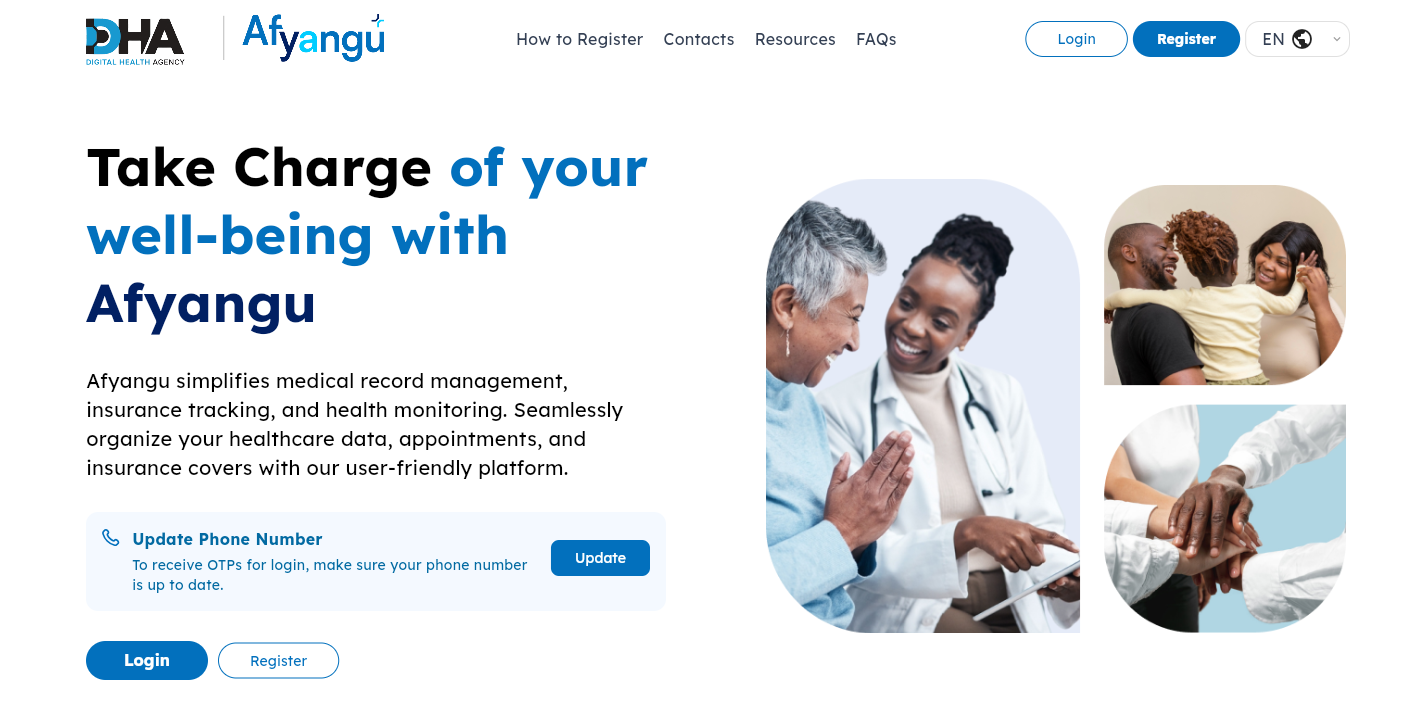
The first step in the process of Afyayangu Login is to visit Afyayangu website using https://afyayangu.go.ke/
- Step 2: Click on Login
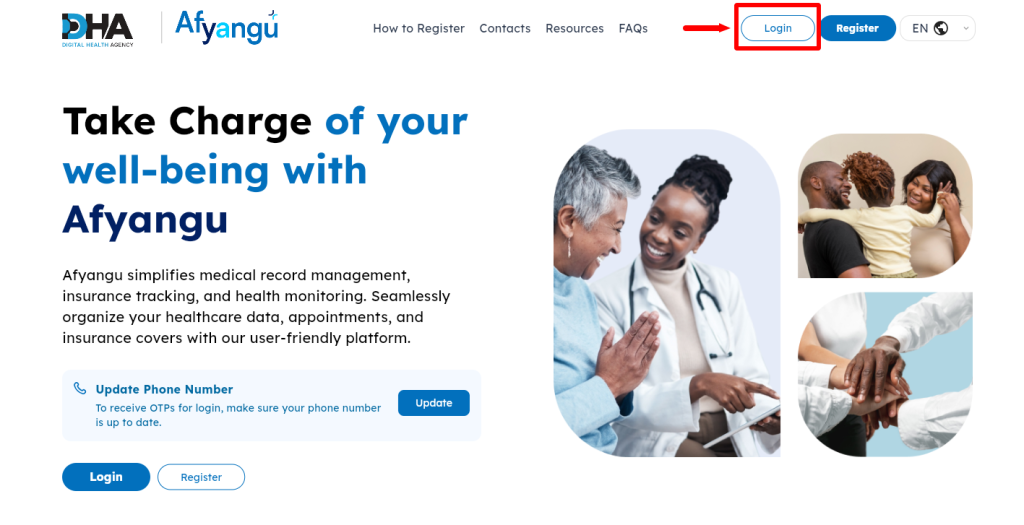
Next, once you are on Afyayangu website, on the top menu, proceed and click on the “Login” button to start the process of How To Log In To Afyayangu.
- Step 3: Select ID Type
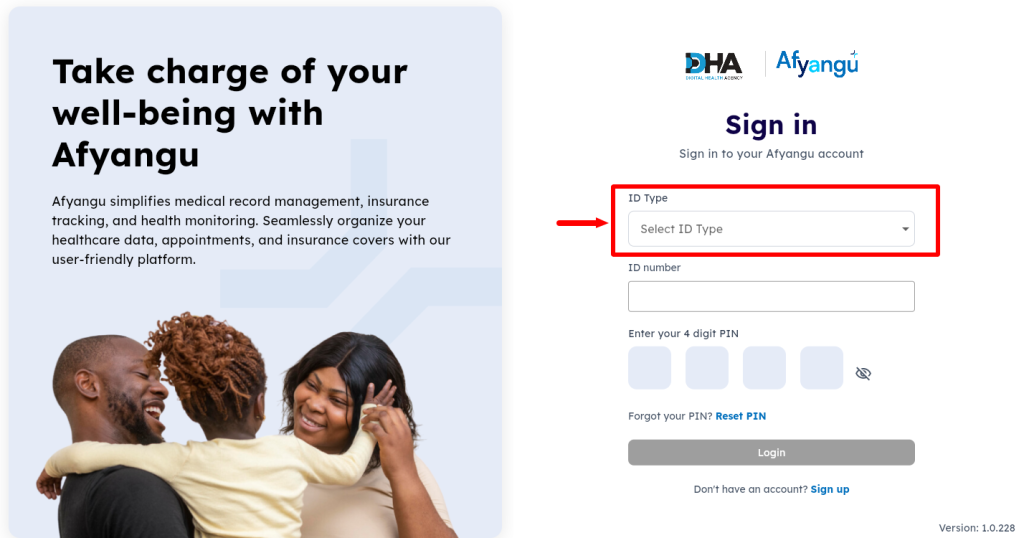
In this step of Afyayangu Login process, you need to “Select ID Type” which can either be Kenyan citizen, passport, foreign resident, refugee or mandate number. You need to select the appropriate ID type and then proceed to the next step.
- Step 4: Enter ID Number
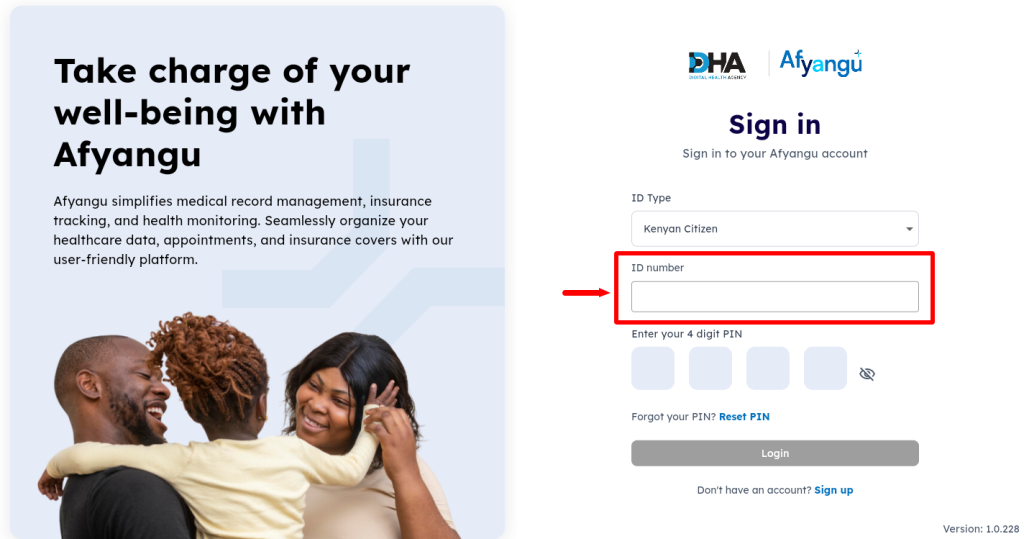
Next, enter your “ID Number” depending on the type of ID that you selected in the above step.
- Step 5: Enter Afyayangu PIN
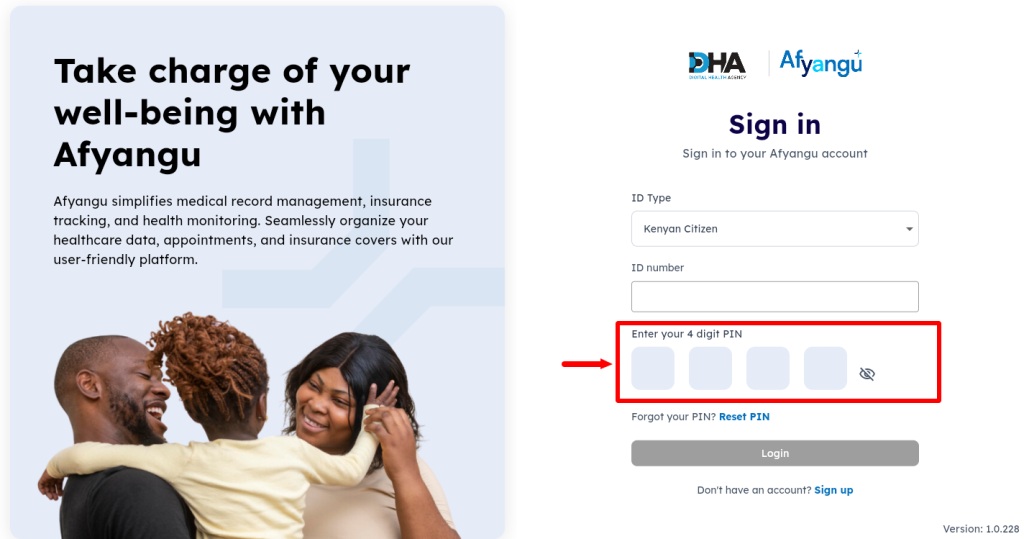
In this step, you need to enter your 4 digit “Afyayangu PIN” before proceeding. If you don’t know your PIN, you can easily reset it online.
- Step 6: Click on Login
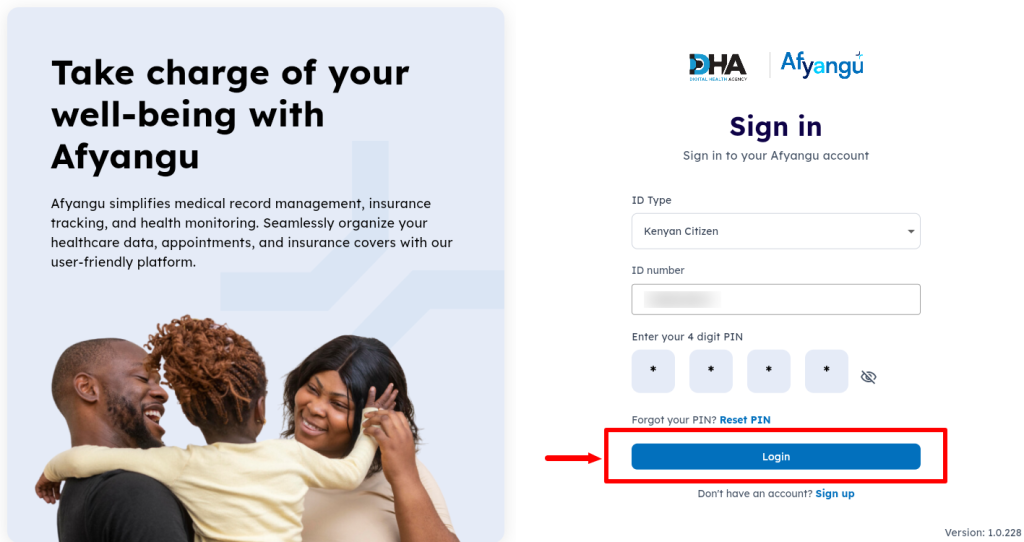
Once you have selected the correct ID type, entered your ID number and Afyayangu PIN, proceed and click on the “Login” button.
- Step 7: Enter OTP Verification Code
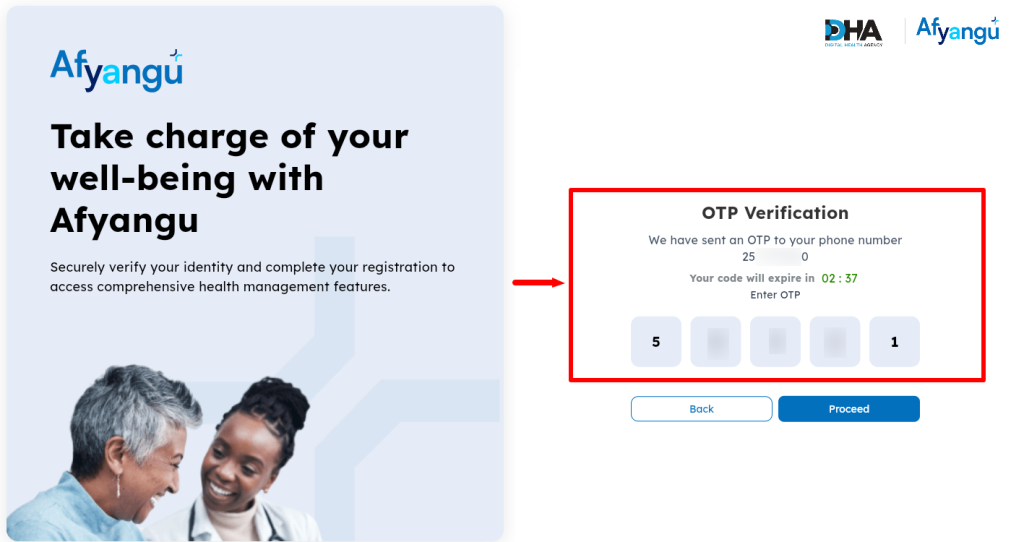
In this step, an “OTP Verification Code” (Afyayangu OTP Code) will be sent to your Phone Number. You need the OTP verification code. Kindly take note that this OTP code is only valid for 5 minutes. Once you have entered the OTP Verification Code, click on the “Proceed” button.
- Step 8: Afyayangu Login Successful
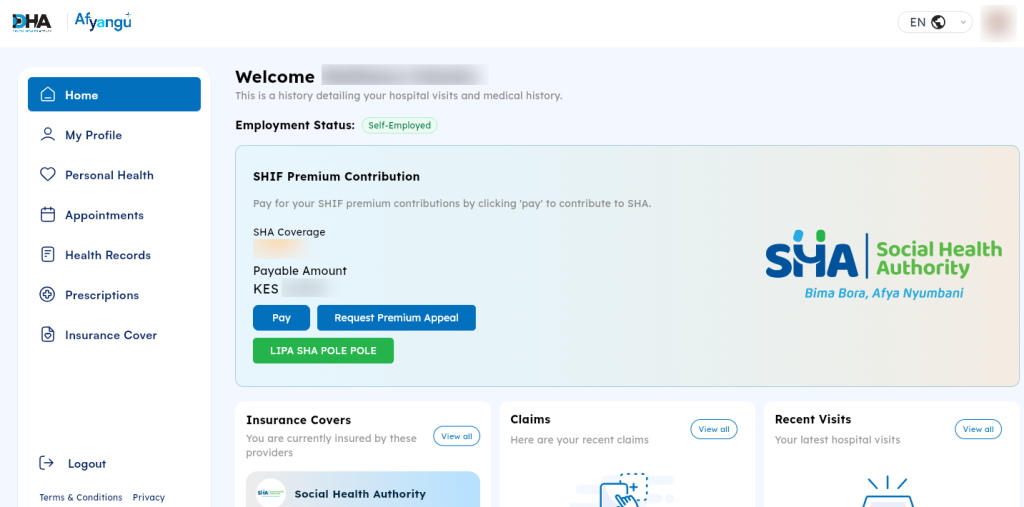
Lastly, once you have entered the correct OTP verification code (Afyayangu OTP code), you will be logged in successfully to your Afyayangu account dashboard.
Overview: Afyayangu Login
To log in to AfyaYangu, visit the AfyaYangu website and click Login to open the sign-in page. Select the appropriate ID type, enter your ID number and AfyaYangu PIN, then click Login to submit your credentials. If the details are correct, you will proceed to the OTP verification stage, where you need to enter the verification code sent to your registered phone number.
READ ALSO: How To Check SHA Number
After entering the correct OTP verification code, the system will authenticate your account and complete the sign-in process. Once the verification is successful, you will be granted access to your AfyaYangu account dashboard, confirming that your AfyaYangu login was completed successfully.