
The phone number linked to your Afyayangu account is important because it is used to receive the One-Time Password (OTP) required during the login process. If you have changed your mobile number or no longer have access to the number registered on your account, updating it ensures that you can continue receiving the OTP needed to verify your identity when signing in.
This guide explains how to update the phone number associated with your Afyayangu account. It takes you through the process of accessing the relevant account settings, entering your new phone number, and completing the required verification so that future login OTPs are sent to your updated number.
READ ALSO: How To Download Afyangu App
What is Afyayangu Phone Number?
The Afyayangu phone number is the mobile number linked to your Afyayangu account and used to receive the One-Time Password (OTP) during the login process. The number is therefore an important part of the account verification process when you sign in to access your SHA-related information and services.
The registered phone number should be active and accessible so that you can receive the OTP required to complete the login process. If you change your mobile number or lose access to the number currently linked to your account, you may need to update it to ensure that you can continue receiving login verification codes.
What is Afyayangu Phone Number Update?
Afyayangu Phone Number Update refers to the process of changing and updating the mobile number linked to your Afyayangu account. Since this number is used to receive the One-Time Password (OTP) during login, keeping it updated ensures that verification codes are sent to a phone number you can currently access.
The update of Afyayangu phone number process allows you to replace the existing phone number on Afyayangu portal with a new one through the available Afyayangu account settings. Once the change is completed, the new number can be used to receive OTPs when you log in to your Afyayangu account.
Requirements Needed To Update Afyayangu Phone Number
Updating your Afyayangu phone number requires your identification details and the new mobile number you want to associate with your account. The new phone number must be registered under your National ID to ensure that it can be verified and linked to your Afyayangu account successfully. The two requirements needed to update your Afyayangu phone number are:
- ID Number
- New Phone Number
After confirming that your new phone number is registered under your National ID, you can begin the update process from your Afyayangu account. The steps below show you how to access the phone number update option, enter the new number, and complete the verification required to save the change successfully.
How To Update Afyayangu Phone Number
Updating the phone number on your Afyayangu account allows you to replace the existing number used to receive login OTP verification codes. Once you have your National ID number and new phone number ready, you can proceed through the available account settings to make the change. Follow the steps below to update your Afyayangu phone number:
- Step 1: Visit Afyayangu website

The first step in the process of Afyayangu phone update is to visit the Afyayangu website using https://afyayangu.go.ke/
- Step 2: Update Phone Number
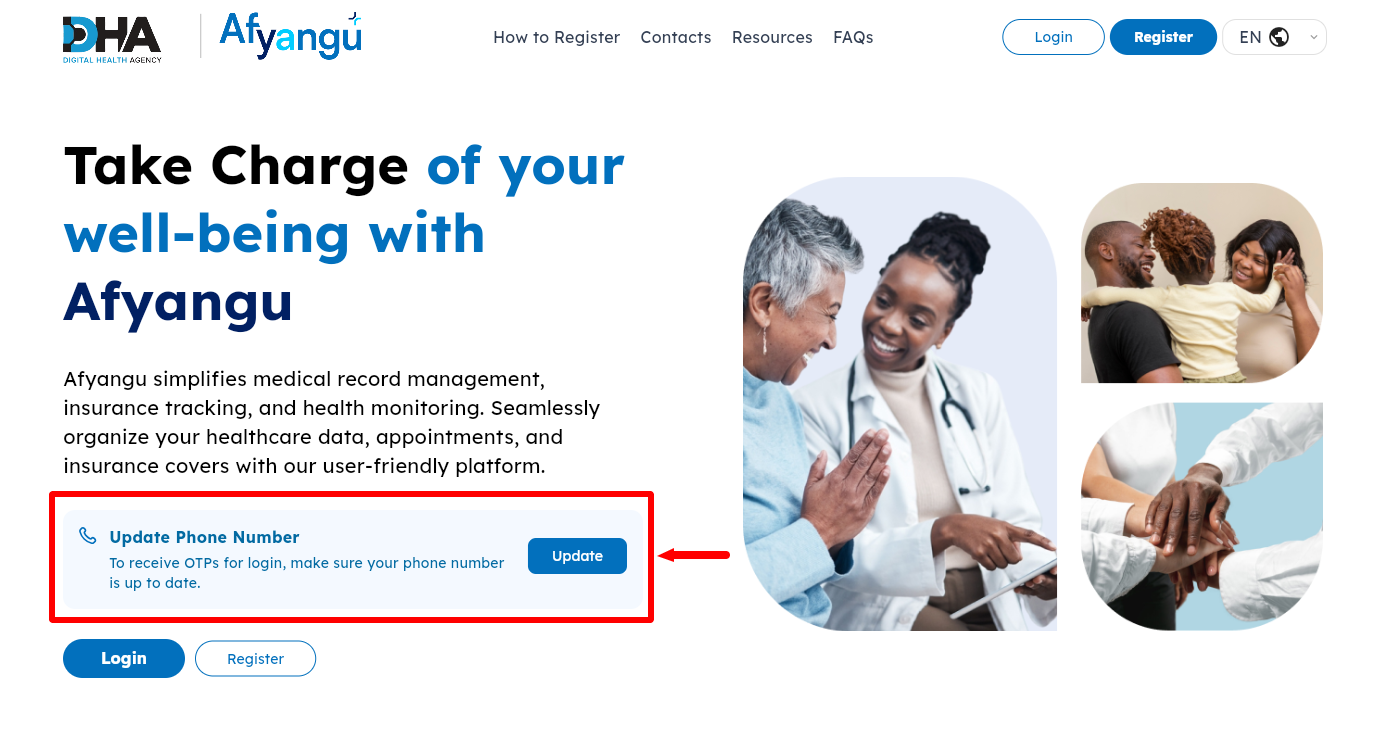
Next, once you are on Afyayangu website, scroll to the Update Phone Number section to begin the process of updating Afyayangu phone number online.
- Step 3: Click on Update
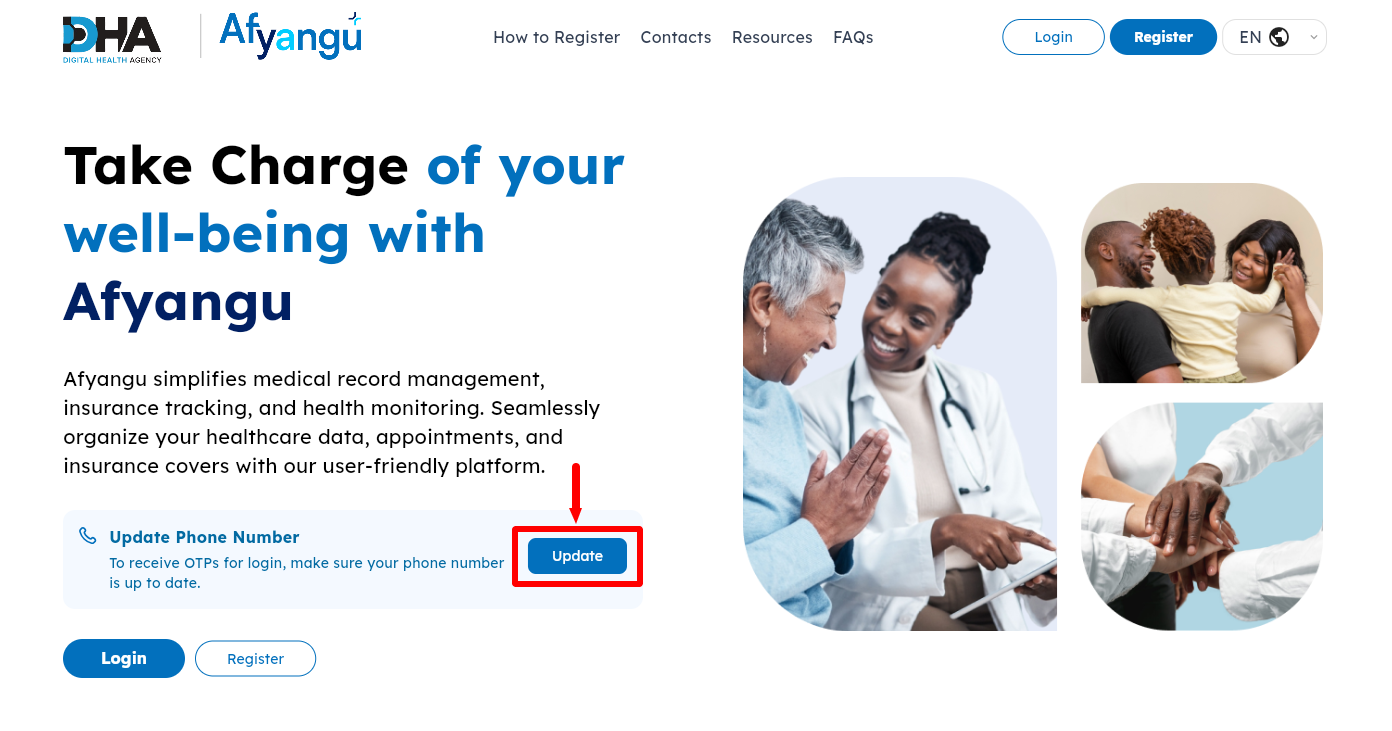
In this step, you need to click on the “Update” button then proceed to the next step.
- Step 4: Select ID Type
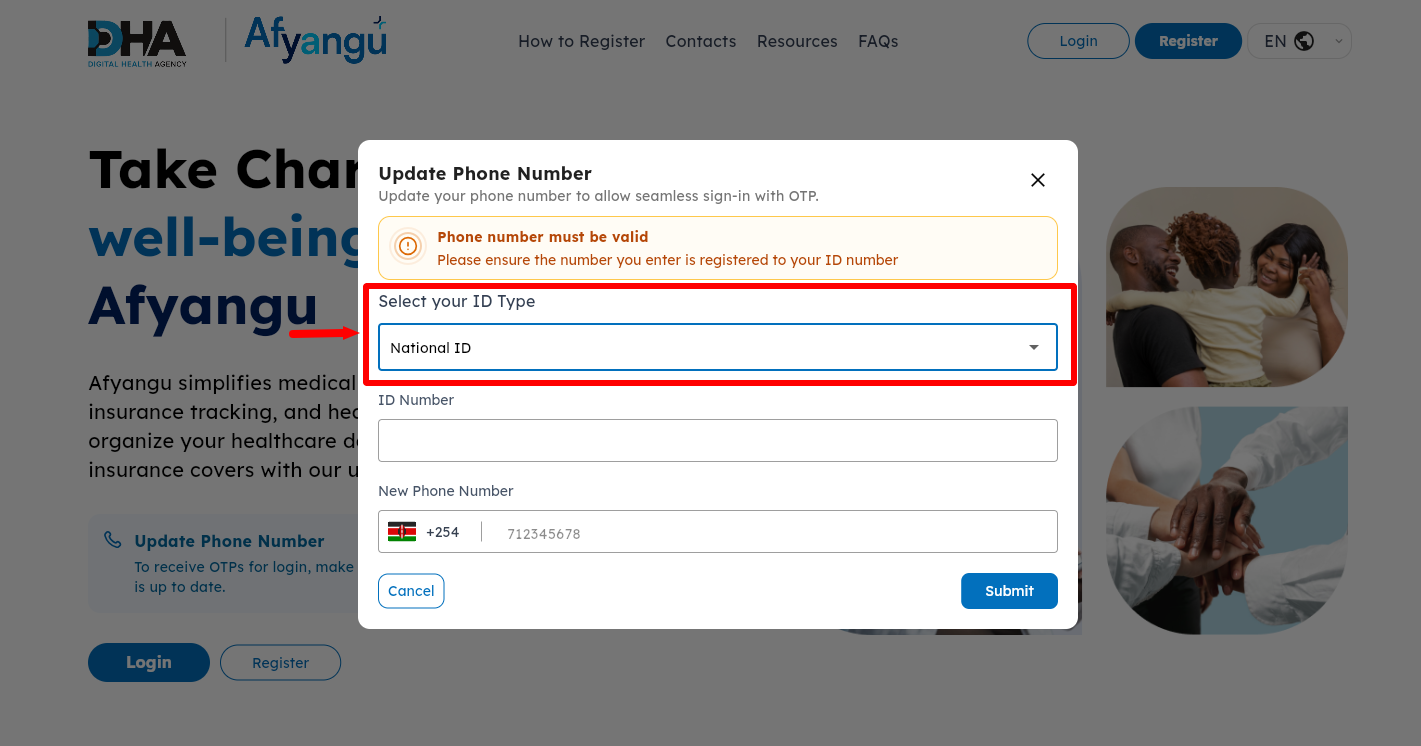
Next, you need to “Select ID Type” which i.e. National ID.
- Step 5: Enter ID Number
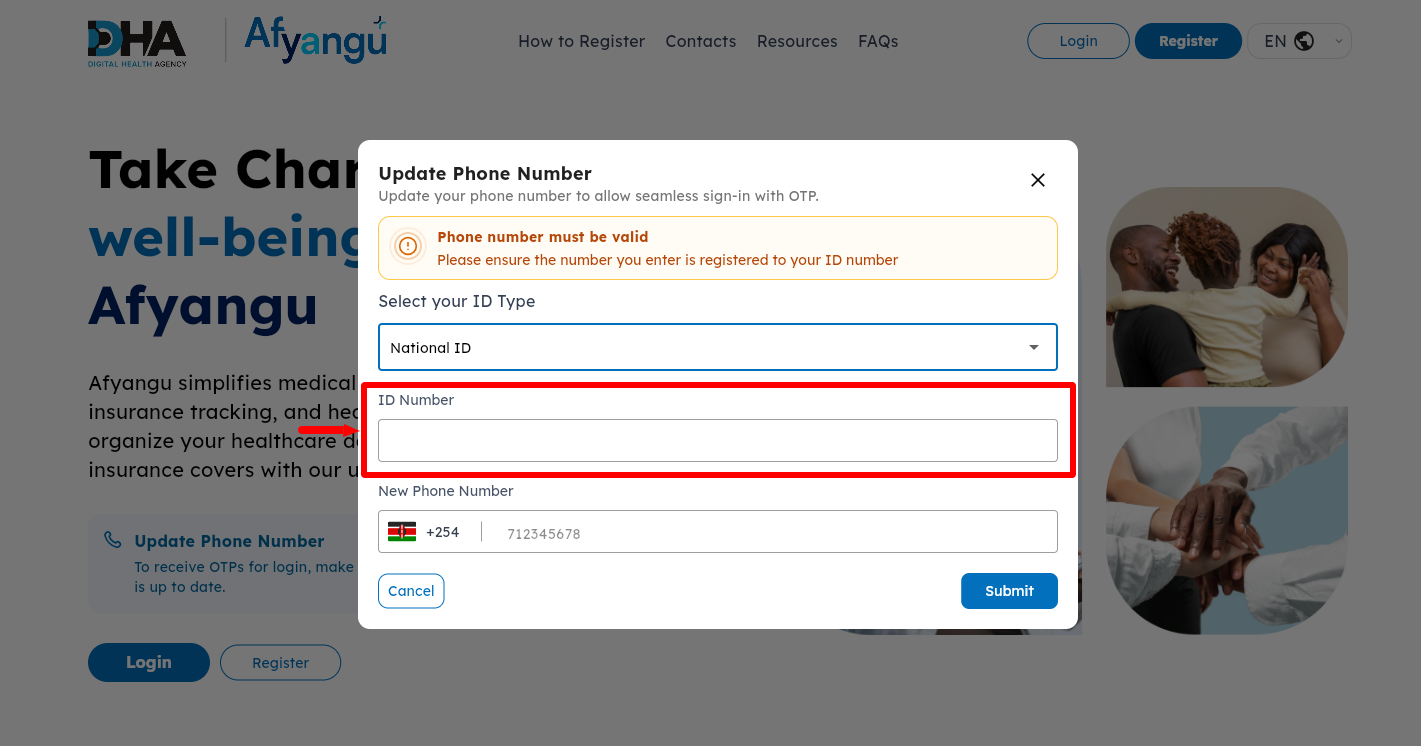
Enter your “ID Number” and proceed to the next step.
- Step 6: Enter New Phone Number
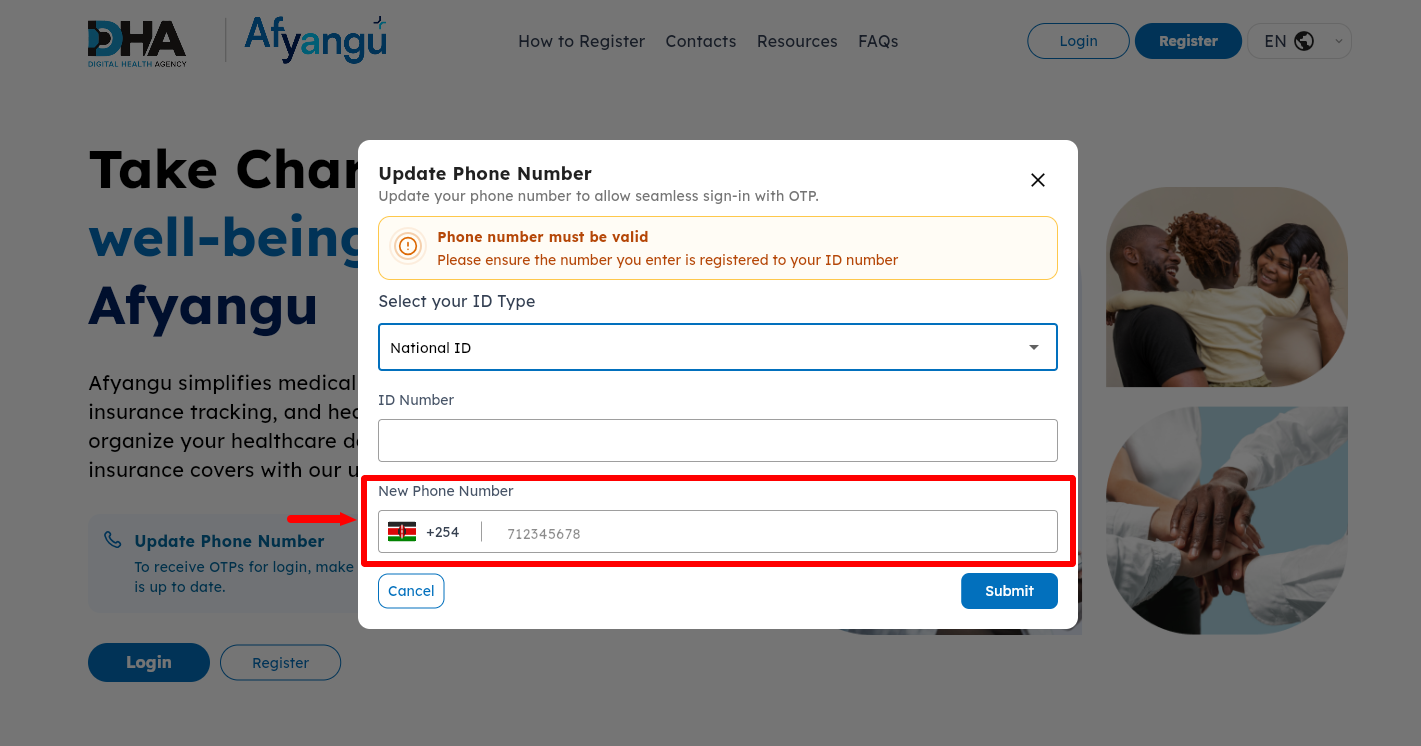
Next, enter your “New Phone Number” that you want linked to your Afyayangu account. You need to ensure that the new phone number is registered under your ID.
- Step 7: Click on Submit
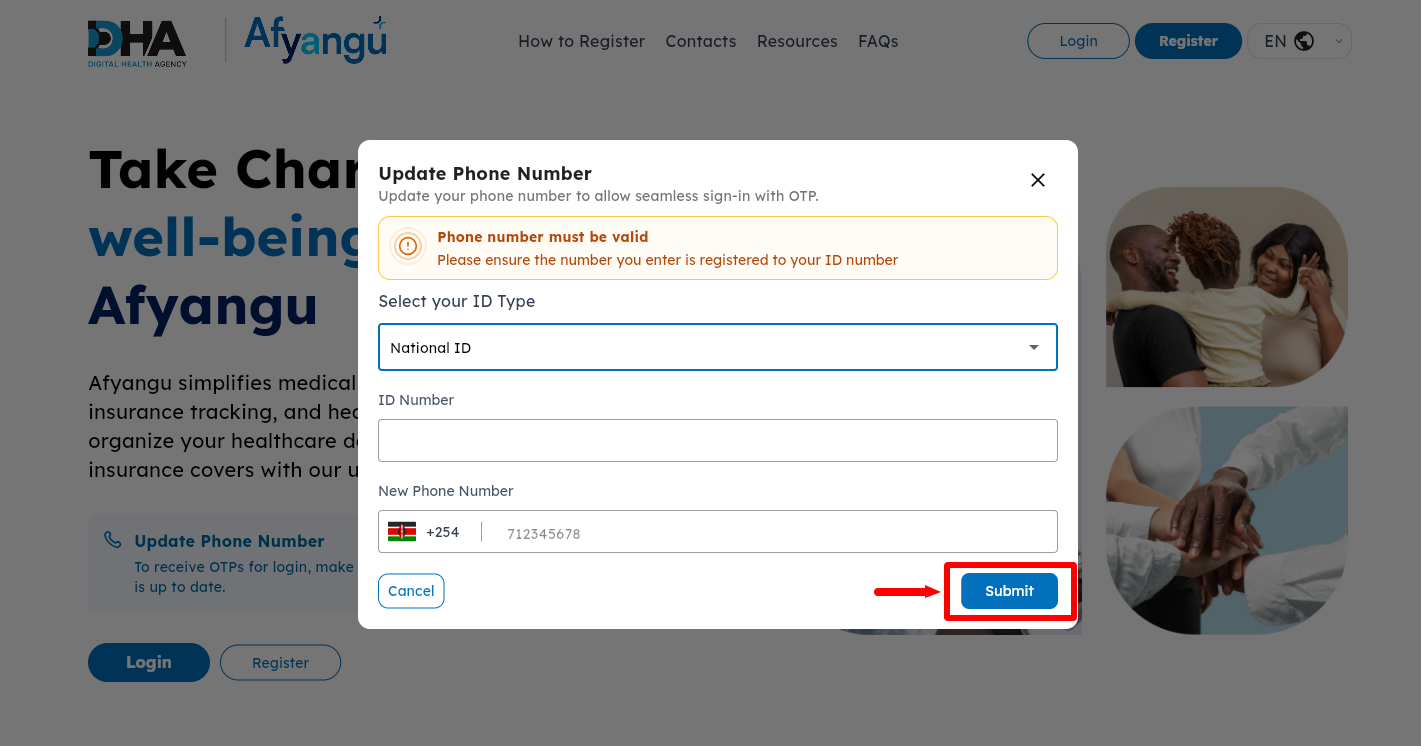
Once you have selected the ID type, entered your ID number and the new phone number that you want to use on Afyayangu account, proceed and click on the “Submit” button.
- Step 8: Processing Request
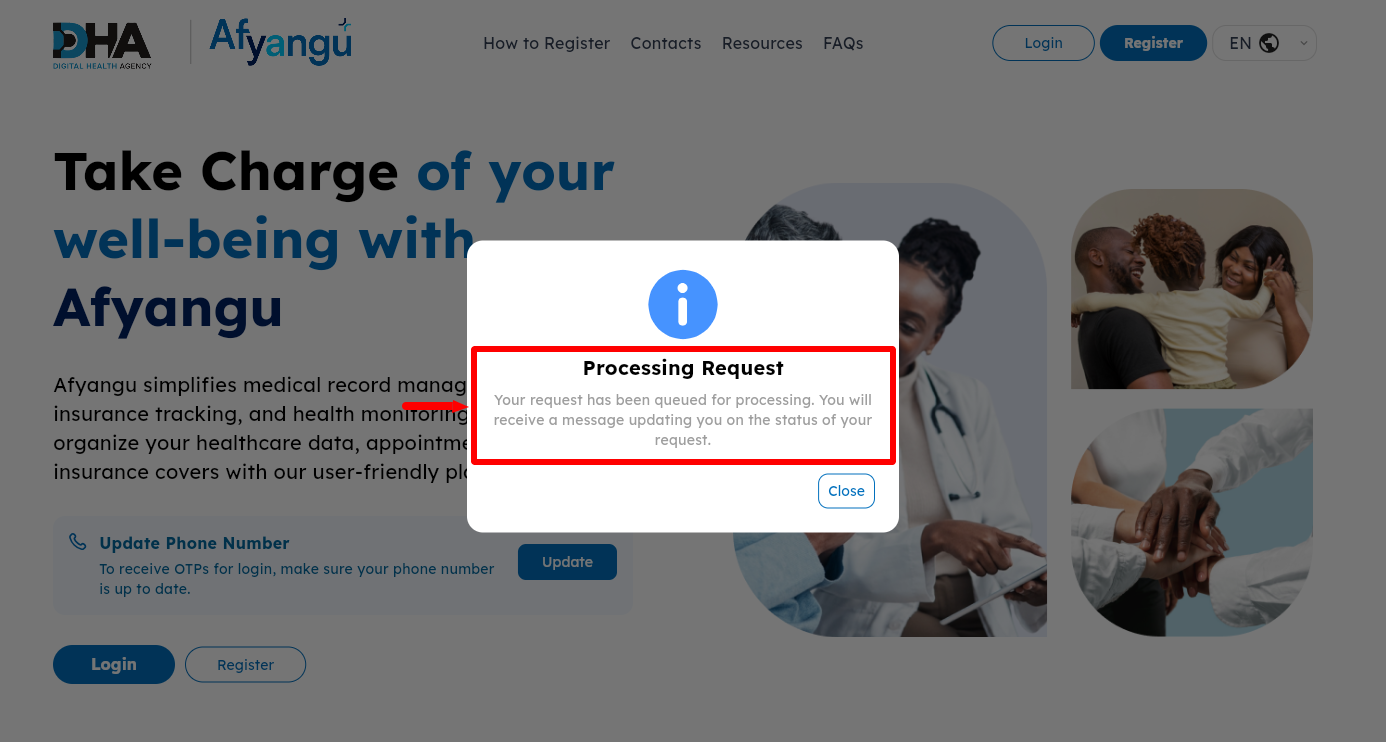
In this step, your Afyayangu Phone Number Update request will undergo processing for a few seconds and you need to wait for an SMS notification that will be sent to the new phone number once the update of Afyayangu phone number is complete.
- Step 9: Afyayangu Phone Number Updated Successfully
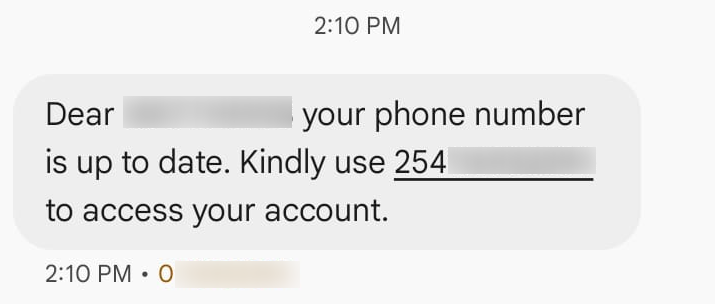
Once your update of Afyayangu Phone Number request has been processed and completed, you will receive and SMS confirming the same. This will mark the successful completion of the Afyayangu Phone Number Update process and now the new phone number will be able to receive OTP verification codes during Afyayayangu login process or PIN reset process, together with all other important notifications and communications from Social Health Authority (SHA).
Overview: Afyayangu Phone Number Update
To begin updating your Afyayangu phone number, visit the Afyayangu website and select the Update Phone Number option. Click Update to start the process, then select the appropriate ID type and enter your ID number. Next, provide the new phone number that is registered under your ID (ensure that the new phone number is registered to your ID for the process of Afyayangu Phone Nyumber Update to be successful) and click Submit to send the update request for processing.
READ ALSO: How To Log In To Afyayangu
After submitting the request, the system will process the information you have provided and verify the details. Wait for the request to be completed without closing the page or interrupting the process. Once the update is successfully processed, your new phone number will be linked to your Afyayangu account and will be used for receiving OTP verification codes during login. You will receive an SMS on your new Afyayangu phone number confirming that your phone number has been updated successfully.