
The KNEC QMIS Portal is an online platform that allows users to submit and manage examination-related queries and requests with the Kenya National Examinations Council (KNEC). QMIS, which stands for Query Management Information System, provides access to various services without requiring users to begin the process by visiting a KNEC office in person.
If you are using the QMIS KNEC Portal for the first time, you need to create an account before you can access its available services. This guide explains how to register on KNEC QMIS, including the information required during registration and the steps to successfully create your QMIS KNEC account.
READ ALSO: How To Log In To KNEC QMIS Portal
What is KNEC QMIS Portal?
The KNEC QMIS Portal is an online platform operated by the Kenya National Examinations Council (KNEC) for submitting and managing examination-related queries and requests. QMIS stands for Query Management Information System, and the portal provides users with an online way to access various KNEC services without necessarily visiting a physical KNEC office.
The QMIS KNEC Portal allows users to create accounts, submit relevant queries, provide supporting documents, make applicable payments, and track the progress of their requests. Depending on the service required, users can use the KNEC QMIS Portal to handle matters such as results confirmation, lost certificates, bio-data amendments, and other examination-related requests.
What is KNEC QMIS Portal Registration?
KNEC QMIS Portal Registration is the process of creating a user account on the Kenya National Examinations Council’s Query Management Information System (QMIS). Registration gives you access to the KNEC QMIS Portal, where you can submit and manage examination-related queries and requests online.
During the QMIS KNEC Portal registration process, you provide the required personal and contact information to create your account. Once your registration is completed, you can use the account credentials provided to log in to the KNEC QMIS system and access the services available through the portal.
Requirements Needed To Register on KNEC QMIS Portal
To register on the KNEC QMIS Portal, you need to provide basic personal and contact information that will be used to create your account. Having your names, mobile number, email address, and title or designation ready will help you complete the registration form accurately. The four requirements needed to register on the KNEC QMIS Portal are:
- Names
- Mobile Number
- Title/Designation
- Email Address
Once you have your names, mobile number, email address, and title or designation ready, you can proceed with creating your account on the KNEC QMIS Portal. The registration process involves entering the required details, submitting the registration form, and completing any instructions provided by the system after submission.
How To Register on KNEC QMIS Portal
With your names, mobile number, email address, and title or designation ready, you can proceed to create your account on the KNEC QMIS Portal. The registration process involves accessing the QMIS KNEC Portal, entering the required details, and submitting your information to create your account. Follow the steps below to register on the KNEC QMIS Portal:
- Step 1: Visit KNEC QMIS Portal
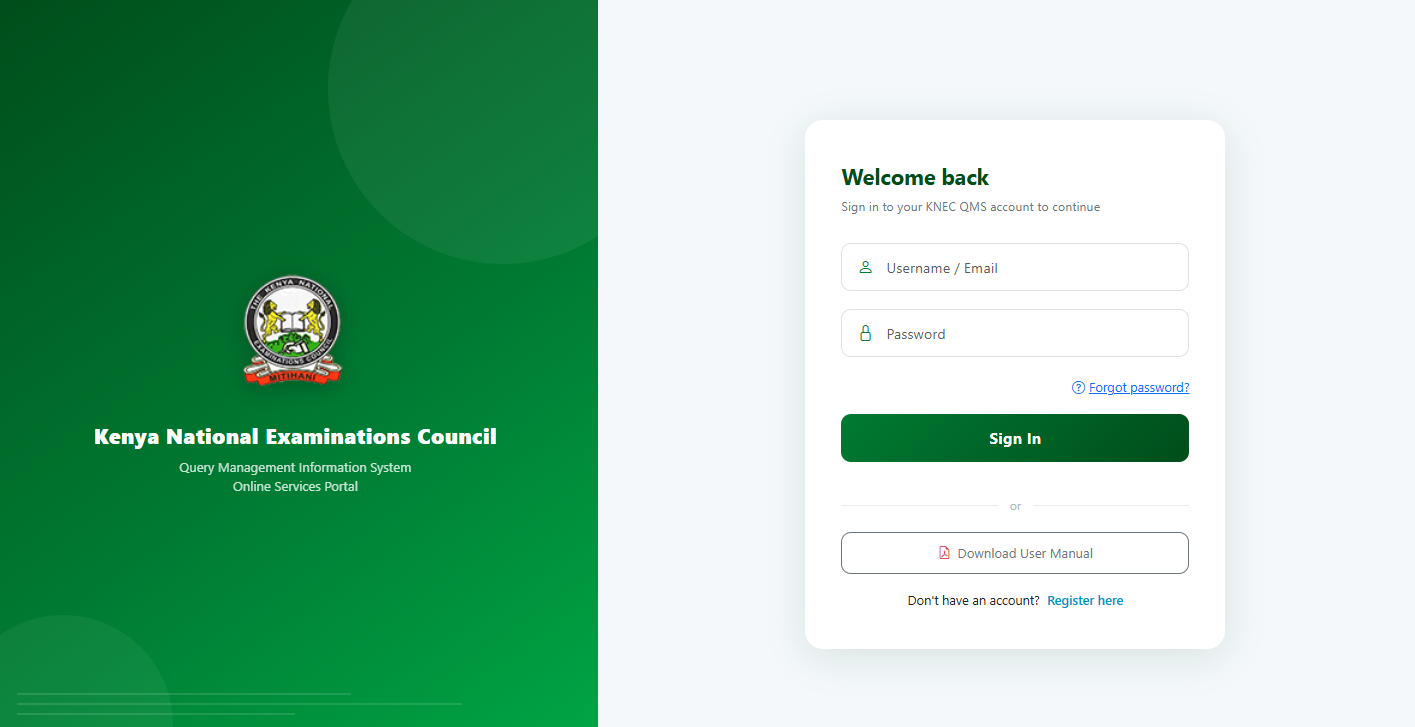
Open your web browser and visit the official KNEC QMIS Portal at qmis.knec.ac.ke. Once the portal loads, locate the registration section and open the account creation form to begin the registration process.
- Step 2: Click on Register
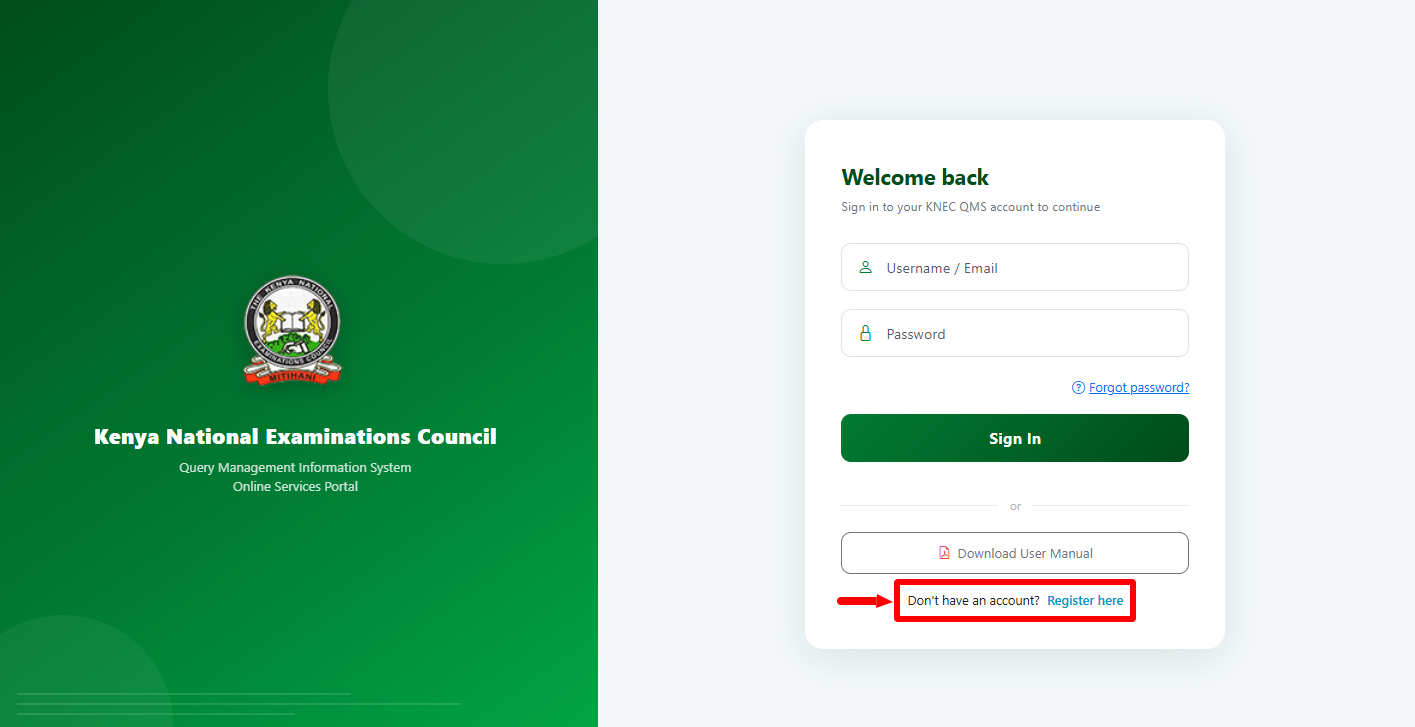
Once you are on the QMIS Portal, proceed and click on the “Register Here” link to begin the process of QMIS Registration online in Kenya.
- Step 3: Enter Full Names
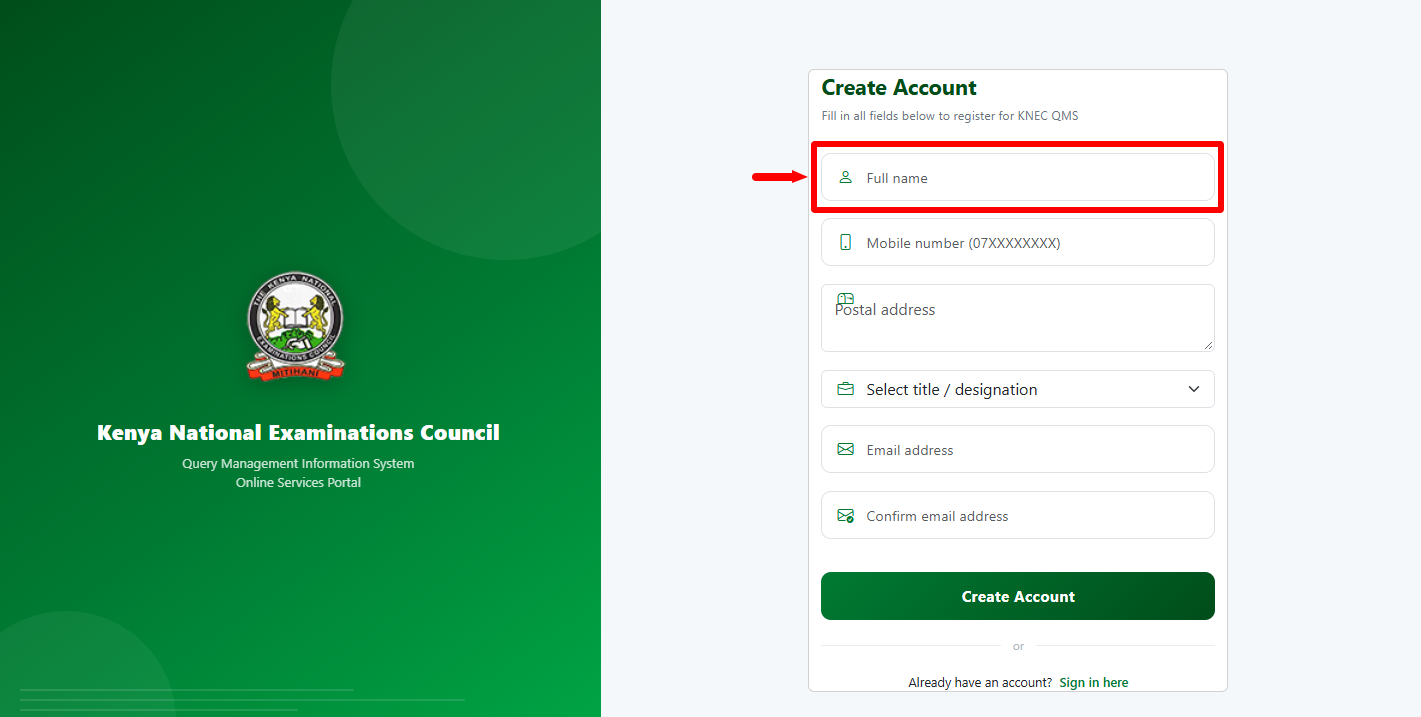
On the registration form, enter your full names in the designated field. Make sure you provide your names accurately and use the same details that you intend to associate with your KNEC QMIS account.
- Step 4: Enter Mobile Number
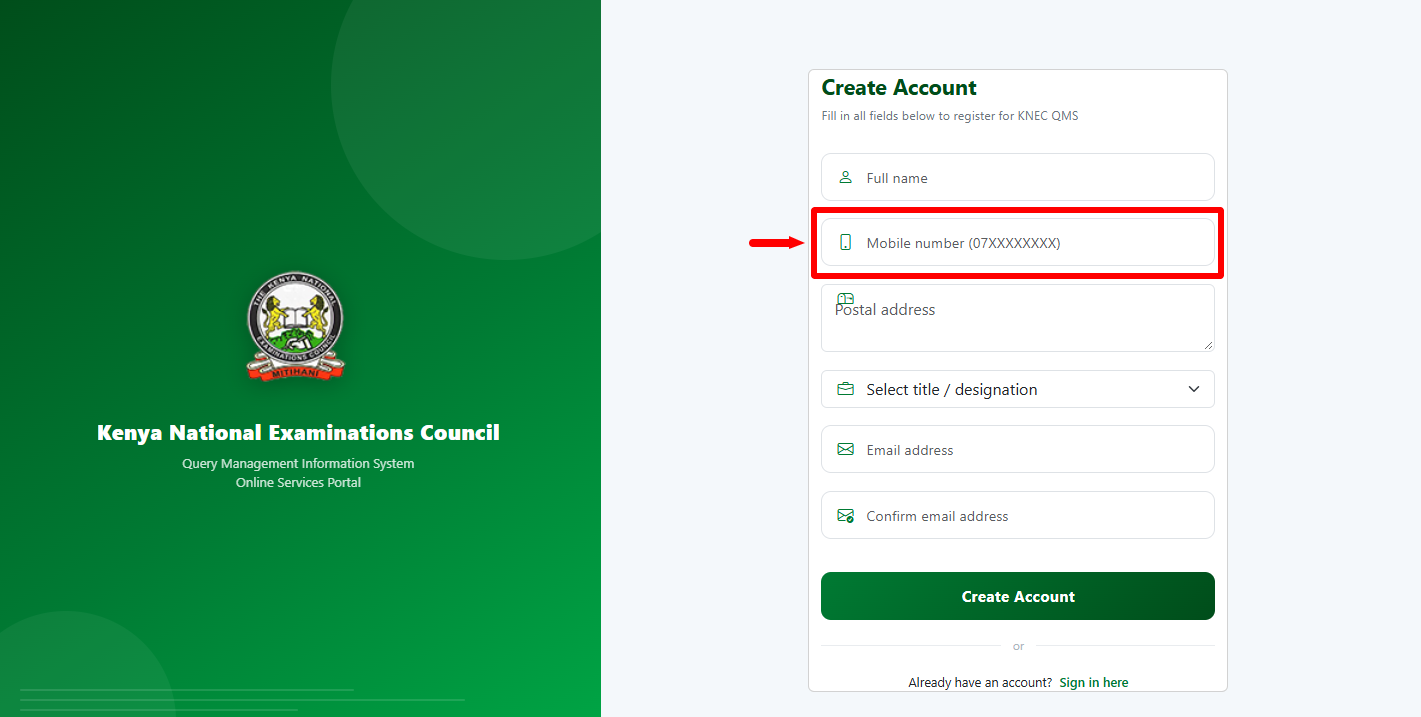
Enter your active mobile number in the required field on the registration form. Check the number carefully before proceeding, as it will be associated with your QMIS KNEC account and may be used for communication relating to your account or submitted queries.
- Step 5: Enter Postal Address
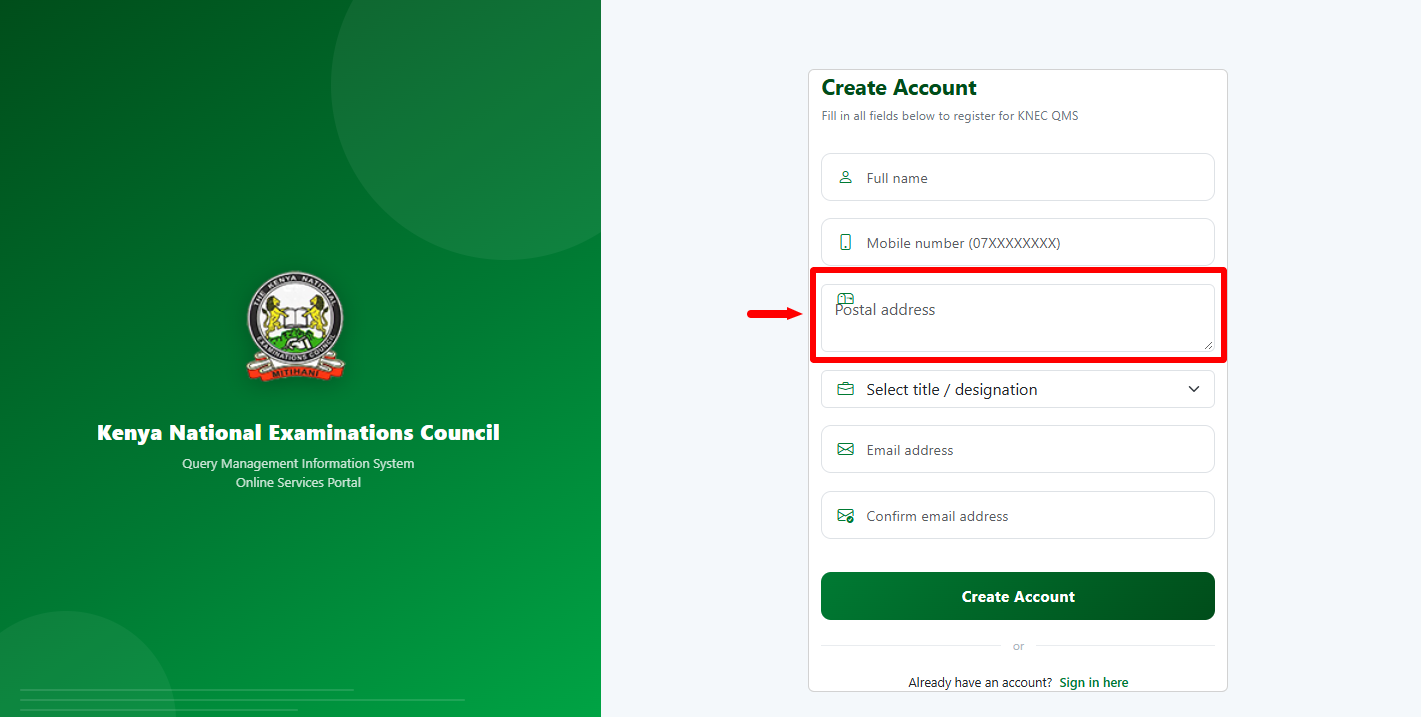
Provide your postal address in the designated section of the KNEC QMIS registration form. Enter the address accurately as requested by the portal before moving to the next section.
- Step 6: Select Title/Designation
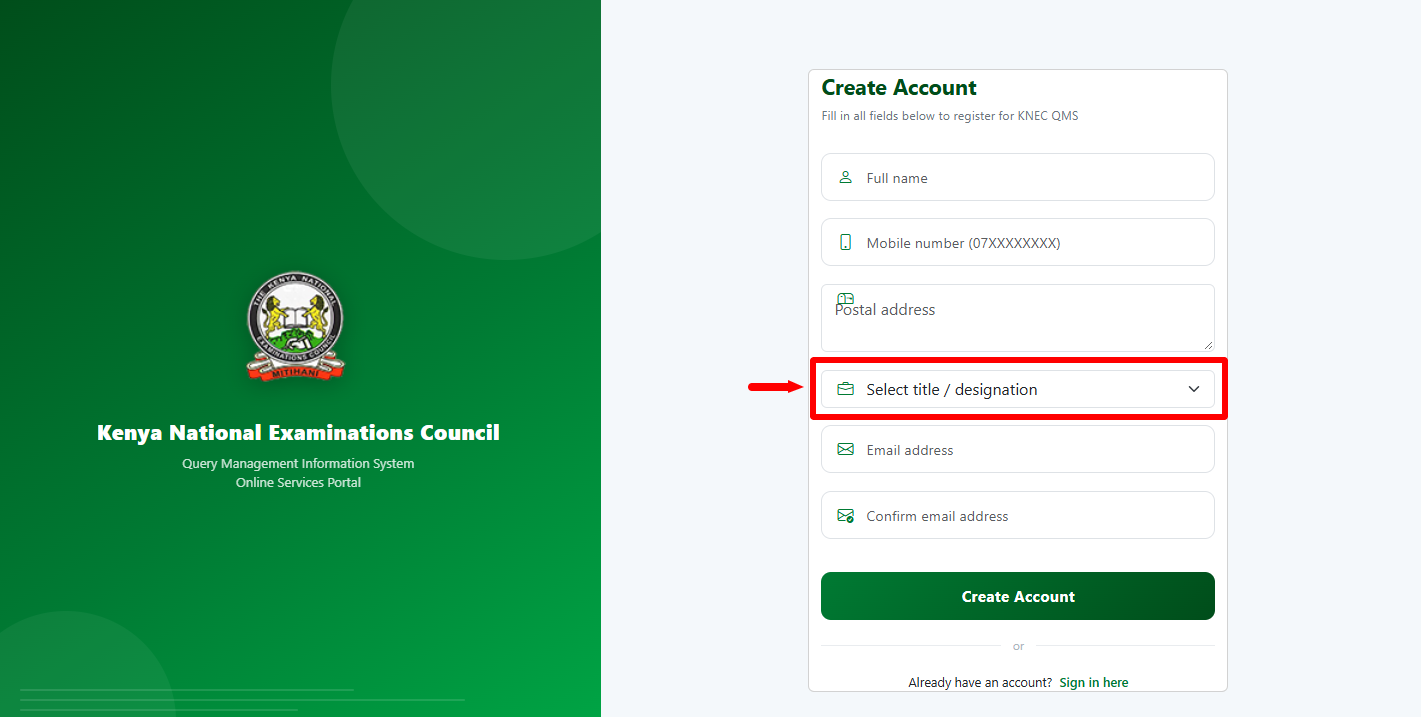
Select your appropriate title or designation from the options provided on the registration form. Choose the option that accurately represents your position or designation before continuing with the registration.
- Step 7: Enter and Confirm Email Address
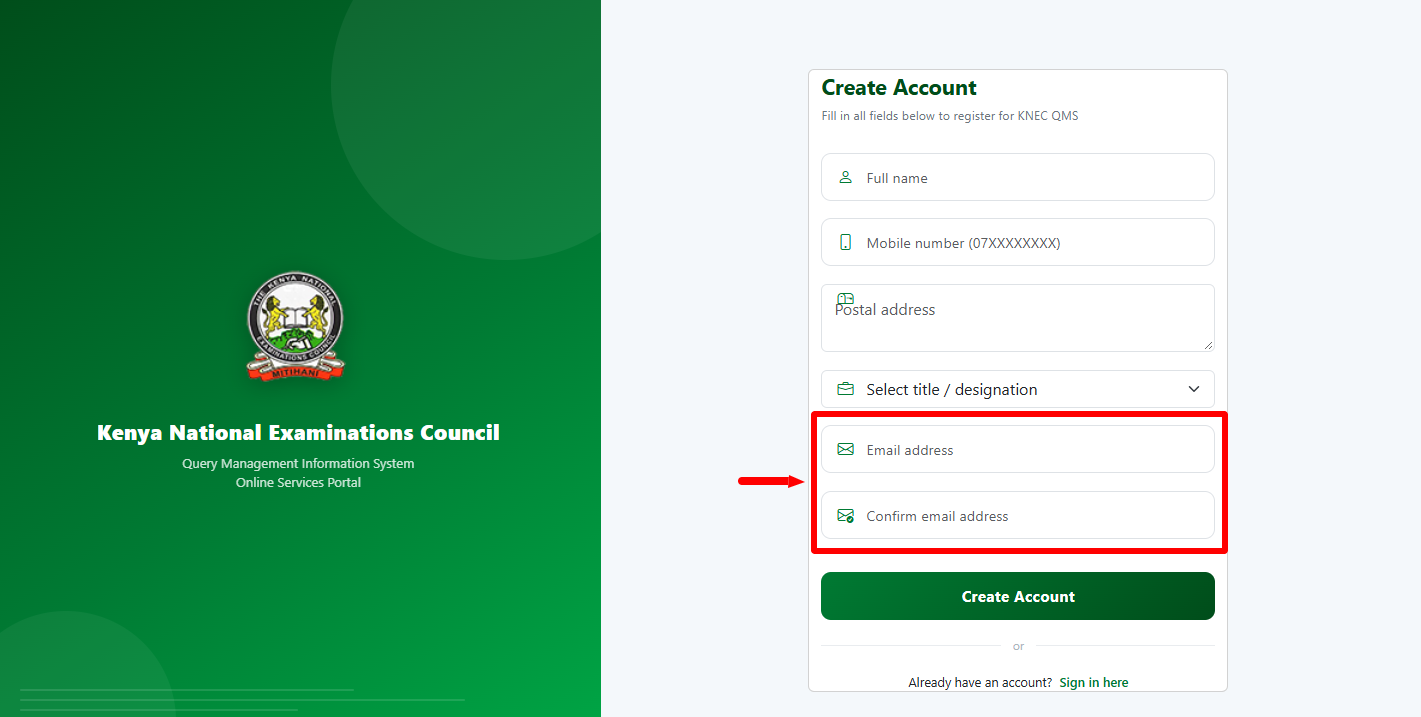
Enter your email address in the designated field and then enter it again in the confirmation field. Make sure both entries match and that you have access to the email address, as KNEC QMIS may use it to send account-related information and login credentials.
- Step 8: Click on Create Account
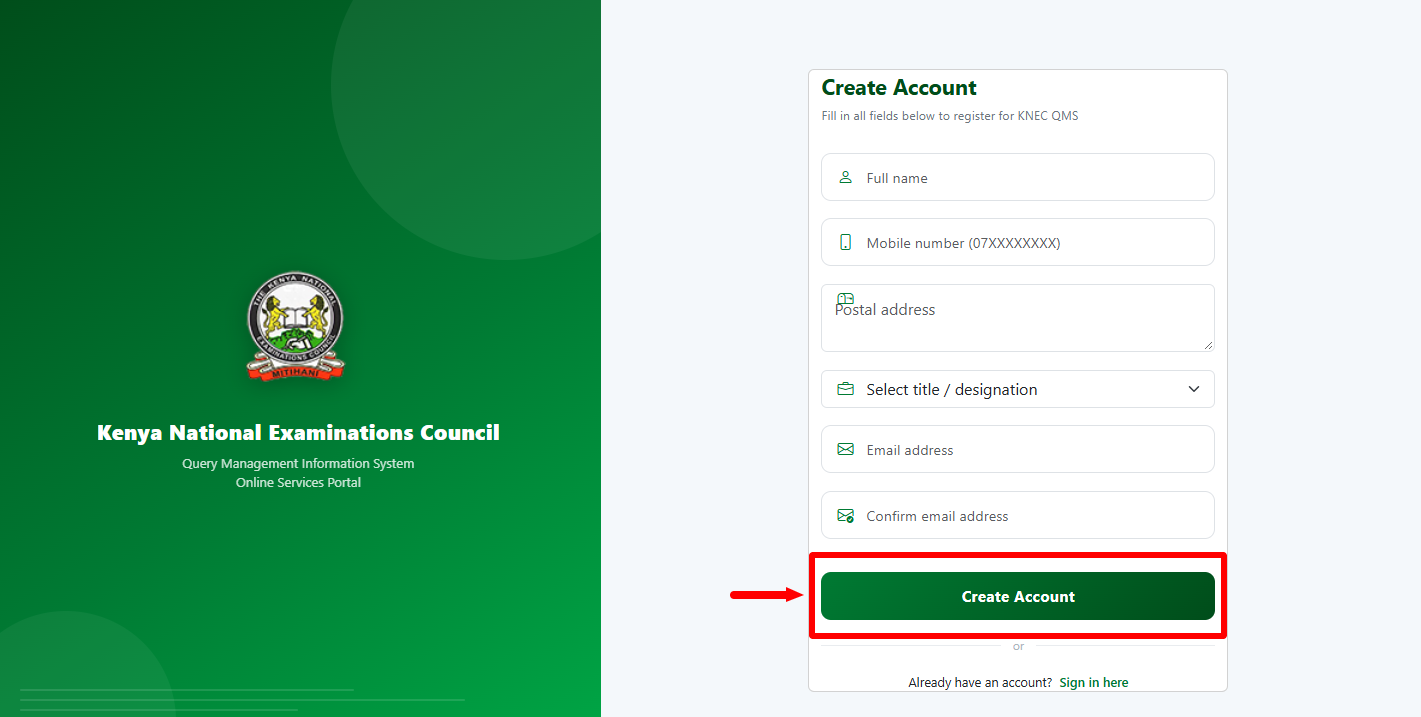
After completing all the required fields, review the information you have entered to make sure it is accurate. Once you are satisfied that the details are correct, click Create Account to submit your registration information to the KNEC QMIS Portal.
- Step 9: KNEC QMIS Portal Registration Successful
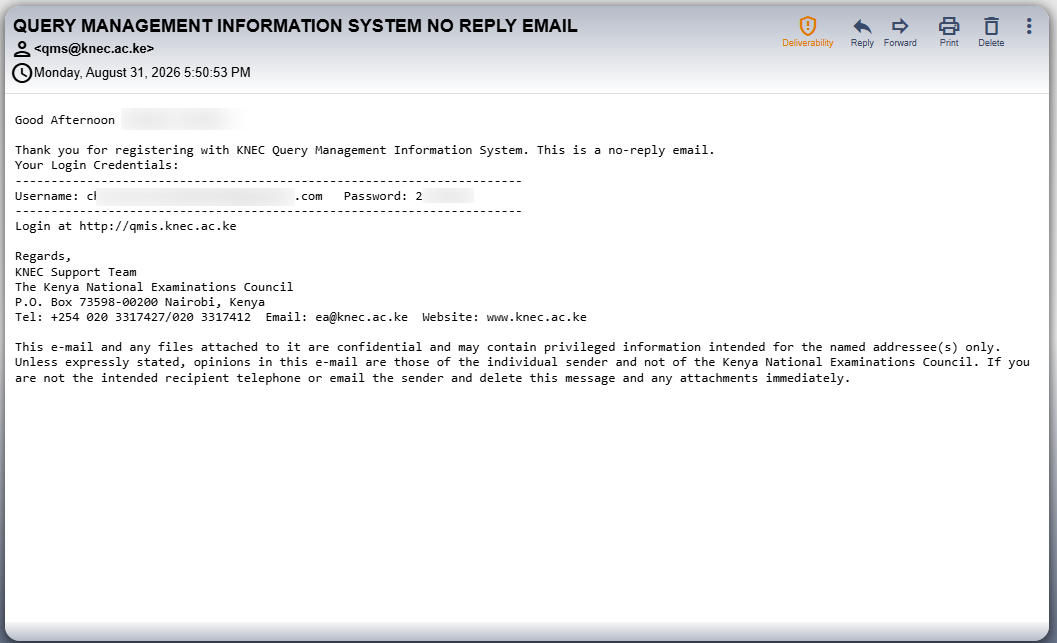
Once you have entered everything correctly, your account will be created on the KNEC QMIS Portal. Check your registered email address for the account login information provided by KNEC (your username and password), which you can use to access your QMIS KNEC account.
Overview: KNEC QMIS Portal Registration
To begin your registration, visit the KNEC QMIS Portal and open the account registration section. Enter your full names and mobile number, then provide your postal address as requested. Next, select your appropriate title or designation from the available options and enter your email address. Confirm the email address to ensure that the details provided are correct before proceeding with the registration.
READ ALSO: How To Reset KNEC QMIS Portal Password
After confirming your information, click Create Account to submit the registration form. The KNEC QMIS Portal will process the details you have provided and create your account if the registration is successful. Once completed, your KNEC QMIS Portal registration will be successful, and you can follow the instructions provided to access your QMIS KNEC account.