
The KNEC QMIS Portal provides registered users with online access to examination-related services, queries, and requests handled through the Kenya National Examinations Council (KNEC). Once you have created a QMIS account, you can log in to access your dashboard and manage the services available through the portal.
This guide explains how to log in to the KNEC QMIS Portal using your registered account credentials. It takes you through the login process, from accessing the QMIS KNEC Portal to entering your username and password and successfully accessing your account.
READ ALSO: How To Reset KNEC QMIS Portal Password
What is KNEC QMIS Portal?
The KNEC QMIS Portal is an online platform developed by the Kenya National Examinations Council (KNEC) for handling examination-related queries and service requests. QMIS stands for Query Management Information System, and the portal provides users with a convenient way to submit requests and access relevant KNEC services online.
Through the KNEC QMIS Portal, users can register for an account, submit examination-related queries, provide supporting documents, make applicable payments, and track the progress of their requests. The portal is also commonly referred to as the QMIS KNEC Portal or KNEC QMIS, depending on how users search for or refer to the system.
What is KNEC QMIS Portal Login?
KNEC QMIS Portal Login is the process of signing in to your account on the Kenya National Examinations Council (KNEC) Query Management Information System. The login allows registered users to access the KNEC QMIS Portal and use the examination-related services and features available through their accounts.
To complete the QMIS KNEC Portal login, you need to provide the login credentials associated with your registered account. Once your credentials are successfully verified, you can access your QMIS dashboard, submit or manage queries, and track the progress of requests made through the KNEC QMIS Portal.
Requirements Needed To Log In To KNEC QMIS Portal
To log in to the KNEC QMIS Portal, you need the account credentials associated with your registered QMIS account. Having your username and password ready will allow you to enter the required login details and access the QMIS KNEC Portal. The two requirements needed to log in to the KNEC QMIS Portal are:
- KNEC QMIS Portal Username
- KNEC QMIS Portal Password
Once you have your KNEC QMIS username and password ready, you can proceed to access your account through the portal. The login process involves entering your credentials in the appropriate fields and submitting them for verification before you can access your QMIS KNEC account.
How To Log In To KNEC QMIS Portal
With your KNEC QMIS username and password ready, you can proceed to access your account through the KNEC QMIS Portal. The process involves entering your login credentials and submitting them for verification before gaining access to your QMIS dashboard. Follow the steps below to log in to KNEC QMIS Portal:
- Step 1: Visit KNEC QMIS Portal
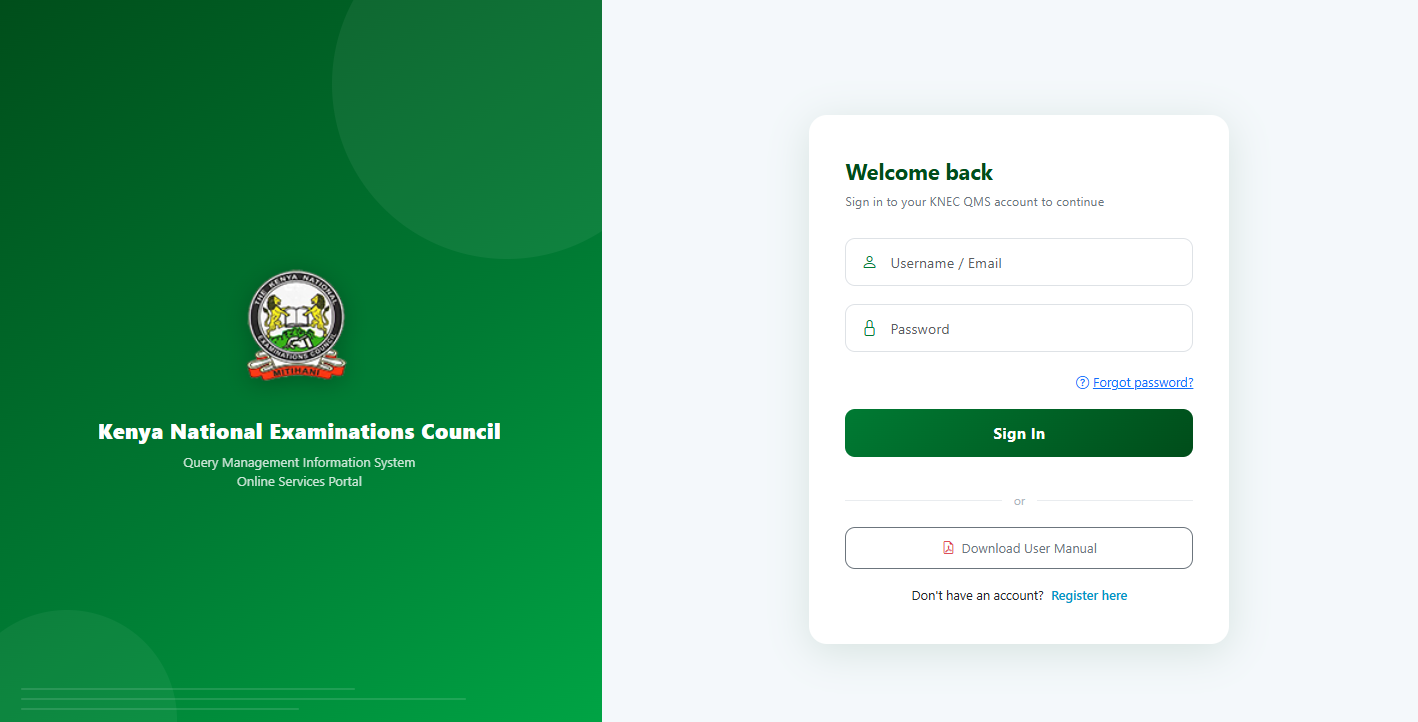
For you to be able to log in to KNEC QMIS Portal, the first thing that you need to do is to visit https://qmis.knec.ac.ke/
- Step 2: Enter Username
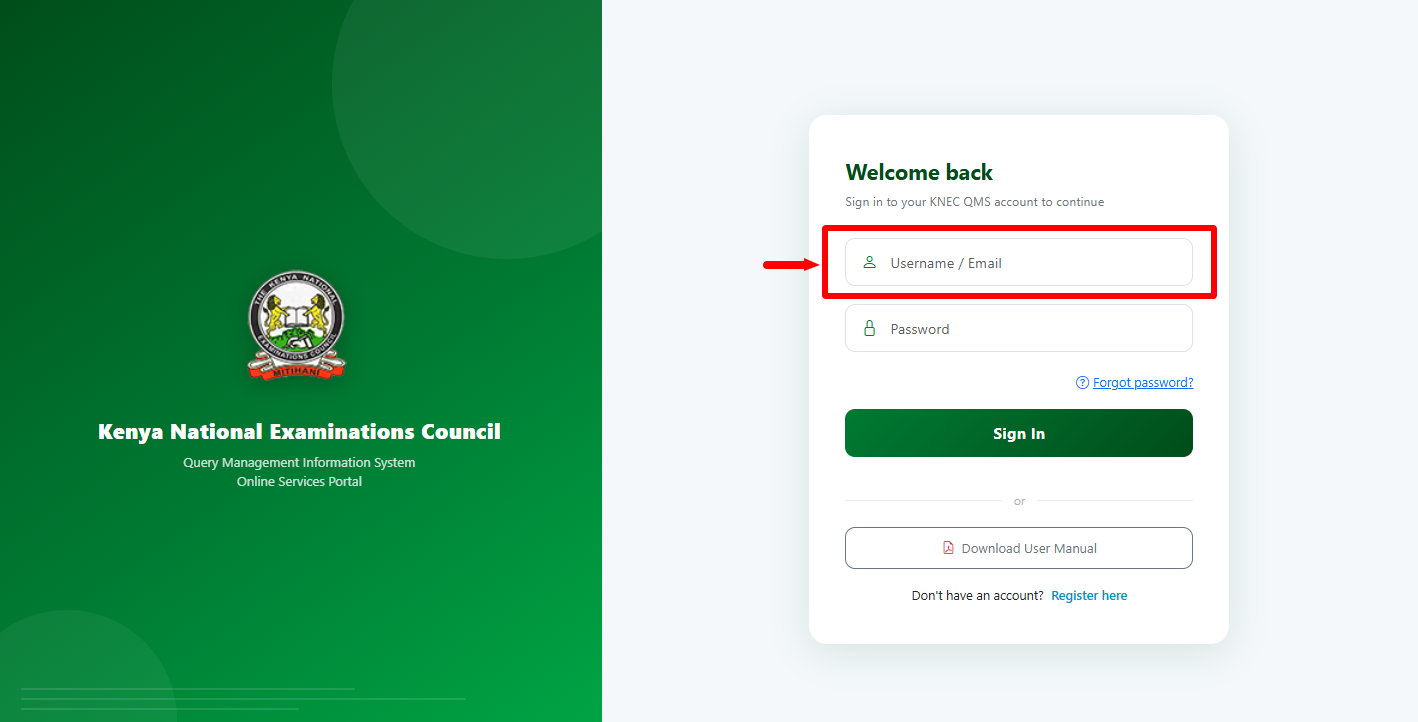
Next, enter the QMIS Portal “Username” before proceeding to the next step. Kindly take note that the username to be used on KNEC QMIS Portal is your email address.
- Step 3: Enter Password
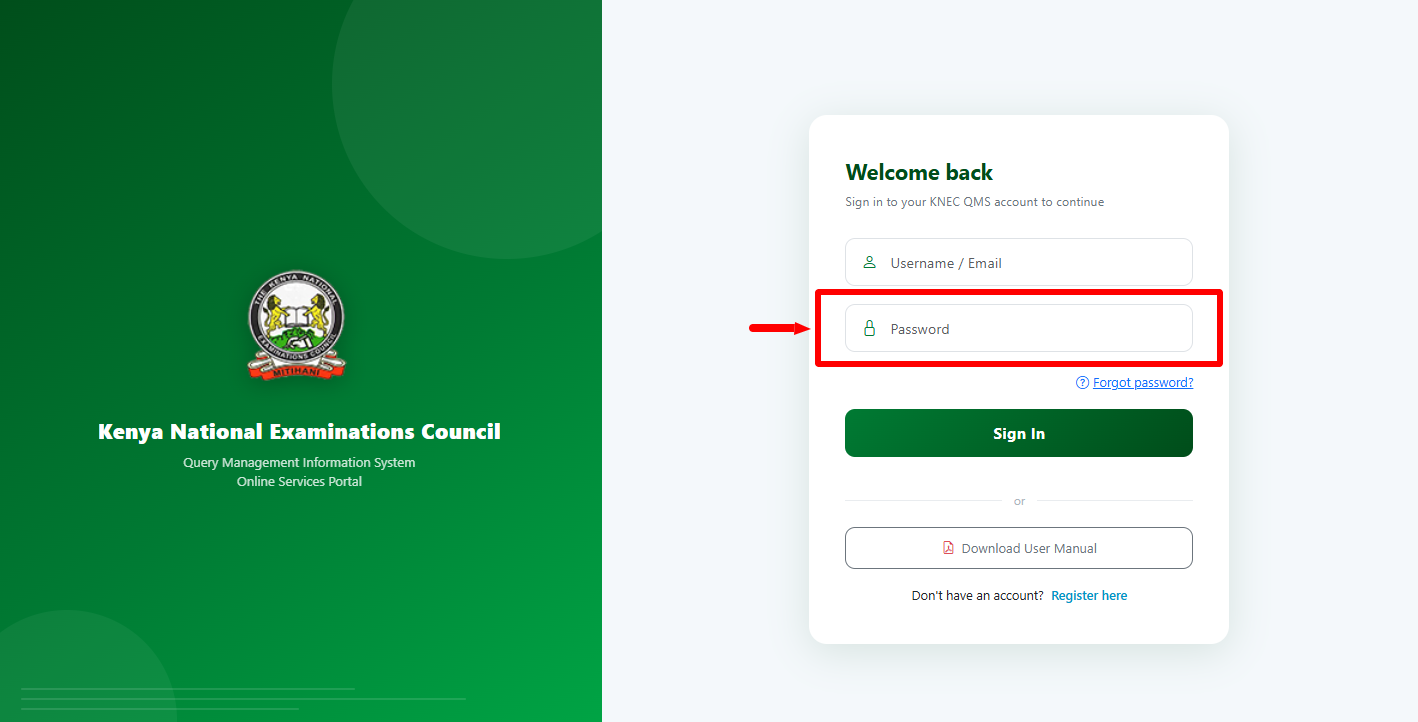
In this step, you need to enter the “Password” associated with your QMIS Portal account. If you have forgotten it, you can simply do a password reset and it will be sent to your email address.
- Step 4: Click on Sign In
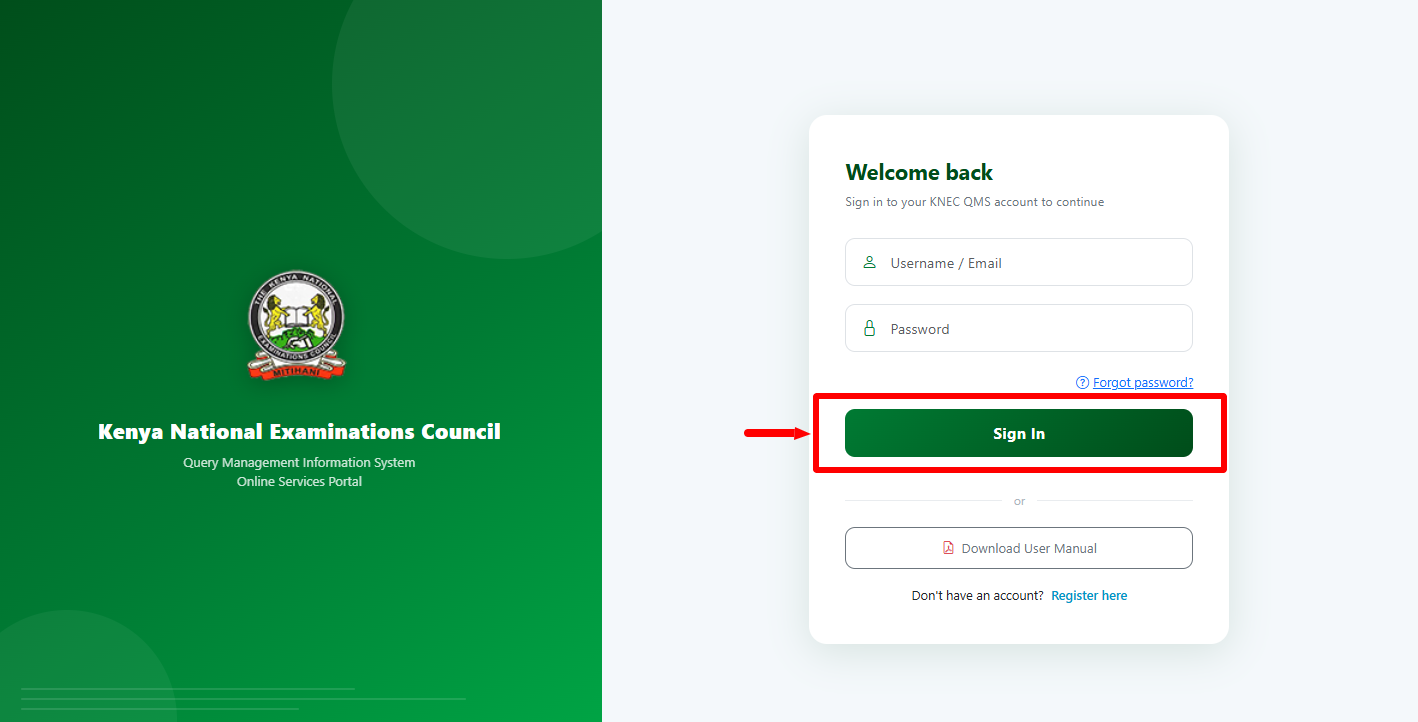
Once you have entered both your QMIS Portal username and password, proceed and click on the “Sign In” button.
- Step 5: KNEC QMIS Portal Dashboard
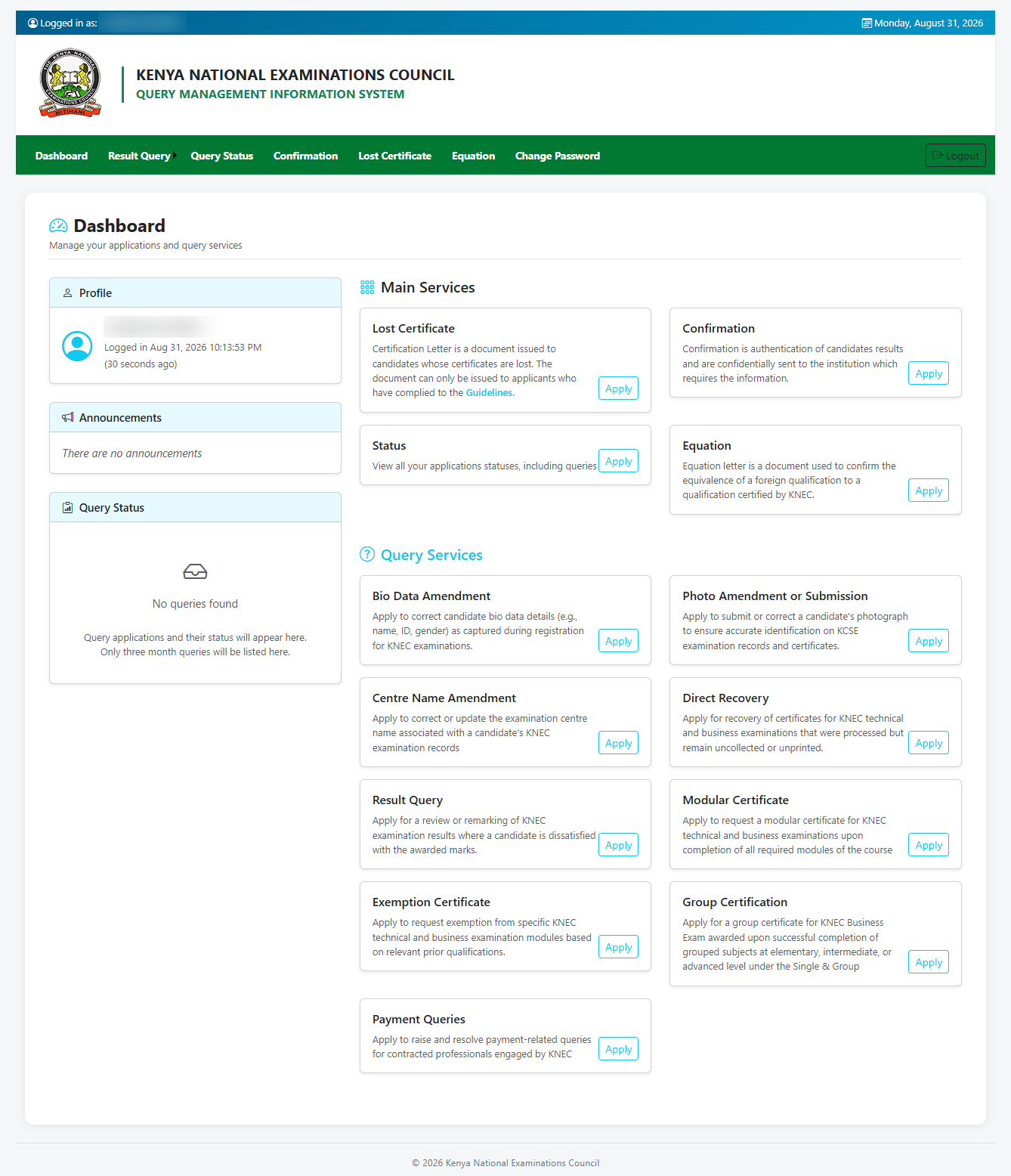
Lastly, upon entering the correct QMIS Portal login credentials, you will successfully be logged into your KNEC QMIS Portal dashboard.
Overview: KNEC QMIS Portal Login
To begin, visit the KNEC QMIS Portal using your preferred web browser to open the login page. Enter the username associated with your QMIS KNEC account in the required field, then enter your password in the password field. Review the credentials you have provided to ensure they are correct before proceeding.
READ ALSO: How To Register on KNEC QMIS Portal
Once you have entered your username and password, click Login to submit your credentials for verification. If the details are correct, you will successfully sign in and be directed to the KNEC QMIS Portal Dashboard, where you can access and manage the available examination-related services and requests.