
The SHA number is an important identifier used to access and manage your Social Health Authority (SHA) information in Kenya. If you have registered for SHA services and need to confirm your assigned number, checking it online provides a convenient way to retrieve the information without having to visit a physical office.
This guide explains how to check your SHA number online using the available SHA services. It takes you through the process of accessing the relevant service, providing the required details, and viewing your SHA number once your information has been verified.
READ ALSO: How To Log In To Afyayangu
What is SHA Number?
A SHA number is a unique identifier associated with an individual registered with Kenya’s Social Health Authority (SHA). It is used to identify your SHA records and can be required when accessing or managing services provided through the SHA system.
The number is linked to your personal information and helps the SHA system retrieve the correct records when you access its services. If you have registered with SHA, knowing your SHA number can make it easier to confirm your registration details and complete transactions or requests that require the identifier.
What is SHA Number Check?
SHA Number Check refers to the process of confirming or retrieving the unique number associated with your registration under Kenya’s Social Health Authority (SHA). It provides a way to access your SHA identification details when you need the number for registration confirmation, service access, or other activities that require your SHA information.
The check can be useful if you have already registered with SHA but do not remember your number or want to confirm the details linked to your registration. By using the available SHA services, you can provide the required personal information and retrieve the relevant number associated with your records.
Requirements Needed To Check SHA Number
To check your SHA number online, you need to have the identification details required to access your SHA records through the available service. Having your National ID number and AfyaYangu PIN ready will allow you to provide the required information and retrieve the SHA number associated with your registration. The two requirements needed to check your SHA number are:
- ID Number
- Afyayangu PIN
Once you have your National ID number and AfyaYangu PIN ready, you can proceed to check your SHA number online. The process involves accessing the relevant SHA service, entering the required details, and submitting the information to retrieve the number associated with your records.
How To Check SHA Number
With your National ID number and AfyaYangu PIN available, you can proceed to retrieve your SHA number through the online service. The process is straightforward and requires you to enter the requested details before submitting the information to access your SHA records. Follow the steps below to check your SHA number:
- Step 1: Visit Afyayangu website
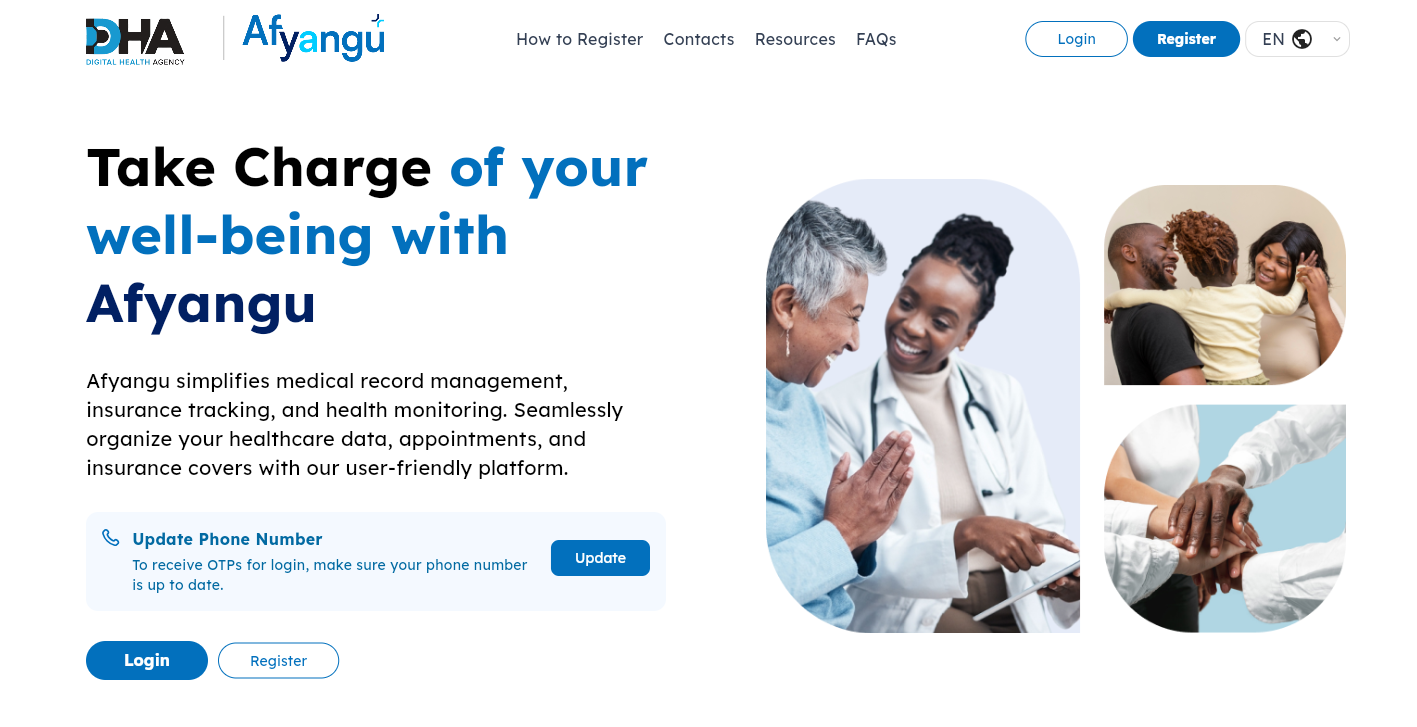
The first step in the process of How To Check SHA Number online is to visit Afyayangu website using https://afyayangu.go.ke/
- Step 2: Click on Login
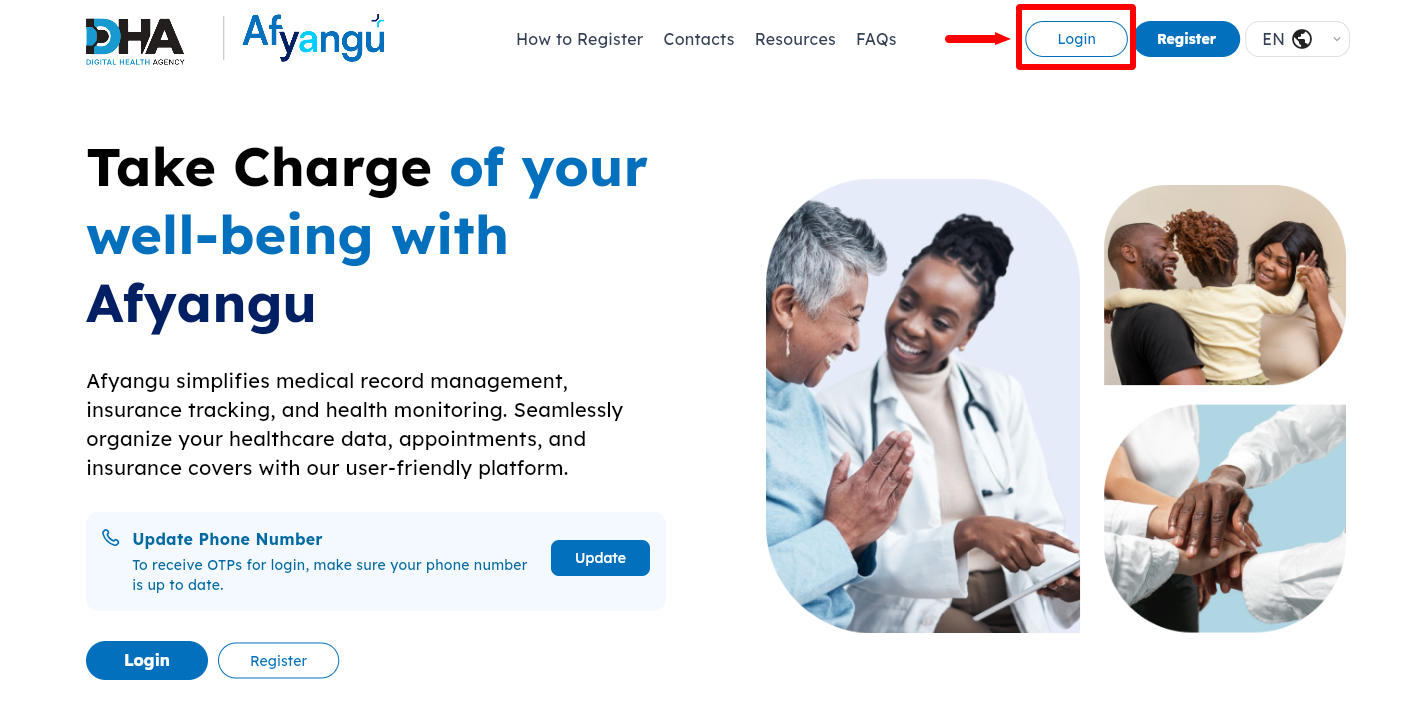
Once you are on Afyayangu website, click on the “Login” button to start the process if accessing your Afyayangu account dashboard.
- Step 3: Select ID Type
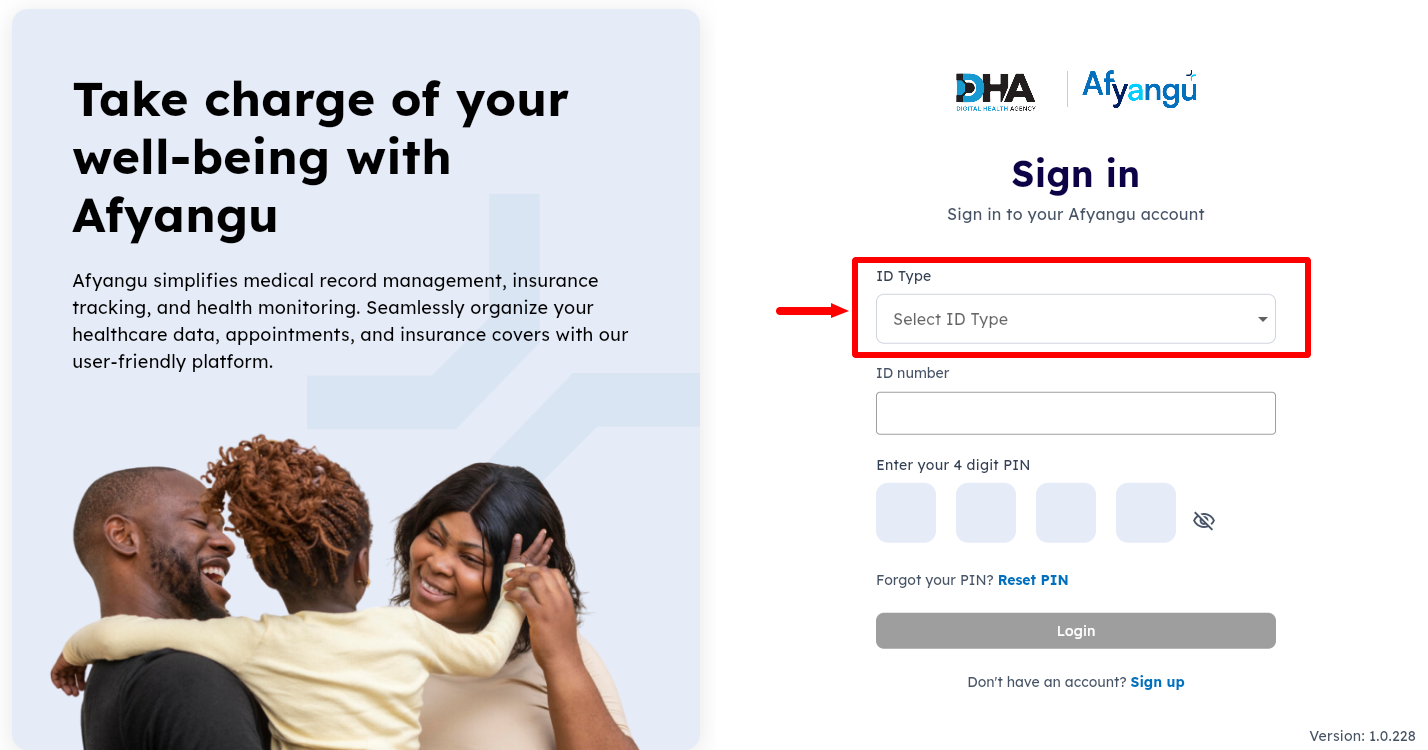
Next, you need to select the “ID Type” that you used to register for SHA with. The ID type can either be Kenyan citizen, passport, foreign resident, refugee or mandate number.
- Step 4: Enter ID Number
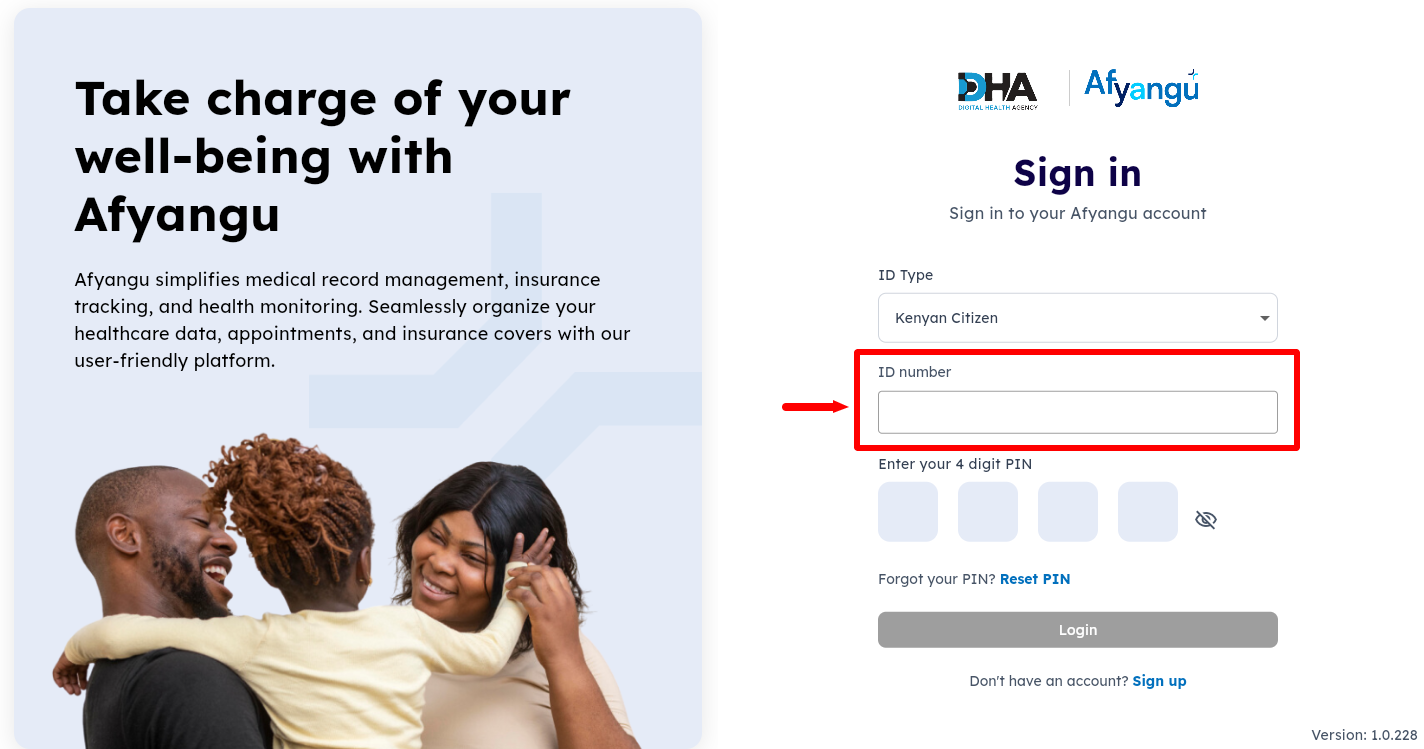
In this step, enter your “ID Number” and proceed to the next step.
- Step 5: Enter Afyayangu PIN
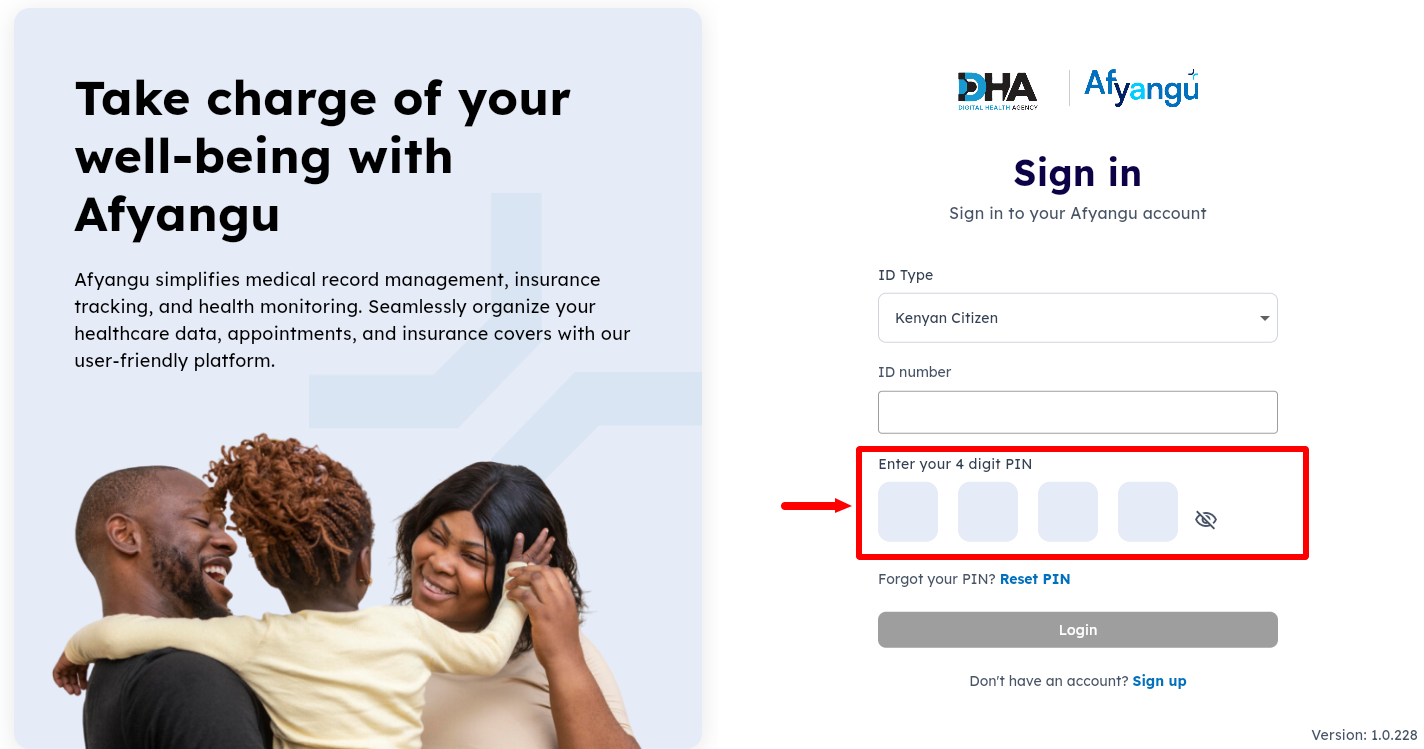
To be able to access your Afyayangu account dashboard, you need to enter the 4 digit “Afyayangu PIN” before proceeding to the next step.
- Step 6: Click on Login
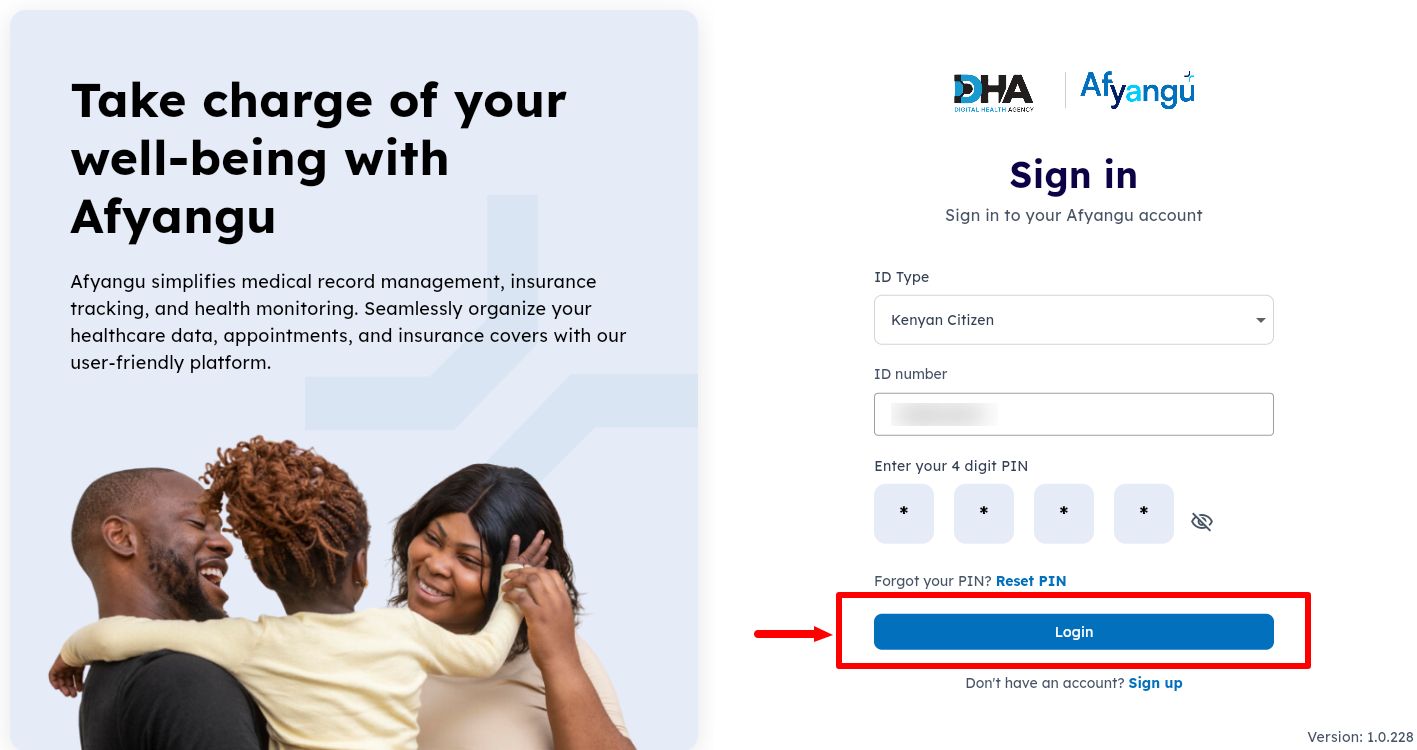
Once you have selected the ID type, entered your ID number and entered your 4 digit Afyayangu PIN, click on th “Login” button.
- Step 7: OTP Verification
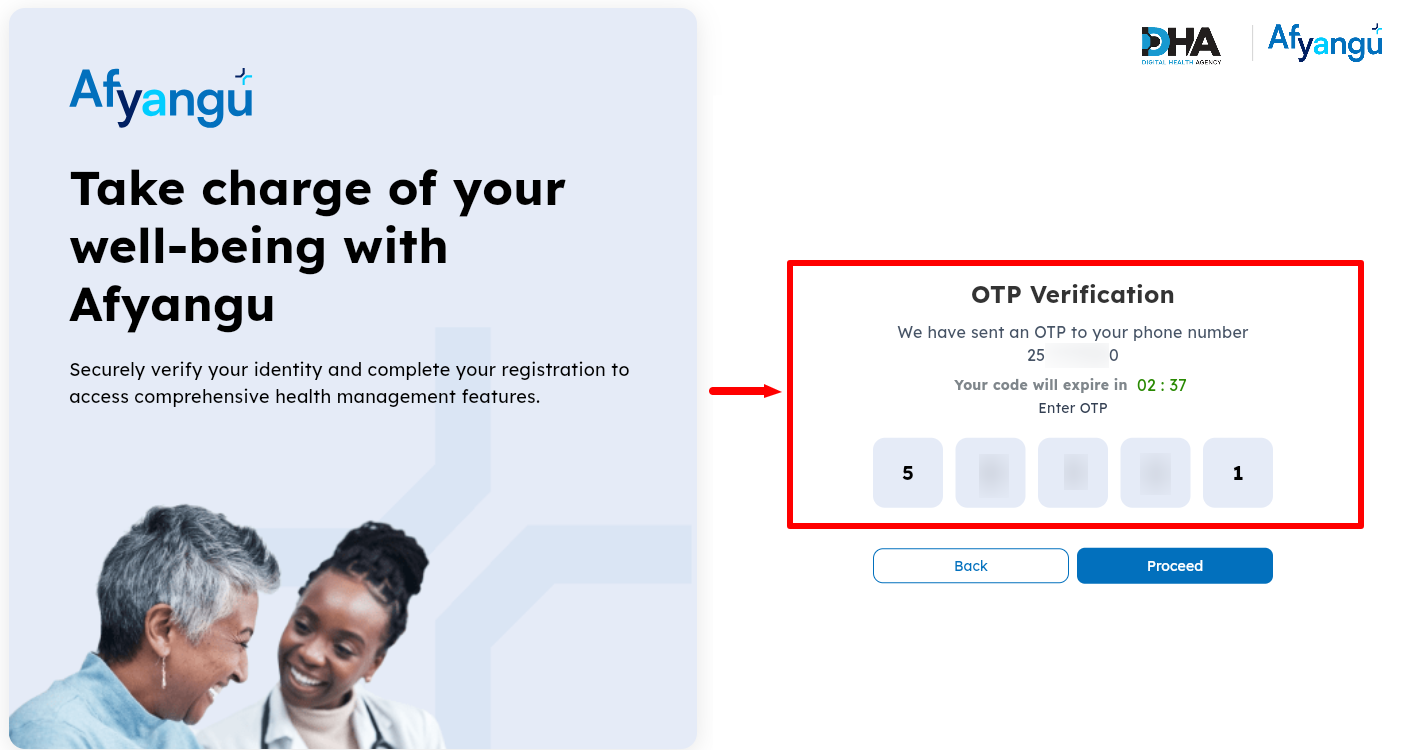
Next, an “OTP Verification Code” (Afyayangu OTP Code) will be sent to your Phone Number. You need the OTP verification code. Kindly take note that this OTP code is only valid for 5 minutes. Once you have entered the OTP Verification Code, click on the “Proceed” button.
- Step 8: Afyayangu Dashboard
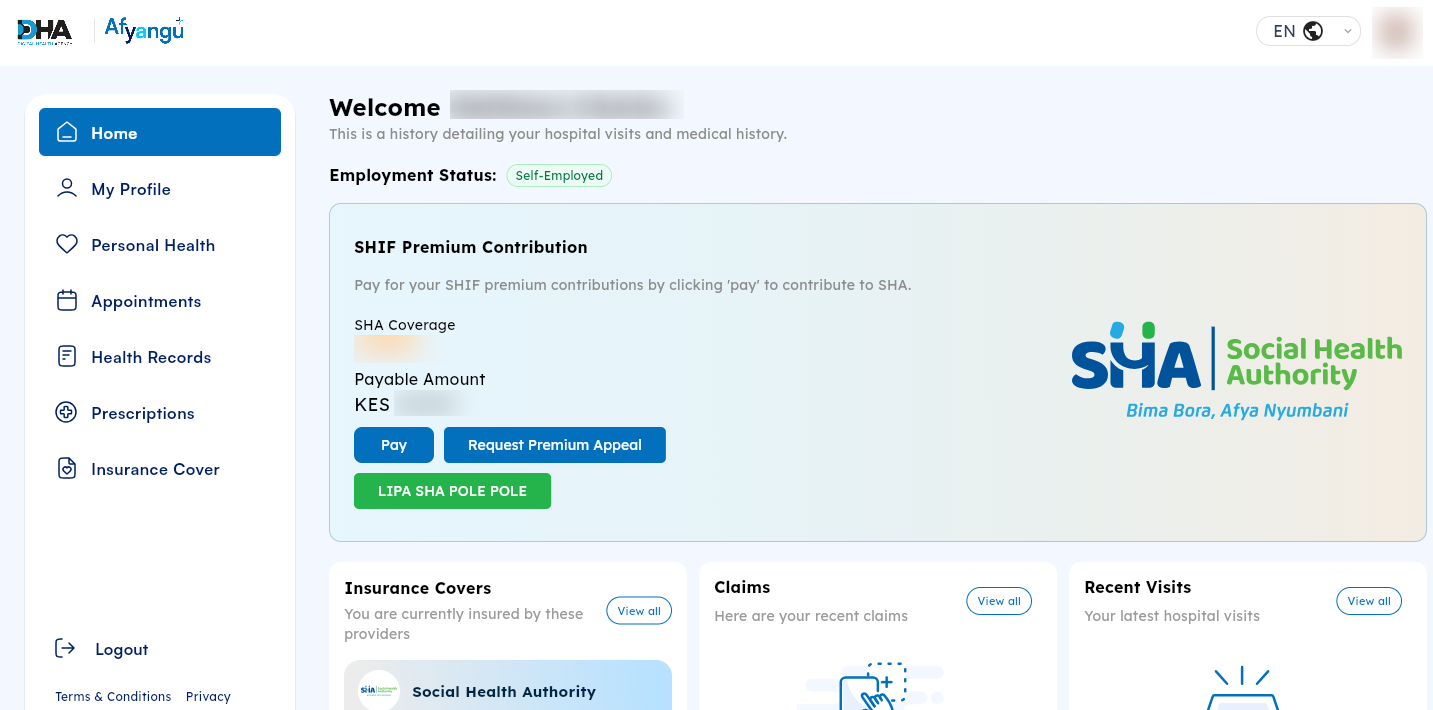
In this step, once you have entered the correct OTP verification code, you will be logged in successfully to your Afyayangu account dashboard.
- Step 9: Click My Profile
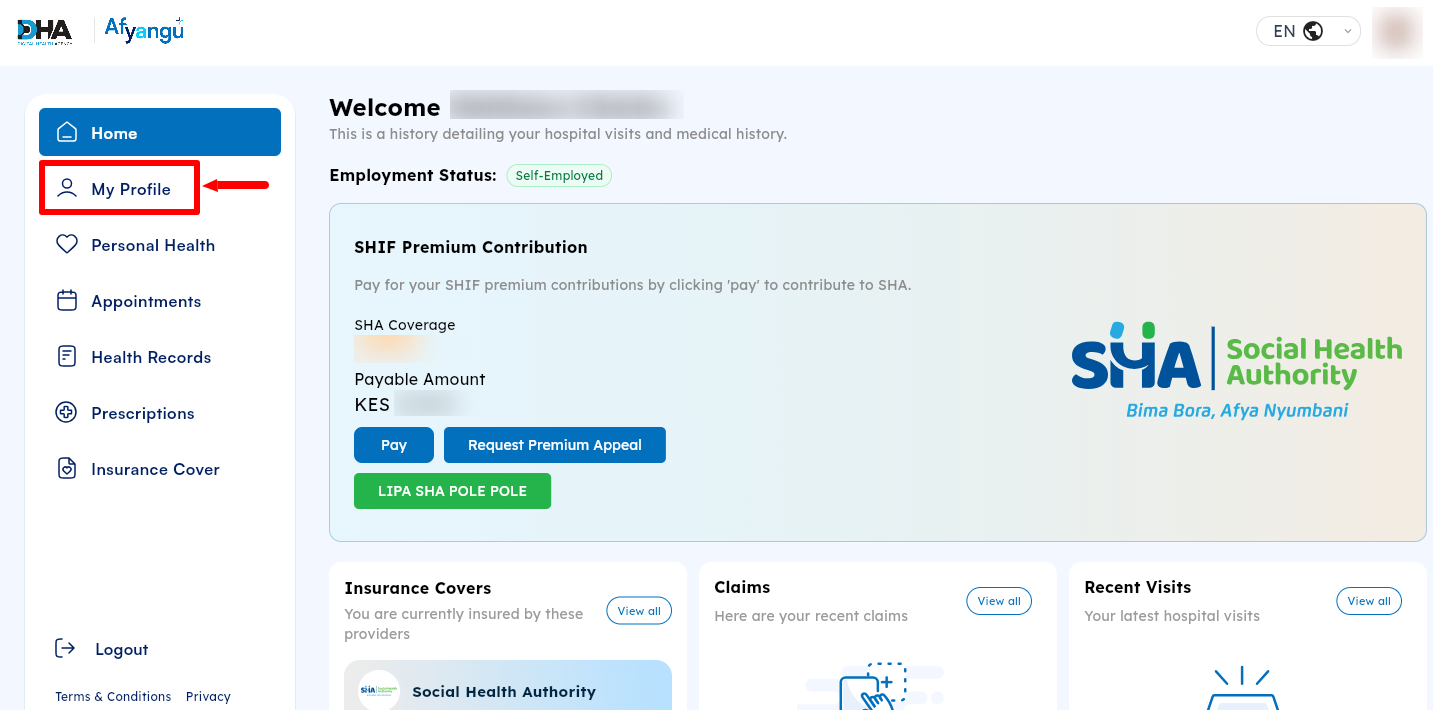
From your Afyayangu account dashboard, click on “My Profile” to start the process of checking and getting your SHA Number online.
- Step 10: SHA Number
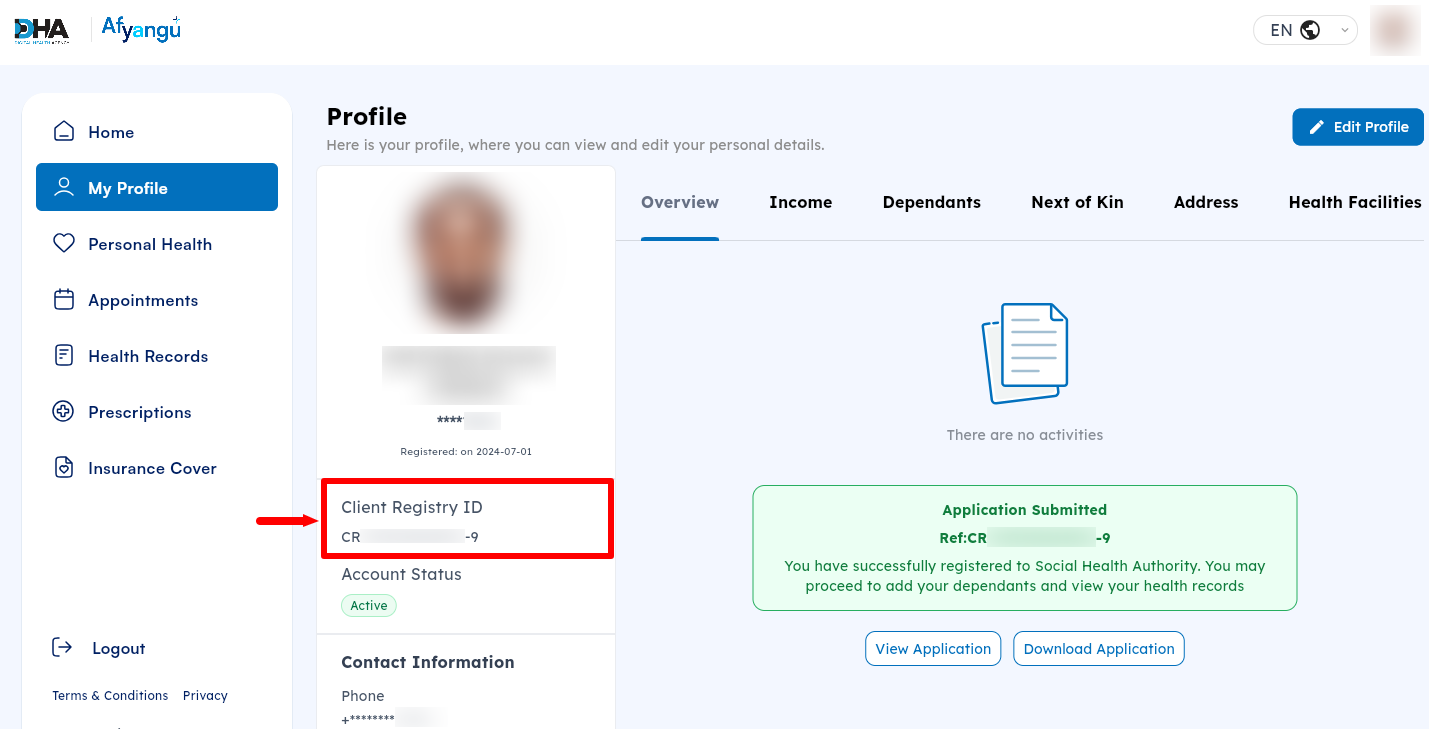
Lastly, your SHA Number will be displayed under your profile and you can take note of it. This number is very important especially if you are employed as your employer needs the number for payroll and statutory requirements purposes. So, this is the SHA Number that you need to present where you are asked for the same. You can also check your SHA Number under “Insurance Cover” section of the Afyayangu account dashboard.
Overview: SHA Number Check
To begin checking your SHA number, visit the AfyaYangu website and click Login to access your account. Select the appropriate ID type, enter your ID number and AfyaYangu PIN, then click Login to proceed. You will then be required to complete the OTP verification sent to your registered contact details before gaining access to your account.
READ ALSO: How To Reset Afyayangu PIN
After successful verification, you will be taken to your AfyaYangu dashboard, where you can access your account information. Click My Profile to view your personal details and locate your SHA Number displayed within your profile information. You can now share the SHA Number where it is requested i.e. your employer needs the SHA Number for payroll and statutory purposes in Kenya.