
This Step-by-Step Tutorial explains How To Verify HELB Compliance Certificate, providing clear and detailed guidance through each step of the process from start to finish to help you Verify HELB Compliance Certificate in a few minutes.
What is HELB Compliance Certificate?
A HELB Compliance Certificate is a document issued by the Higher Education Loans Board (HELB) to show an individual’s HELB compliance or clearance status. It may be issued to HELB beneficiaries who are repaying their loans and meeting their repayment obligations, as well as non-beneficiaries who require HELB clearance.
READ ALSO: How To Download HELB Compliance Certificate
The certificate provides proof of an individual’s status with HELB and may be required when applying for opportunities or services that require evidence of HELB compliance. Eligible applicants can apply for and obtain the certificate through the available HEF Portal.
What is HELB Compliance Certificate Verification?
HELB Compliance Certificate Verification is the process of checking whether a HELB Compliance Certificate is genuine and valid. It allows an individual or organisation to confirm that the certificate was legitimately issued and that the information provided on the document is valid.
To verify a HELB Compliance Certificate, use the official HELB checker available through the HEF Portal at https://portal.hef.co.ke. The verification process helps confirm the authenticity and validity of the certificate before it is used for official purposes.
Requirements Needed To Verify HELB Compliance Certificate
To successfully Verify for HELB Compliance Certificate, you need to have the following 2 requirements:
- ID Number
- HELB Compliance Certificate Serial Number
How To Verify HELB Compliance Certificate
To Verify for HELB Compliance Certificate, follow the step-by-step process outlined below.
- Step 1: Visit HEF Portal
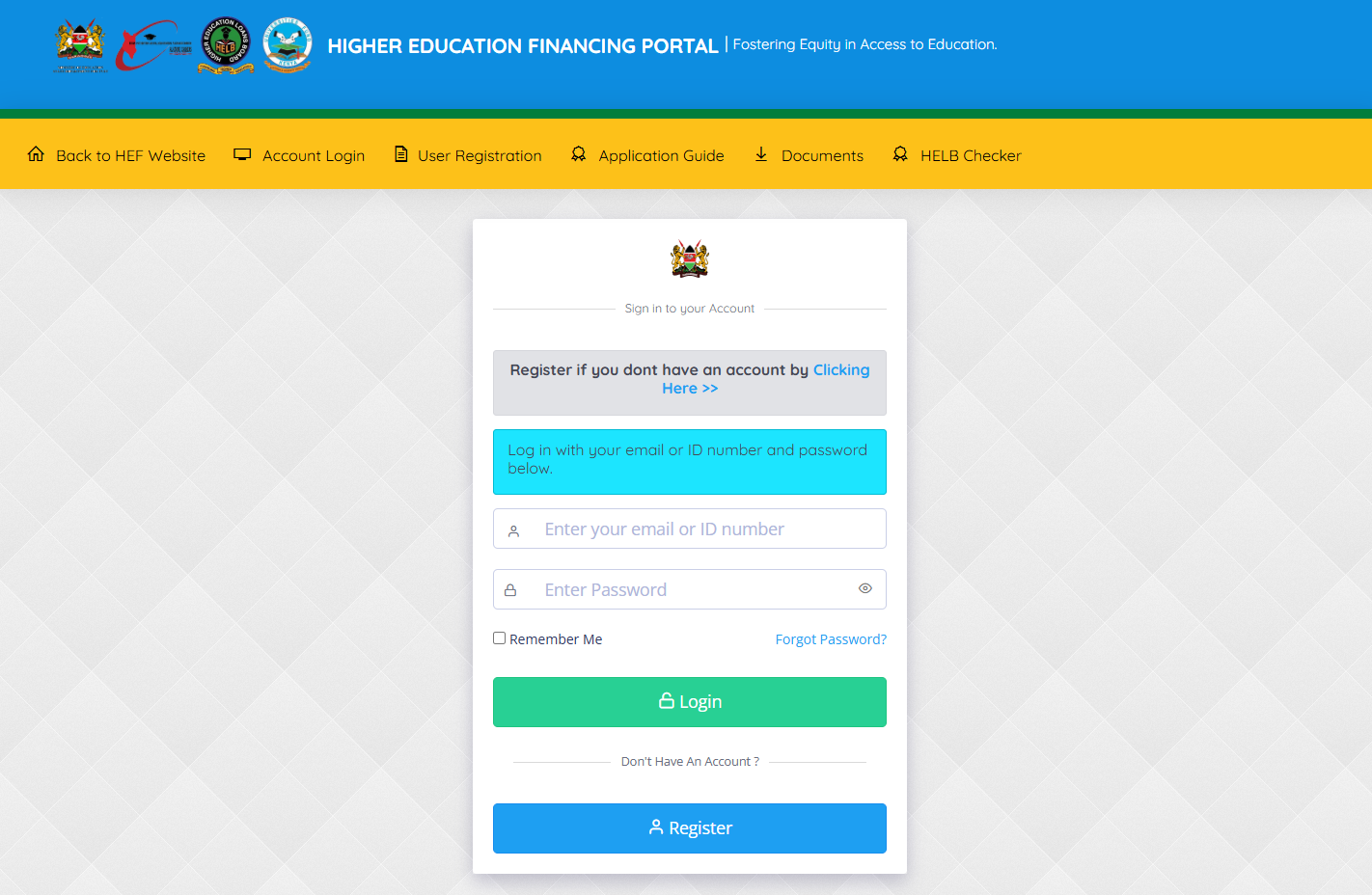
The first step in the process if verifying HELB Compliance Certificate online is to visit HEF Portal using https://portal.hef.co.ke/
- Step 2: Click on HELB Checker
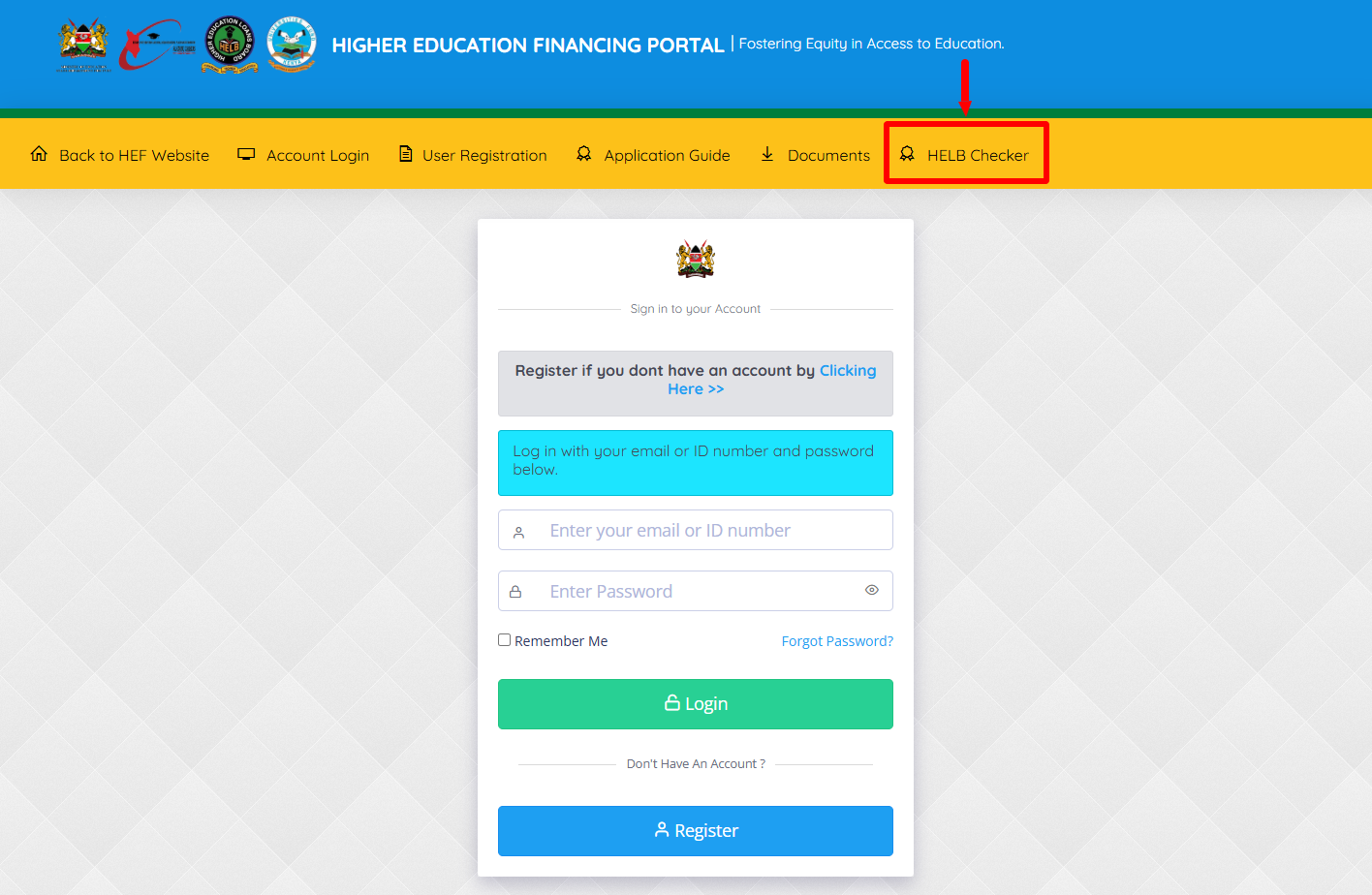
Once you are on HEF Portal, click on “HELB Checker” to start the process of How To Verify HELB Compliance Certificate.
- Step 3: Select Certificate Type
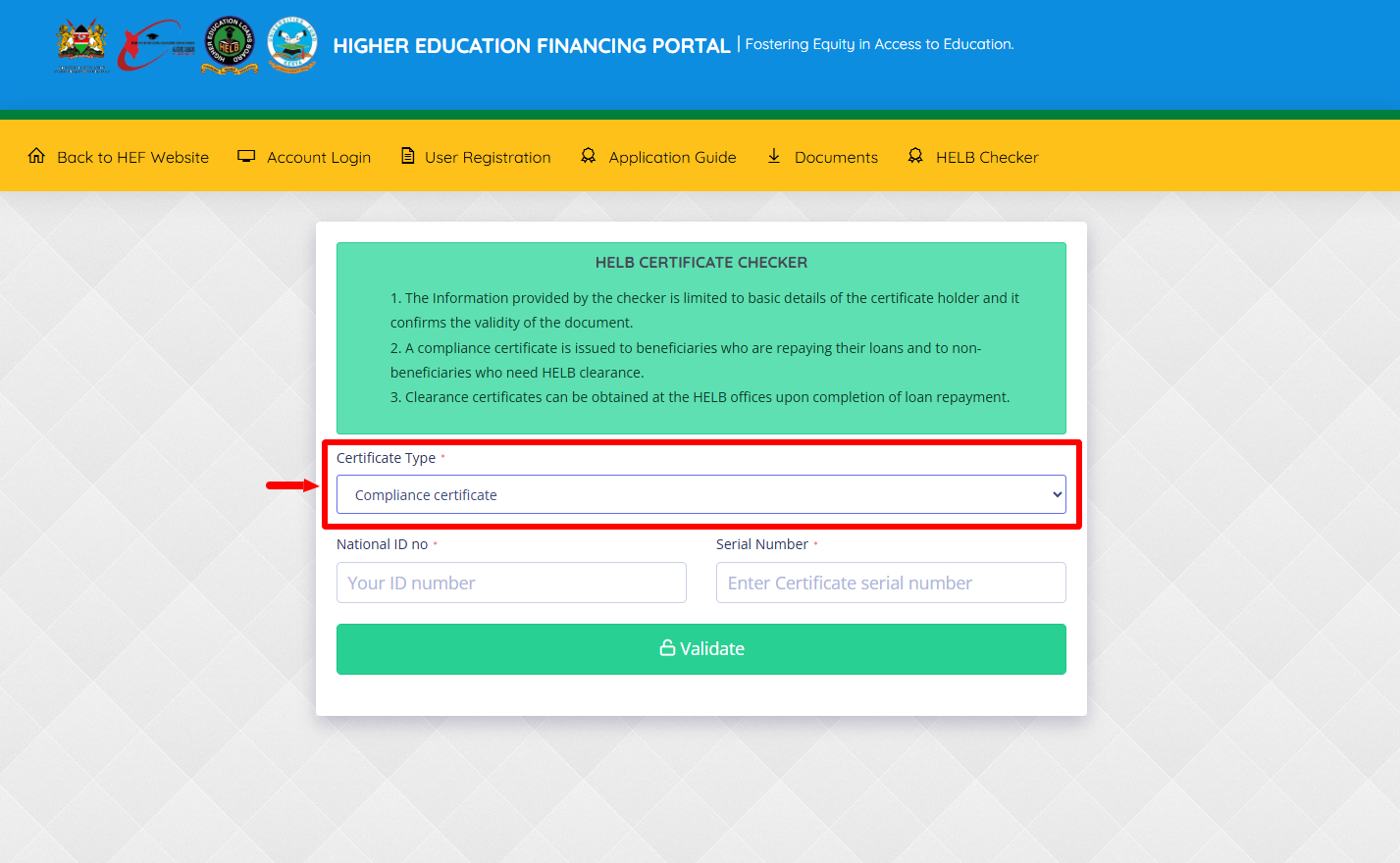
Next, select the Certificate Type that you want to verify using the HELB Checker. There are two certificates; “Compliance Certificate Certificate” and “Clearance Certificate.” In this tutorial, we are verifying HELB Compliance Certificate so thats what we need to select.
- Step 4: Enter ID Number
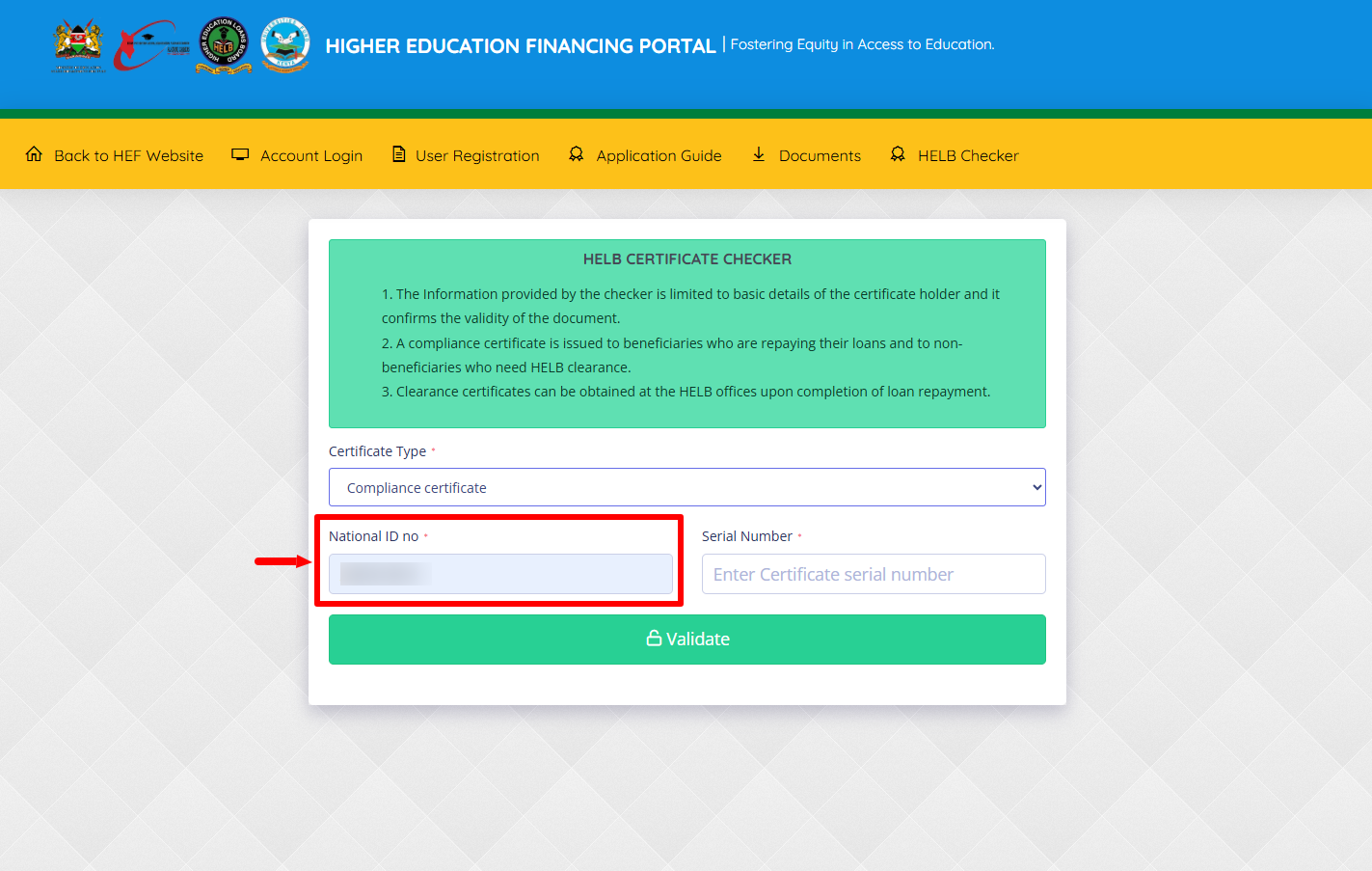
In this step, you need to enter “National ID Number” and proceed to the next step.
- Step 5: Enter HELB Compliance Certificate Serial Number
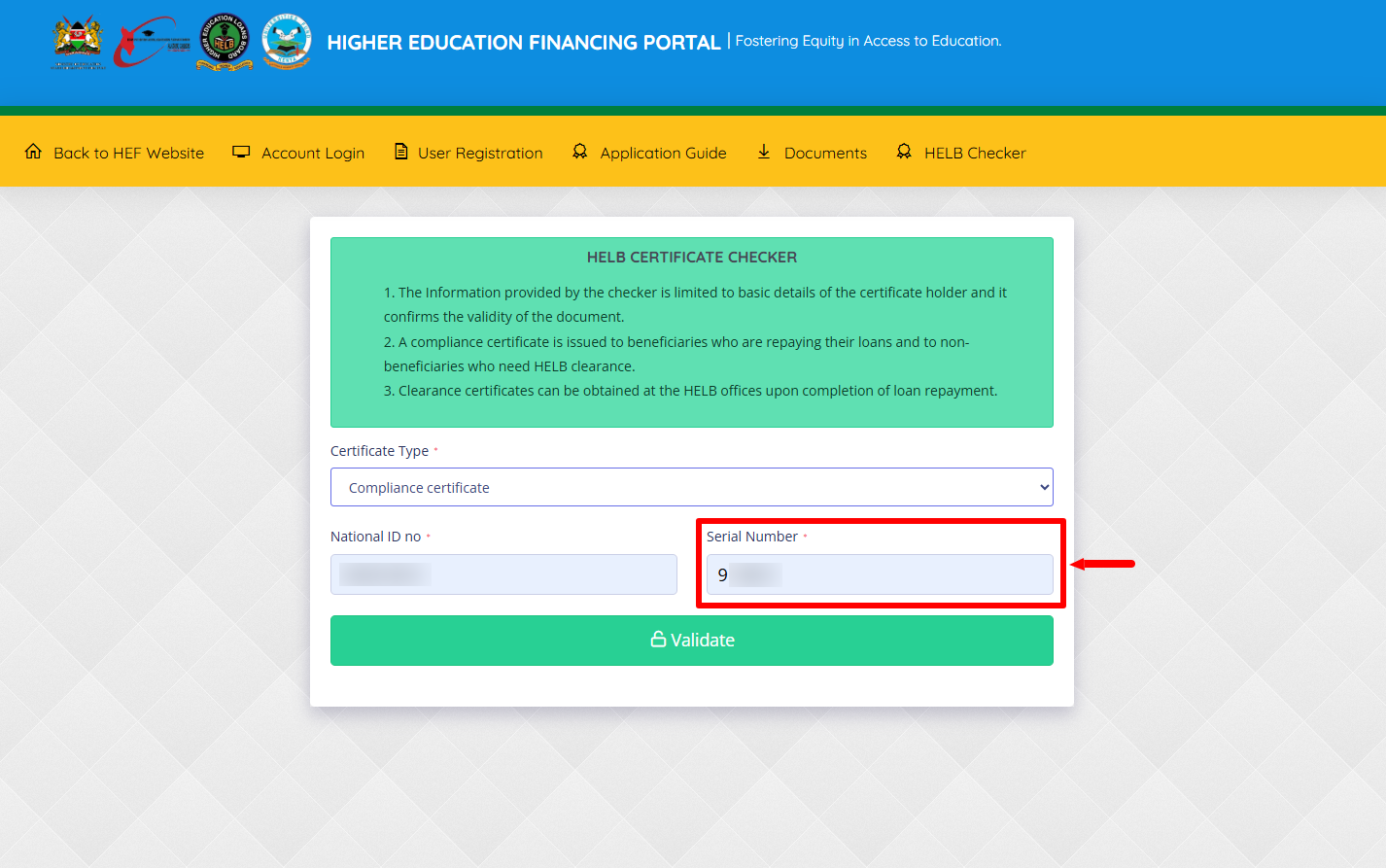
Next, enter the “HELB Compliance Certificate Serial Number” (certificate serial number). This serial number is located at the top right corner of the HELB Compliance Certificate.
- Step 6: Click on Validate
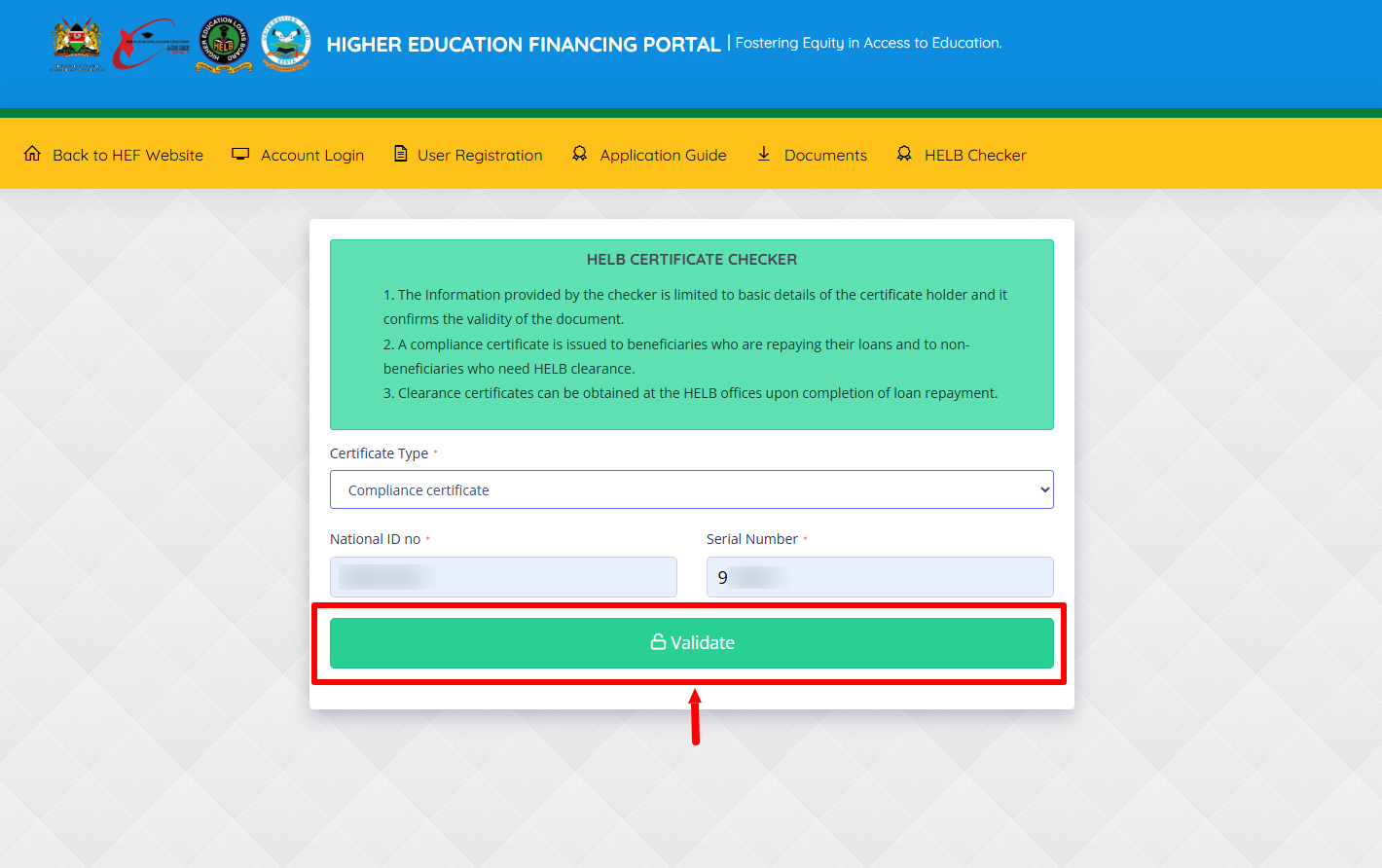
Once you have selected the certificate type, entered your national ID number and have entered the HELB Compliance Certificate serial number, proceed and click on the “Validate” button.
- Step 7: HELB Compliance Certificate Details
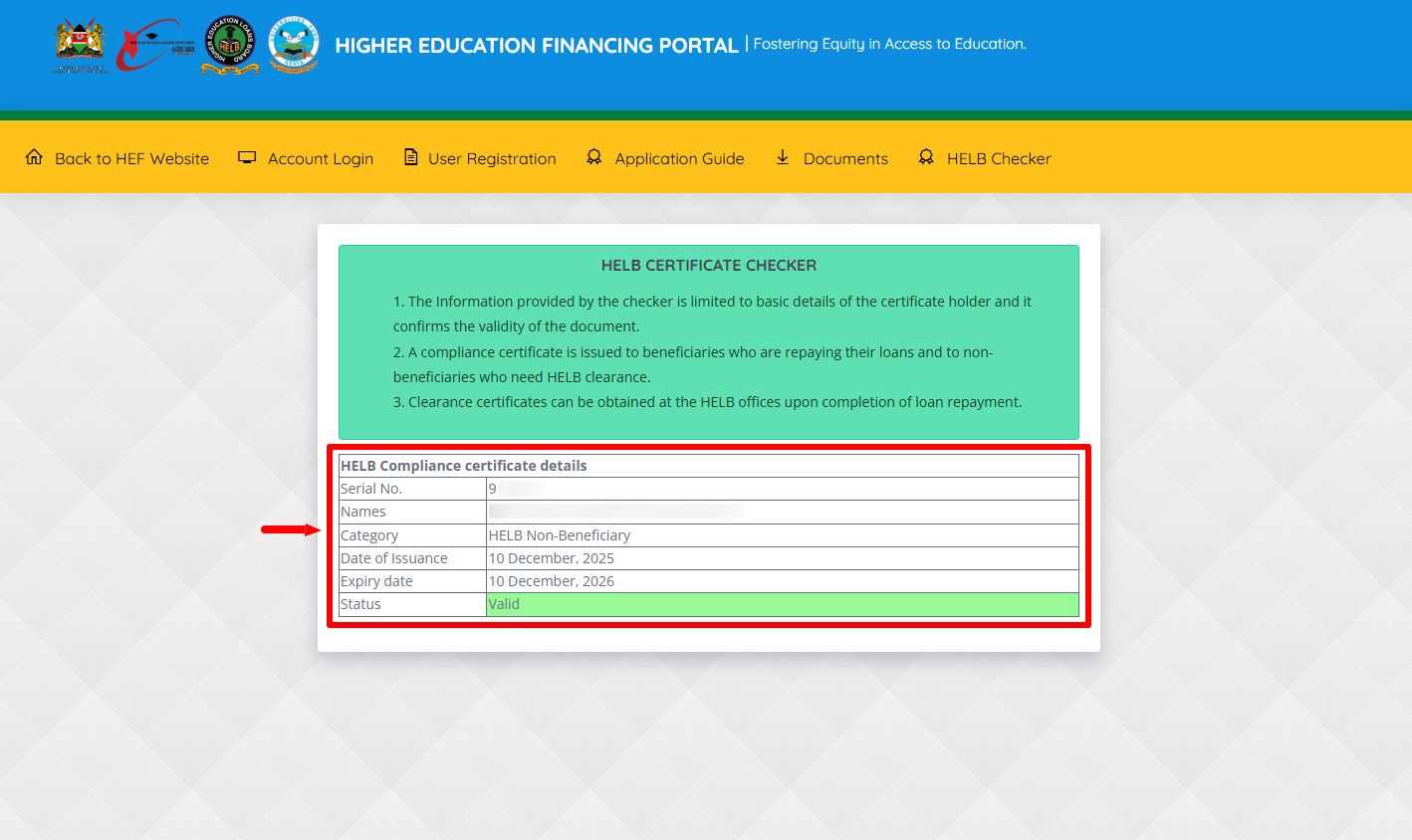
Lastly, the details of the HELB Compliance Certificate will be displayed. At this point you can view the details pertaining to the HELB Compliance Certificate. The information provided by the HELB checker is limited to basic details of the certificate holder and it confirms the validity of the document. This includes; serial number, names, category, date of issuance, expiry date and status.
Overview: HELB Compliance Certificate Verification
To verify a HELB Compliance Certificate, start by visiting the HEF Portal and clicking on HELB Checker. Select the appropriate certificate type, then enter your ID number and the serial number shown on your HELB Compliance Certificate. Make sure the information entered is correct before proceeding with the verification.
READ ALSO: How To Apply for HELB Compliance Certificate
Next, click on Validate to submit the certificate details for verification. The HELB Checker will process the information and display the verification results, allowing you to confirm whether the HELB Compliance Certificate is valid and genuine. The details of the HELB Checker results includes: serial number, names, category, date of issuance, expiry date and status.