
This Step-by-Step Tutorial explains How To Update HEF Portal Email Address, providing clear and detailed guidance through each step of the process from start to finish to help you Update HEF Portal Email Address in a few minutes.
What is HEF Portal Email Address?
HEF Portal Email Address is the email address that is linked to your HEF Students Portal account. It is one of the account details provided during the creation or management of your HEF account and is associated with your student information on the portal. The email address helps identify your HEF account and is used when accessing services available through the HEF Students Portal.
READ ALSO: How To Check HELB Loan Batch Number
HEF Portal Email Address is also used as a login credential when accessing your HEF Students Portal account. When signing in, you can enter the email address linked to your account together with your HEF Account Password to access the HEF Students Portal Dashboard. It is important to use the correct email address associated with your account to successfully access your HEF services.
What is HEF Portal Email Address Update?
HEF Portal Email Address Update is the process of changing or updating the email address linked to your HEF Students Portal account. This allows you to replace the existing email address on your account with a new email address that you want to use for accessing and managing your HEF account.
To update your HEF Portal Email Address, you need to have access to the phone number linked to your HEF account so that you can receive the email reset code via SMS. The reset code is used to verify your account and proceed with setting up a new email address on your HEF Students Portal account.
Requirements Needed To Update HEF Portal Email Address
To successfully Update HEF Portal Email Address, you need to have the following 2 requirements:
- ID Number
- Mobile Number
- New Email Address
How To Update HEF Portal Email Address
To Update HEF Portal Email Address, follow the step-by-step process outlined below.
- Step 1: Visit HEF Portal
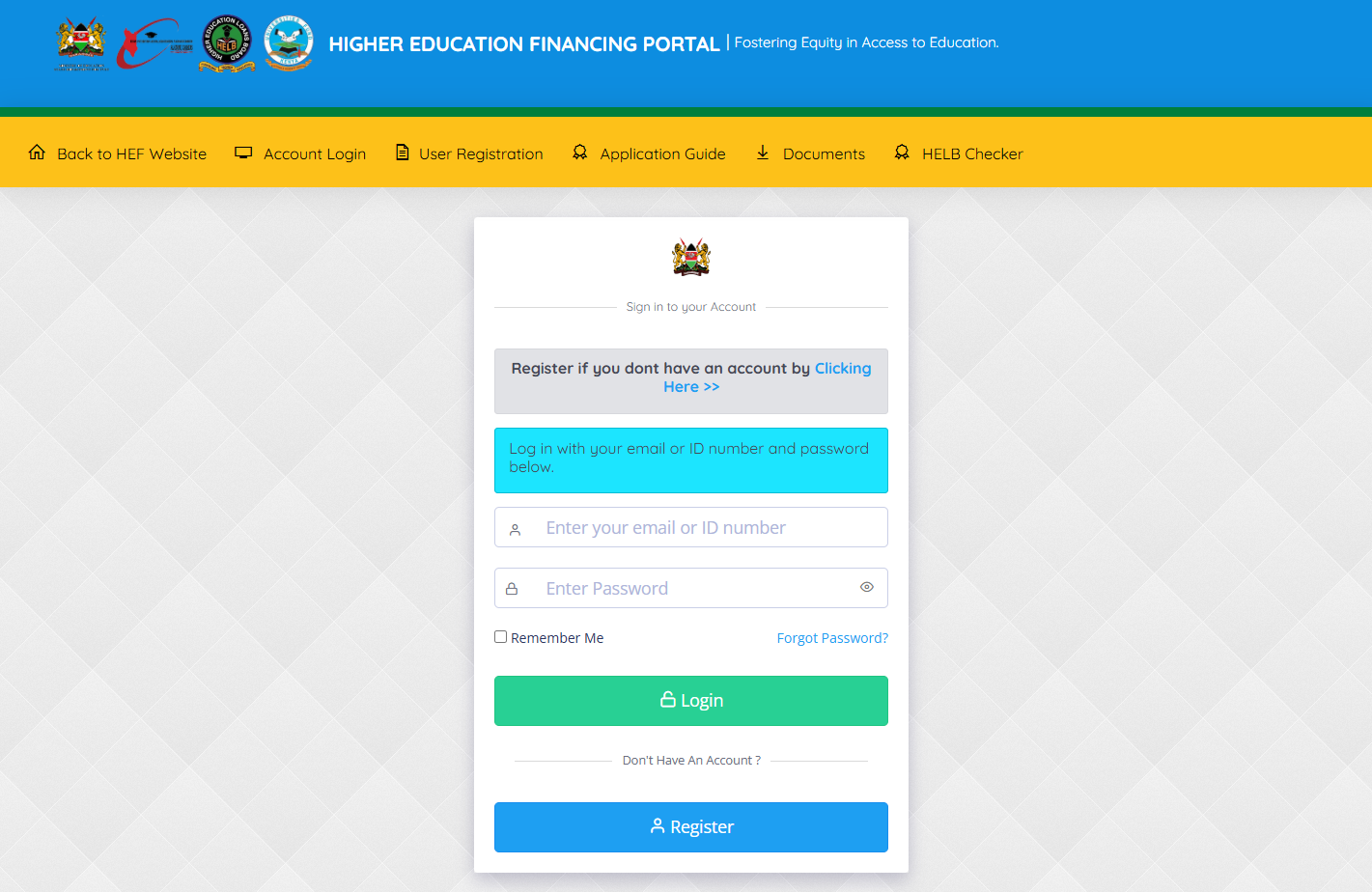
To be able to update HEF Portal email address, the first step that you need to take is to visit HEF Portal using https://portal.hef.co.ke
- Step 2: Click on Forgot Password
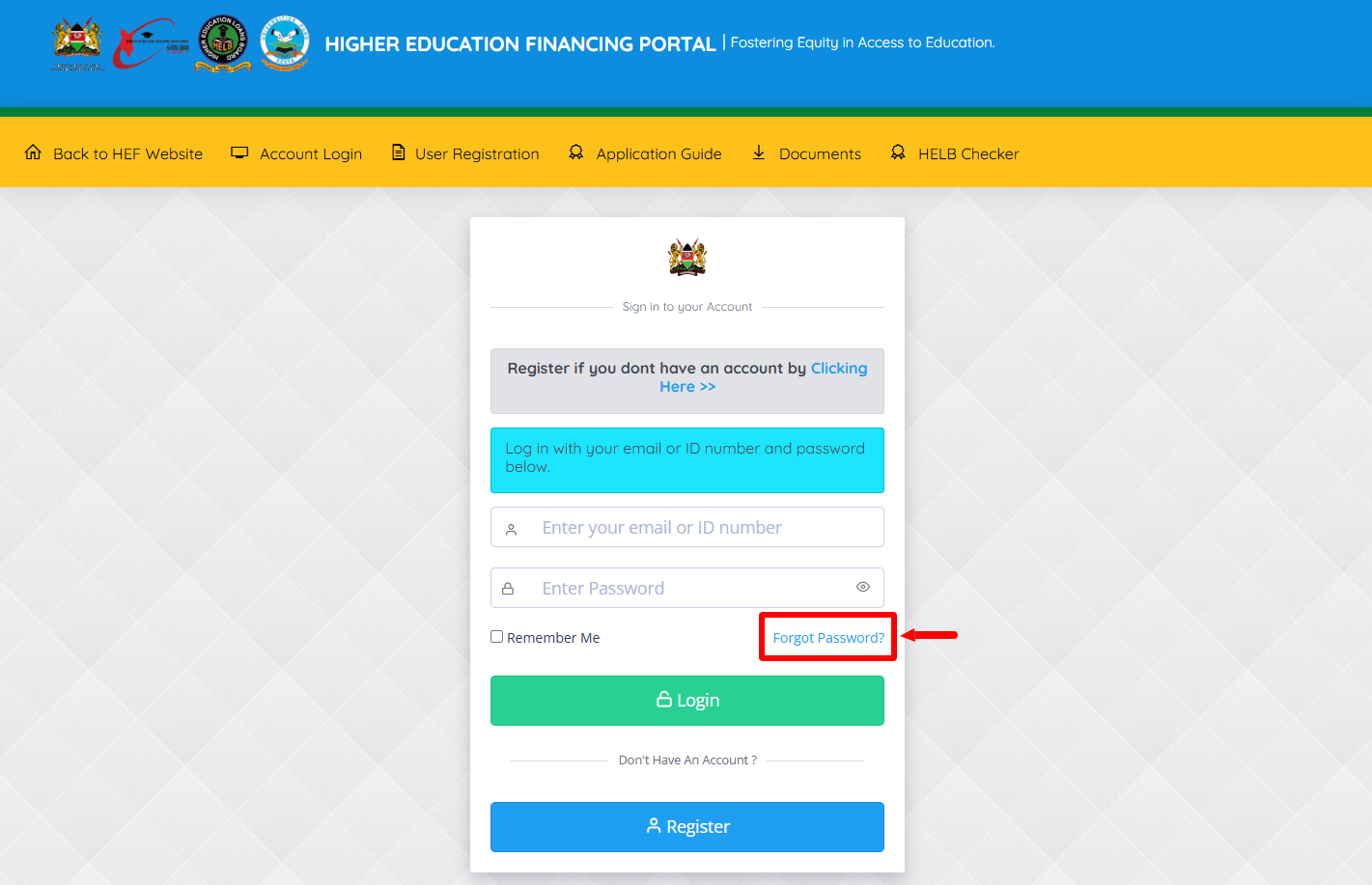
Next, once you are on HEF Portal, click on the “Forgot Password” link.
- Step 3: Click on Update Email
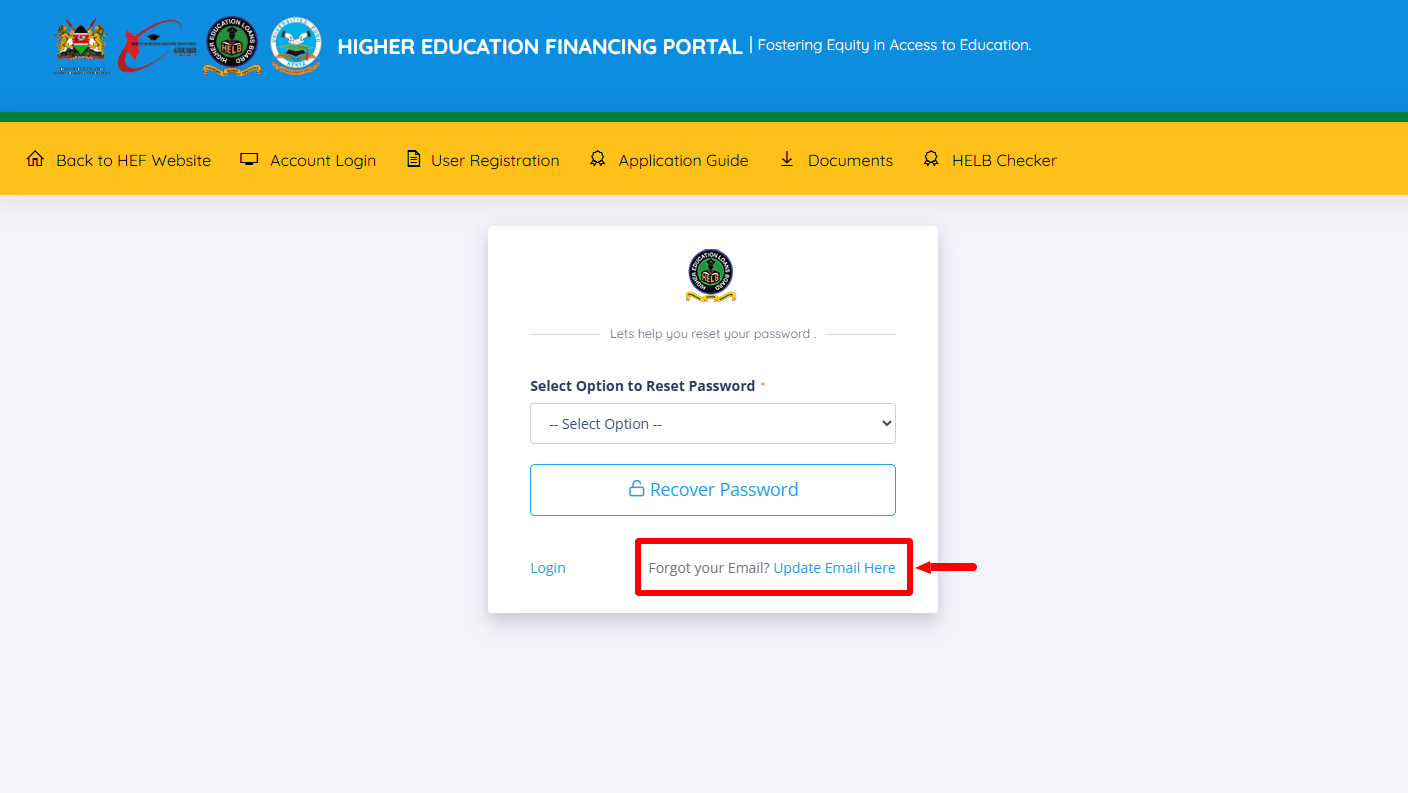
In this step, click on “Forgot your Email? Update Email Here” link to start the process of updating HEF Portal account email address.
- Step 4: Enter ID Number
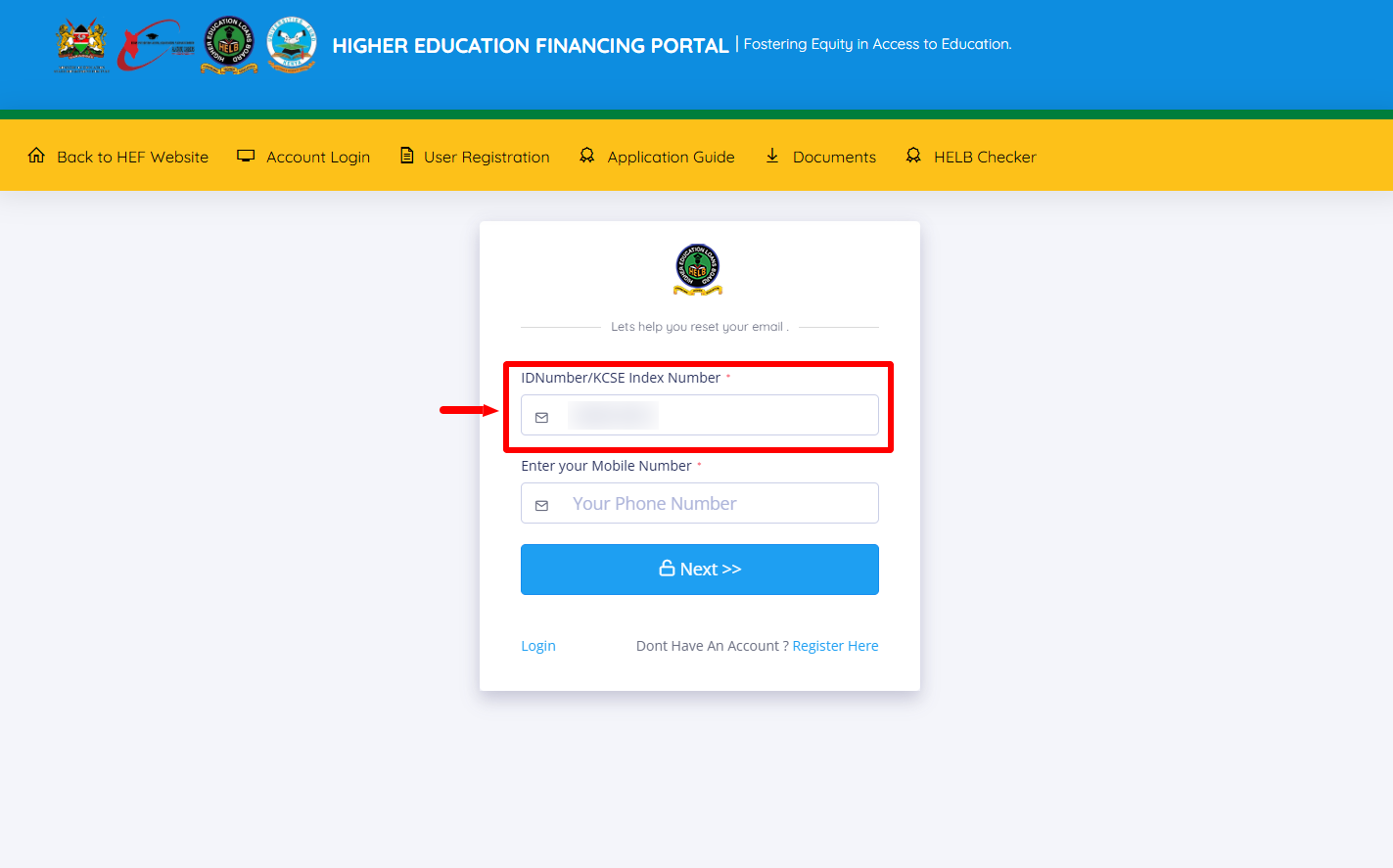
Next, enter your “ID Number” and proceed to the next step.
- Step 5: Enter Mobile Number
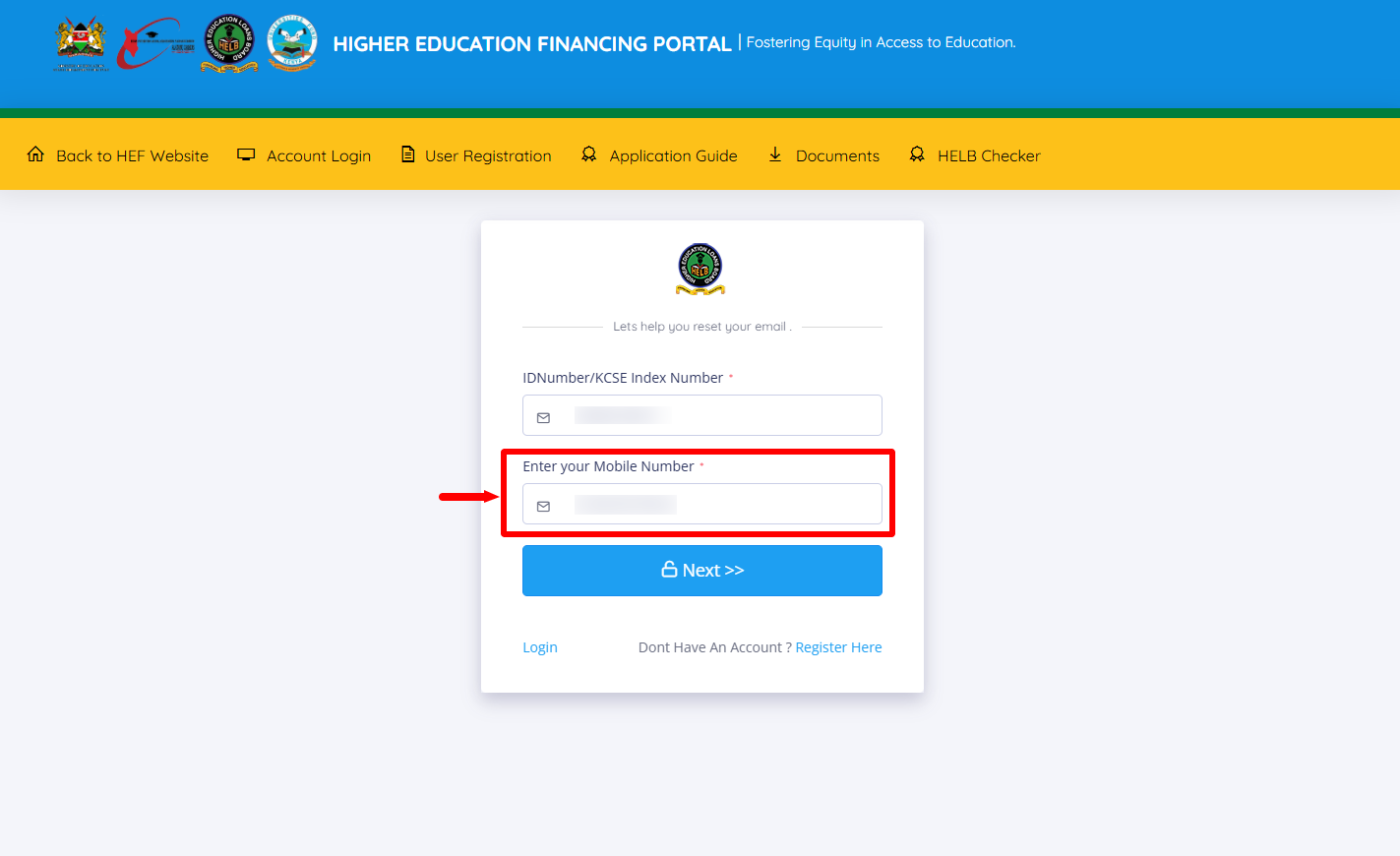
This is the most important step in the process of How To Update HEF Portal Email Address online. Enter the mobile number (phone number) linked to your HEF Portal account.
- Step 6: Click Next
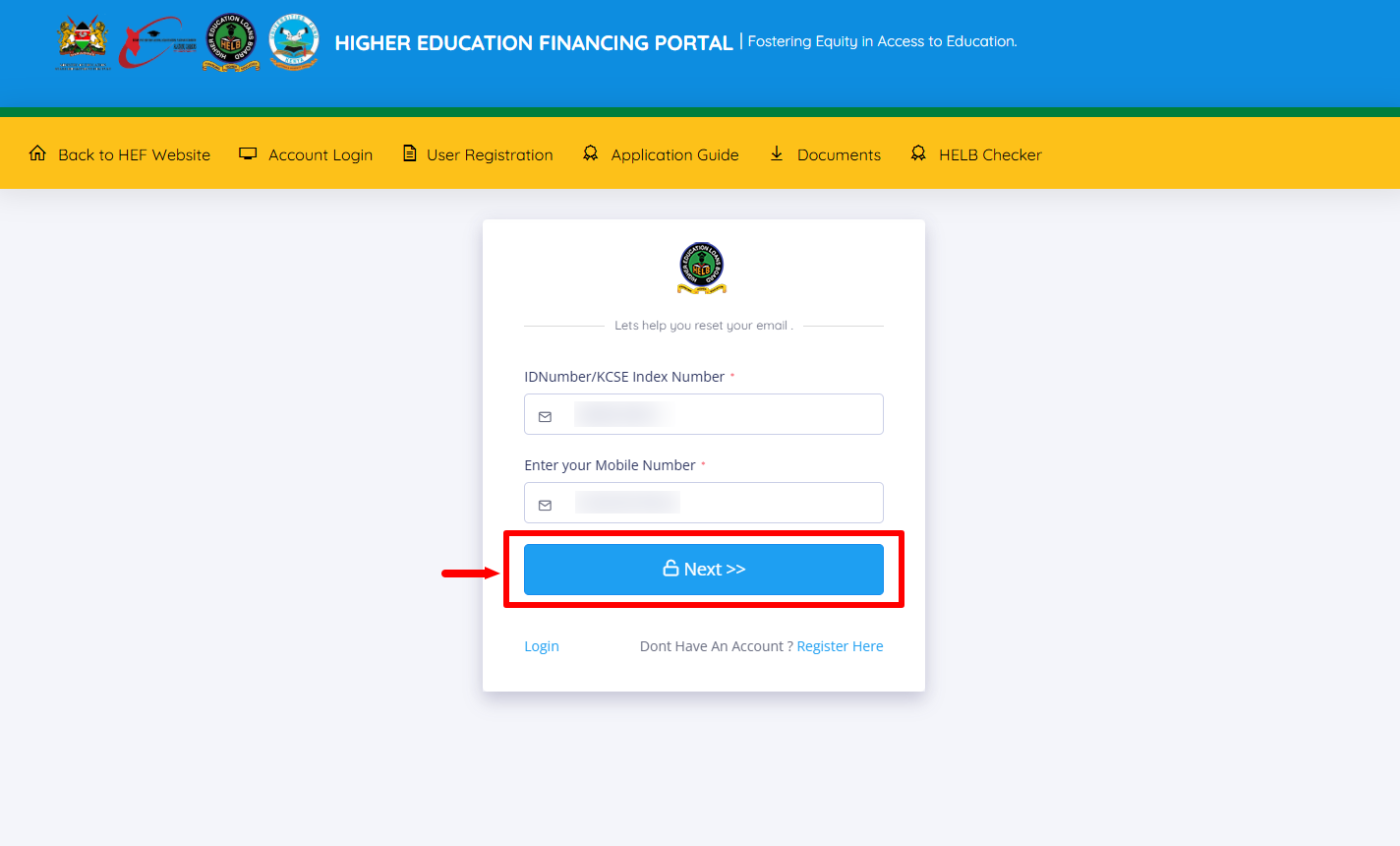
Once you have entered your ID number and mobile number (phone number), click on the “Next” button.
- Step 7: Enter OTP (Email Reset Code)
In this step, you need to enter the OTP (Email reset code) that has been sent to your mobile number (phone number) and proceed to the next step.
- Step 8: Enter and Confirm New Email Address
Next, enter and confirm the new email address that you want to link to your HEF Portal account. Ensure that the email is active and you can access it easily because an activation link will be sent to that email address.
- Step 9: Click Reset Email
Click on the “Reset Email” button to initiate the updating of email address on HEF Students Portal account.
- Step 10: Email Updated Successfully
Your new email address on HEF Portal has been updated successfully. Now, you need to check your email for the activation link to activate HEF Portal account. You won’t be able to log in until the HEF Students Portal account is activated.
- Step 11: New Email Update
Check your email inbox and click on activation link to activate HEF Portal account.
- Step 12: Account Activated
Once you have done all the above, you will see a notification “Your account has been activated. Login with your email and password.” This confirms that your HEF Portal Email Address has been updated and changed successfully and it is now active and linked to your HEF Portal account.
Overview: HEF Portal Email Address Update
To update your HEF Portal Email Address, start by visiting the HEF Portal and clicking on Forgot Password. Select Update Email, then enter your ID Number and the Mobile Number linked to your HEF account. Click Next to proceed and enter the OTP (Email Reset Code) received via SMS. Next, enter and confirm your New Email Address and click Reset Email to submit the update. Once the process is completed, your email address will be updated successfully.
READ ALSO: How To Download HELB Loan Award Letter
After updating your email address, check your new email for the account activation link. You will not be able to log in to your HEF Portal account until the new email address has been activated. Click on the activation link to activate your HEF Portal account. Once the account is activated successfully, you can log in using your new email address and existing password.