
This Step-by-Step Tutorial explains How To Check HELB Loan Status, providing clear and detailed guidance through each step of the process from start to finish to help you Check HELB Loan Status in a few minutes.
What is HELB Loan Status?
HELB Loan Status refers to the current status of a loan application or loan disbursement with the Higher Education Loans Board (HELB). It allows applicants and beneficiaries to check whether their HELB loan has been approved, disbursed, or is still being processed.
READ ALSO: How To Download HELB Compliance Certificate
Checking your HELB loan status can help you determine whether the funds have already been disbursed or whether your loan application is still undergoing processing. The status information can be accessed through the HEF Students Portal using your account details.
What is HELB Loan Status Check?
HELB Loan Status Check is the process of checking the current status of your HELB loan application or disbursement. It allows students and loan beneficiaries to determine whether their loan has been approved and disbursed or is still being processed by the Higher Education Loans Board.
By checking your HELB loan status, you can view the latest information available about your loan and determine whether the funds have been released. This can help you know the progress of your loan without having to visit a HELB office.
Requirements Needed To Check HELB Loan Status?
To successfully Check HELB Loan Status, you need to have the following 2 requirements:
- Email Address or ID Number
- HEF Account Password
How To Check HELB Loan Status
To Check HELB Loan Status, follow the step-by-step process outlined below.
- Step 1: Visit HEF Portal
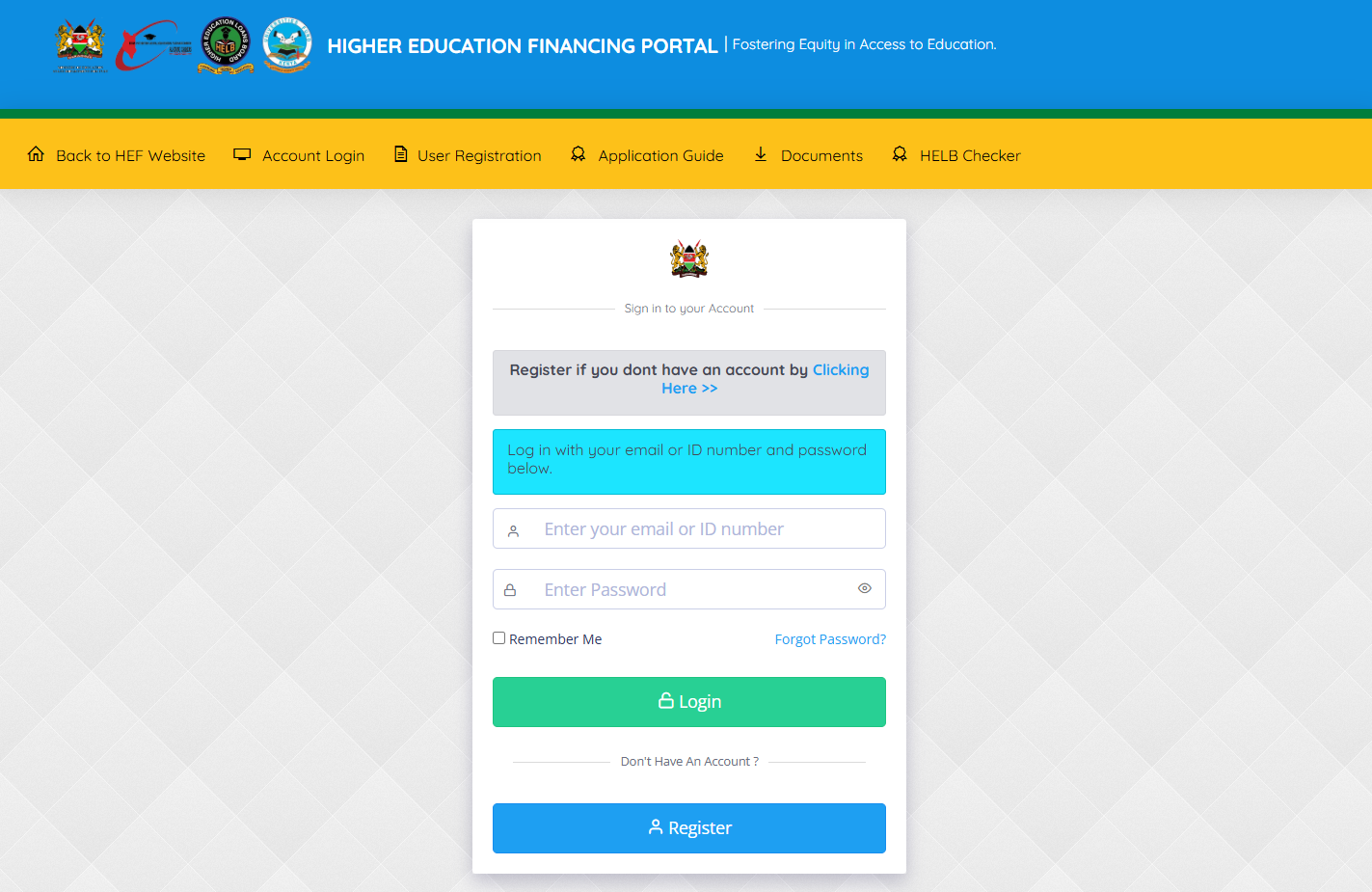
The first step in the process of checking HELB Loan Status online is to visit HEF Portal using https://portal.hef.co.ke/
- Step 2: Enter Email Address or ID Number
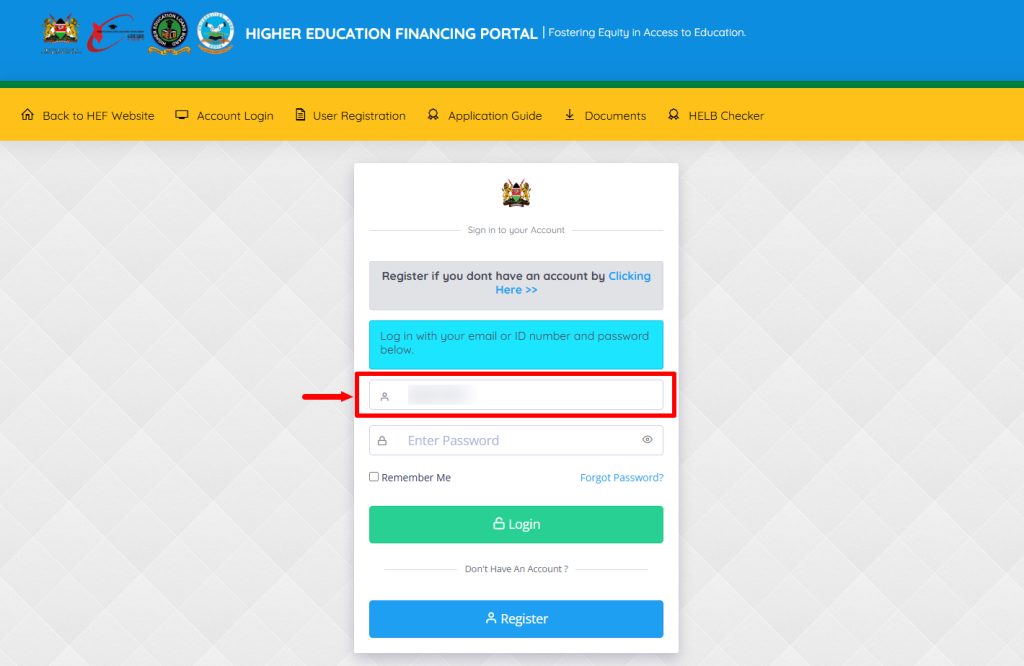
Next, enter the email address or ID number registered on HEF Portal and proceed to the next step.
- Step 3: Enter HEF Account Password
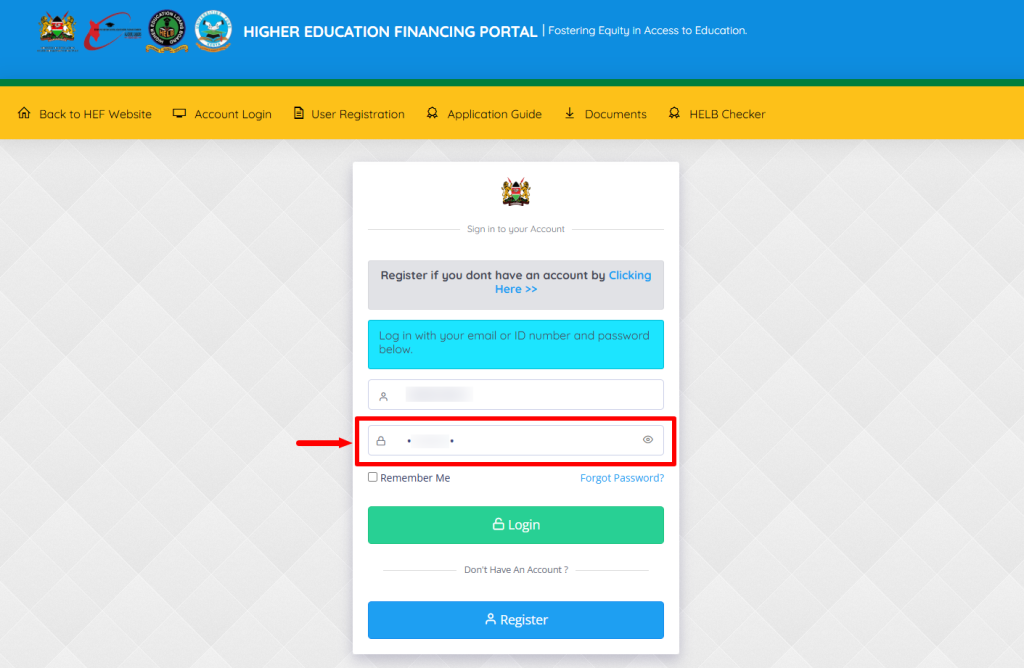
In this step, you need to enter the HEF Portal account password.
- Step 4: Click on Login
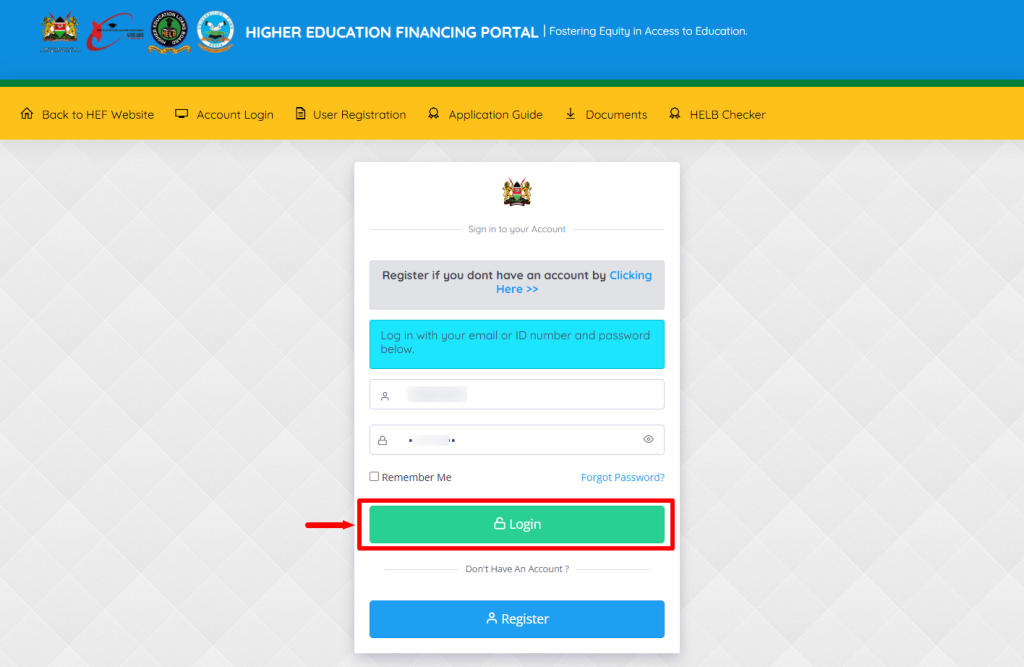
After you have entered the HEF Portal account email address or ID number and also the password, click on the “Login” button.
- Step 5: HEF Students Portal Dashboard
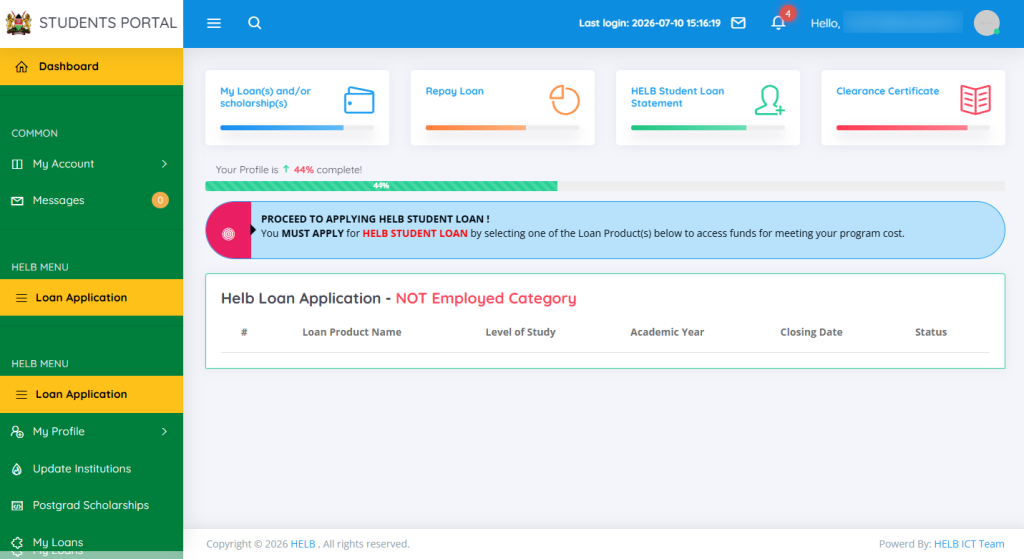
Once logged into HEF Portal Students Dashboard, you can now start the process of checking HELB Loan Status online.
- Step 6: Click on My Loans
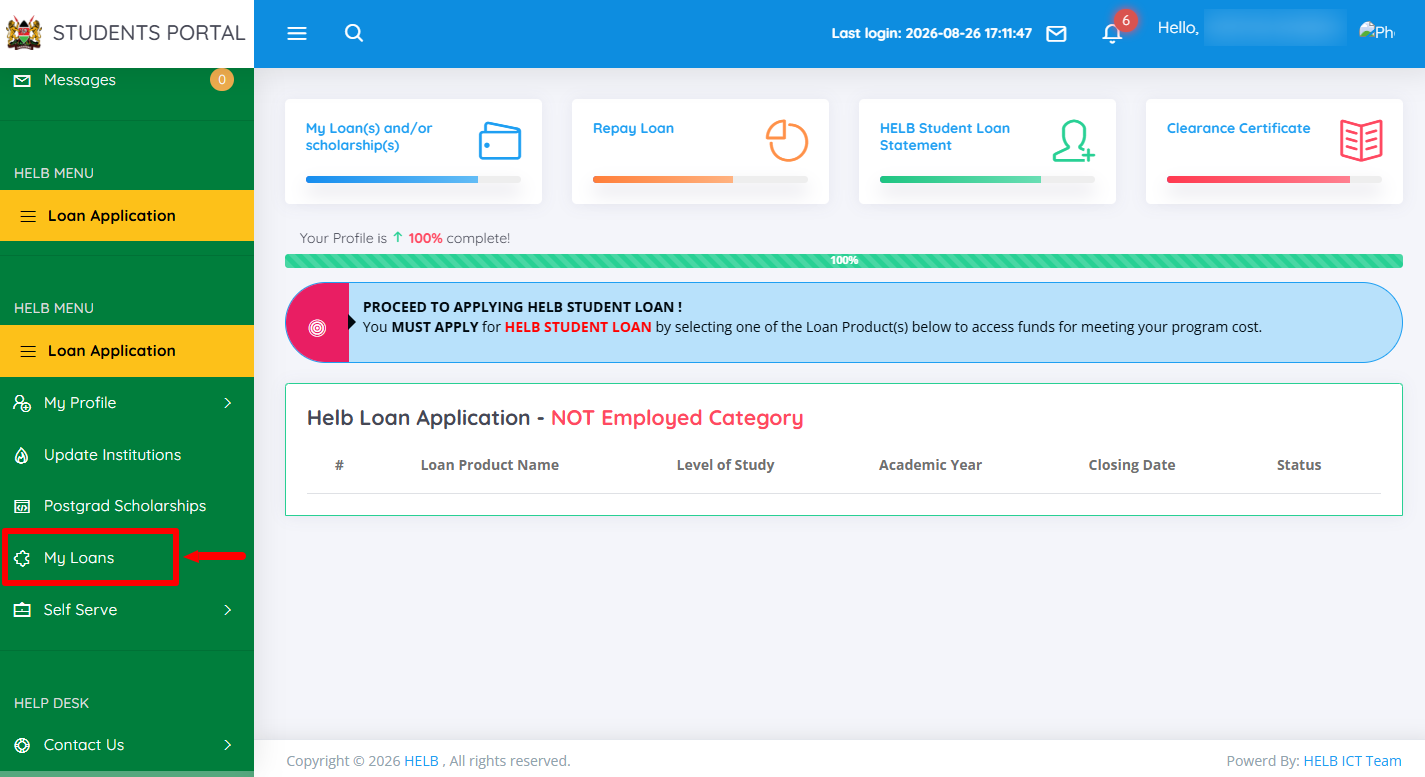
Next, proceed and click on “My Loans” menu.
- Step 7: View Details
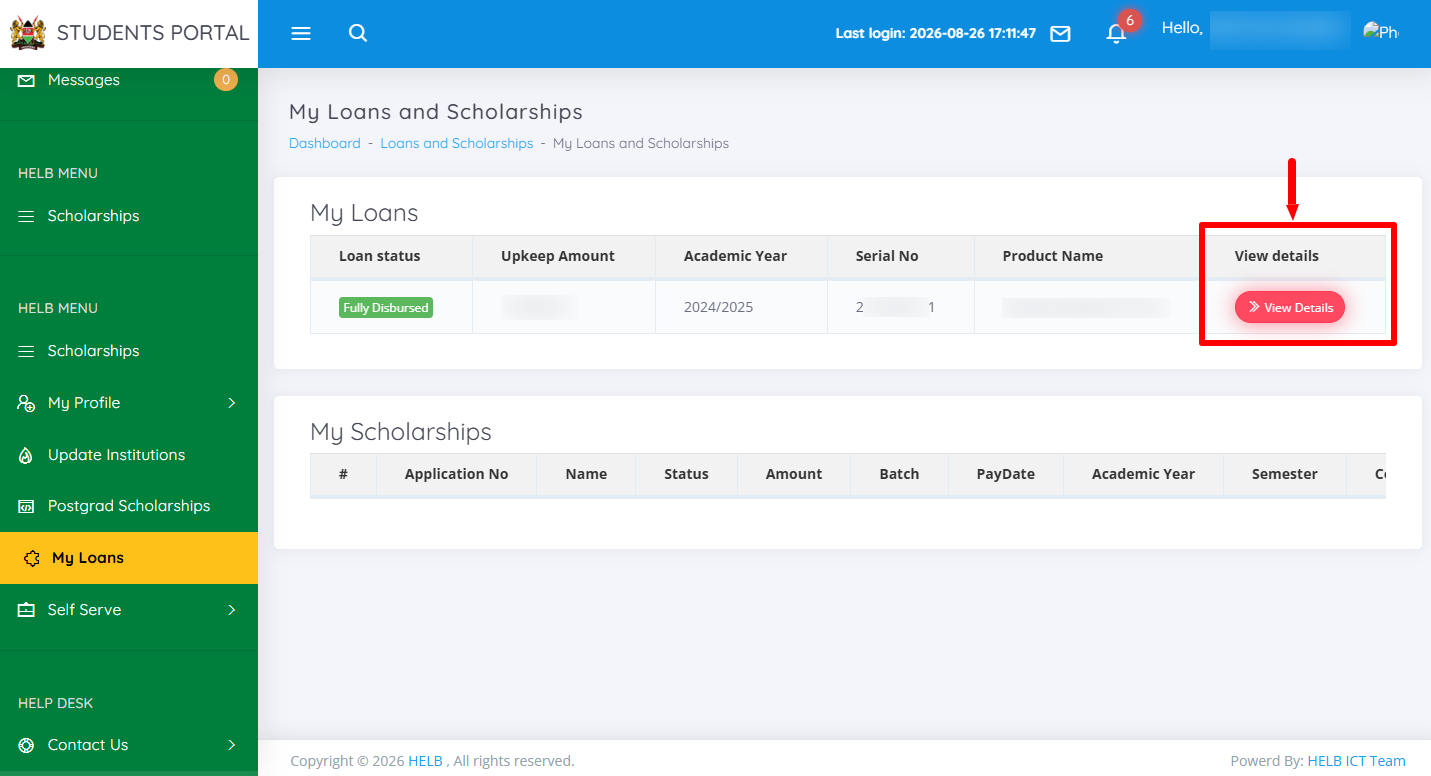
In this step, click on “View Details” to open the loan status.
- Step 8: HELB Loan Status
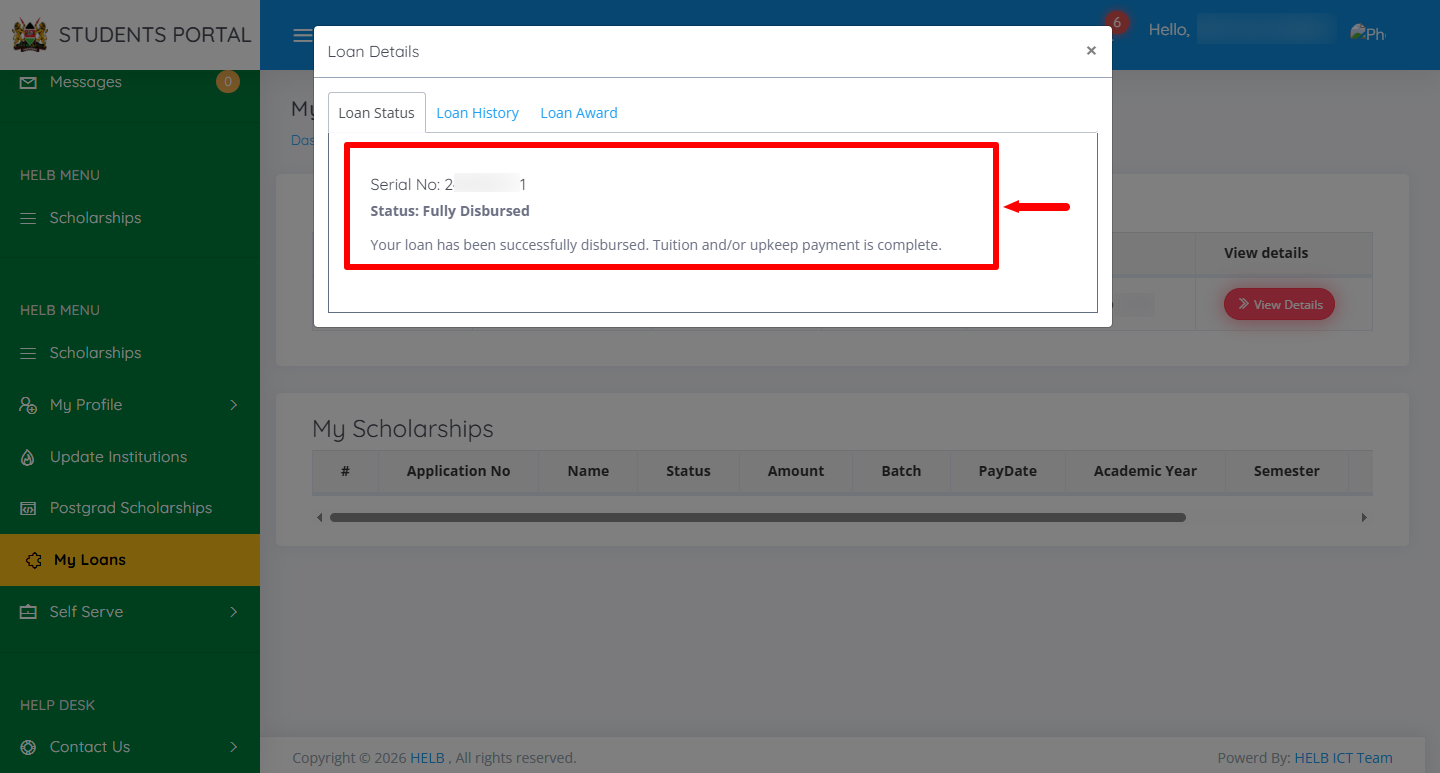
Lastly, under HELB Loan Status you will see the serial number and status. In this case, the HELB Loan has been fully disbursed. If your HELB Loan has been disbursed, you will – “your loan has been successfully disbursed. Tuition and/or upkeep payment is complete.”
Overview: HELB Loan Status Check
To check your HELB loan status, start by visiting the HEF Portal and entering the email address or ID number linked to your HEF account. Enter your HEF account password and click on Login to access the HEF Students Portal Dashboard. Once logged in, click on My Loans to access your loan information.
READ ALSO: How To Verify HELB Compliance Certificate
Next, click on View Details to open the details of your HELB loan application or disbursement. You will then be able to view your HELB loan status and determine whether the loan has been disbursed or is still being processed.