
This Step-by-Step Tutorial explains How To Download HELB Compliance Certificate, providing clear and detailed guidance through each step of the process from start to finish to help you Download HELB Compliance Certificate in a few minutes.
What is HELB Compliance Certificate?
A HELB Compliance Certificate is an official document issued by the Higher Education Loans Board (HELB) to confirm an individual’s compliance or clearance status with HELB. It may be issued to HELB beneficiaries who are repaying their loans and meeting the required repayment obligations, as well as non-beneficiaries who require HELB clearance.
READ ALSO: How To Verify HELB Compliance Certificate
The certificate provides proof of an individual’s status with HELB and may be required when applying for jobs, tenders, or other opportunities where proof of HELB compliance or clearance is needed. The certificate can also be verified through the official HELB Checker to confirm its validity and authenticity.
What is HELB Compliance Certificate Download?
HELB Compliance Certificate Download is the process of obtaining and saving a copy of your HELB Compliance Certificate from the online HEF Portal. It allows eligible applicants to access their certificate electronically after successfully applying for or requesting the document.
Once the HELB Compliance Certificate has been generated and made available, the user can download the document and save it on their device for future use. The downloaded certificate can be used as proof of HELB compliance when required for official purposes like job application in Kenya.
Requirements Needed To Download HELB Compliance Certificate
To successfully Download HELB Compliance Certificate, you need to have the following 2 requirements:
- Email Address or ID Number
- HEF Account Password
How To Download HELB Compliance Certificate
To Download HELB Compliance Certificate, follow the step-by-step process outlined below.
- Step 1: Visit HEF Portal
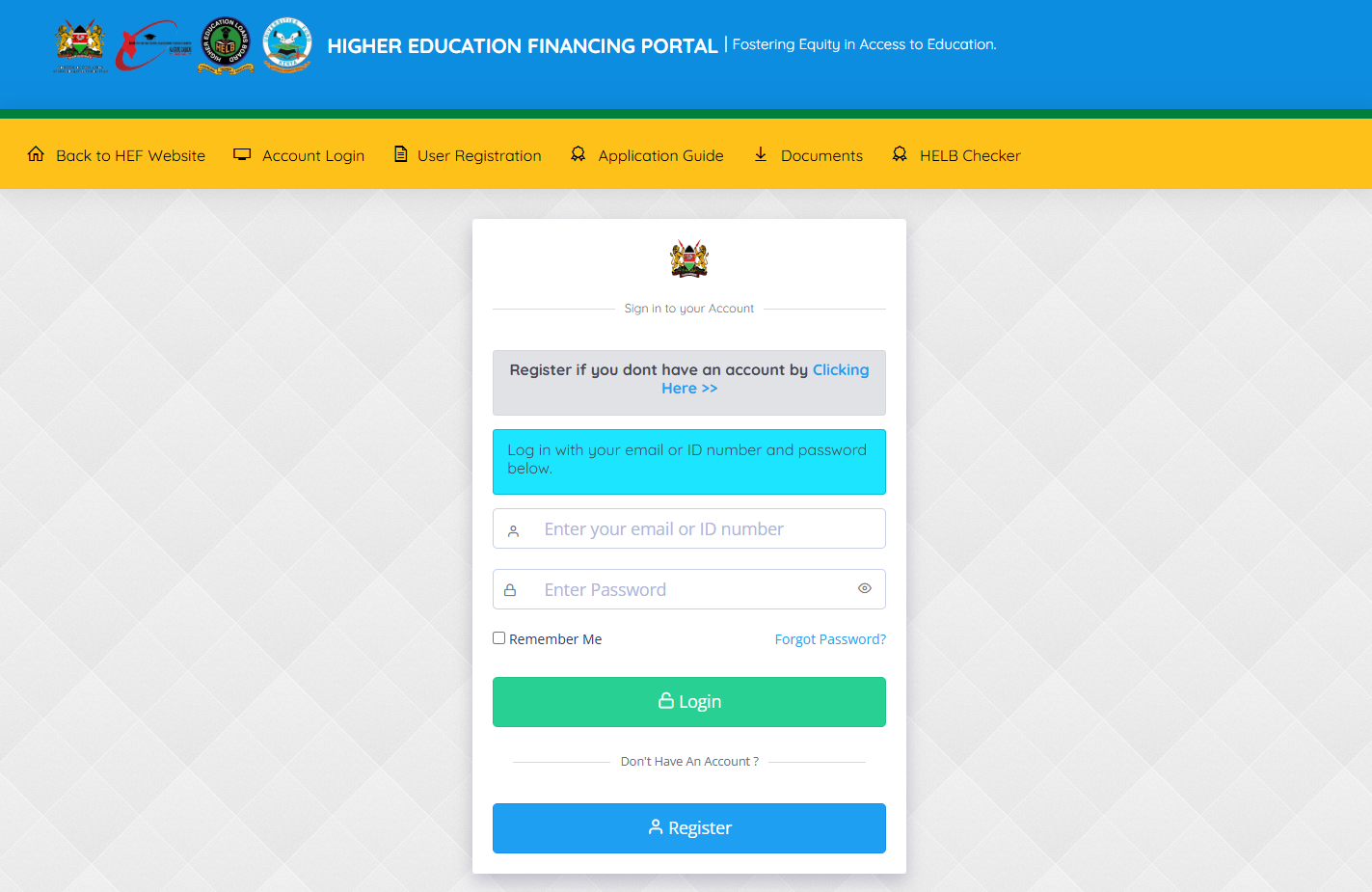
The first step in downloading a HELB Compliance Certificate is to visit the HEF Portal at https://portal.hef.co.ke/
- Step 2: Enter Email Address or ID Number
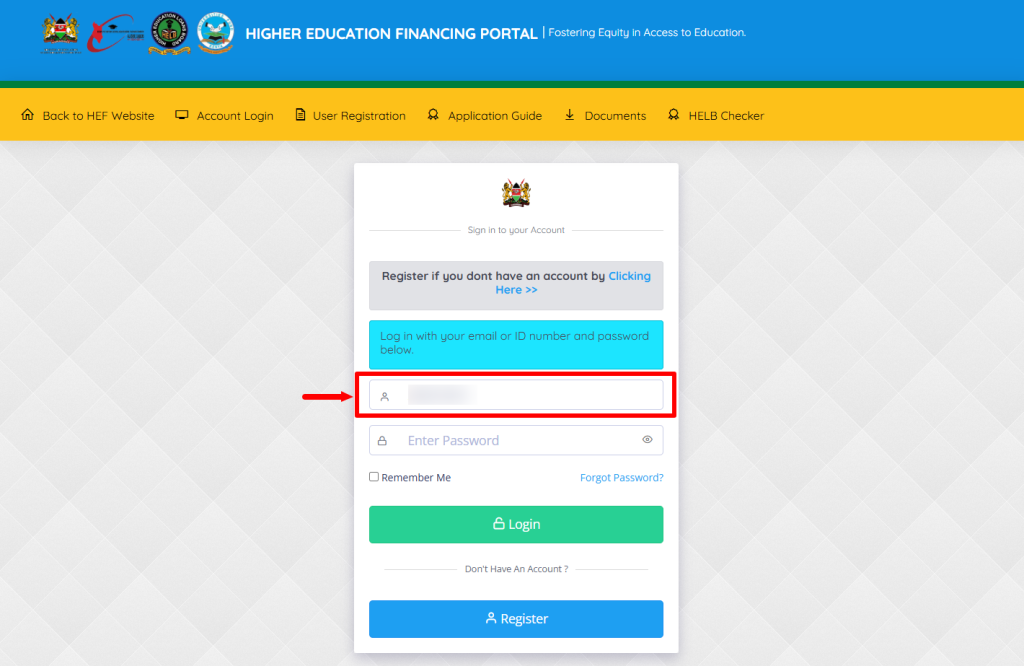
Once you are on the HEF Portal, enter the Email Address or ID Number linked to your HEF Portal account.
- Step 3: Enter HEF Account Password
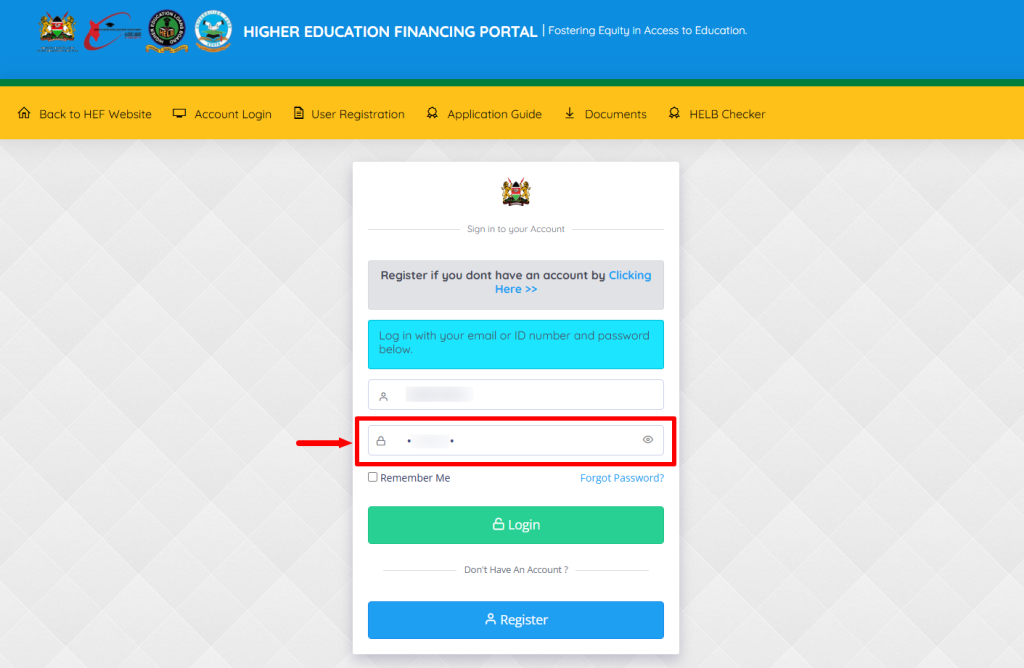
Next, enter your HEF Account Password and proceed to the next step.
- Step 4: Click on Login
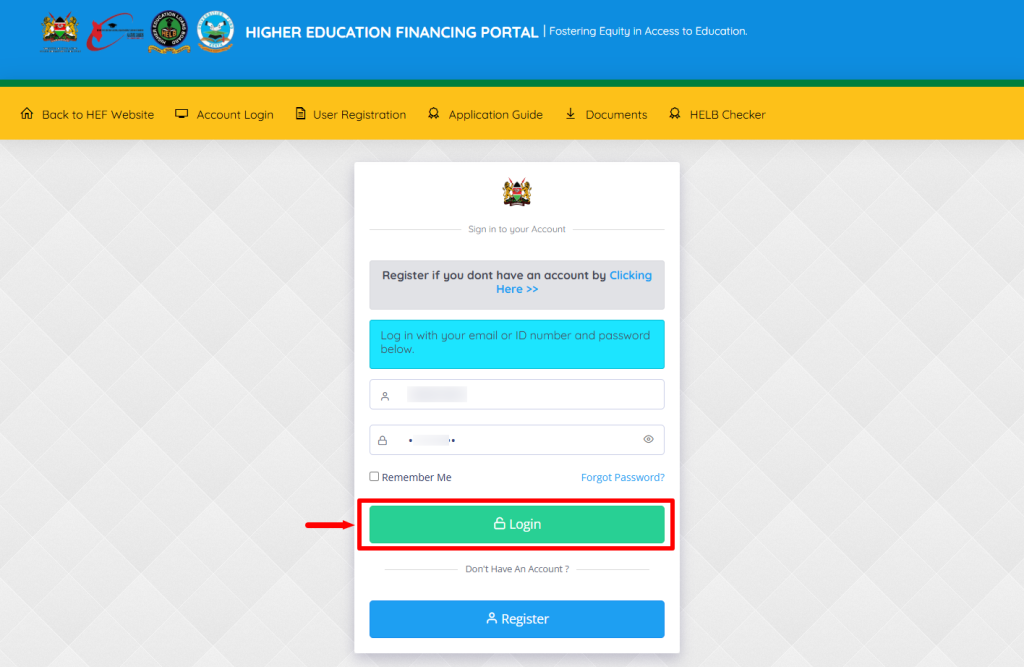
Once you have entered the Email Address or ID Number and HEF Account Password linked to your HEF Portal account, click on the Login button.
- Step 5: HEF Students Portal Dashboard
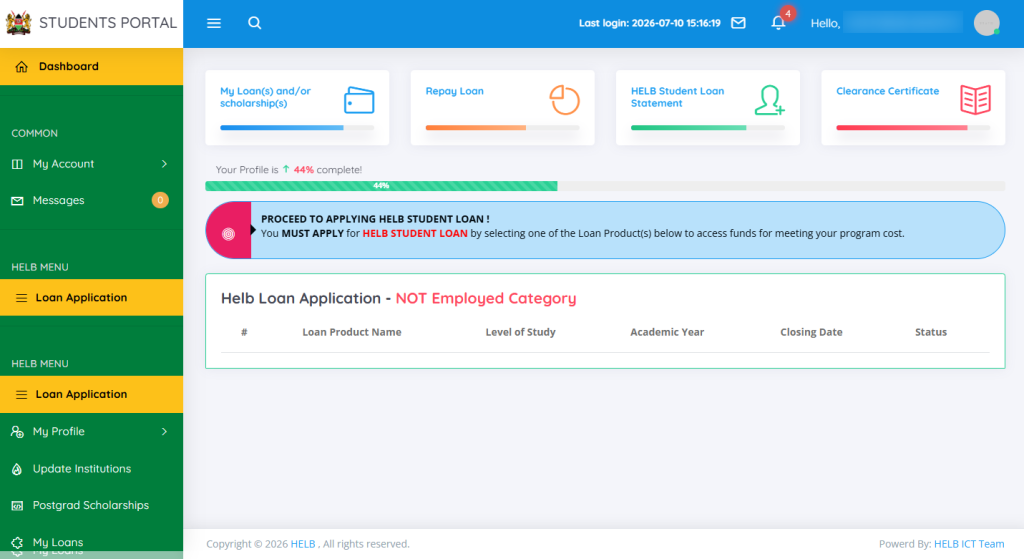
You will be successfully logged into your HEF Students Portal account and can now proceed to download your HELB Compliance Certificate.
- Step 6: Click on Self Serve
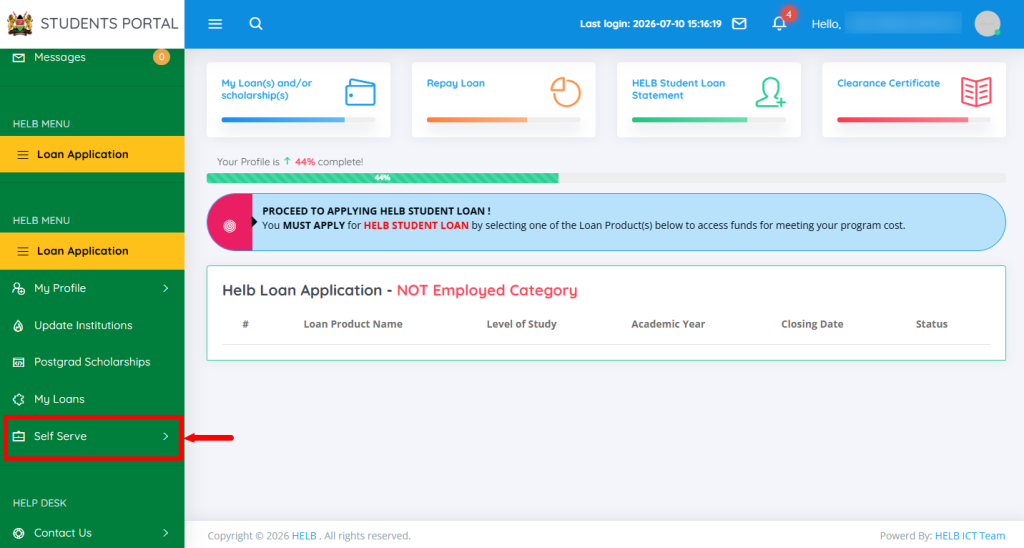
On the HEF Students Portal dashboard, click on Self Serve to access the available services and proceed to the next step.
- Step 7: Click on Compliance Certificate
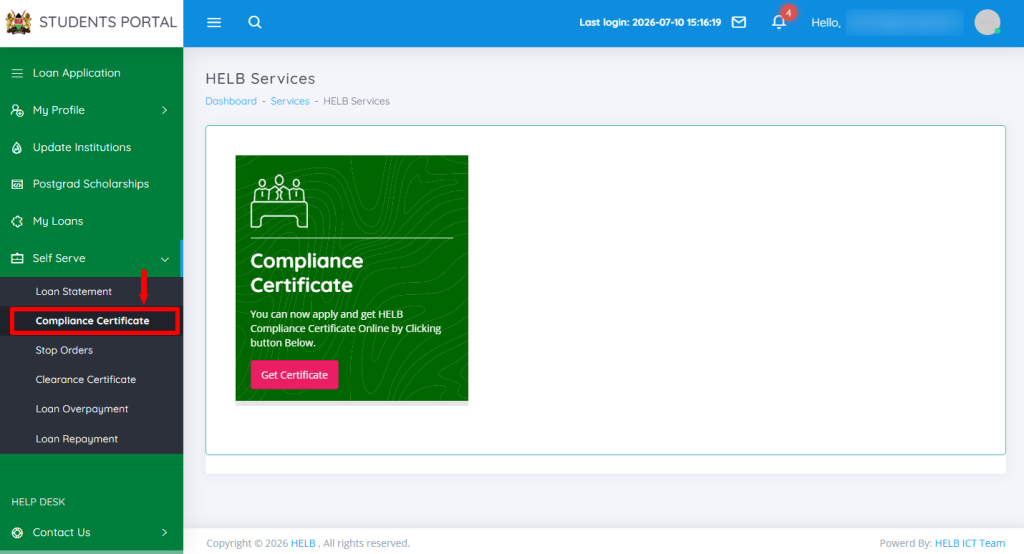
In this step, click on Compliance Certificate to access your HELB Compliance Certificate and proceed with the download process.
- Step 8: Click on Get Certificate
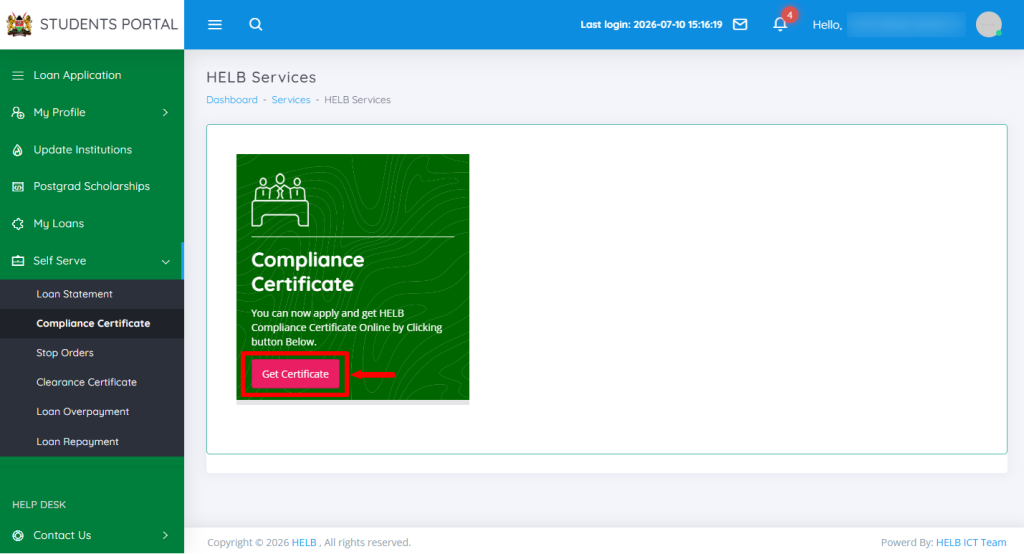
Next, click on Get Certificate to generate your HELB Compliance Certificate online.
- Step 9: HELB Compliance Certificate Download
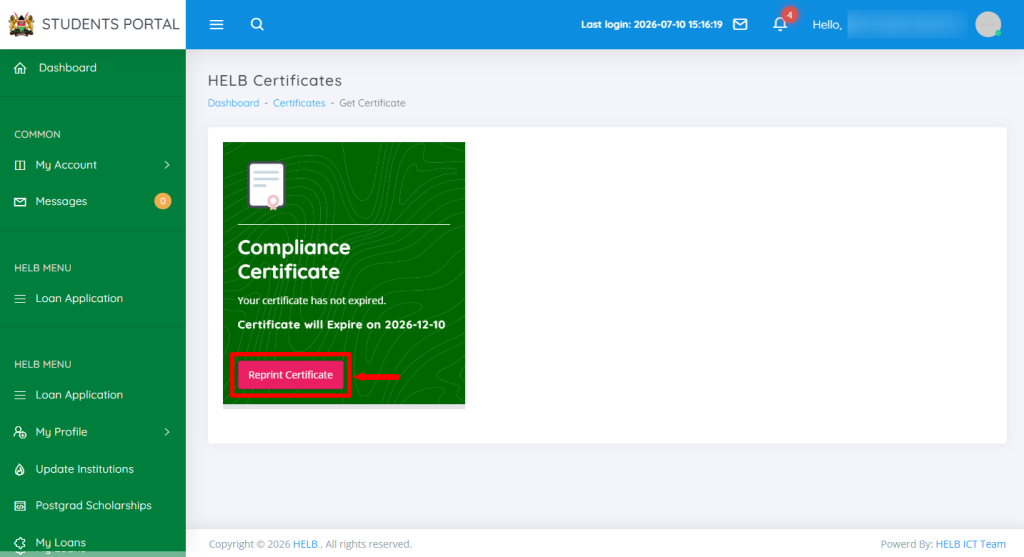
In this step, click on the Reprint button to download a copy of your HELB Compliance Certificate to the device you are using.
- Step 10: HELB Compliance Certificate
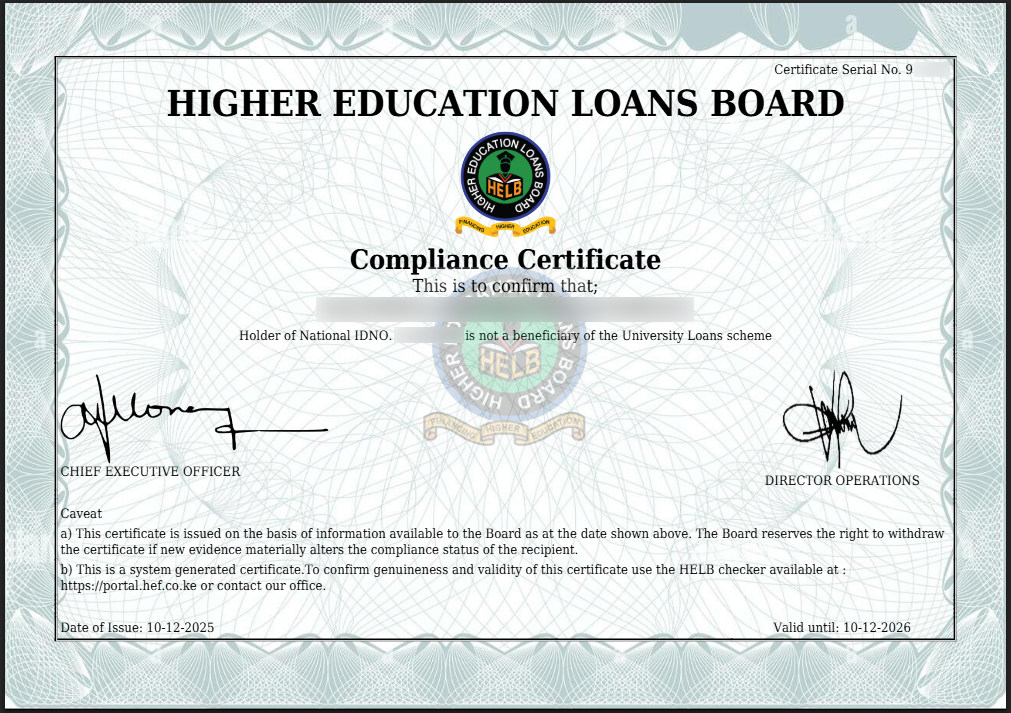
Lastly, you can print a hard copy or save a soft copy (PDF) of your HELB Compliance Certificate and present it where required, such as when applying for a job in Kenya.
Overview: HELB Compliance Certificate Download
To download a HELB Compliance Certificate, start by visiting the HEF Portal and entering your registered email address or ID number and HEF account password. Click on Login to access the HEF Students Portal Dashboard. Once logged in, click on Self Serve and select Compliance Certificate to access the certificate options.
READ ALSO: How To Apply for HELB Compliance Certificate
Next, click on Get Certificate to generate your HELB Compliance Certificate. Once the certificate is available, click on the download option to save it to your device. You can then open the downloaded document and use the HELB Compliance Certificate as proof of your HELB compliance status in Kenya.