
This Step-by-Step Tutorial explains How To Download HELB Loan Disbursement Report, providing clear and detailed guidance through each step of the process from start to finish to help you Download HELB Loan Disbursement Report in a few minutes.
What is HELB Loan Disbursement Report?
A HELB Loan Disbursement Report is a document issued by the Higher Education Loans Board (HELB) that provides a record of loan amounts processed and disbursed to a student or their institution. The report can show details such as the loan serial number, institution, action date, processed amount, admission number, batch number, and payment status.
READ ALSO: How To Check HELB Loan Status
The report also indicates how the loan funds were paid, such as amounts paid to the student’s bank account for upkeep or amounts paid directly to the institution for tuition. It can include the date on which the payment was made and the relevant payment status, allowing the student to review their HELB loan disbursement history.
What is HELB Loan Disbursement Report Download?
HELB Loan Disbursement Report Download is the process of obtaining a copy of the Loan Disbursement Report issued by the Higher Education Loans Board (HELB). The report provides a record of loan amounts that have been processed and disbursed, including details such as the action date, processed amount, batch number, and payment status.
The downloaded report can also show whether funds were paid to the student’s bank account or directly to the institution, together with the date of payment. This allows students to keep a copy of their HELB loan disbursement information for reference and record-keeping.
Requirements Needed To Download HELB Loan Disbursement Report
To successfully Download HELB Loan Disbursement Report, you need to have the following 2 requirements:
- Email Address or ID Number
- HEF Account Password
How To Download HELB Loan Disbursement Report
To Download HELB Loan Disbursement Report, follow the step-by-step process outlined below.
- Step 1: Visit HEF Portal
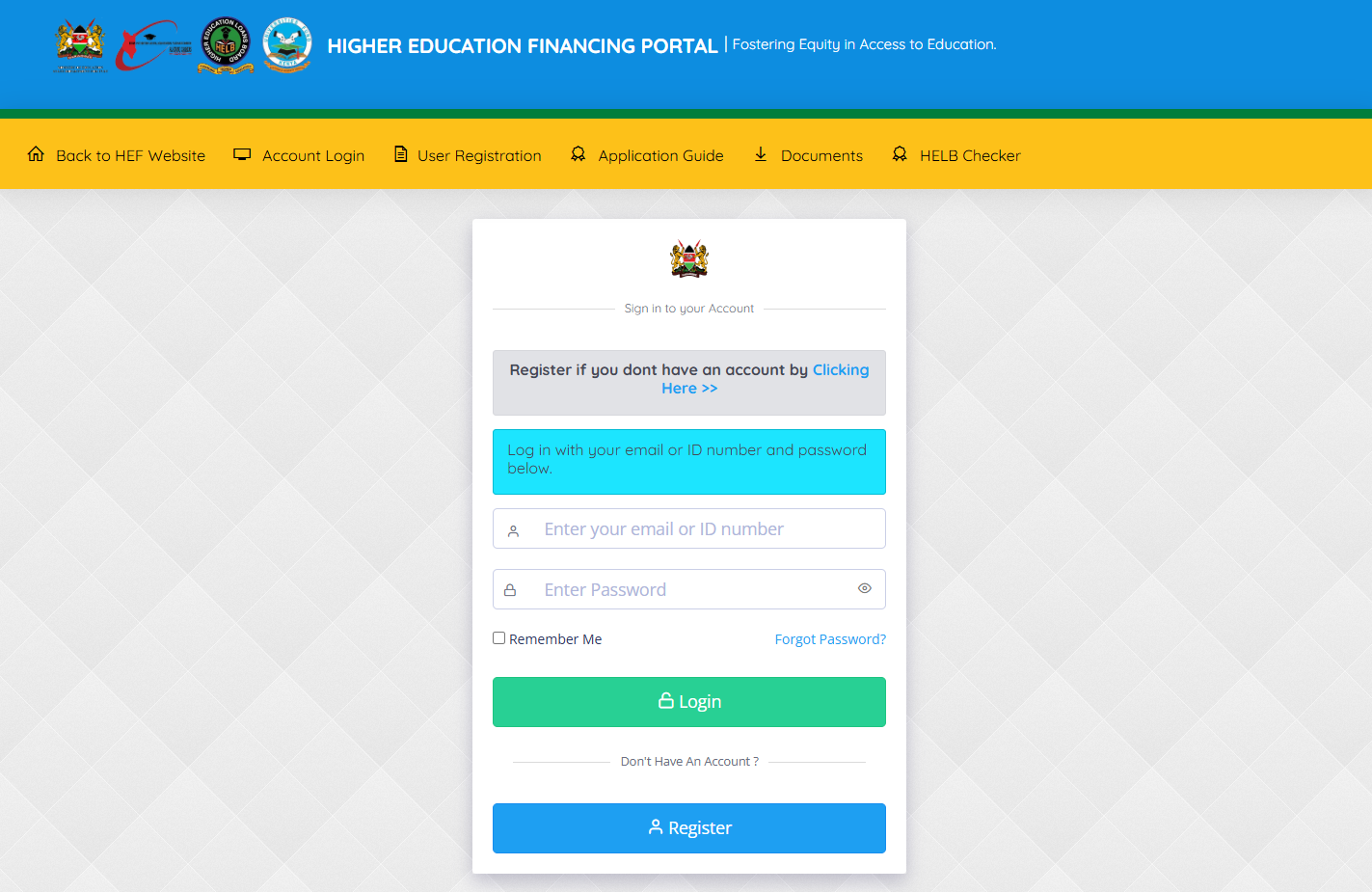
To be able to download HELB Loan Disbursement Report online, you first need to visit HEF Portal using https://portal.hef.co.ke/
- Step 2: Enter Email Address or ID Number
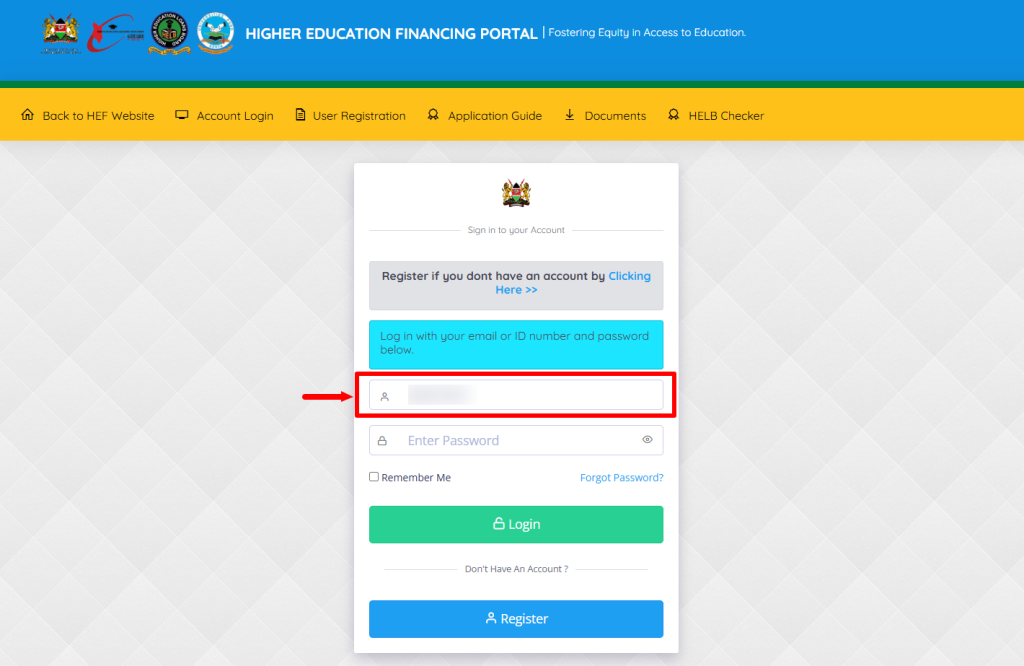
Next, enter the email address or ID number associated with your HEF Portal account.
- Step 3: Enter HEF Account Password
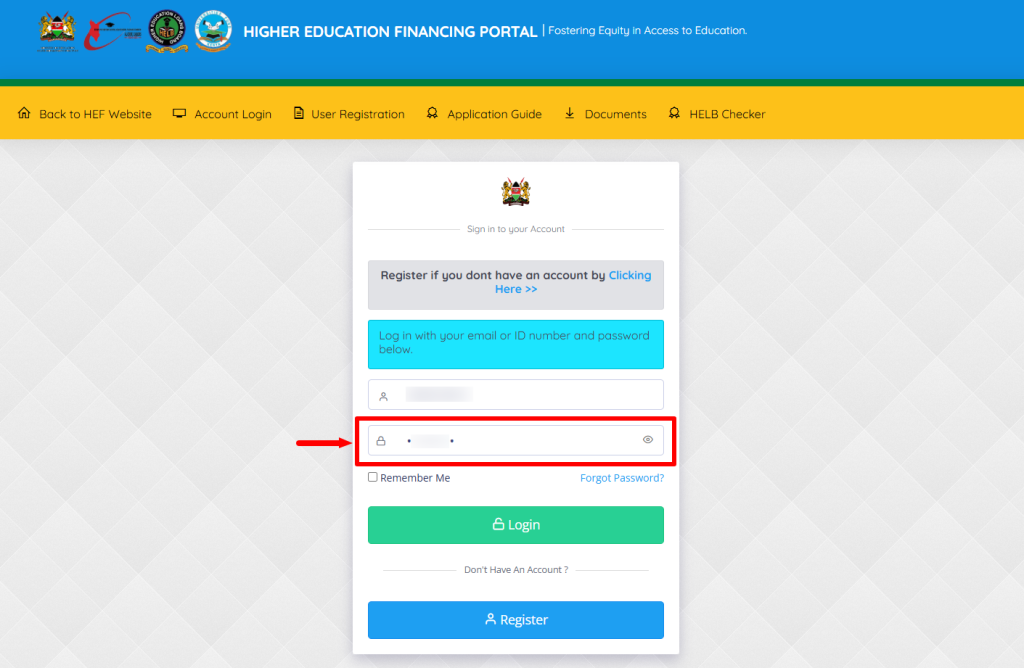
In this step, you need to enter your HEF Portal account password.
- Step 4: Click on Login
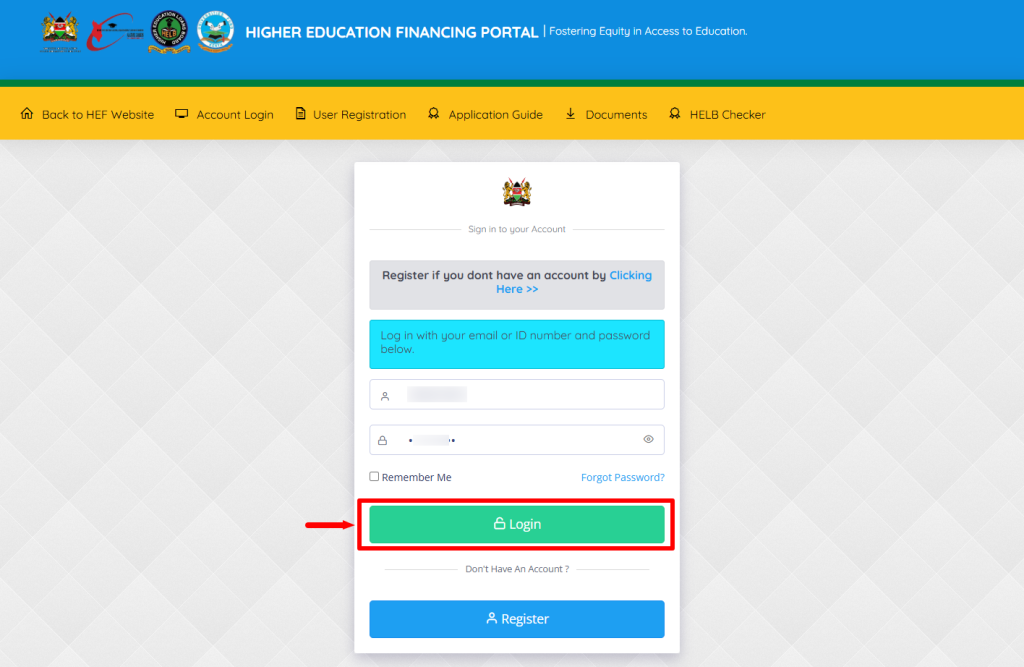
Once you have entered the correct HEF Portal login details i.e. email address or ID number and HEF Portal password, proceed and click on the “Login” button to access your HEF Students Portal dashboard.
- Step 5: HEF Students Portal Dashboard
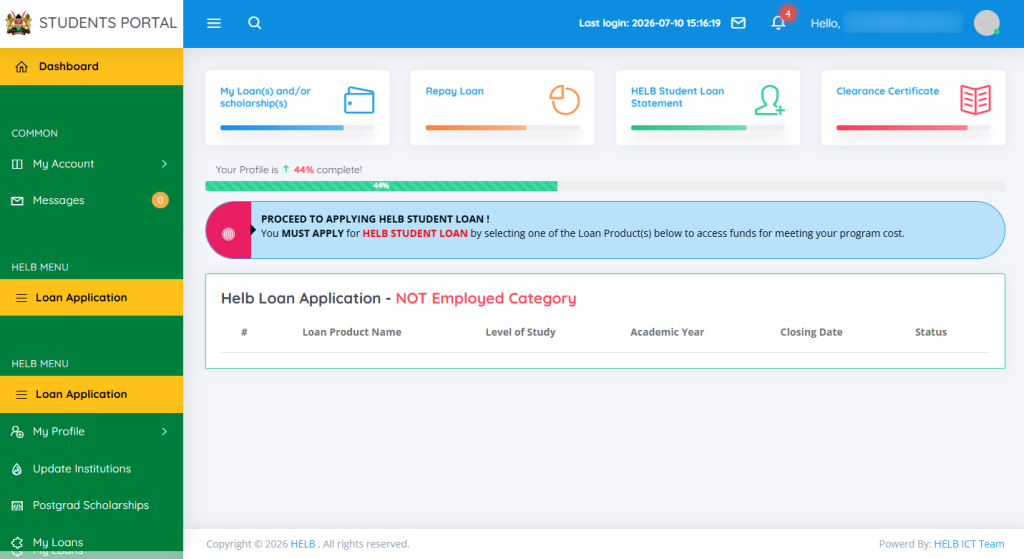
Once logged into your HEF Students Portal account, you can now start the process of viewing and downloading HELB Loan Disbursement Report online.
- Step 6: Click on My Loans
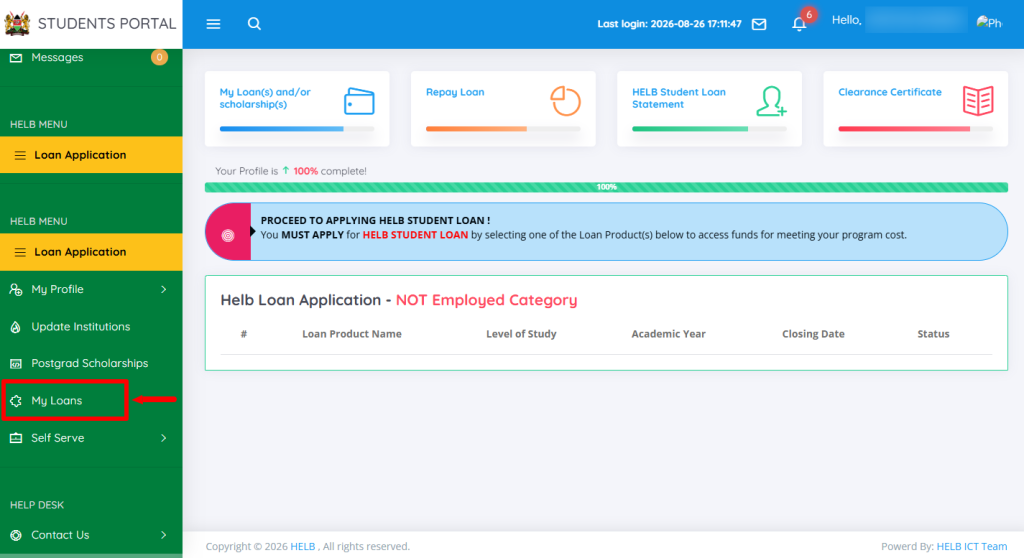
Next, on your HEF Students Portal dashboard, click on “My Loans” option to start HELB Loan Disbursement Report download.
- Step 7: View Details
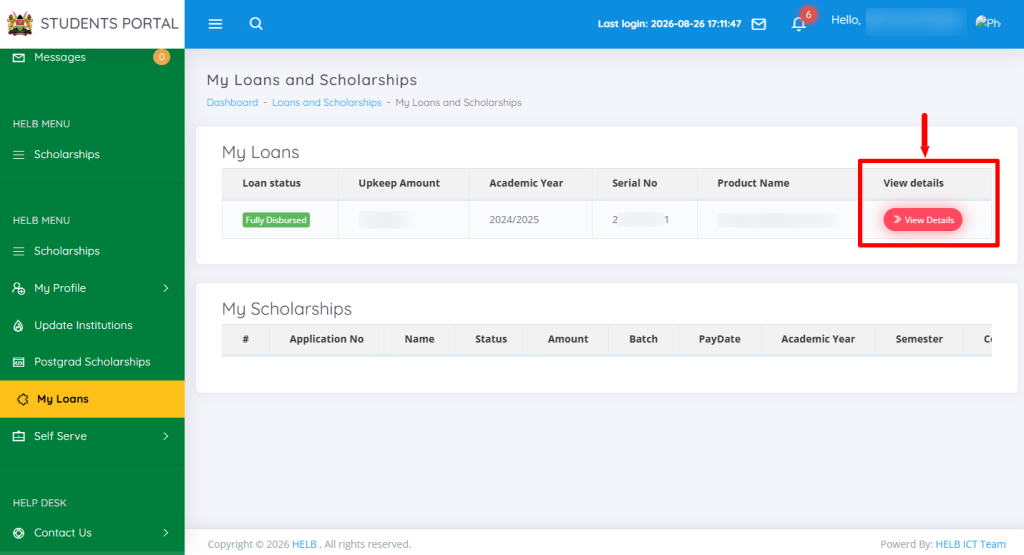
In this step, click on the “View Details” link that will load the HELB Loan history tab.
- Step 8: Click Loan History
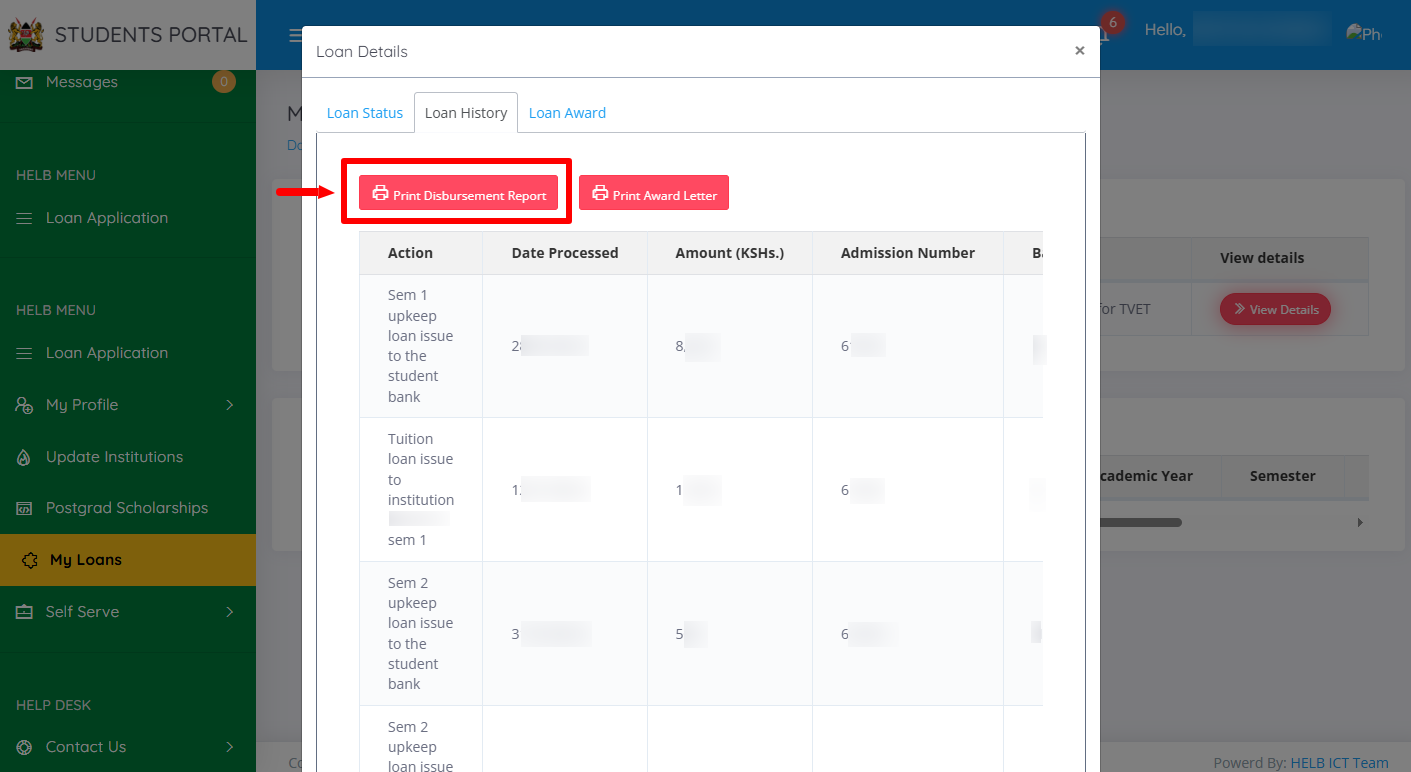
Proceed and click on Loan History then click on “Print Disbursement Report” that will initiate the downloading of the HELB Disbursement Report. At this point, you can either print a copy of the HELB Disbursement Report or save a copy of the same in PDF.
- Step 9: HELB Loan Disbursement Report
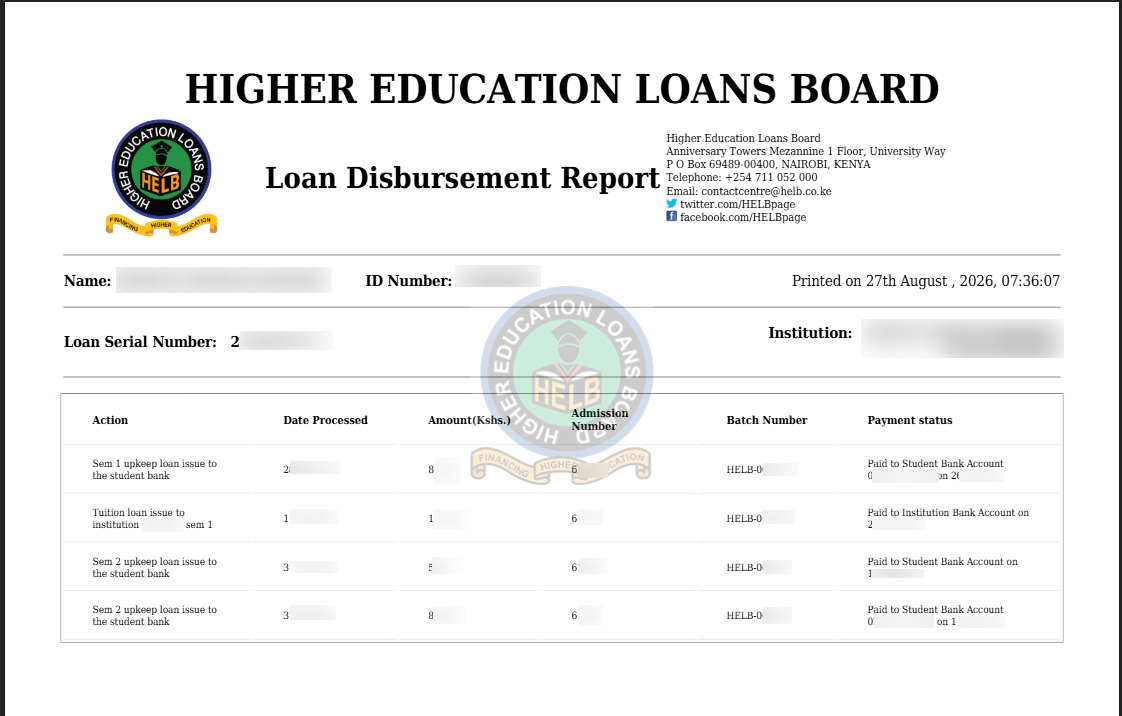
Lastly, you will able to view the HELB Loan Disbursement Report, and check all relevant details pertaining to the HELB Loan that was disbursement to your account for both fees and upkeep at the College or University.
Overview: HELB Loan Disbursement Report Download
To download your HELB Loan Disbursement Report, start by visiting the HEF Portal and entering the Email Address or ID Number linked to your HEF account. Enter your HEF Account Password and click on Login to access the HEF Students Portal Dashboard. Once logged in, click on My Loans to access your loan information.
READ ALSO: How To Download HELB Compliance Certificate
Next, click on View Details to open your loan information and select Loan History. The Loan History section will display your HELB loan disbursement information, including the relevant loan transactions and payment details. From this section, you can access your HELB Loan Disbursement Report.