
This Step-by-Step Tutorial explains How To Download HELB Loan Award Letter, providing clear and detailed guidance through each step of the process from start to finish to help you Download HELB Loan Award Letter in a few minutes.
What is HELB Loan Award Letter?
HELB Loan Award Letter, also known as a Confirmation of Loan Award, is an official document issued by the Higher Education Loans Board (HELB) to confirm that a student has been awarded a HELB loan. It contains important details identifying the student, such as their name, ID number, admission number, HELB reference number, and academic year.
READ ALSO: How To Download HELB Loan Disbursement Report
The letter also confirms the student’s HELB loan status and provides official confirmation of the loan award. It is addressed to the student’s institution and serves as evidence that the student has been awarded a HELB loan for the specified academic year.
What is HELB Loan Award Letter Download?
HELB Loan Award Letter Download is the process of accessing and downloading a copy of your HELB Loan Award Letter through the HEF Portal. The letter serves as official confirmation that a student has been awarded a HELB loan and contains details relating to the loan award.
Once the HELB Loan Award Letter is available on the HEF Portal, the student can access it through their account and download a copy for their records. The downloaded letter can be saved electronically or printed for use where proof of the HELB loan award is required.
Requirements Needed To Download HELB Loan Award Letter
To successfully Download HELB Loan Award Letter, you need to have the following 2 requirements:
- Email Address or ID Number
- HEF Account Password
How To Download HELB Loan Award Letter
To Download HELB Loan Award Letter, follow the step-by-step process outlined below.
- Step 1: Visit HEF Portal
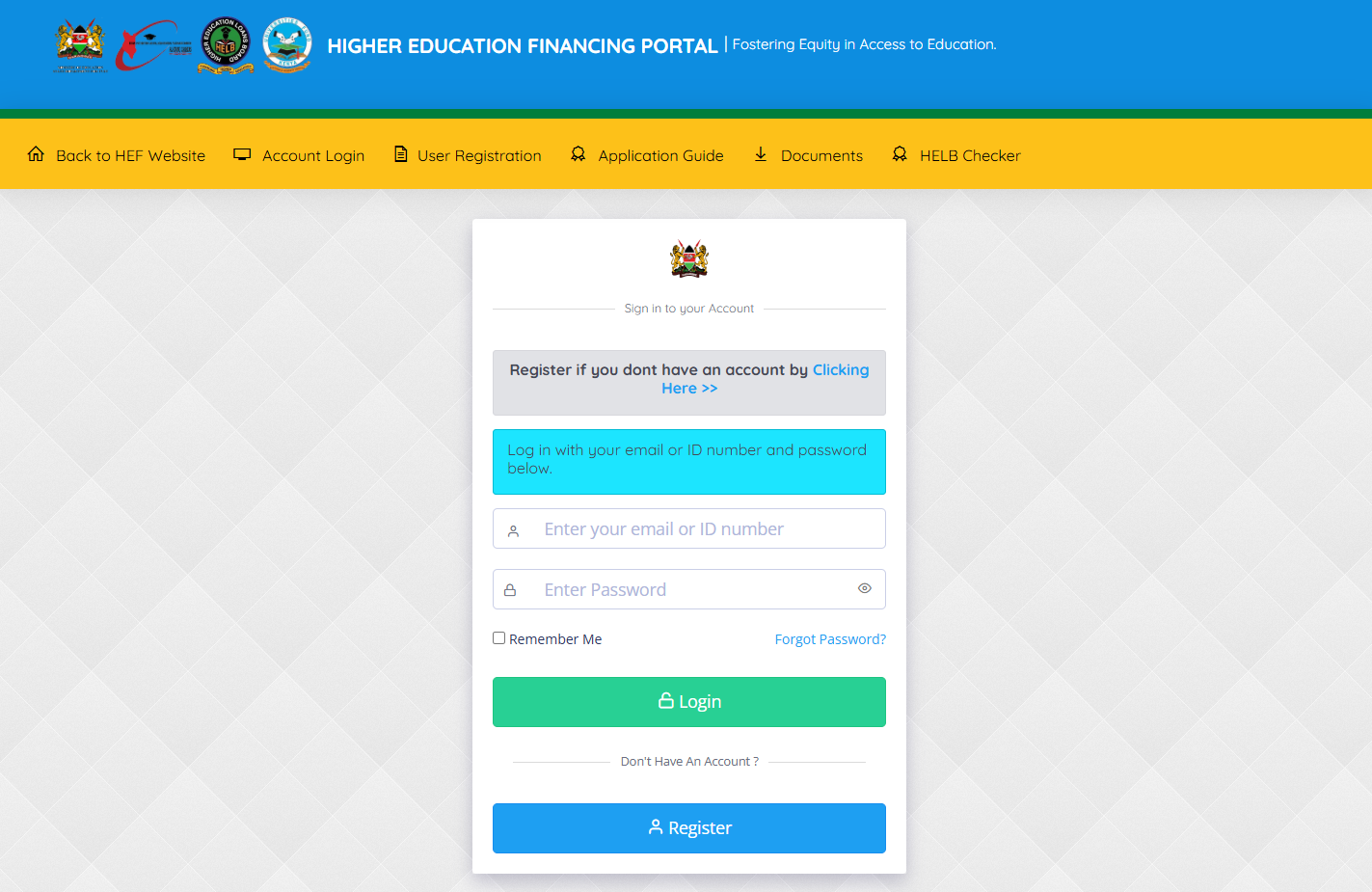
To be able to download HELB Loan Award Letter, the first thing that you need to do is to visit HEF Portal using https://portal.hef.co.ke/
- Step 2: Enter Email Address or ID Number
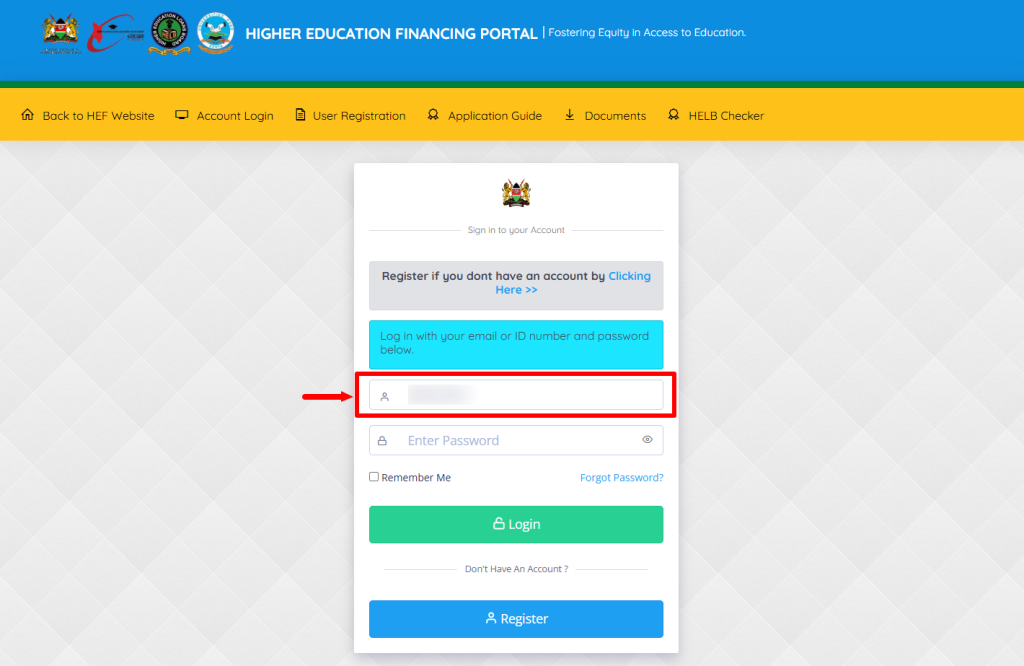
Next, you need to enter the email address or ID number that is linked to HEF Portal account.
- Step 3: Enter HEF Account Password
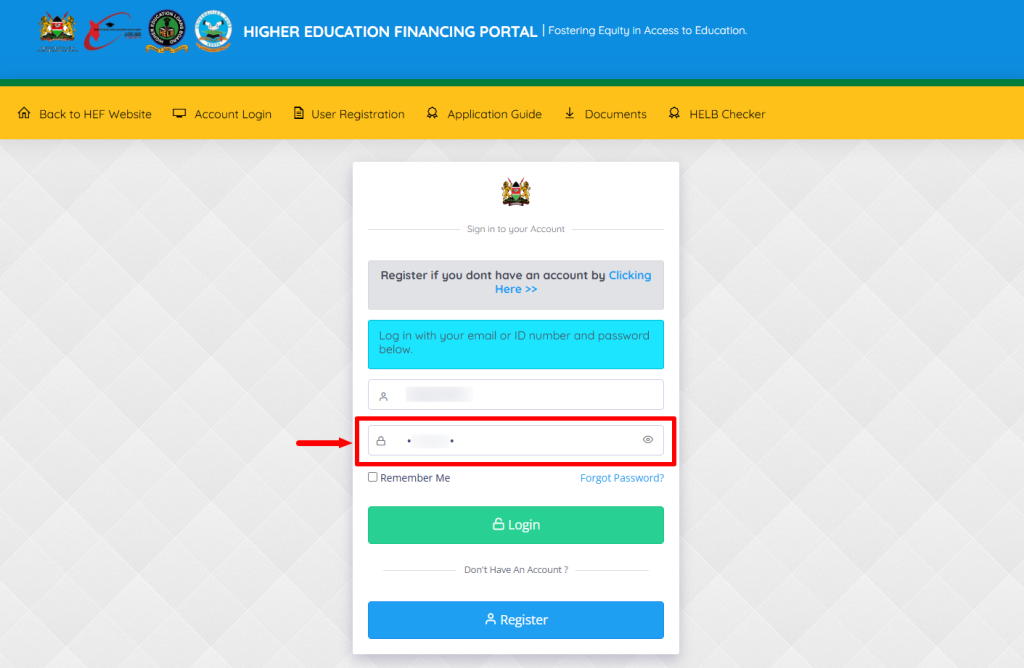
In this step, you need to enter your HEF Portal account password beforee proceeding to the next step.
- Step 4: Click on Login
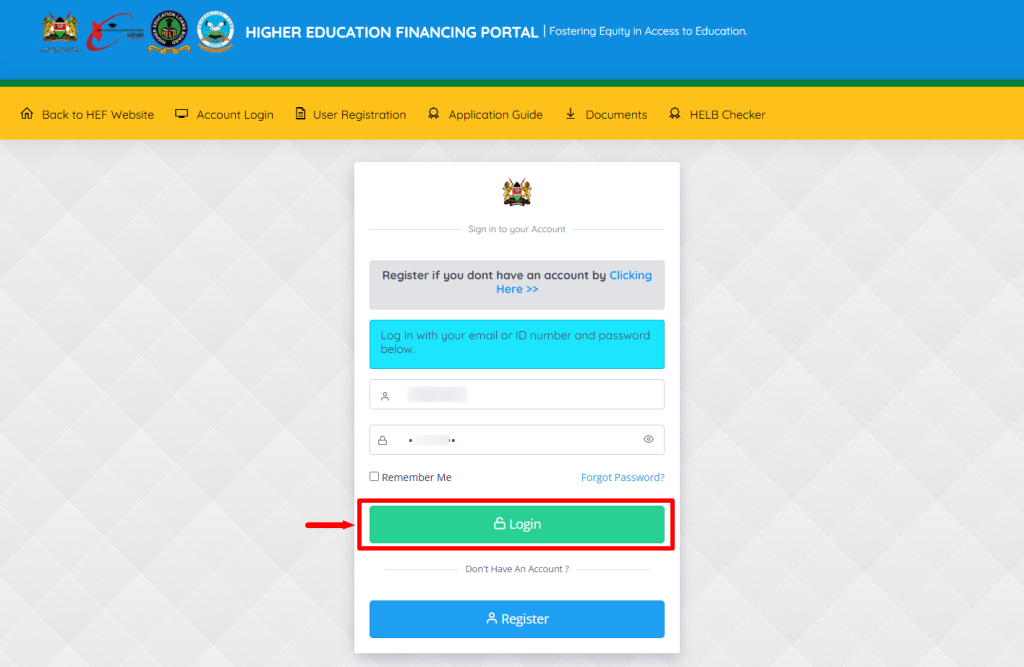
After you have entered the correct HEF Portal login credentials i.e email adress or ID number, HEF Portal password, click on the “Login” button to access HEF Student Portal dashboard.
- Step 5: HEF Students Portal Dashboard
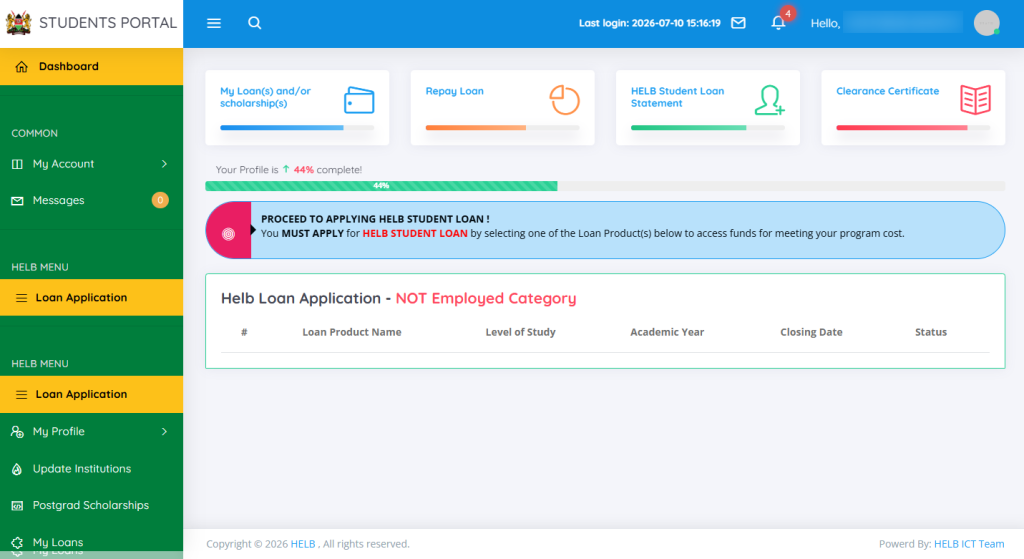
Once you have successfully logged into HEF Portal account, you can now start the process of downloading HELB Loan Award Letter online.
- Step 6: Click on My Loans
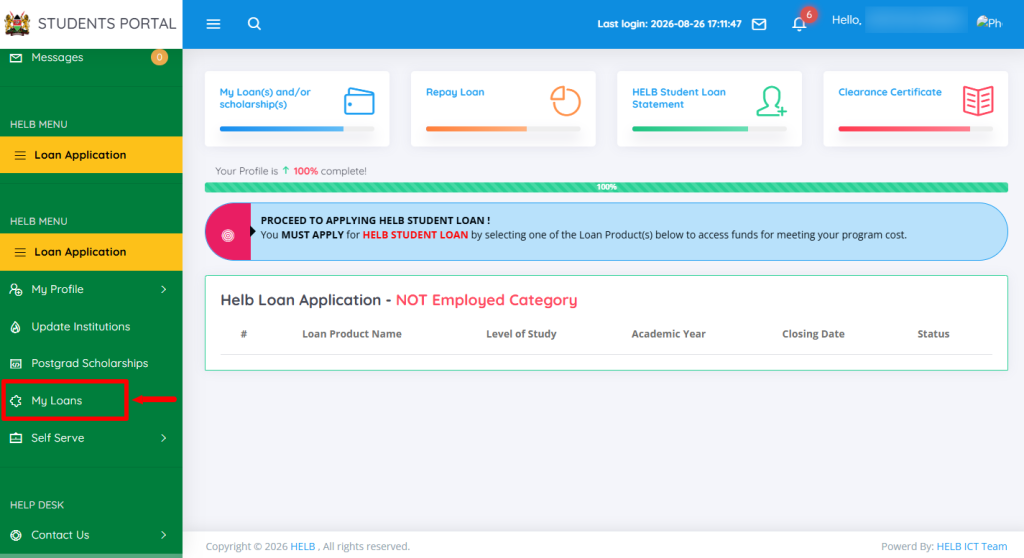
Next, from your HEF Students Portal dashboard, click on “My Loans” option and proceed to the next step.
- Step 7: View Details
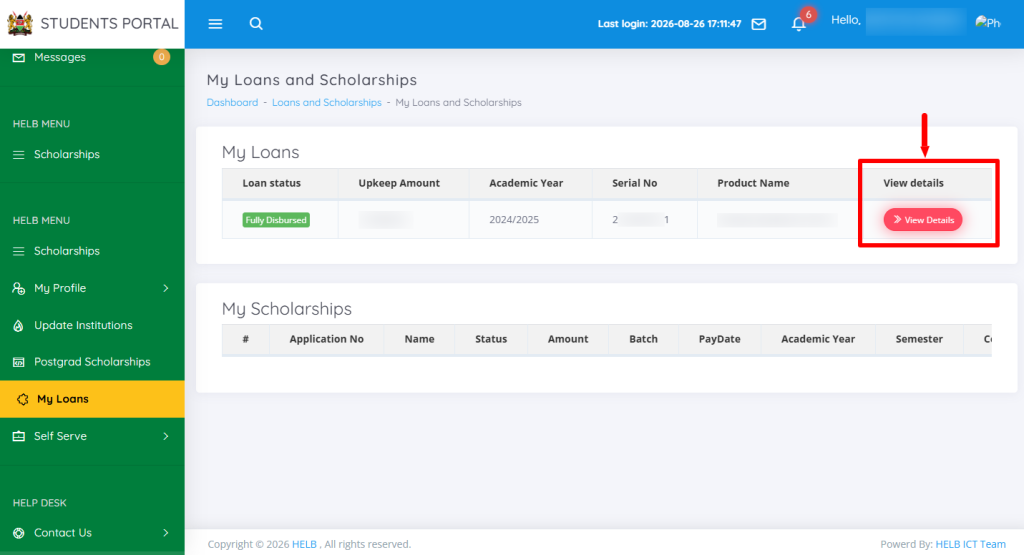
In this step, click on the “View Details” button to load the HEF Portal loan history.
- Step 8: Click Loan History
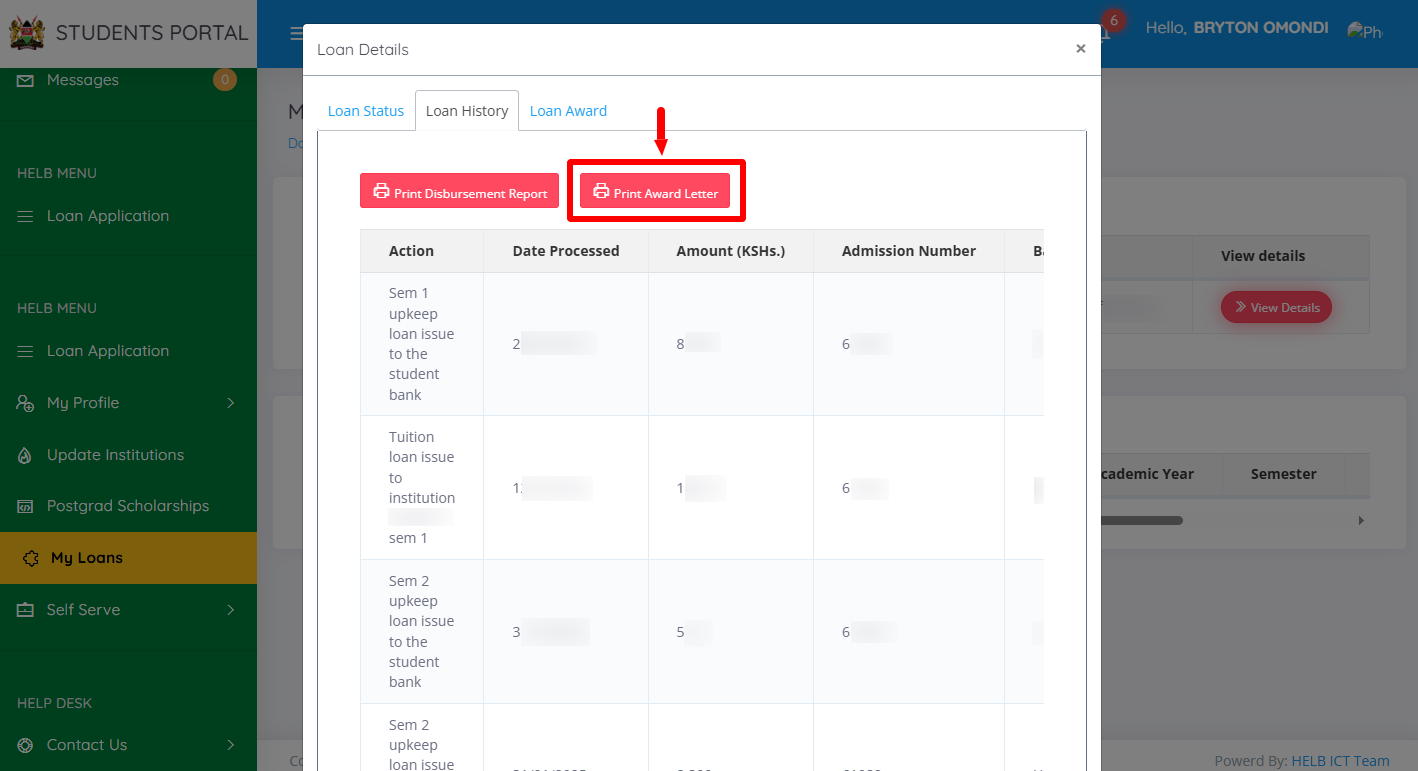
Next, click on Loan History then click on “Print Award Letter” to download a copy of the letter in PDF to your device.
- Step 9: HELB Loan Award Letter
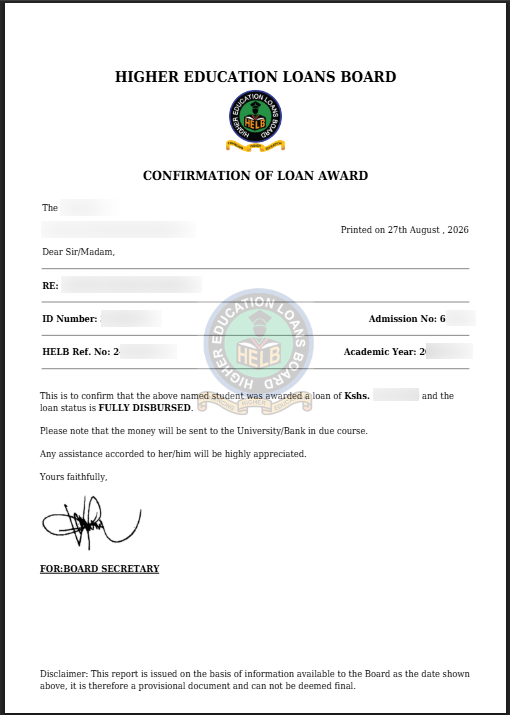
In this last step, you will be able to print a copy of even save a soft copy for personal use. The HELB Loan Award Letter is very important as it confirms that you have been awarded HELB Loan (Confirmation of Loan Award).
Overview: HELB Loan Award Letter Download
To download your HELB Loan Award Letter, start by visiting the HEF Portal and entering the Email Address or ID Number linked to your HEF account. Enter your HEF Account Password and click on Login to access the HEF Students Portal Dashboard. Once logged in, click on My Loans and then select View Details to access your loan information.
READ ASO: How To Check HELB Loan Status
Next, click on Loan History and select Print Award Letter to access your HELB Loan Award Letter. The award letter will then be generated and downloaded successfully, allowing you to save a copy on your device for future reference.