
This Step-by-Step Tutorial explains How To Reset eCitizen Password, providing clear and detailed guidance through each step of the process from start to finish to help you Reset eCitizen Password in a few minutes.
What is eCitizen Password?
An eCitizen Password is a secure password used to access your eCitizen account and the online government services available through the eCitizen platform. It is created when you register an eCitizen account and is used together with your registered email address or other login details to verify your identity and protect your account from unauthorised access.
READ ALSO: How To Register eCitizen Account
Your eCitizen password should be kept private and should not be shared with other people. You may need the password whenever you log in to eCitizen to access services such as applications, payments, document downloads and other government services. If you forget your password, you can use the available password-reset option to create a new one and regain access to your account.
What is eCitizen Password Reset?
eCitizen Password Reset is the process of creating a new password for your eCitizen account when you have forgotten your existing password or can no longer use it to log in. The password reset process helps you regain access to your eCitizen account without creating a new account.
During the password reset process, you may be required to provide information linked to your eCitizen account to verify your identity. Once your details are verified, you can set a new password and use it to log in to your eCitizen account and access the available government services.
Requirements Needed To Reset eCitizen Password
To successfully reset eCitizen account password, you need to have the following 2 requirements:
- Email Address or ID Number
- Phone Number or Email Address Linked to eCitizen Account
How To Reset eCitizen Password
To Reset eCitizen Password, follow the step-by-step process outlined below.
- Step 1: Visit eCitizen website
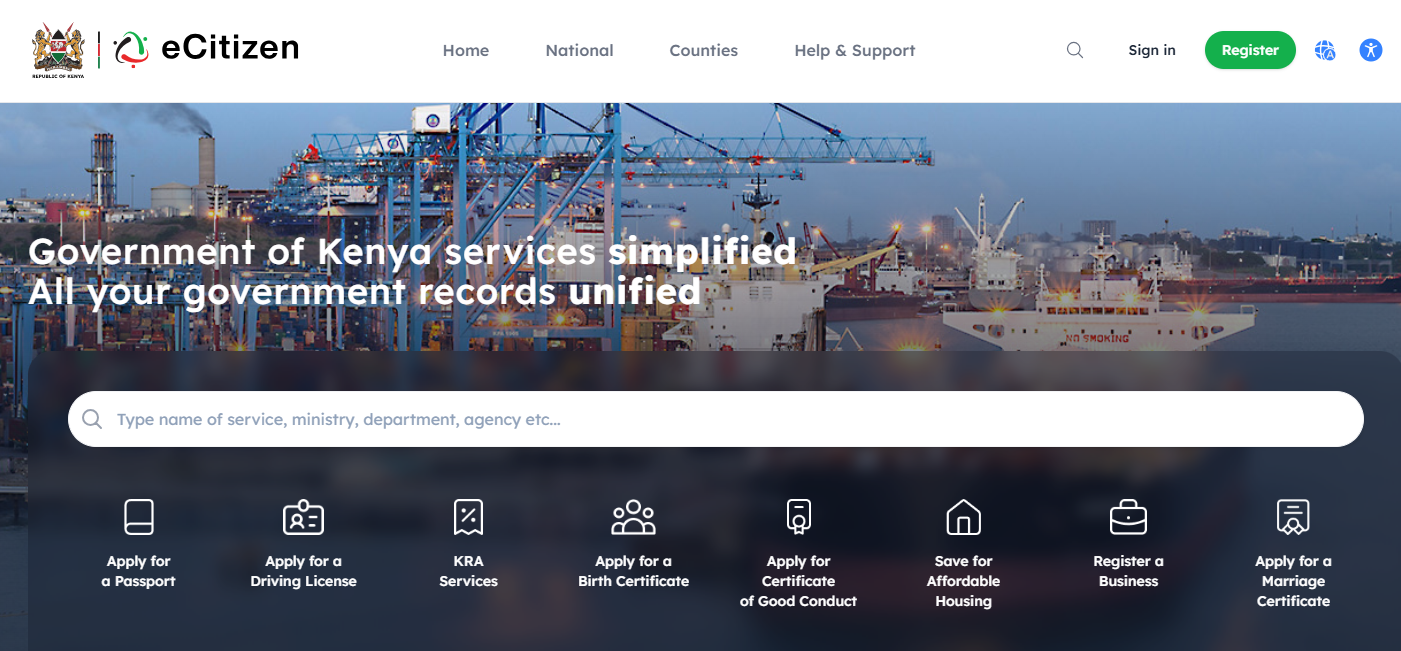
The first step in the process of How To Reset eCitizen Password is to visit eCitizen website using https://accounts.ecitizen.go.ke/
- Step 2: Click on Sign In
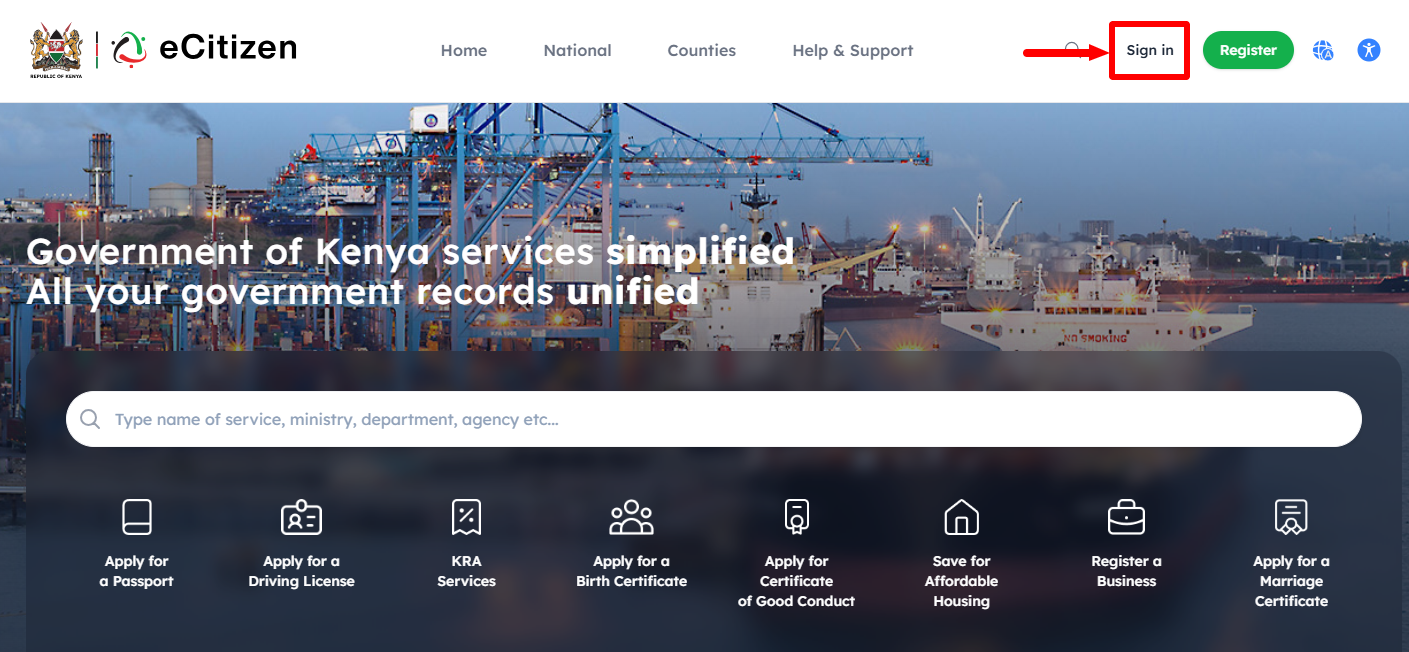
Once you are on eCitizen website, click on the “Sign In” button to proceed to the next step.
- Step 3: Click on Forgot Password
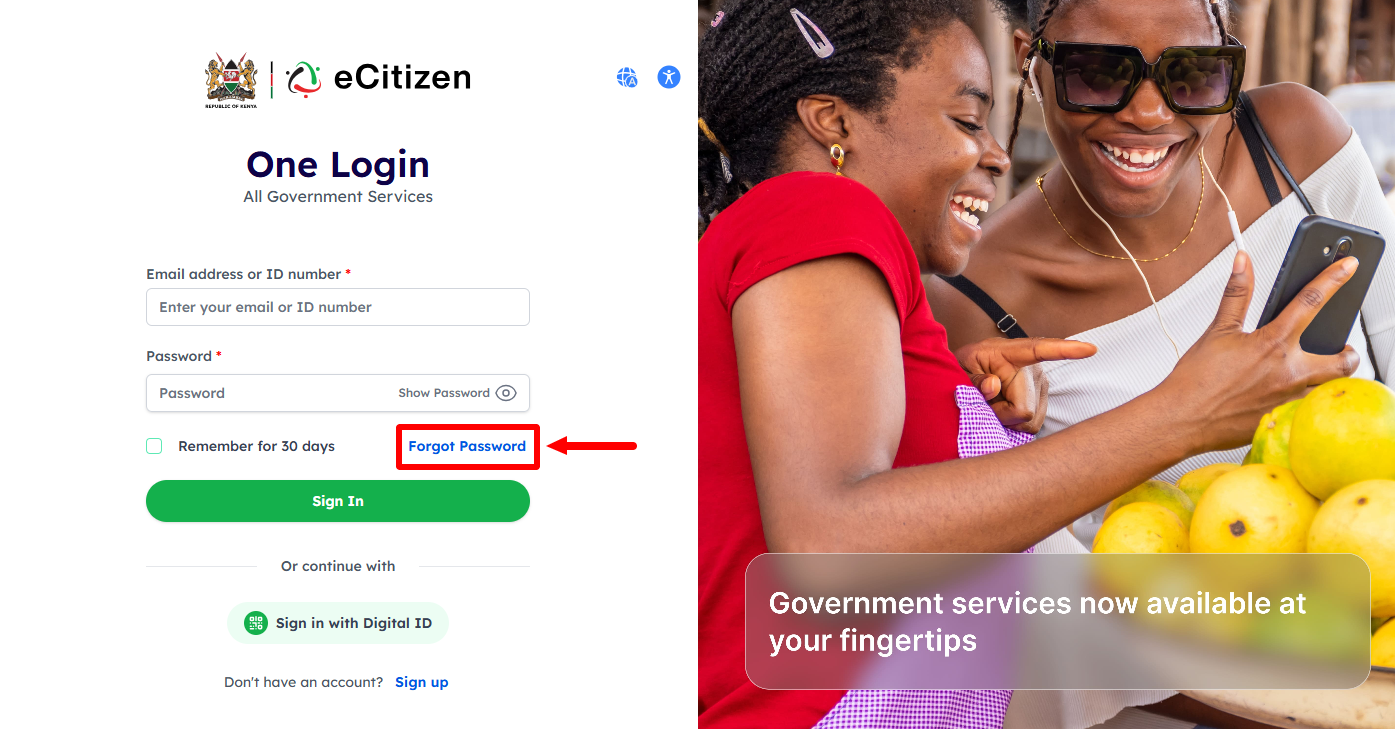
Next, click on the “Forgot Password” link to start the process of online eCitizen Account Password reset.
- Step 4: Select Account Type
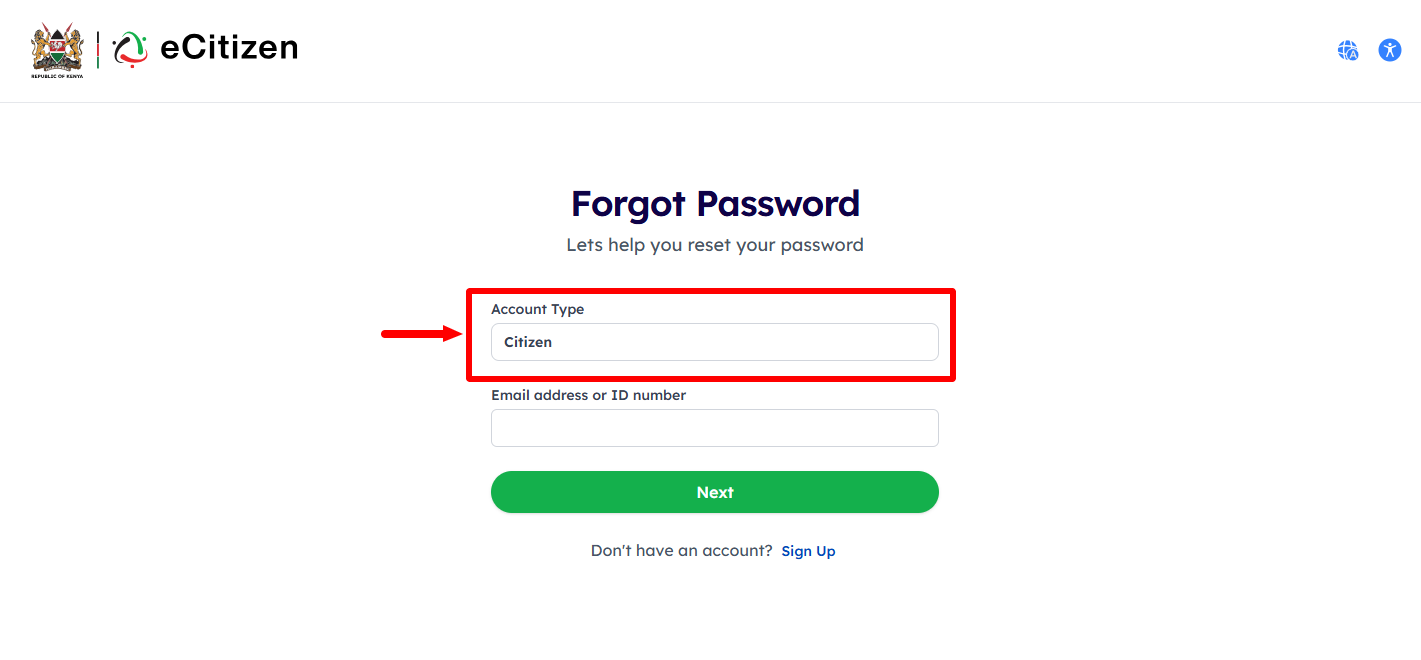
In this step, you need to select the “Account Type” i.e. it can be either Citizen, Resident, Diplomat, Foreigner or Refugee.
- Step 5: Enter Email Address or ID Number
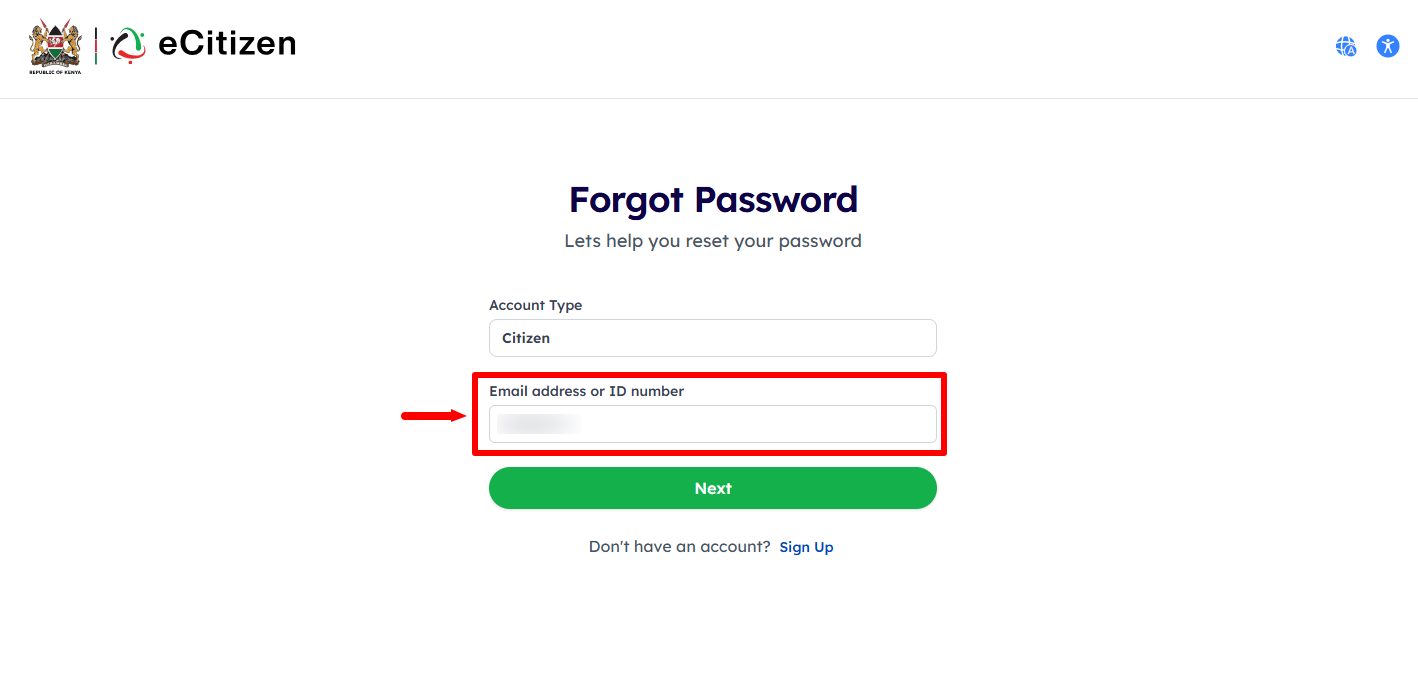
Next, enter the Email Address or ID Number associated with your eCitizen Account and click on the “Next” button to proceed.
- Step 6: OTP Verification
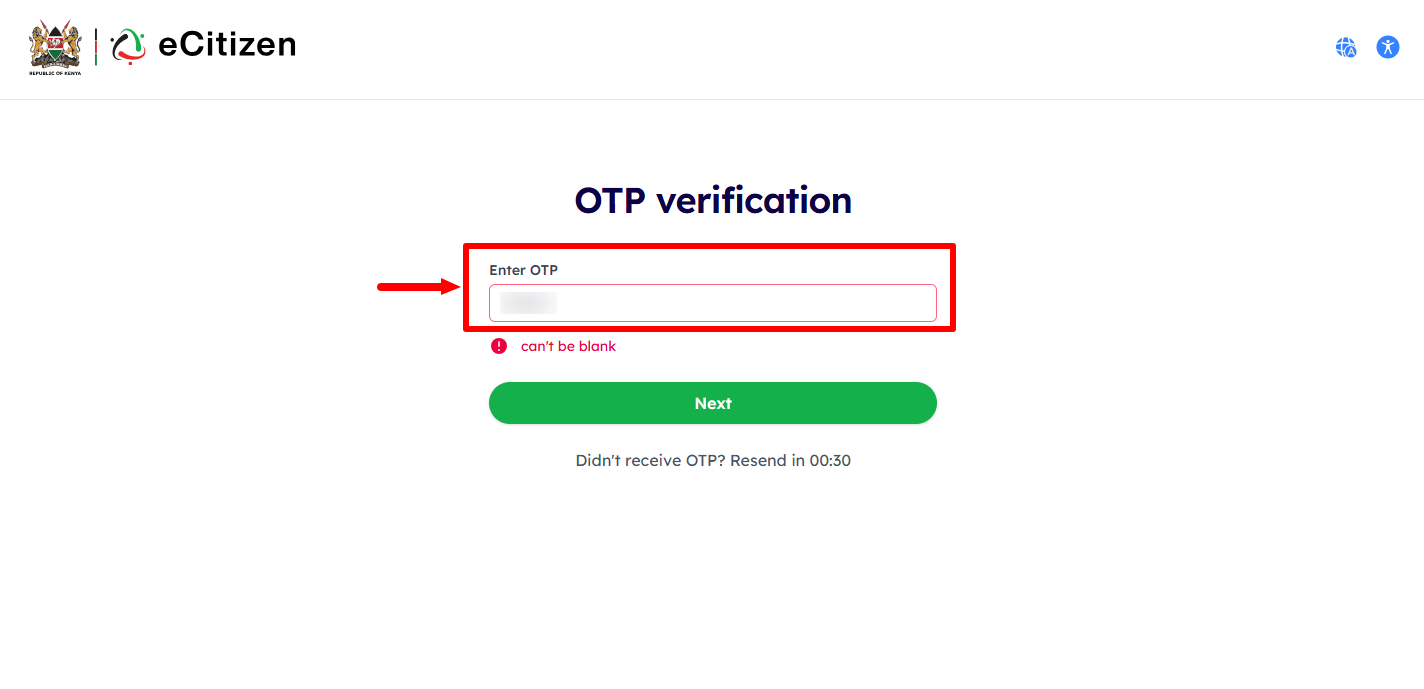
In this step, enter the 6 digit eCitizen OTP Verification Code that has been sent to both your Email Address and Phone Number. Once you have entered the OTP Verification Code, click on the “Next” button.
- Step 7: Set New Password
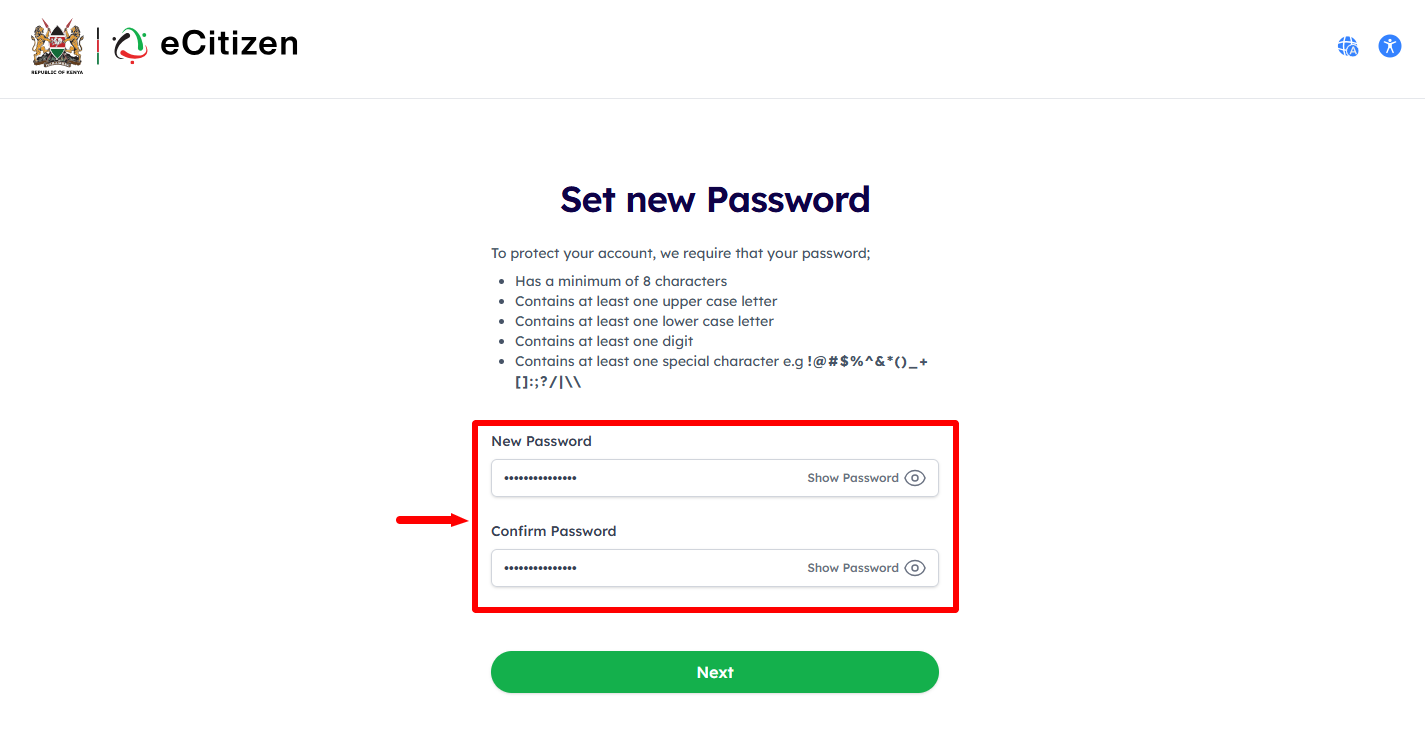
Next, you need to setup a new eCitizen Account Password. To protect your eCitizen Account, ensure your new eCitizen Password has a minimu of 8 characters, at least one upper case letter, at least one lower case letter, containsat east one digit and contains at east one special character i.e. !@#$%^&*()_+[]:;?/|\\. Once you have setup new eCitizen Password, click on “Next” button.
- Step 8: eCitizen Password Reset Successfull
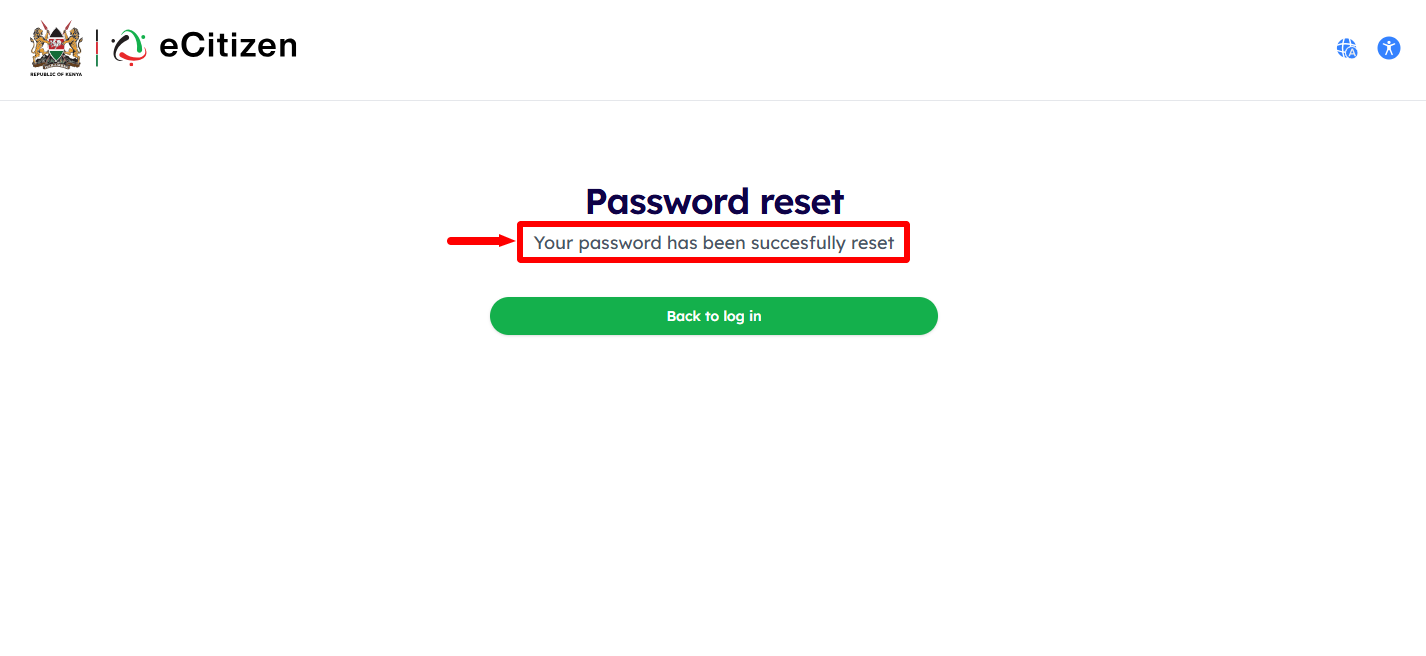
Lastly, you will see a notification that your eCitizen Password has been changed successfully. Now you can proceed to log in to eCtizen Account using the new password by clicking on the “Back to Log In” button.
Overview: eCitizen Password Reset
To reset your eCitizen password, start by visiting the official eCitizen website and selecting the appropriate account type. Enter your registered email address or ID number, then proceed with the OTP verification process to confirm your identity and access the password reset option.
READ ALSO: How To Log In To eCitizen
After successful verification, set a new password for your eCitizen account and confirm the changes. Once the new password has been accepted, the eCitizen password reset will be completed successfully, allowing you to use the new password to log in to your account.