

This Step-by-Step Tutorial explains How To Download KRA PIN Certificate, providing clear and detailed guidance through each step of the process from start to finish to help you Download KRA PIN Certificate in a few minutes.
What is KRA PIN Certificate?
KRA PIN Certificate is an official document issued by the Kenya Revenue Authority (KRA) to a taxpayer after successful registration for a KRA Personal Identification Number (PIN). The certificate contains important taxpayer details, including the taxpayer’s name, KRA PIN Number, tax obligations and registration information.
The KRA PIN Certificate shows and certifies that the taxpayer named on the certificate has been registered with the Kenya Revenue Authority (KRA). It serves as proof of KRA registration and may be required when accessing various government services, conducting business transactions, opening certain accounts or meeting tax-related requirements.
What is KRA PIN Certificate Download?
KRA PIN Certificate Download refers to the process of obtaining and saving a copy of your KRA PIN Certificate electronically from iTax (KRA Portal). After logging into your iTax account, you can access and download the KRA PIN Certificate as a digital document (PDF) for use whenever it is required.
Downloading KRA PIN Certificate provides a convenient way to keep a copy of the document on your phone, computer or other storage device. The downloaded KRA PIN Certificate can be printed or shared when needed for activities such as applying for services, completing official transactions or providing proof that you are registered with Kenya Revenue Authority (KRA).
Requirements Needed To Download KRA PIN Certificate
To successfully Download KRA PIN Certificate, you need to have the following two requirements:
- KRA PIN Number or ID Number
You need your KRA PIN Number or ID Number to identify your taxpayer account on the KRA iTax platform. You can use the KRA PIN if you already know it, while your ID number may be used where applicable to access or retrieve your taxpayer details.
- iTax Password (KRA Password)
You also need your iTax Password, also known as your KRA Password, to log in to your iTax account. The password helps authenticate your account and allows you to access your taxpayer information, including your KRA PIN Certificate.
How To Download KRA PIN Certificate
To Download KRA PIN Certificate, follow the step-by-step process outlined below.
- Step 1: Visit iTax (KRA Portal)
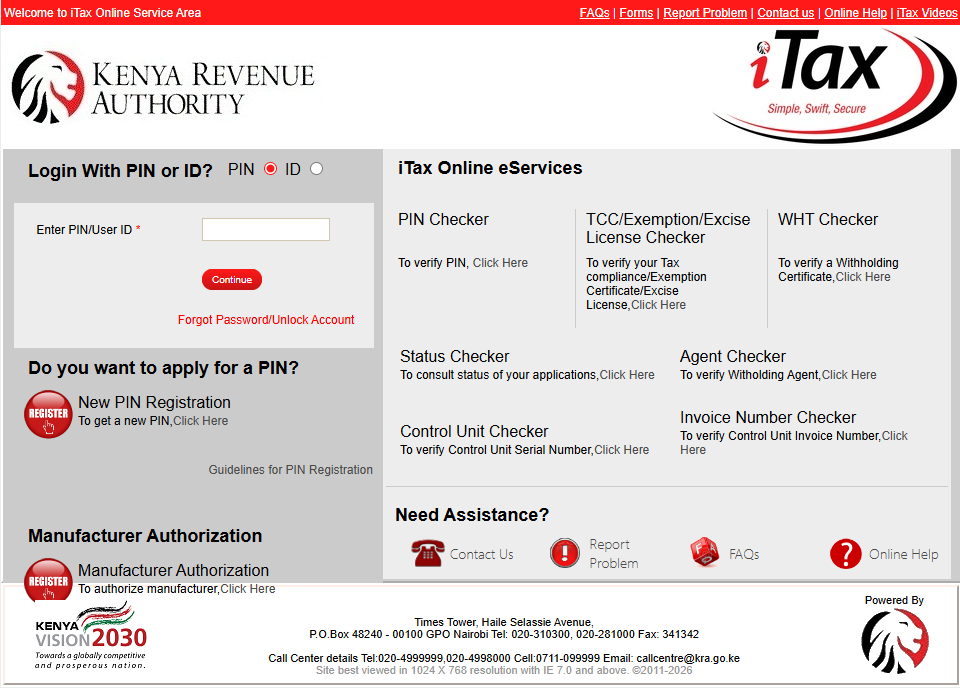
The first step in the process of KRA PIN Certificate Download is to visit iTax (KRA Portal) using https://itax.kra.go.ke/KRA-Portal/
- Step 2: Enter KRA PIN Number or ID Number
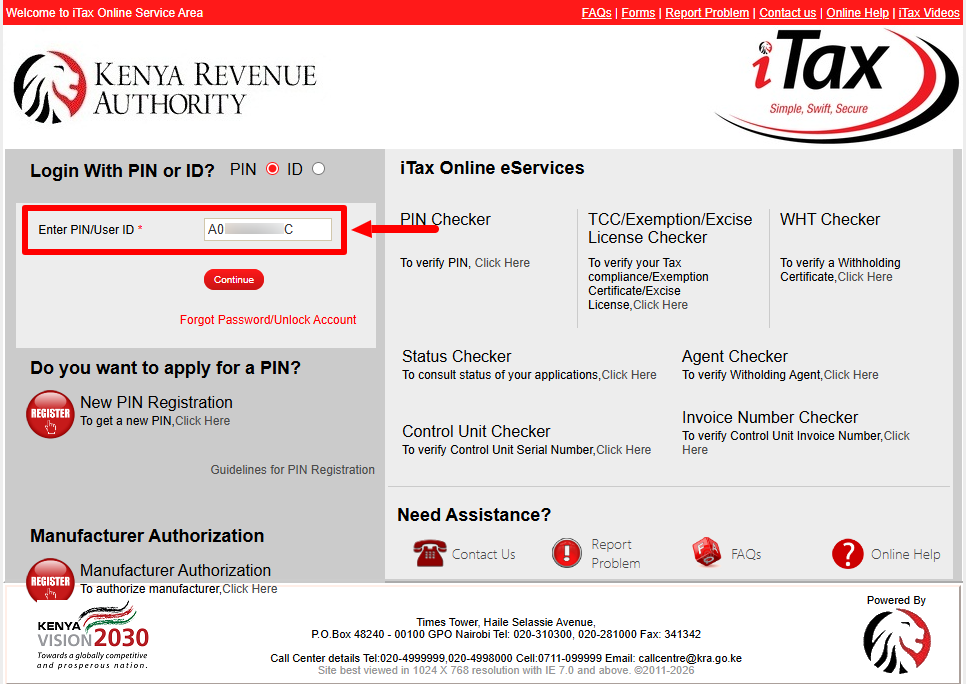
Once you are on iTax (KRA Portal), there are two ways that you can use to login i.e. using either KRA PIN Number or ID Number. Enter “KRA PIN Number” or “ID Number” and click on the “Continue” button.
- Step 3: Enter iTax Password (KRA Password)
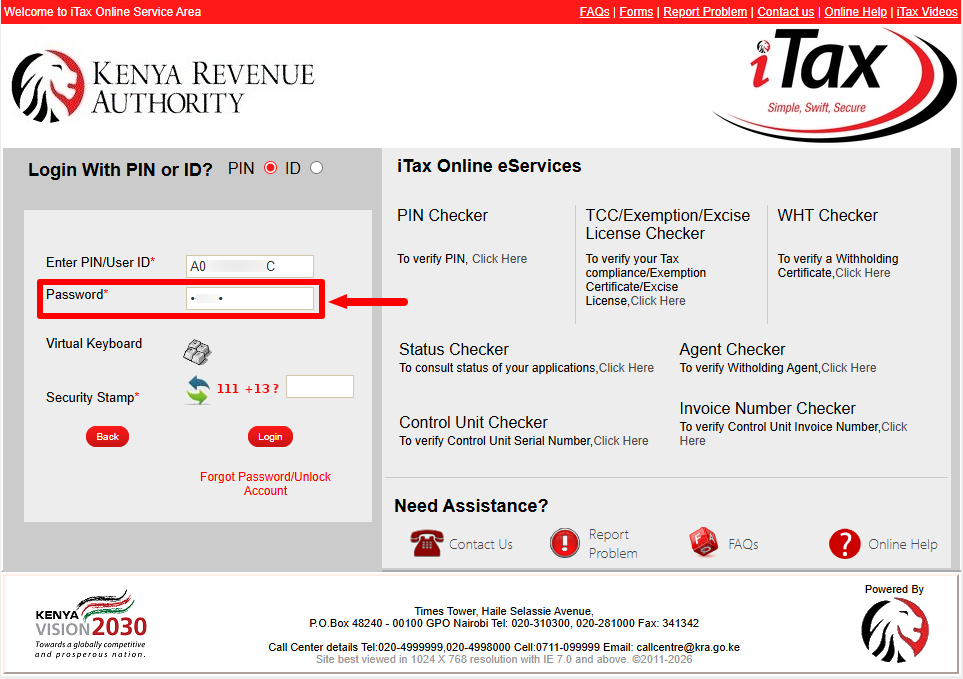
Next, enter “iTax Password (KRA Password)” and then proceed to the next step.
- Step 4: Solve Arithmetic Question (Security Stamp)
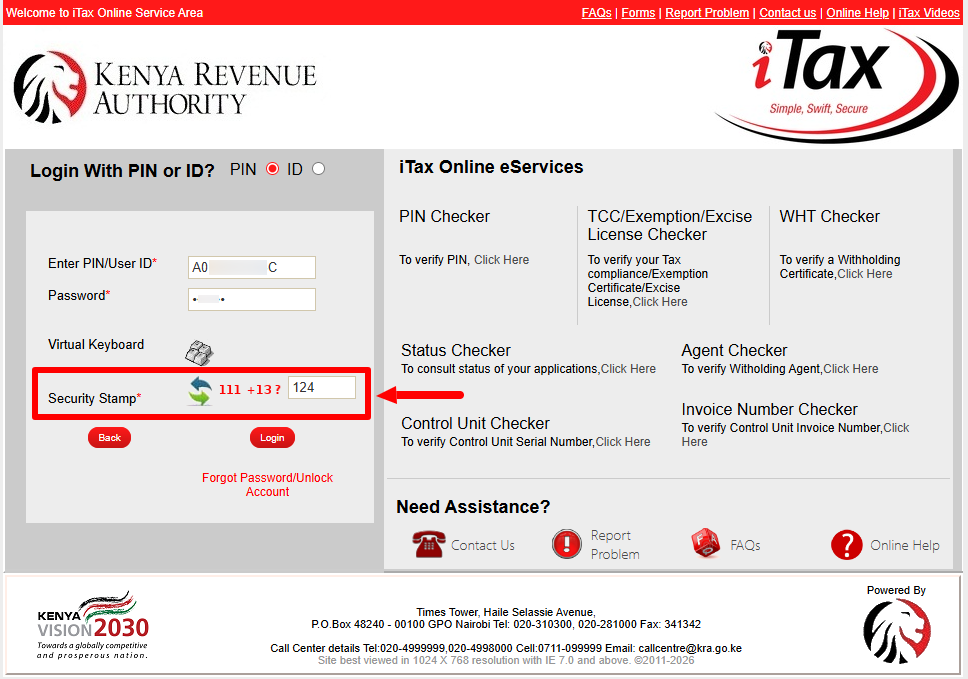
In this step, you need to solve the “Arithmetic Question (Security Stamp)” by entering the answer to the arithmetic question.
- Step 5: Click on Login
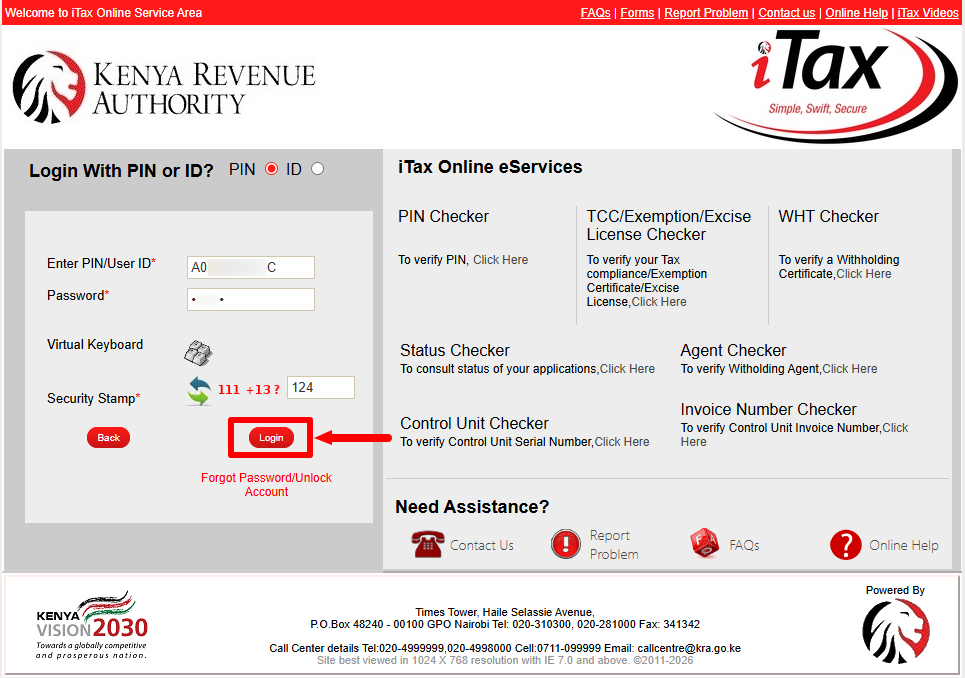
Next, after entering your KRA PIN Number or ID Number, iTax Password (KRA Password), solved the Arithmetic Question (Security Stamp), proceed and click on the “Login” button to access your iTax (KRA Portal) account.
- Step 6: Integrated iTax Dashboard
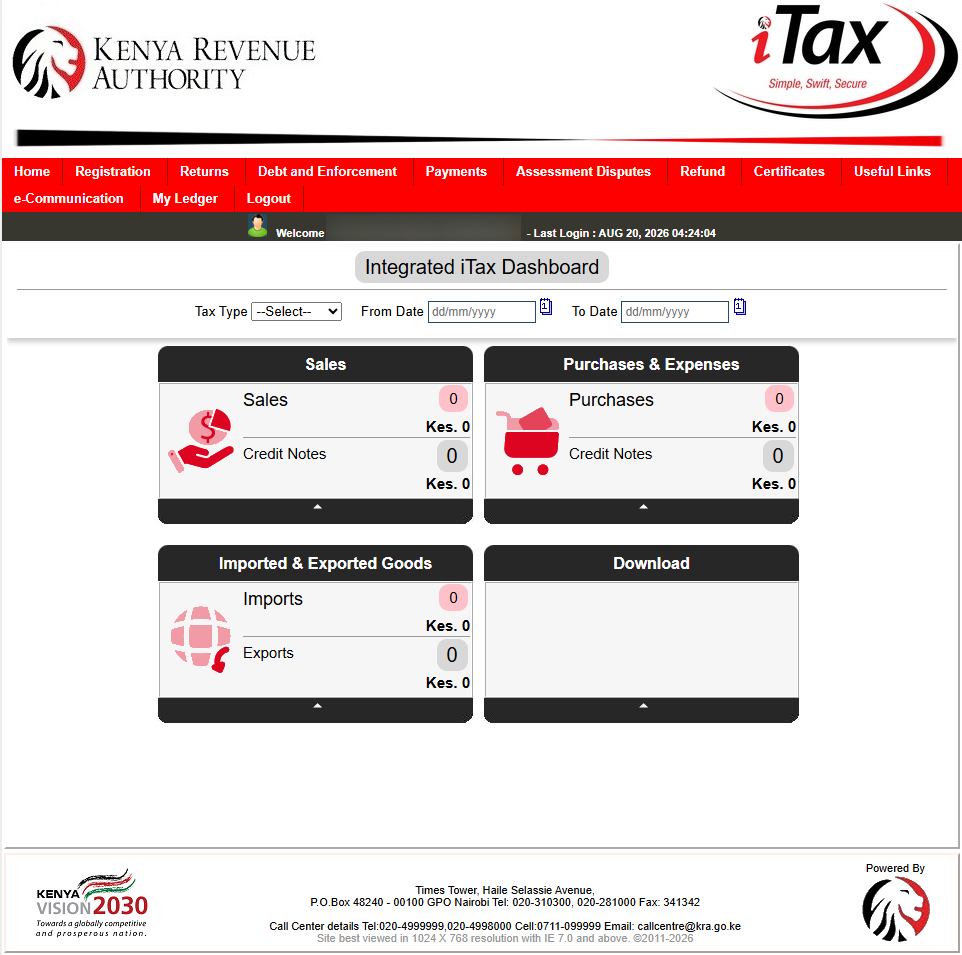
Once you have entered everything correctly, you will be logged into iTax (KRA Portal) and you can now access your Integrated iTax Dashboard.
- Step 7: Click Registration > Taxpayer Profile > Reprint PIN Certificate
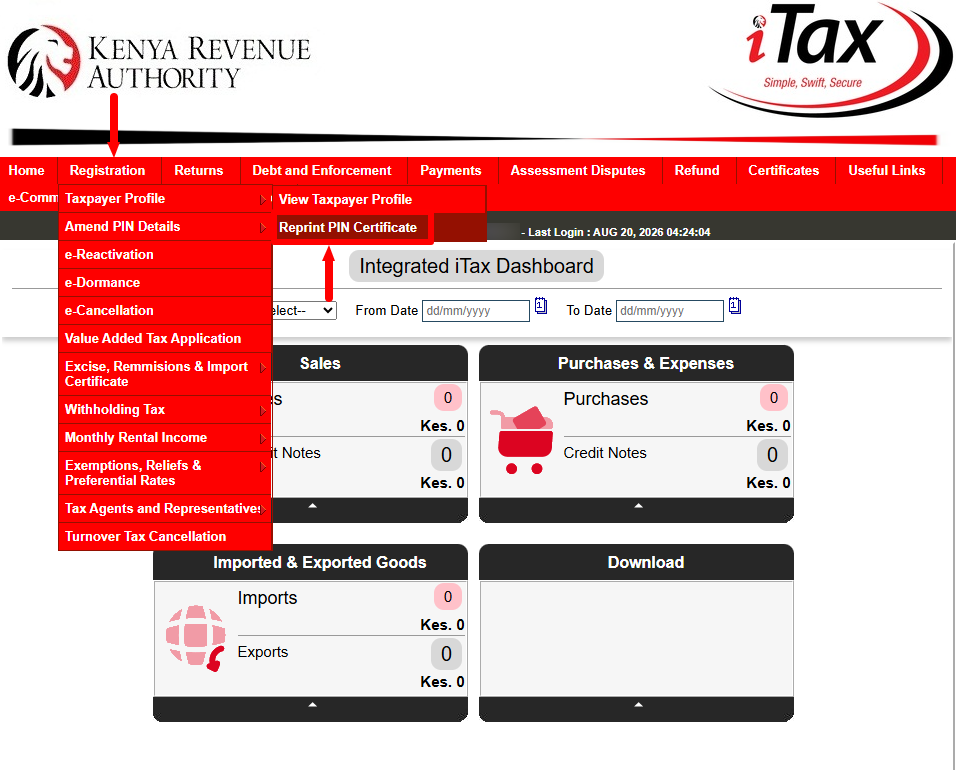
Next, click on “Registration“, then from the drop down menu select “Taxpayer Profile” and then “Reprint PIN Certificate” option.
- Step 8: Select Applicant Type
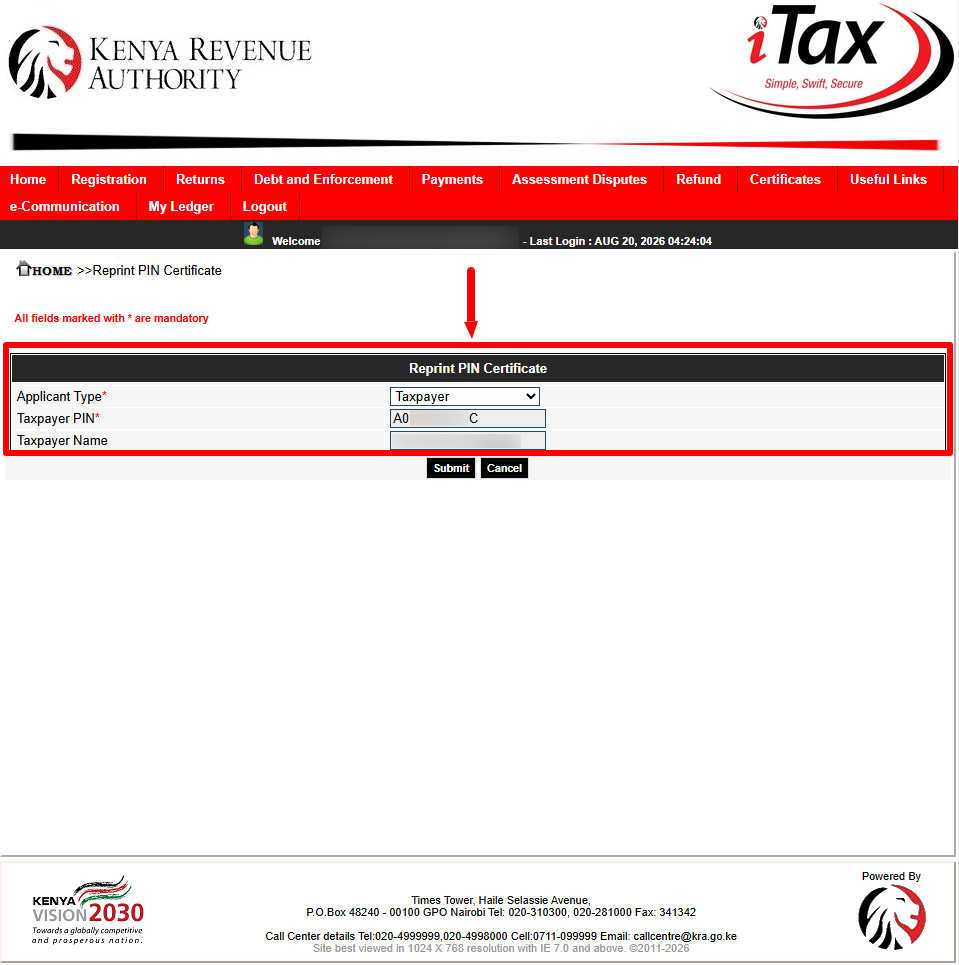
In this step, you need to select the “Applicant Type” before proceeding. This can either be “Taxpayer” or “Agent” as the applicant type. In this tutorial, we are going to select “Taxpayer” and then clic on “Submit” button. Once this message: “Do you want to submit the data?” appears, just click on “OK” to proceed.
- Step 9: Download KRA PIN Certificate
Next, you need to download the generated KRA PIN Certificate. To do that, just click on the link labeled “Click here to download KRA PIN Certificate.” Once you have done so, the KRA PIN Certificate will be saved to your device either smartphone, tablet or computer.
- Step 10: KRA PIN Certificate
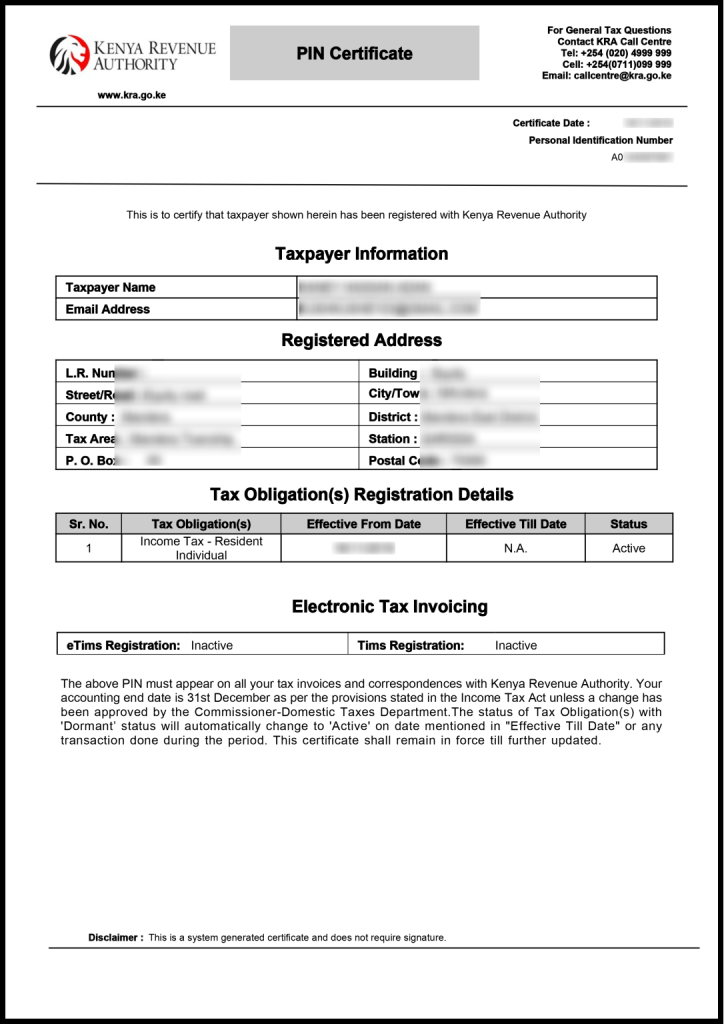
Lastly, you will have successfully downloaded KRA PIN Certificate using iTax (KRA Portal) and you can now use the same where it is required such as job application, bank account opening among other key areas where KRA PIN Certificate is required.
Overview: KRA PIN Certificate Download
To download KRA PIN Certificate, start by visiting iTax (KRA Portal) and enter your KRA PIN Number or ID Number together with your iTax Password (KRA Password). Solve the arithmetic question shown as the Security Stamp and click Login to access your iTax account dashboard.
Once logged in, go to Registration menu, select Taxpayer Profile, and then click Reprint PIN Certificate. Select the appropriate Applicant Type i.e Taxpayer and proceed to download KRA PIN Certificate. The certificate will then be available as a digital document (PDF) that you can save a softcopy or print a hardcopy for immediate or future use.