
The NTSA App provides motorists with a convenient way to access various vehicle and transport-related services from their mobile devices. Among the available services is the option to check motor vehicle inspection information, helping vehicle owners and other users access relevant inspection details through the app.
This guide explains how to verify motor vehicle inspection using the NTSA App in Kenya. It takes you through the process of signing in to the app, accessing the relevant vehicle service, entering the required information, and viewing the motor vehicle inspection verification results.
READ ALSO: How To Verify Driving Licence using NTSA App
What is Motor Vehicle Inspection?
Motor Vehicle Inspection is the process of examining a motor vehicle to determine whether it meets the required safety and roadworthiness standards. The inspection involves checking relevant components and systems of the vehicle to establish whether it is in a condition that complies with applicable transport requirements in Kenya.
In Kenya, motor vehicle inspections are conducted as part of the regulatory functions of the National Transport and Safety Authority (NTSA). The inspection process helps assess the condition of vehicles and provides inspection information that can be accessed through the available NTSA services.
What is Motor Vehicle Inspection Verification?
Motor Vehicle Inspection Verification is the process of checking the inspection information recorded for a motor vehicle through the available NTSA services. It allows a vehicle owner or other authorized user to confirm whether the vehicle has an inspection record and view the relevant information associated with that inspection.
The verification process provides a convenient way to check motor vehicle inspection details without relying solely on physical inspection documents. By using the NTSA App, users can access the relevant service, provide the required vehicle information, and view the inspection results returned by the NTSA system.
Requirements Needed To Verify Motor Vehicle Inspection
To verify Motor Vehicle Inspection details using the NTSA App, you need access to the app and the identification information required to retrieve the relevant vehicle inspection record. Having the required details ready will help you complete the verification process without unnecessary interruptions. The requirements needed to verify Motor Vehicle Inspection are:
- Vehicle Registration Number
- NTSA App
Once you have the required information and access to the NTSA App, you can proceed to check the motor vehicle inspection record. The process involves opening the app, accessing the relevant inspection service, entering the required vehicle details, and submitting the information to retrieve the available inspection record.
How To Verify Motor Vehicle Inspection using NTSA App
With access to the NTSA App and the required vehicle information ready, you can begin checking the inspection record associated with the vehicle. The process involves signing in to the app, opening the relevant service, entering the required details, and submitting them to retrieve the available inspection information. Follow the steps below to verify Motor Vehicle Inspection using the NTSA App:
- Step 1: Open NTSA App
The first step in the process of Motor Vehicle Inspection Verification is to open the NTSA App.
- Step 2: Enter Email or ID Number
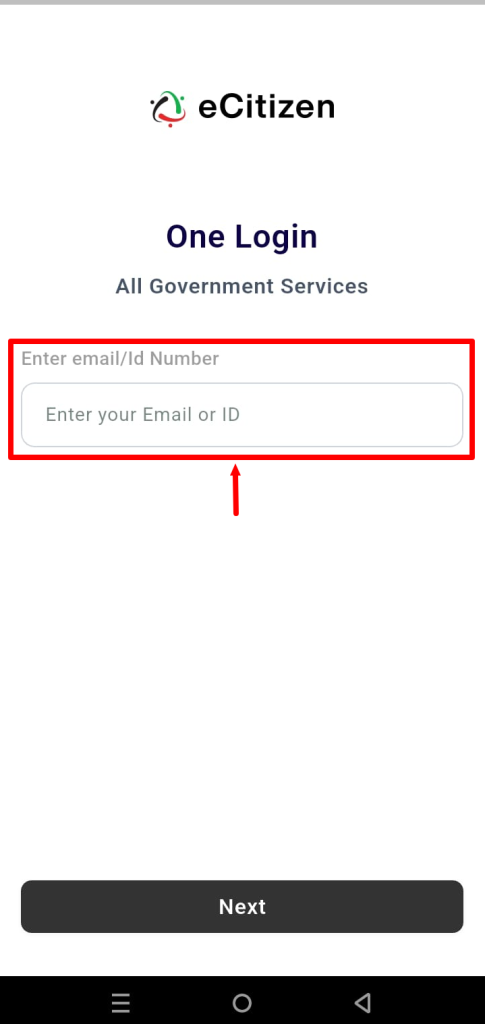
Next, enter the email address of ID number linked to your eCitizen account so as to be able to log in to NTSA App.
- Step 3: Click Next
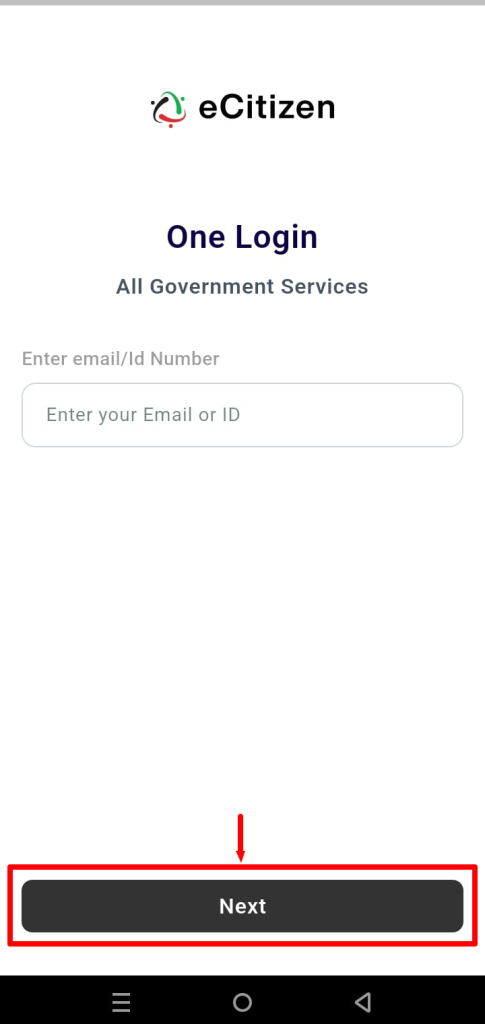
Once you have entered your email address or ID number, click on the “Next” button.
- Step 4: Enter OTP Verification Code
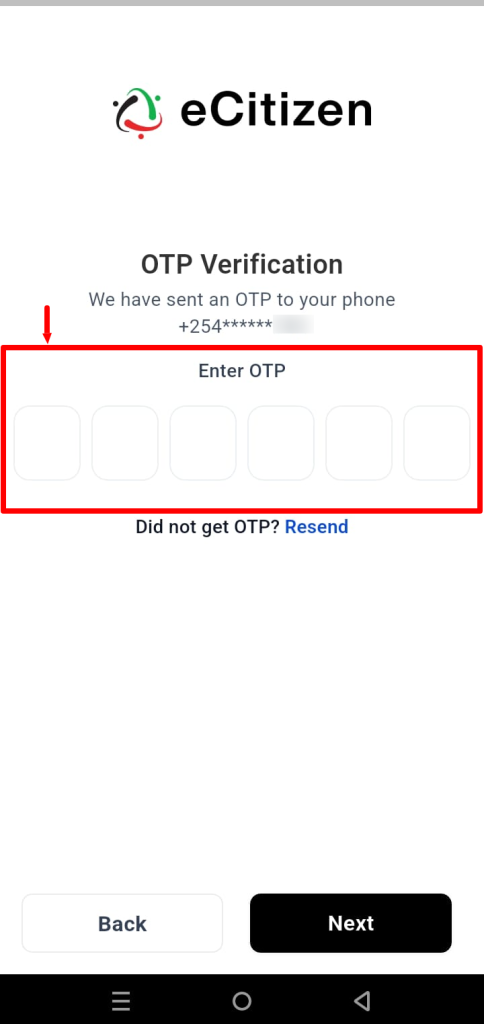
Next, enter the “OTP Verification Code” that has been sent to your phone number.
- Step 5: Click Next
Once you have entered the OTP verification code that was sent to your phone number via SMS, proceed and click on the “Next” button.
- Step 6: NTSA App Login Successful
- Step 7: Click on Services
- Step 8: Select Motor Vehicle Inspection
- Step 9: Enter Motor Vehicle Registration Number
- Step 10: Motor Vehicle Inspection Details
Overview: Motor Vehicle Inspection Verification
To begin, open the NTSA App and enter your email address or ID number, then click Next. Enter the OTP verification code sent to you and click Next to complete the login process. Once your details are verified, you will successfully access the NTSA App. From the app’s main menu, click Services and select Motor Vehicle Inspection from the available services.
READ ALSO: How To Log In To NTSA App
Enter the motor vehicle registration number in the required field to retrieve the vehicle’s inspection information. Once the details have been submitted, the NTSA App will process the request and display the available Motor Vehicle Inspection details, allowing you to review the inspection information recorded for the vehicle.