
The BetPawa PIN is a 4-digit security PIN associated with your BetPawa account and is required when accessing your account and using certain services on the platform. If you have forgotten your 4-digit PIN, you may not be able to access your BetPawa account normally. BetPawa provides a PIN reset option that allows registered users to recover access by following the required account recovery process and setting up a new PIN.
This guide explains How To Reset BetPawa PIN if you have forgotten your current PIN or need to regain access to your BetPawa account. The process involves visiting the BetPawa website, accessing the login or account recovery section, selecting the option for a forgotten PIN, providing the required account information, and following the instructions provided by BetPawa to create and confirm a new 4-digit PIN. Once the reset process is completed successfully, you can use the new PIN to access your BetPawa account.
READ ALSO: How To Register on BetPawa
What is BetPawa PIN?
A BetPawa PIN is a 4-digit security code created by a user when registering a BetPawa account. It is associated with the user’s registered mobile number and forms part of the information used to access the BetPawa account. The PIN helps provide an additional layer of security for the account and should be kept private to prevent other people from gaining unauthorized access to the account. When creating the PIN, users should choose a code they can remember while avoiding sharing it with anyone else.
The BetPawa PIN is required when a registered user wants to access their BetPawa account and use the services available through the platform. Since the PIN is an important account security detail, a user who forgets the 4-digit PIN may need to use the available PIN recovery or reset process. Resetting the PIN allows the user to create a new 4-digit PIN that can be used to access the BetPawa account again.
What is BetPawa PIN Reset?
BetPawa PIN Reset is the process of changing or recovering the 4-digit PIN associated with a BetPawa account. The process is useful when a registered user has forgotten their current PIN, cannot access their account using the existing PIN, or needs to create a new PIN for account access. By following the available PIN reset procedure, the user can provide the required account information and proceed with setting up a new 4-digit PIN.
The BetPawa PIN Reset process is completed through the BetPawa platform using the available account recovery or PIN reset option. Depending on the recovery process provided, the user may be required to enter their registered mobile number and follow additional instructions before creating and confirming a new PIN. Once the reset is completed successfully, the new 4-digit PIN can be used to access the BetPawa account.
Requirements Needed To Reset BetPawa PIN
To Reset BetPawa PIN, you need to have the Mobile Number registered with your BetPawa account. You will also need to choose one of the available methods for receiving a verification code during the PIN reset process. BetPawa provides several verification options, allowing you to select the method that is most convenient and accessible to you when confirming your account.
- BetPawa Registered Mobile Number
- Verification Code Delivery Method: SMS (Recommended), Call, USSD, WhatsApp and Telegram.
Before starting the PIN reset process, make sure you have access to your BetPawa Registered Mobile Number and can receive the verification code through your selected method. This will allow you to complete the account verification required to reset your BetPawa PIN.
How To Reset BetPawa PIN
To Reset BetPawa PIN, you need to access the BetPawa website and open the account login or PIN recovery section. The process requires you to provide the BetPawa Registered Mobile Number and select how you want to receive your verification code. You can choose from SMS (Recommended), Call, USSD, WhatsApp, or Telegram, depending on the verification options available to you. Follow the steps below to Reset BetPawa PIN and create a new 4-digit PIN for your BetPawa account.
- Step 1: Visit Betpawa website
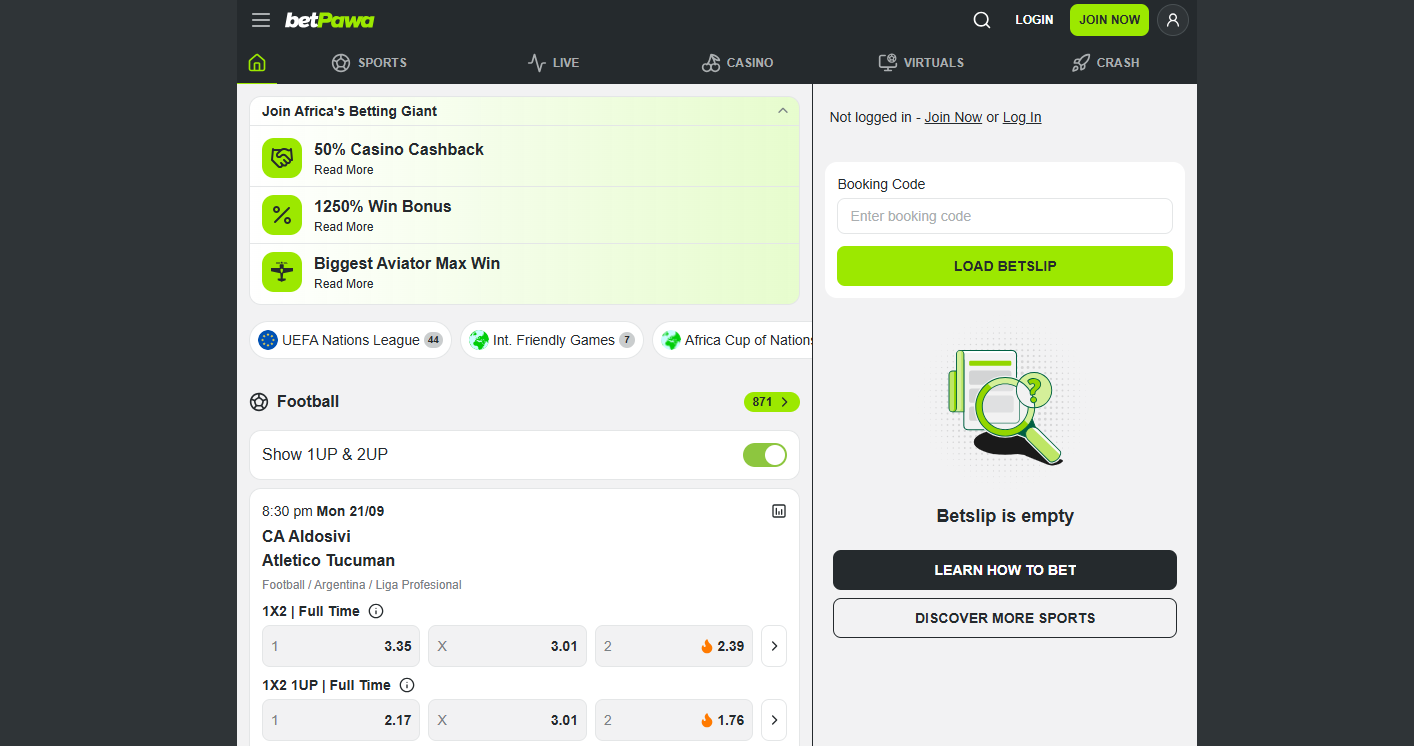
Open your preferred web browser and visit the official BetPawa website betpawa.co.ke. Once the website loads, you can access the account login section and begin the process of recovering your BetPawa PIN.
- Step 2: Click Login
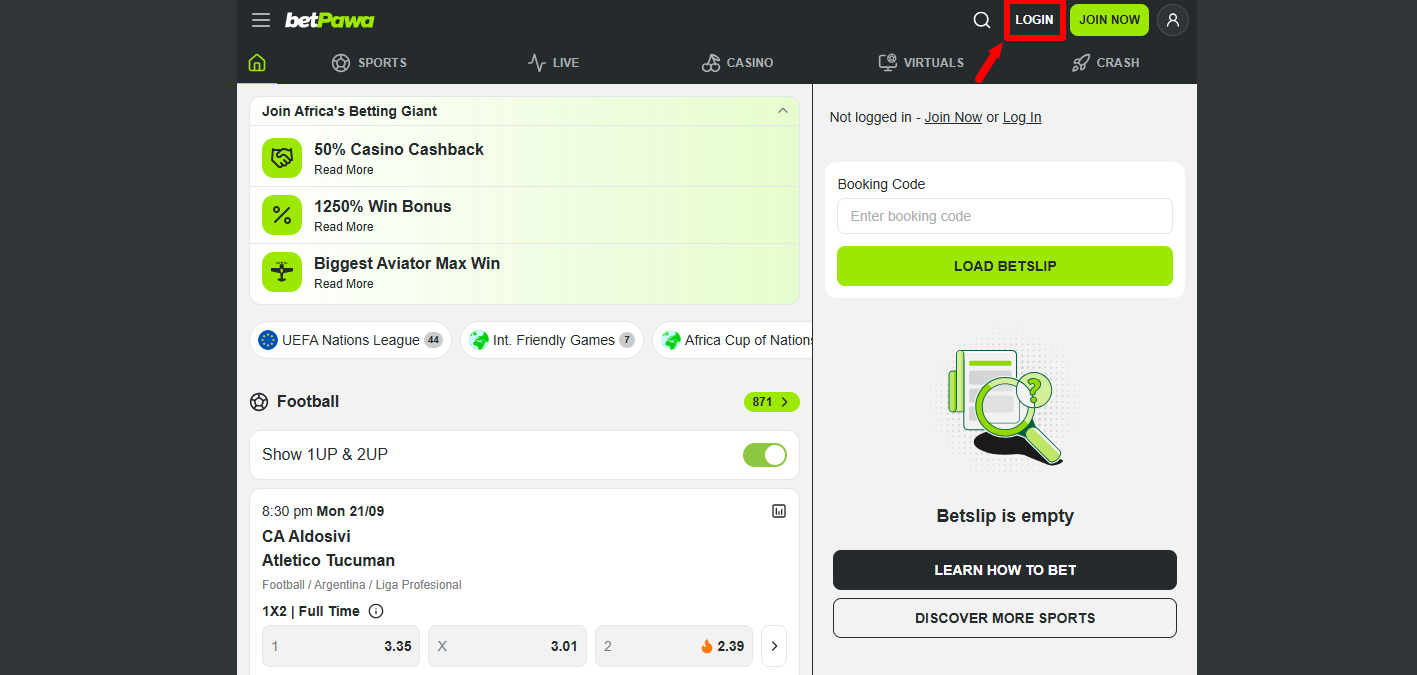
On the BetPawa website, click Login to open the account login section. This section provides access to the options you can use to sign in to your BetPawa account or recover your PIN if you have forgotten it.
- Step 3: Click Forgot PIN
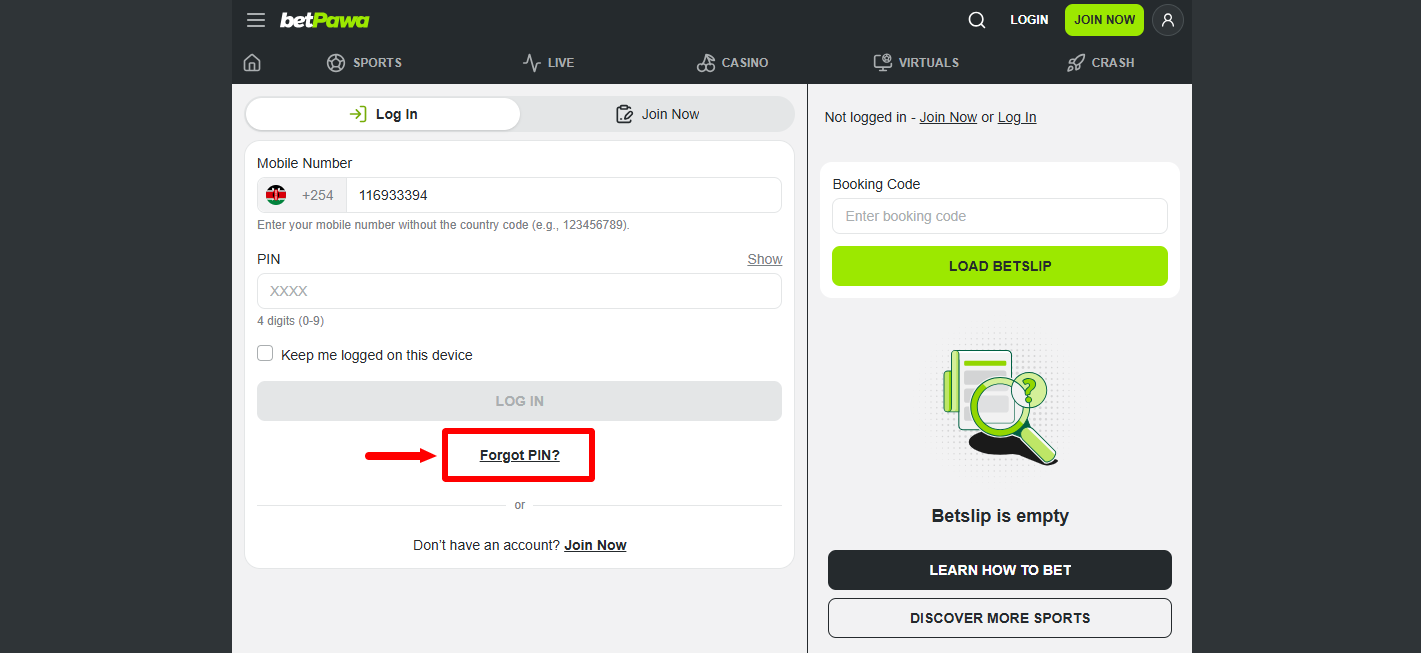
On the BetPawa login section, click Forgot PIN to start the PIN recovery process. This option allows you to proceed with resetting your BetPawa PIN when you cannot remember your current 4-digit PIN.
- Step 4: Enter Mobile Number
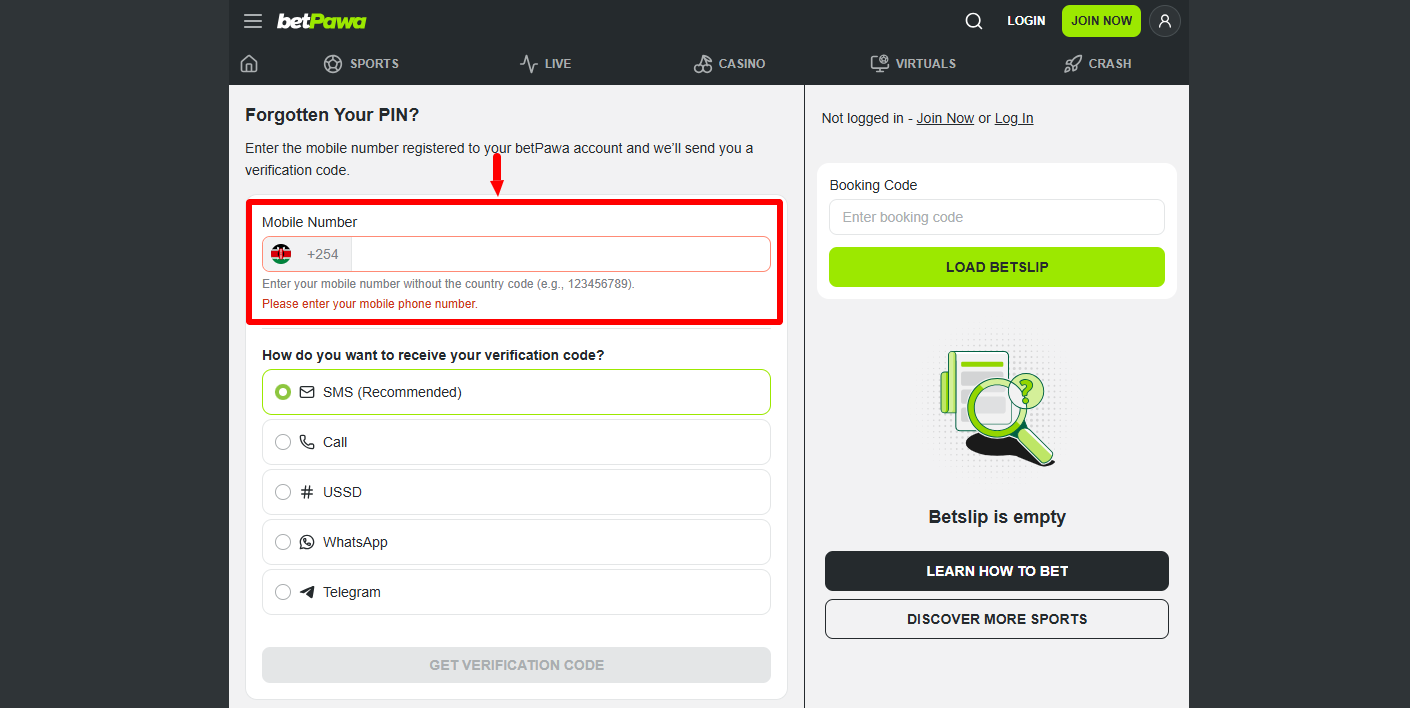
Enter the Mobile Number registered with your BetPawa account in the required field. Make sure you enter the correct mobile number associated with your account because it will be used to verify your identity and send the verification code.
- Step 5: Select Option to Receive Verification Code
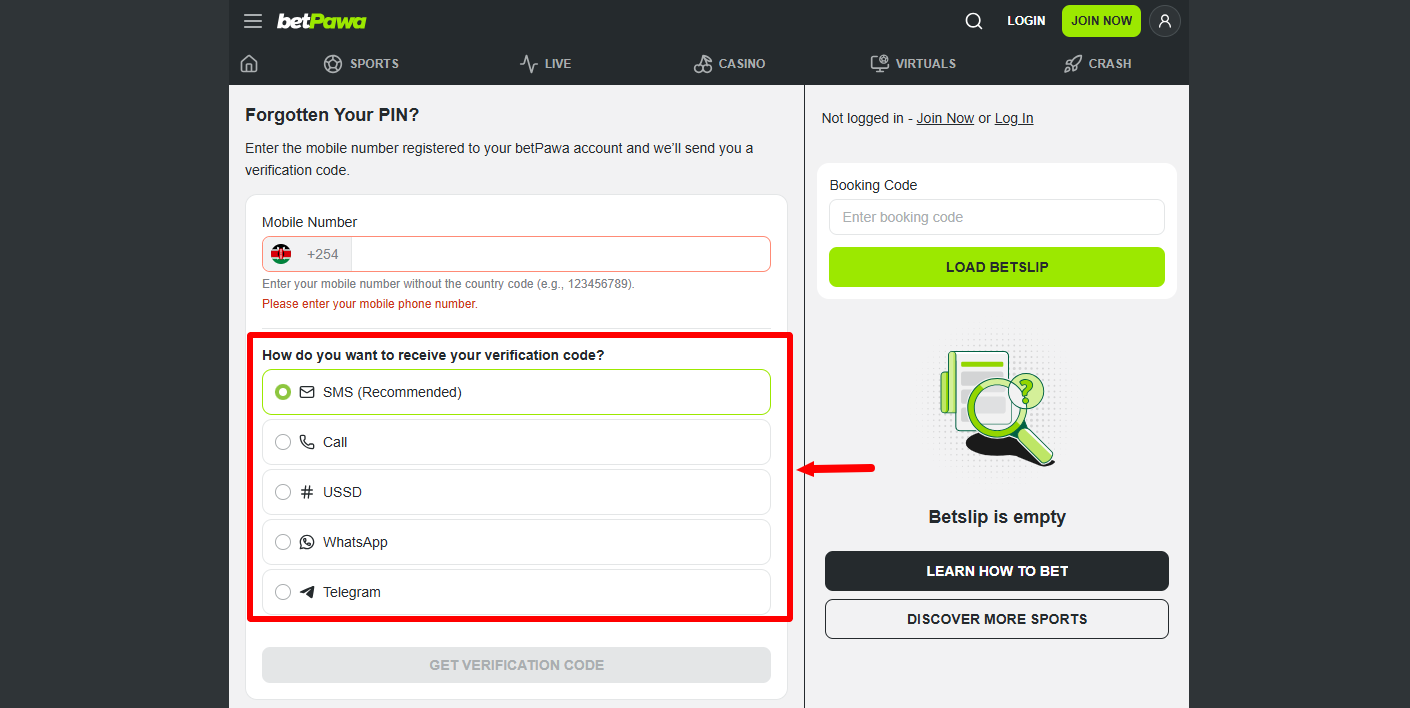
Select your preferred option for receiving the Verification Code. The available options include SMS (Recommended), Call, USSD, WhatsApp, and Telegram, allowing you to choose a method through which you can conveniently receive the verification code.
- Step 6: Click Get Verification Code
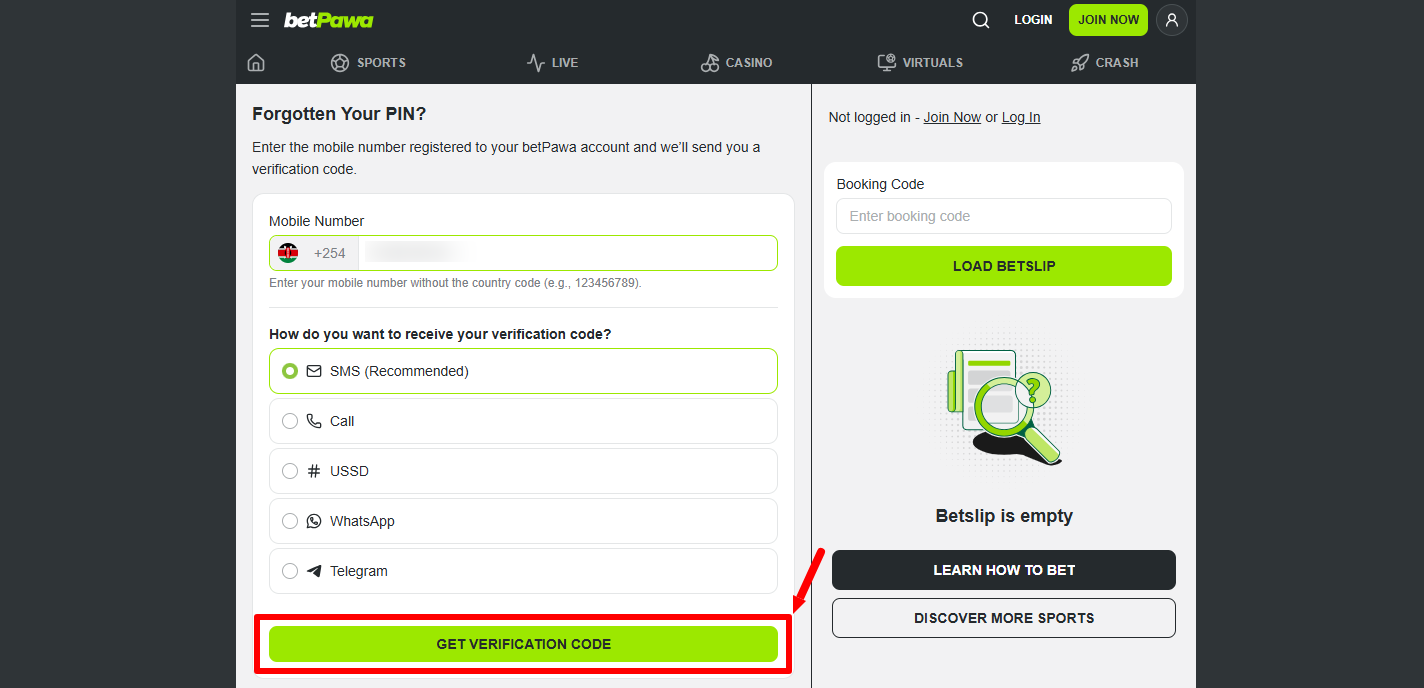
After entering your registered mobile number and selecting your preferred verification method, click Get Verification Code. BetPawa will then process your request and send the verification code using the option you selected.
- Step 7: Enter BetPawa Verification Code
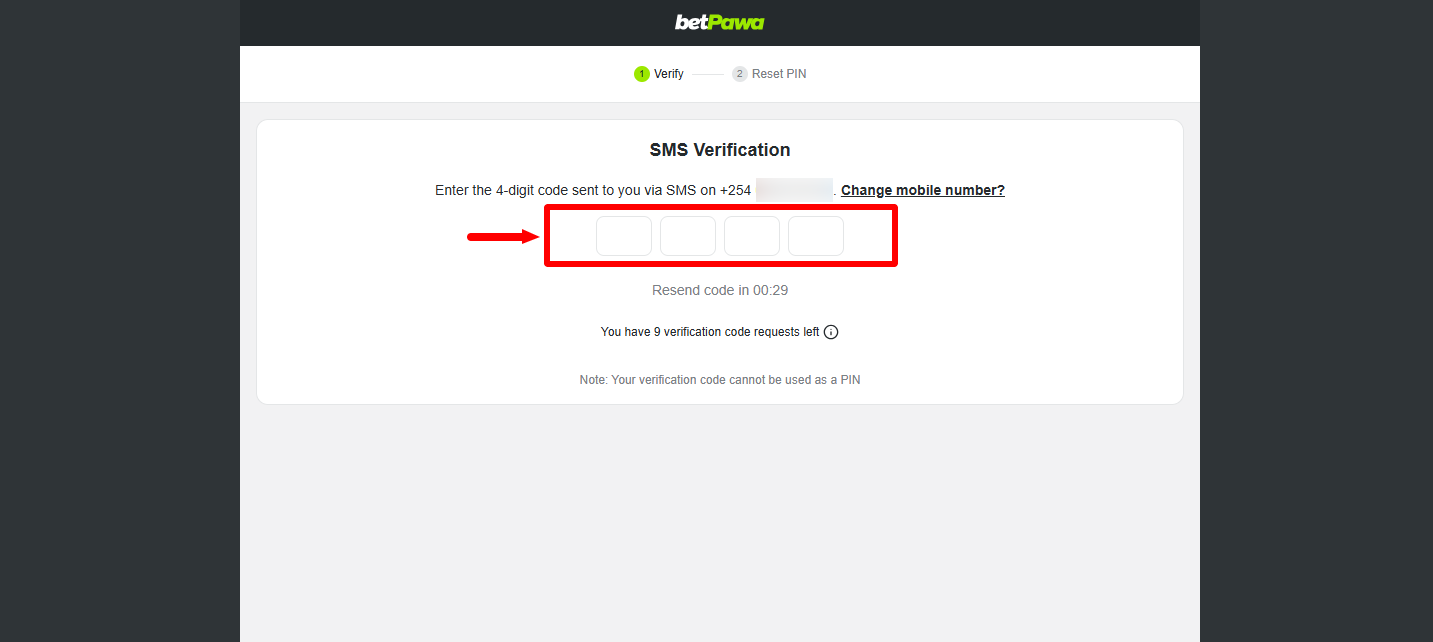
Enter the BetPawa Verification Code you receive through your selected verification method in the required field. Make sure you enter the correct code provided by BetPawa so that your account verification can proceed successfully. After entering the verification code, click Verify to submit the code and confirm your account. If the verification code is accepted, you can proceed to the section where you create a new BetPawa PIN.
- Step 8: Reset BetPawa PIN
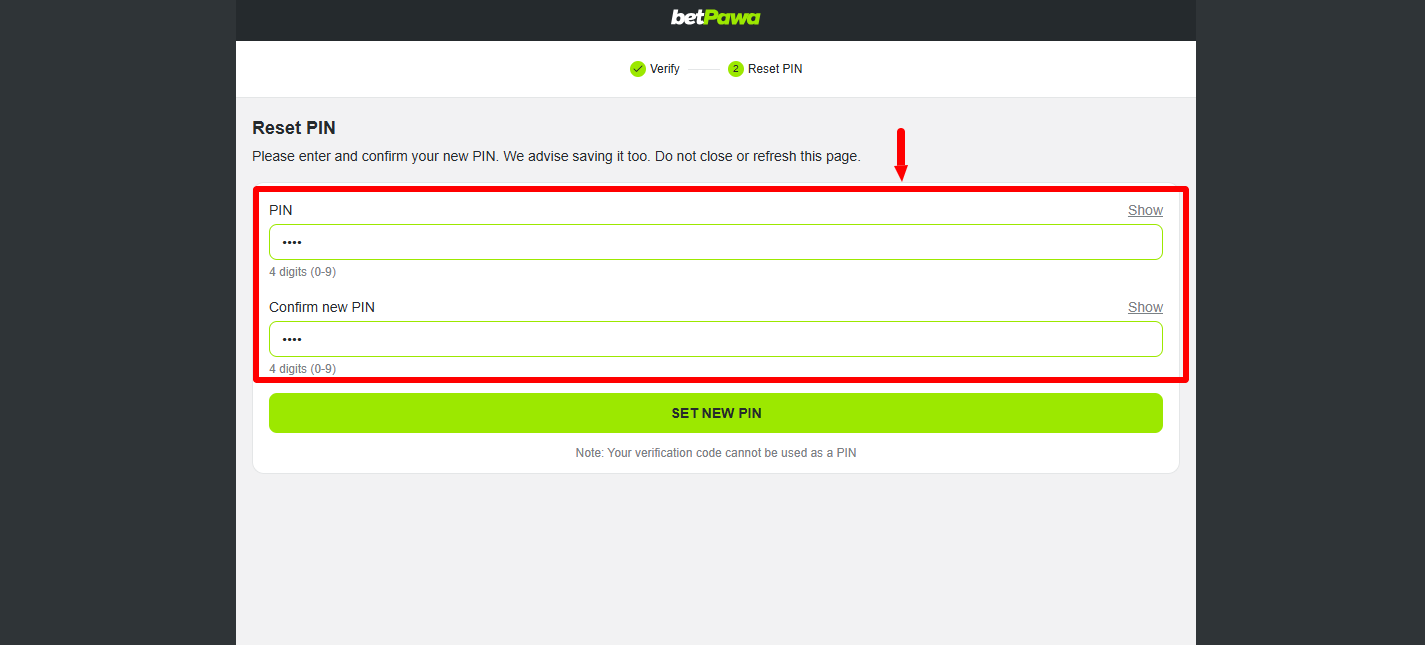
Enter your new BetPawa PIN in the required field and confirm the new PIN by entering it again. BetPawa advises users to save the new PIN for future reference and not to close or refresh the page while completing this part of the PIN reset process.
- Step 9: Click Set New BetPawa PIN
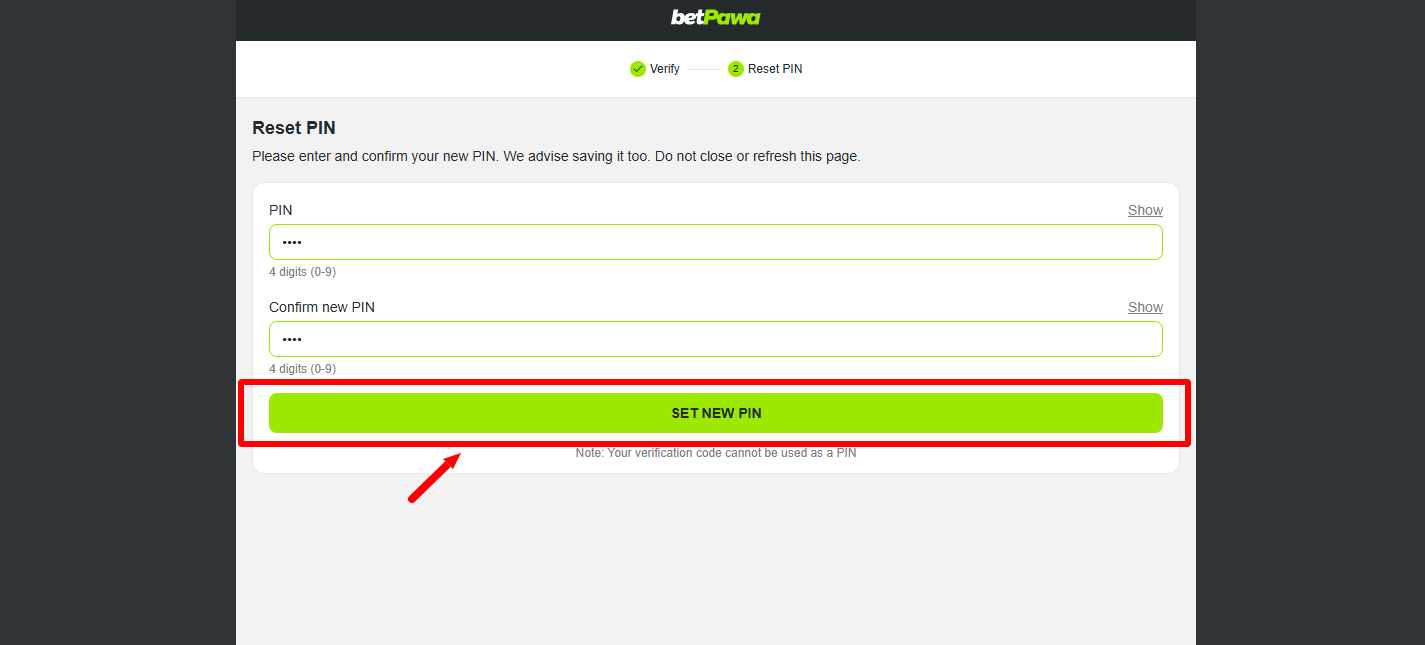
After entering and confirming your new PIN, click Set New BetPawa PIN to complete the reset process. Once the reset is completed successfully, your new BetPawa PIN will be active and the page will confirm that your PIN reset is complete. You will be logged into your BetPawa account after successful resetting of the BetPawa account PIN online.
Overview: BetPawa PIN Reset
To begin the BetPawa PIN reset process, visit the BetPawa website and click Login, then select Forgot PIN to open the PIN recovery section. Enter your registered Mobile Number and select your preferred option for receiving the verification code. After selecting the verification method, click Get Verification Code and enter the BetPawa Verification Code you receive. Click Verify to confirm the verification code and proceed to the PIN reset section.
READ ALSO: How To Reset GHRIS Password
Next, reset your BetPawa PIN by entering and confirming your new PIN as instructed on the page. BetPawa advises saving the new PIN and warns users not to close or refresh the page while completing the reset process. After entering and confirming the new PIN, click Set New BetPawa PIN to complete the process. Once successful, your PIN reset will be complete and you can use the new PIN to access your BetPawa account.