The iCMS Portal is an online platform provided by the Kenya Revenue Authority (KRA) for accessing customs-related services and processes. The Integrated Customs Management System (iCMS) provides a digital platform through which registered users such as importers, exporters, customs agents and other relevant stakeholders can access and manage customs services online.
This guide explains How To Log In To iCMS Portal using the official KRA iCMS login system. Logging in allows registered users to access their iCMS account and continue with the customs-related services available through the portal. To log in, you need to visit the iCMS Portal, enter your registered login credentials, and complete the required login process.
READ ALSO: How To Download Lipa na M-PESA Sticker
What is iCMS Portal?
The iCMS Portal is the online platform for the Integrated Customs Management System (iCMS) operated by the Kenya Revenue Authority (KRA). It consolidates customs cargo clearance processes into one electronic system and is used to support customs operations and the processing of imports and exports.
The iCMS Portal provides a digital platform for customs-related processes and connects KRA with relevant external stakeholders involved in cargo clearance and trade. The system was introduced to streamline customs operations, automate processes and facilitate faster and more efficient clearance of goods.
What is iCMS Portal Login?
iCMS Portal Login is the process of accessing your registered account on the Integrated Customs Management System (iCMS) through the official KRA online platform. The login process allows registered iCMS users to securely access the customs-related services and functions available through their account.
To complete the iCMS Portal Login, a user needs to access the iCMS login page and provide the required registered login details. Once the details have been entered and the login process completed successfully, the user can access the iCMS Portal and proceed with the available customs-related services.
Requirements Needed To Log In To iCMS Portal
To Log In To iCMS Portal, you need your registered iCMS Username and iCMS Password. These login credentials are required to access your iCMS account through the official KRA iCMS login system. The following are the requirements needed to log in to the iCMS Portal:
- iCMS Username
- iCMS Password
Once you have your iCMS Username and iCMS Password, you can proceed to access your account through the iCMS login page. Follow the steps below to Log In To iCMS Portal using your registered login credentials.
How To Log In To iCMS Portal
To Log In To iCMS Portal, visit the official KRA iCMS login page and access the login section. The process involves entering your iCMS Username, entering your iCMS Password, and submitting your login details to access the portal. Follow the steps below to Log In To iCMS Portal.
- Step 1: Visit iCMS Portal
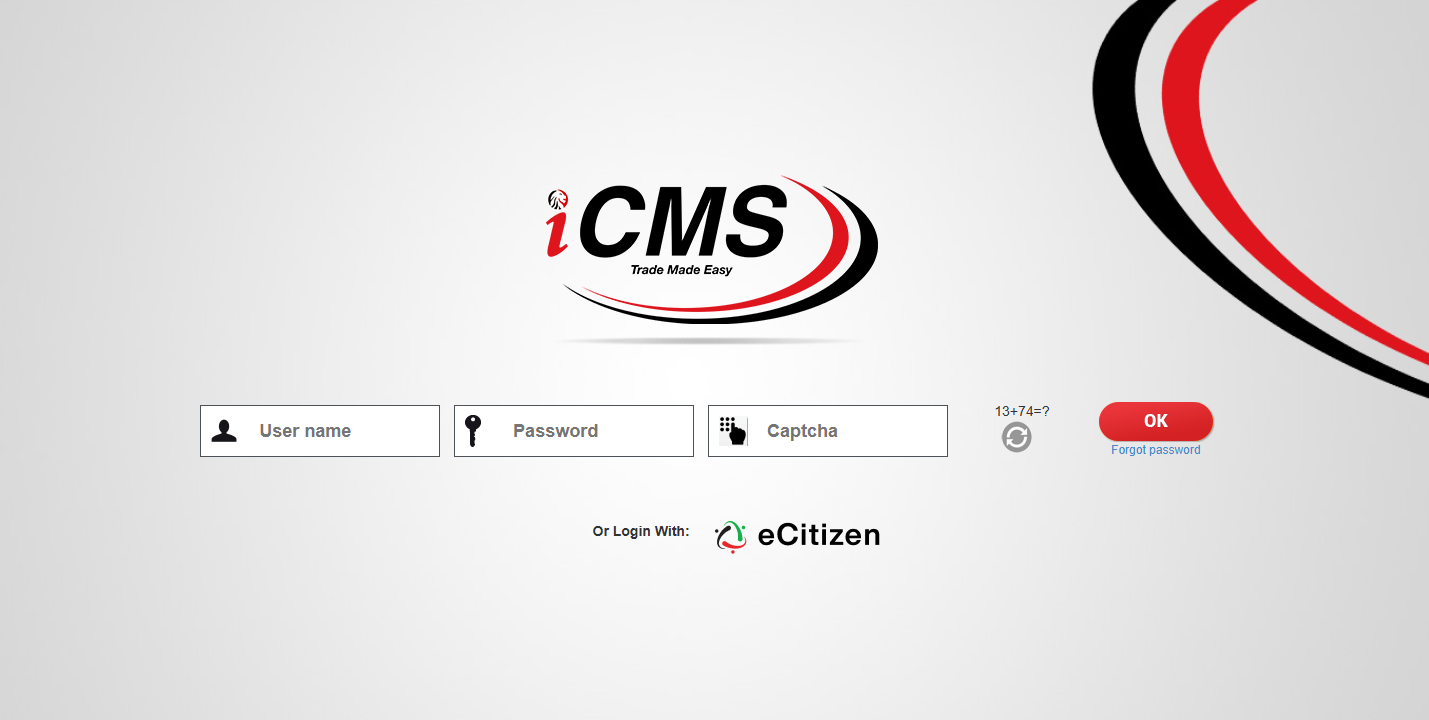
Visit iCMS Portal by entering icms.kra.go.ke in your web browser. The website will direct you to the iCMS login page, where you can enter your registered login credentials to access the system.
- Step 2: Enter iCMS Username
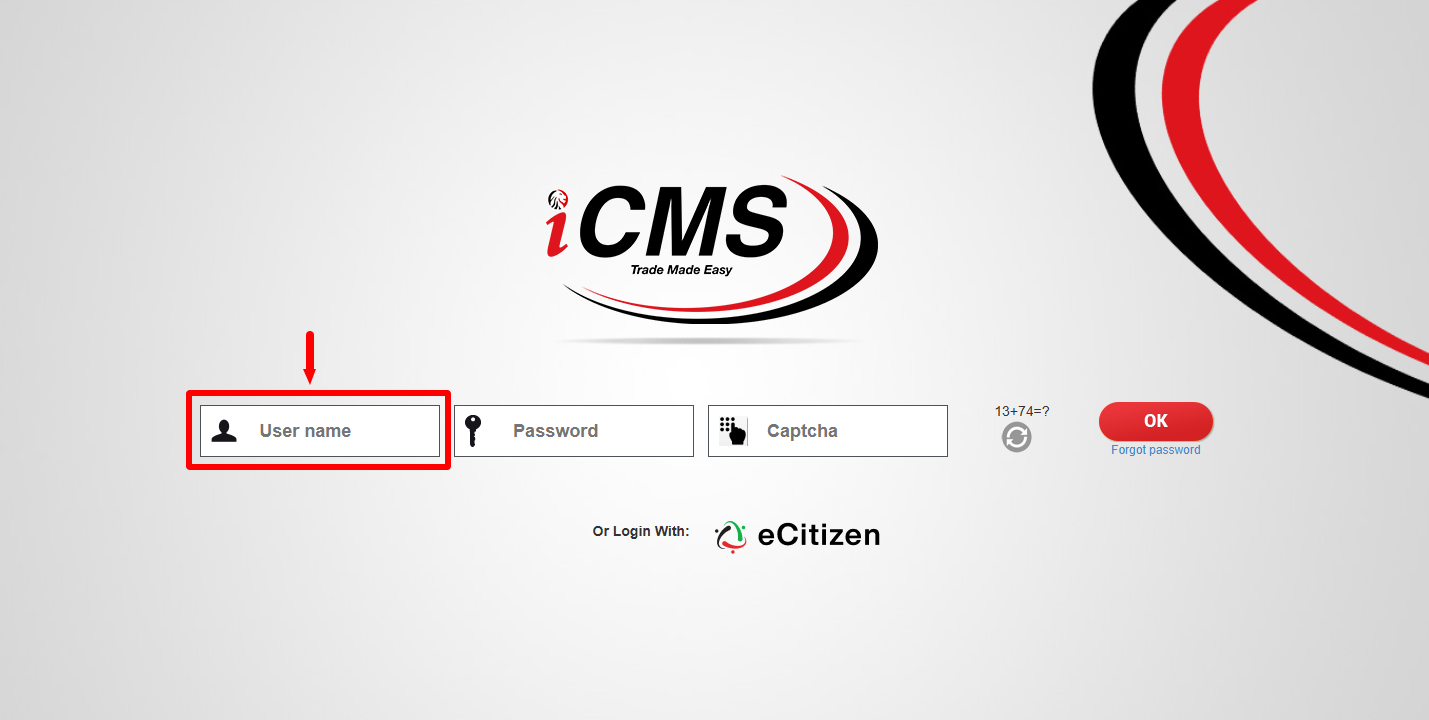
On the iCMS login page, enter your registered iCMS Username in the User name field. Make sure you enter the username correctly before proceeding to the next field.
- Step 3: Enter iCMS Password
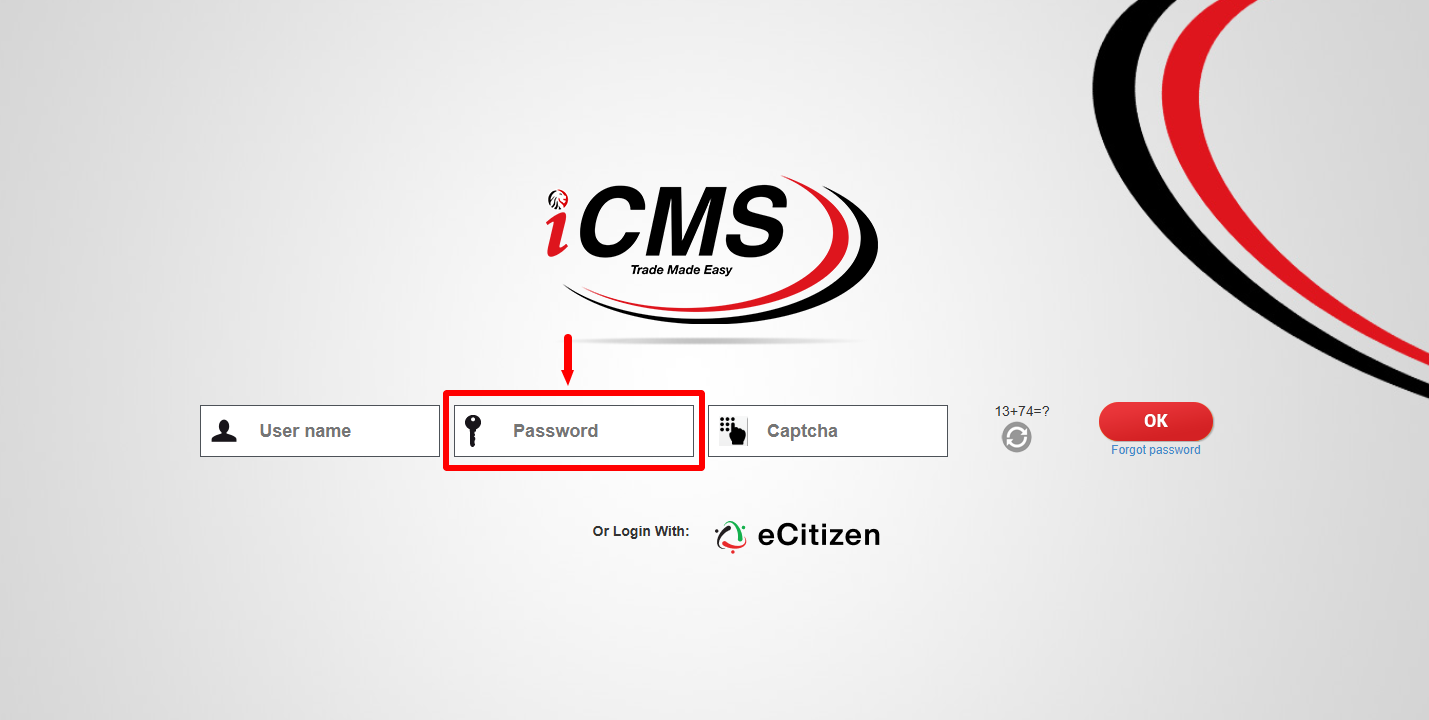
Enter your registered iCMS Password in the Password field. Ensure that you provide the correct password associated with your iCMS account before continuing with the login process.
- Step 4: Solve Arithmetic Question
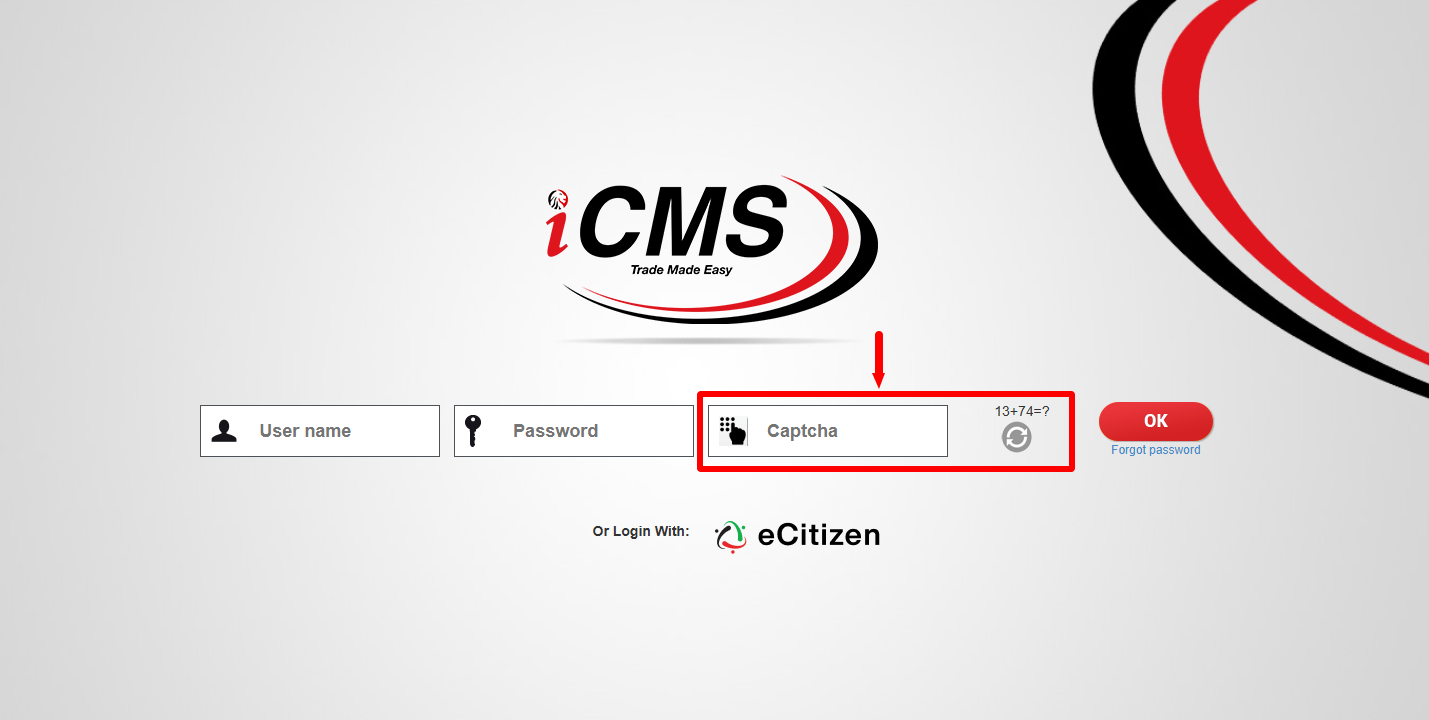
Solve the Arithmetic Question displayed on the iCMS login page and enter the answer in the required field. This verification step is used as part of the login process before you submit your credentials.
- Step 5: Click OK
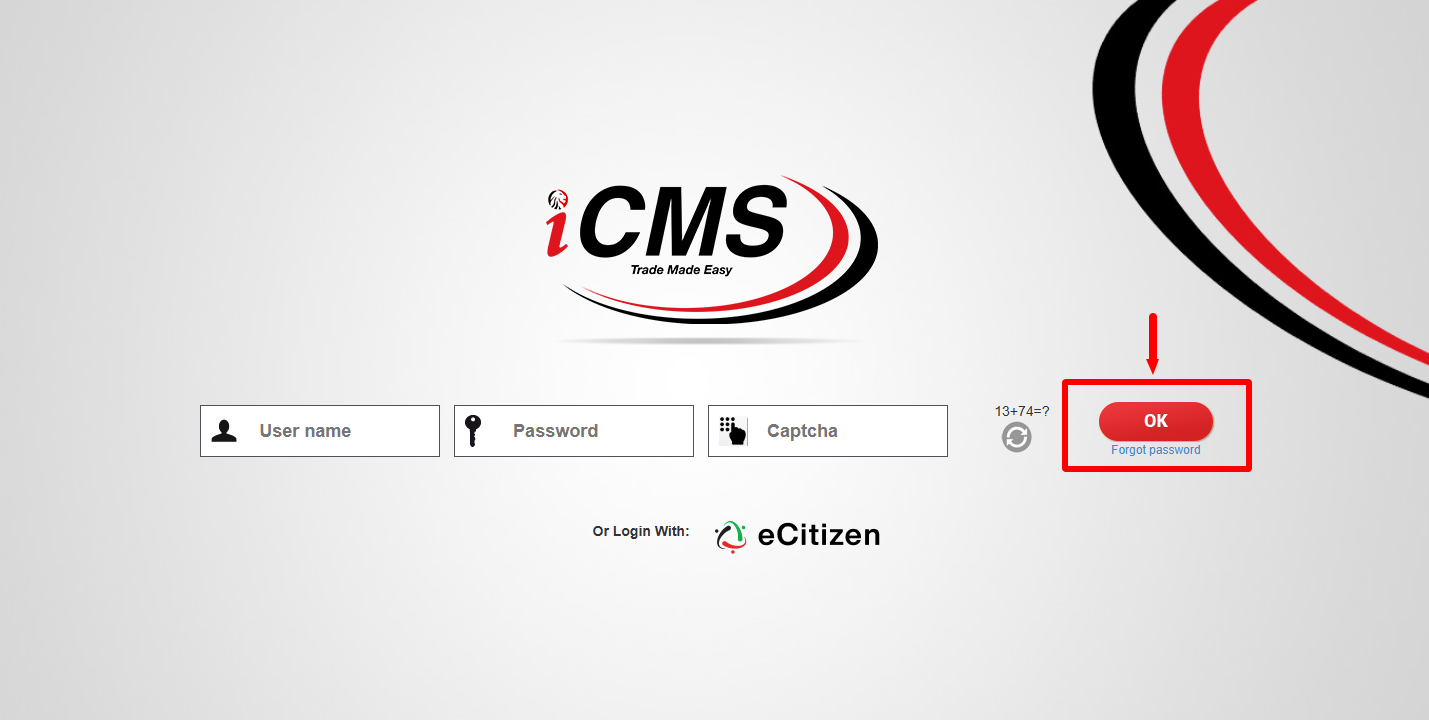
After entering your iCMS Username, iCMS Password, and the correct answer to the Arithmetic Question, click OK to submit your login details. If the information provided is correct, you will be logged into your iCMS account dashboard.
Overview: iCMS Portal Login
To begin the iCMS Portal Login, visit icms.kra.go.ke using your web browser and access the iCMS login page. Enter your registered iCMS Username and iCMS Password in the respective fields, making sure that the login details are entered correctly before proceeding.
READ ALSO: How To Check Kenya Power Planned Power Outages
Next, solve the Arithmetic Question displayed on the login page by entering the correct answer in the required field. After confirming that your username, password and arithmetic answer are correct, click OK to submit the login details and access the iCMS Portal.