
The Government Human Resource Information System (GHRIS) is an online platform used by the Government of Kenya to provide various human resource services to government employees. Through the GHRIS website, users can access their personal and employment-related information and other services available through the system. The platform can be accessed online through the official GHRIS website using a suitable internet-enabled device.
This guide explains How To Log In To GHRIS using the official GHRIS website at www.ghris.go.ke. To access your GHRIS account, you need to visit the website and use your registered login details to sign in. The login process involves accessing the GHRIS login page, entering your Personal Number and Password, and submitting the details to access your account.
READ ALSO: How To Log In To iCMS Portal
What is GHRIS?
GHRIS, which stands for Government Human Resource Information System, is an online human resource management platform used by the Government of Kenya. The system provides government employees with access to various human resource-related services and allows relevant employee information to be managed electronically.
The GHRIS platform can be accessed through the official GHRIS website at www.ghris.go.ke. Government employees can use the system to access their personal and employment-related information and other services available through their GHRIS accounts.
What is GHRIS Login?
GHRIS Login is the process of accessing your account on the Government Human Resource Information System (GHRIS) through the official GHRIS website. The login allows registered government employees to securely access their personal, employment and human resource-related information available on the platform.
To complete the GHRIS Login, you need to visit the official GHRIS website and enter your registered Personal Number and Password. After submitting the correct login details, you can access your GHRIS account and use the available services provided through the system.
Requirements Needed To Log In To GHRIS
To Log In To GHRIS, you need to have your correct User ID (Personal Number) and GHRIS Password. These are the login credentials used to identify your GHRIS account and authenticate your access to the system. Make sure you have the correct details before starting the login process to avoid entering incorrect information. The following are the requirements needed to log in to GHRIS:
- User ID (Personal Number)
- GHRIS Password
Having these two login details ready will allow you to proceed with the GHRIS Login process through the official GHRIS website. Once you have your User ID (Personal Number) and GHRIS Password, you can proceed to access your GHRIS account online. Make sure the login details are entered correctly when signing in to avoid errors during the login process. Follow the steps below to Log In To GHRIS using your registered login credentials.
How To Log In To GHRIS
To Log In To GHRIS, you need to access the official Government Human Resource Information System (GHRIS) website and navigate to the login section. The login process is straightforward and requires you to provide the login credentials associated with your GHRIS account. You will need to enter your User ID (Personal Number) and GHRIS Password in the appropriate fields before submitting the information.
Once your login details have been entered, review the information to ensure that your User ID (Personal Number) and GHRIS Password are correct before proceeding. Submitting the correct credentials will allow you to access your GHRIS account and continue using the available services on the platform. Follow the steps below to Log In To GHRIS.
- Step 1: Visit GHRIS website
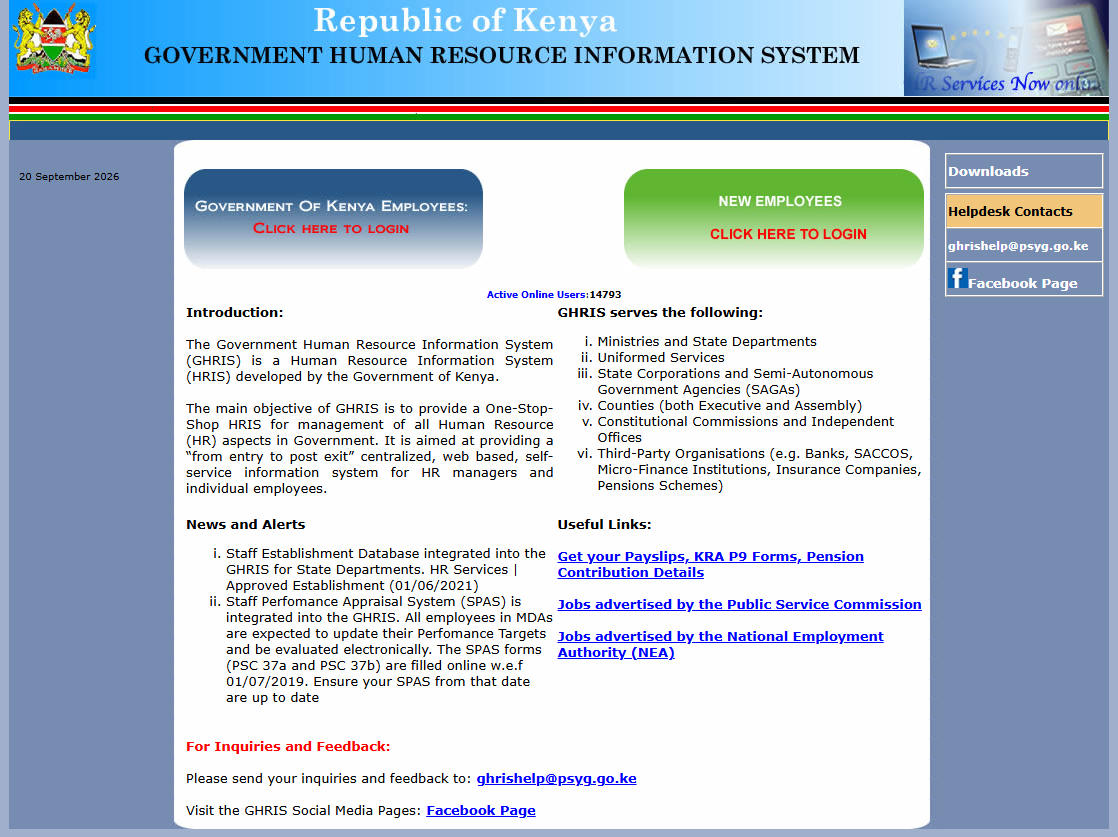
Open your preferred web browser and visit the official GHRIS website at www.ghris.go.ke. Once the website loads, access the GHRIS login section where you can enter your registered account details and begin the login process.
- Step 2: Government of Kenya Employees
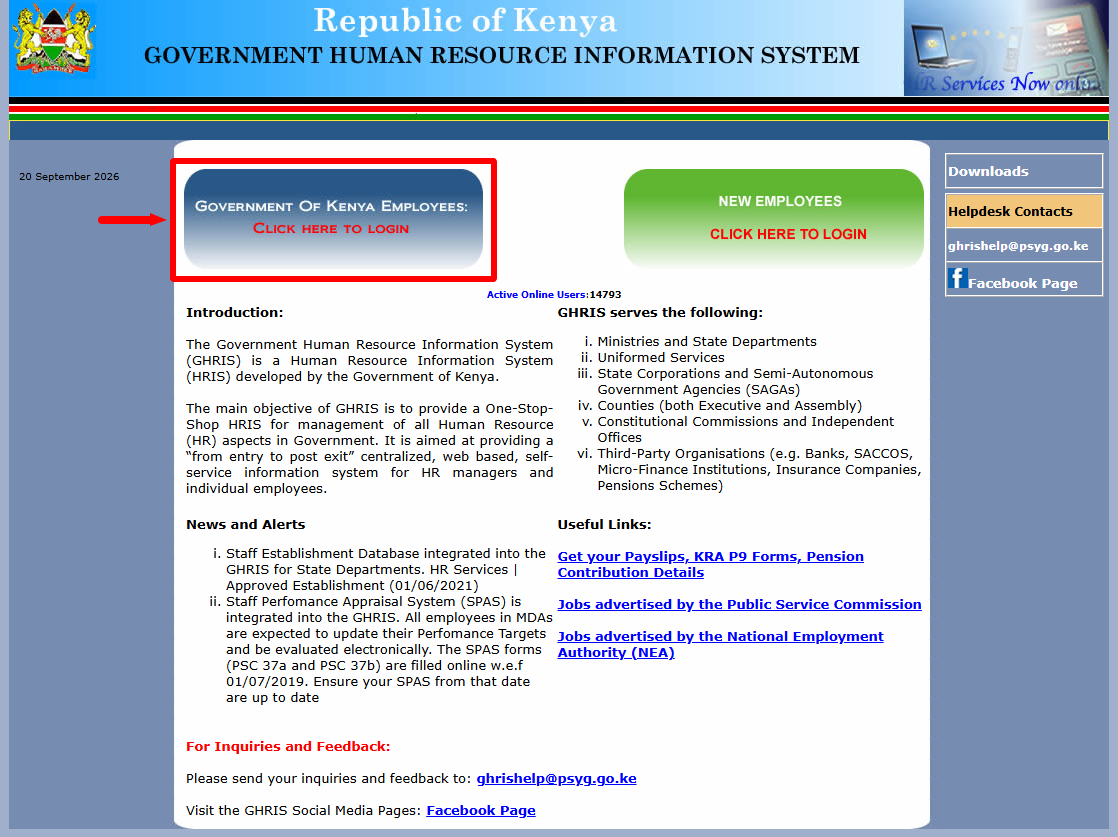
Once you are on GHRIS website, click on the “Government of Kenya Employees: Click Here To Login” so as to start the process of accessing your GHRIS account online.
- Step 3: Enter User ID (Personal Number)
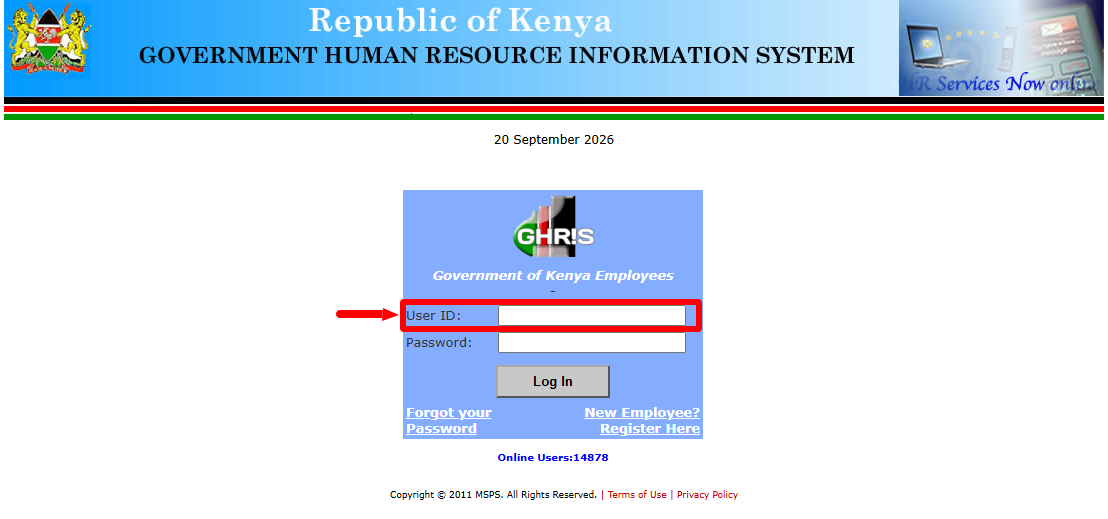
On the GHRIS login page, enter your User ID (Personal Number) in the required field. Make sure you provide the correct Personal Number associated with your GHRIS account before proceeding to the password section.
- Step 4: Enter GHRIS Password
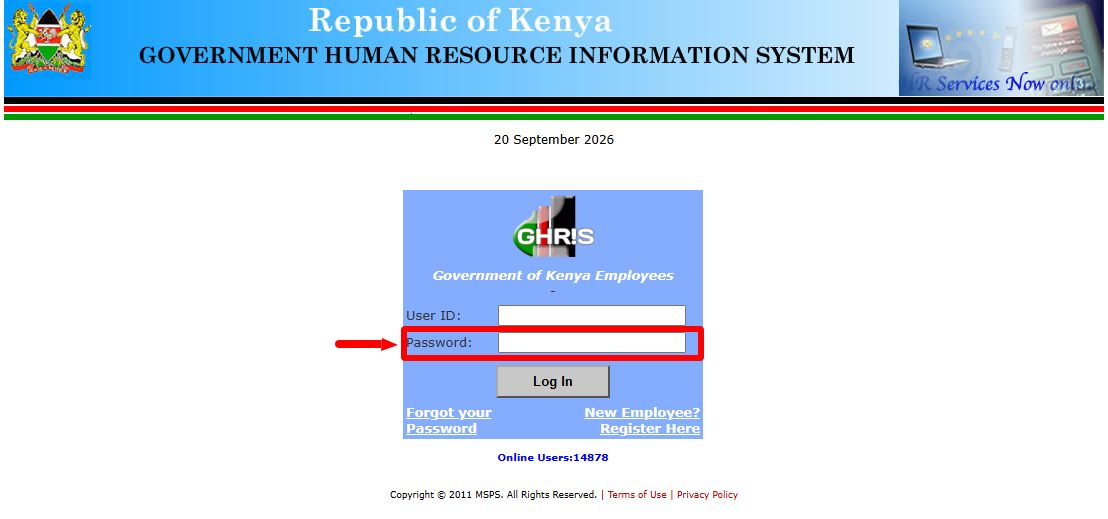
Enter your GHRIS Password in the password field provided on the login page. Carefully enter the password associated with your GHRIS account and ensure that the details are correct before submitting the login form.
- Step 5: Click Log In
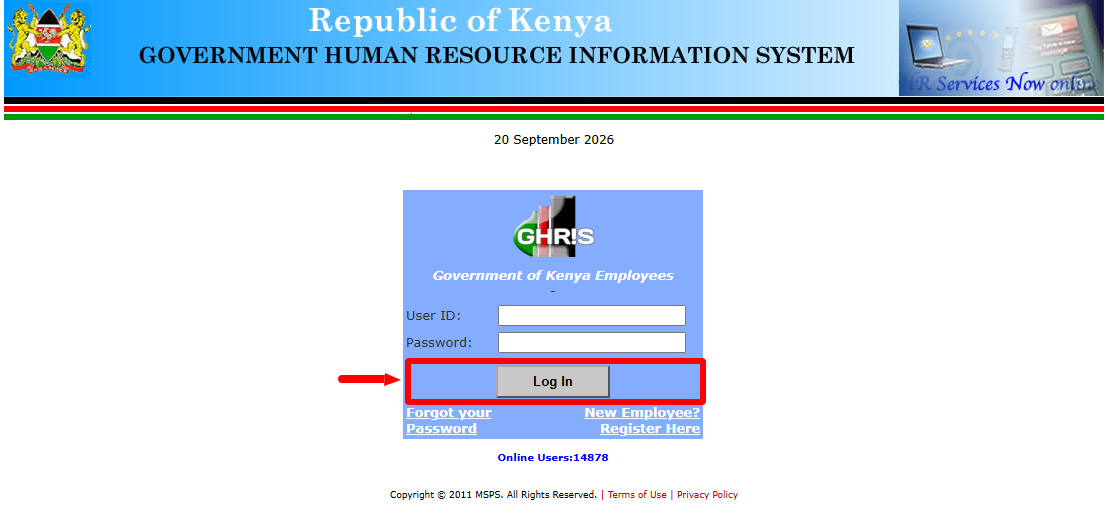
After entering your User ID (Personal Number) and GHRIS Password, click Log In to submit your login details. The system will process the information provided and, if the credentials are correct, proceed with your GHRIS account login.
- Step 6: GHRIS Account Dashboard
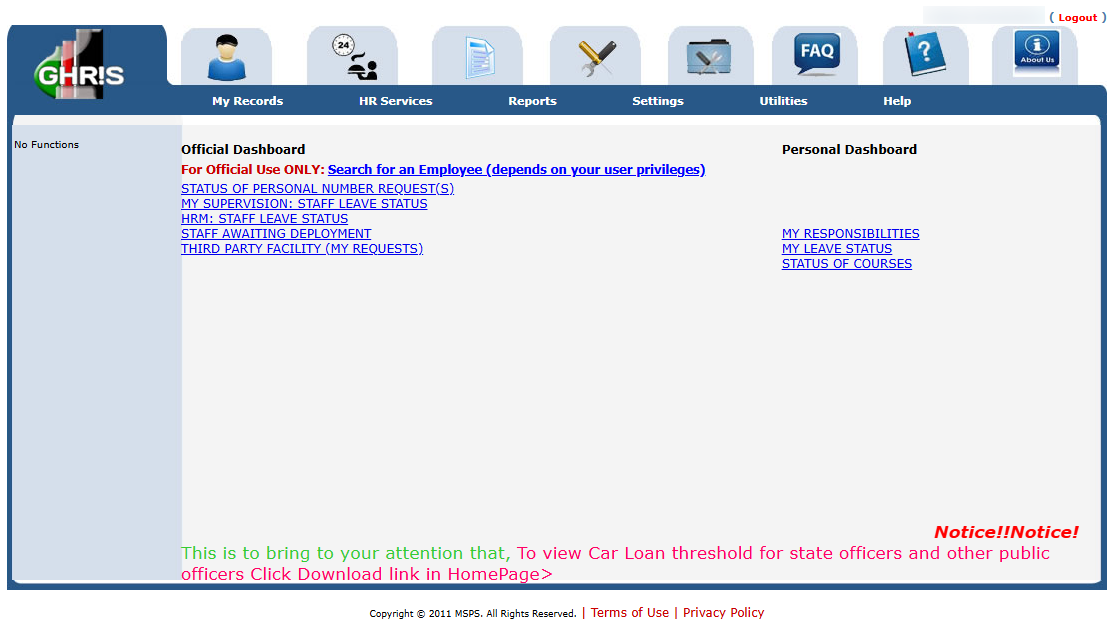
After a successful login, you will be taken to your GHRIS Account Dashboard. From the dashboard, you can access the available GHRIS services, information and other features associated with your government employee account.
Overview: GHRIS Login
To begin the GHRIS Login process, visit the official GHRIS website at www.ghris.go.ke using your preferred web browser. Once the website opens, navigate to the login section and enter your User ID (Personal Number) in the designated field. The User ID is used to identify your GHRIS account, so make sure you enter the correct Personal Number before proceeding to the password field.
READ ALSO: How To Download Lipa na M-PESA Sticker
Next, enter your GHRIS Password in the designated password field and review both login details to ensure they are correct. Click Log In to submit your credentials and access the system. If the login details are accepted, you will be taken to your GHRIS Account Dashboard, where you can access the human resource services and information available through your account.