SHA Coverage Status allows members to check whether their Social Health Authority (SHA) health coverage is active and view their current coverage status online using the SHA Eligibility website. Checking your SHA coverage status online can help you confirm whether you are covered under SHA before accessing healthcare services or when you need to verify your current coverage status.
This guide explains how to check SHA Coverage Status online using the SHA coverage checker at eligibility.sha.go.ke. The process involves accessing the SHA Coverage Status website, selecting the appropriate identification type, entering your identification number, and submitting the details to check your SHA coverage in Kenya.
READ ALSO: How To Update Afyayangu Phone Number
What is SHA Coverage Status?
SHA Coverage Status refers to the current status of a person’s health coverage under the Social Health Authority (SHA) in Kenya. It indicates whether an individual is currently covered and can be used to confirm their SHA coverage status when they need to access or verify their healthcare coverage in Kenya.
The SHA Coverage Status can be checked online using the official SHA Eligibility checker at eligibility.sha.go.ke. The online service allows users to provide the required identification details and submit them to retrieve their current coverage status. This provides a convenient way to check and confirm SHA coverage without having to visit a SHA office.
What is SHA Coverage Status Check?
SHA Coverage Status Check refers to the process of checking whether your health coverage under the Social Health Authority (SHA) is active and confirming your current coverage status. It allows members to verify their SHA coverage online using the required identification details without having to visit a SHA office.
The SHA Coverage Status Check is done online through the SHA Eligibility check website. The process involves selecting the appropriate identification type, entering the required identification number, and submitting the details to retrieve your SHA coverage status. This allows you to confirm whether your SHA coverage is currently active.
Requirements Needed To Check SHA Coverage Status
To check your SHA Coverage Status, you need either your Identification Type i.e. National ID Number and the Identification Number. You can use either identification number to search for and retrieve your current SHA coverage status through the SHA online coverage checker. The requirements needed to check SHA Coverage Status are:
- Identification Type i.e. National ID
- Identification Number
Once you have your identification type and identification number ready, you can proceed to check your SHA Coverage Status online. The process involves visiting the SHA coverage checker, selecting the identification type, entering the corresponding identification number, and submitting the details to retrieve and check your SHA coverage status (SHA Eligibility).
How To Check SHA Coverage Status
With your both your identification type i.e. national ID and identification number ready, you can begin checking your SHA Coverage Status online. The process involves visiting the SHA coverage checker (SHA Eligibility check website), selecting the appropriate identification type, entering your identification number, and submitting the details to retrieve your current coverage status. Follow the steps below to check SHA Coverage Status:
- Step 1: Visit SHA Eligibility website
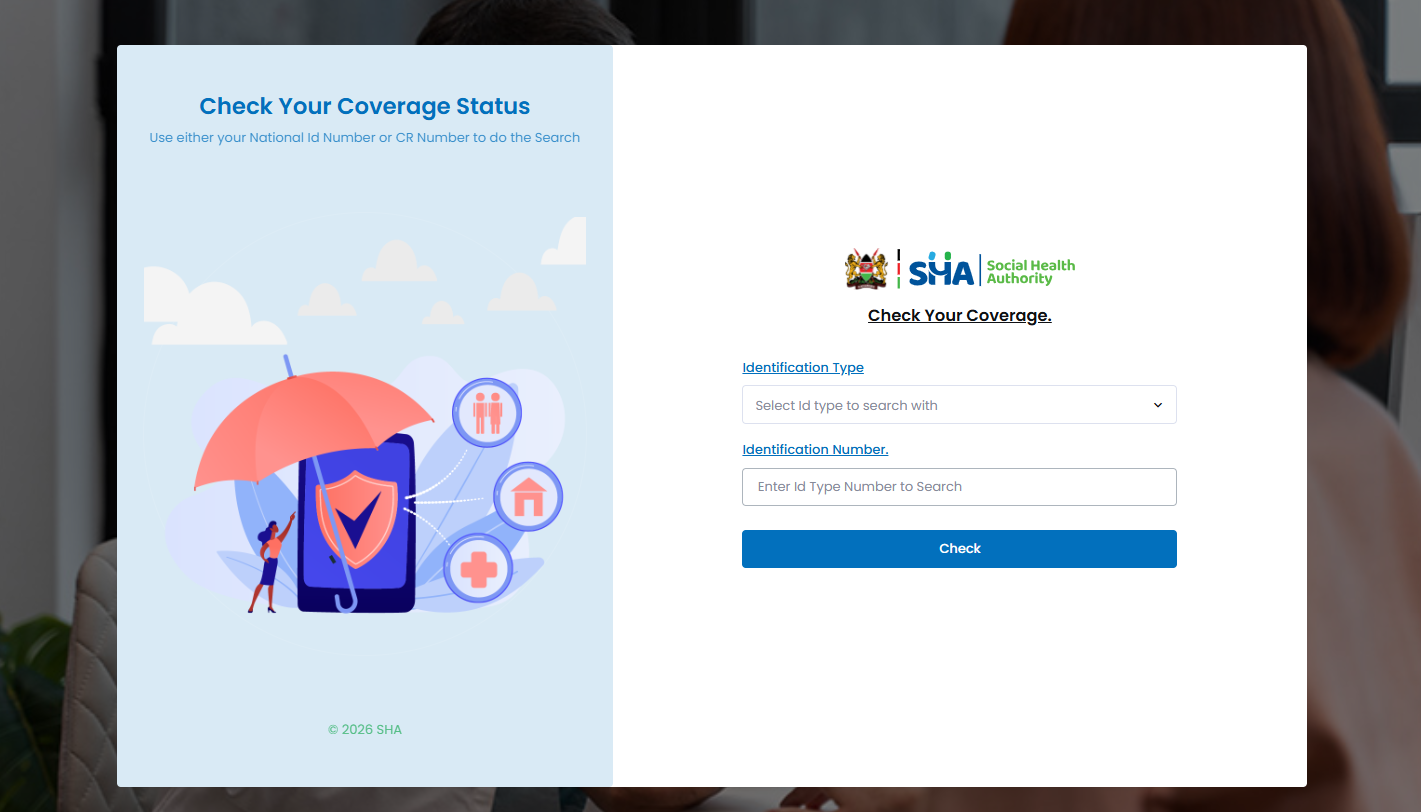
The first step in the process of SHA Coverage Status Check is to visit the SHA Eligibility website using https://eligibility.sha.go.ke
- Step 2: Select Identification Type
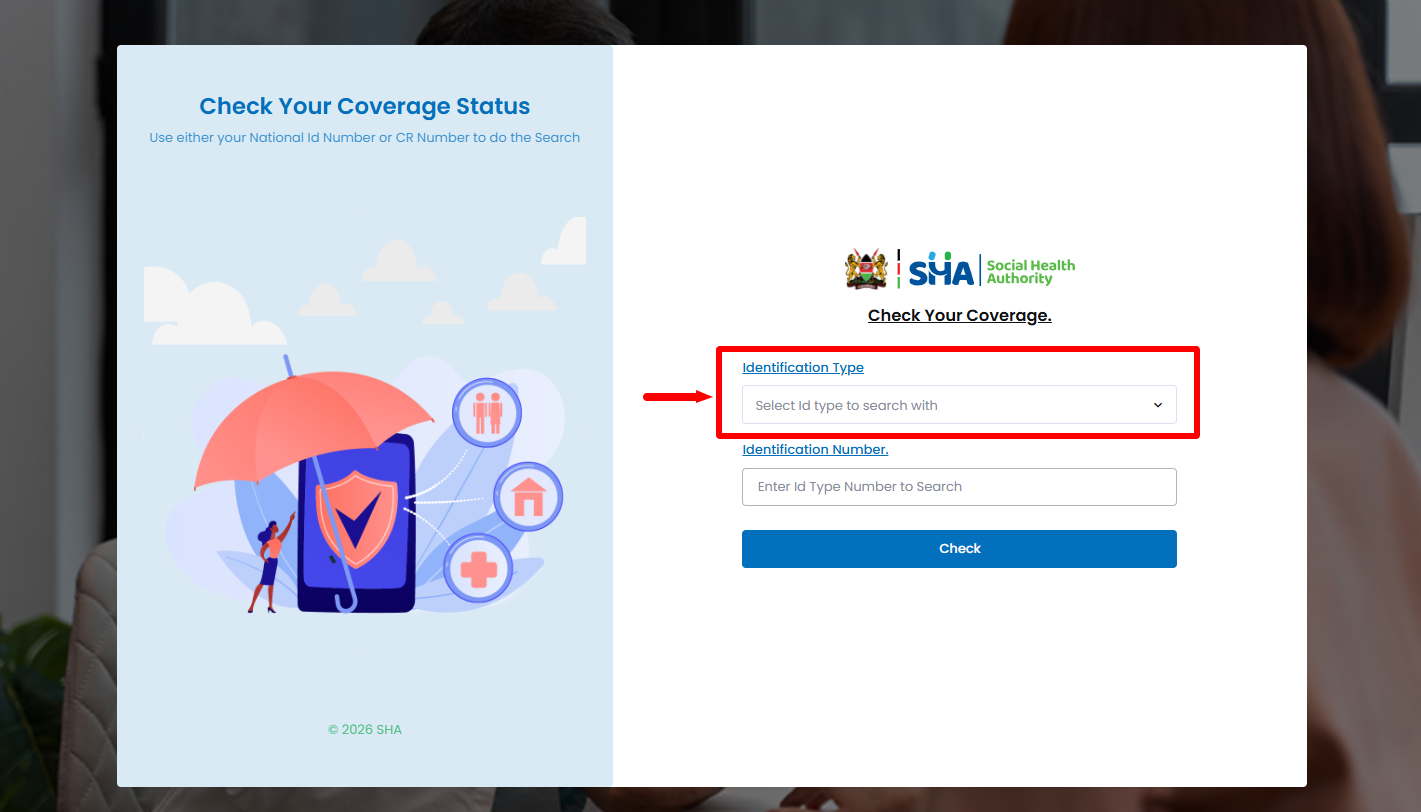
Once you are on the SHA Eligibility website, select the “Identification Type” i.e. either national ID, alien ID, refugee ID, temporary ID, temporary dependant ID, CR number, passport number, mandate number, household number or birth certificate number. Once you have selected the identification type, proceed to the next step.
- Step 3: Enter Identification Number
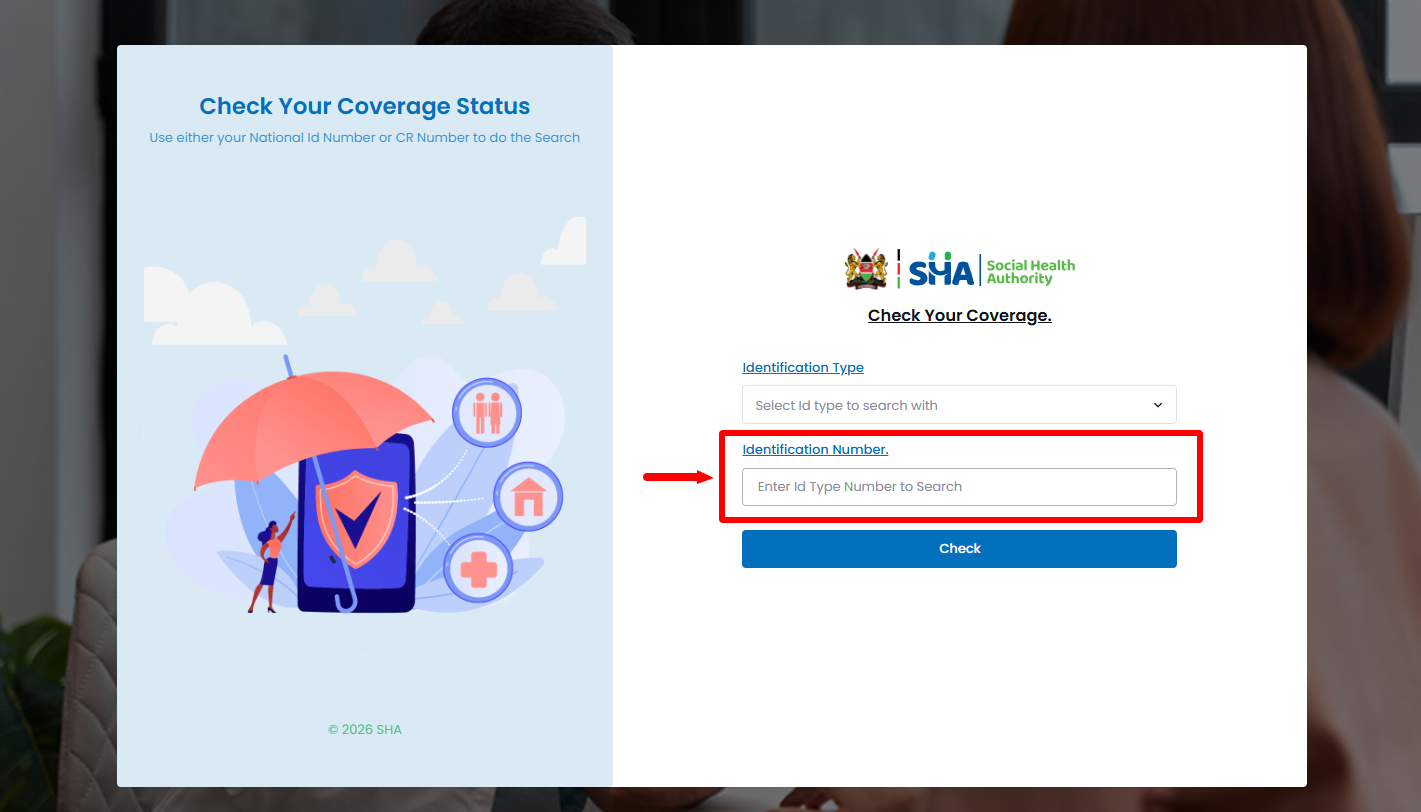
Next, after selecting the identification type, you need to enter the “Identification Number” before proceeding to the next step.
- Step 4: Click Check
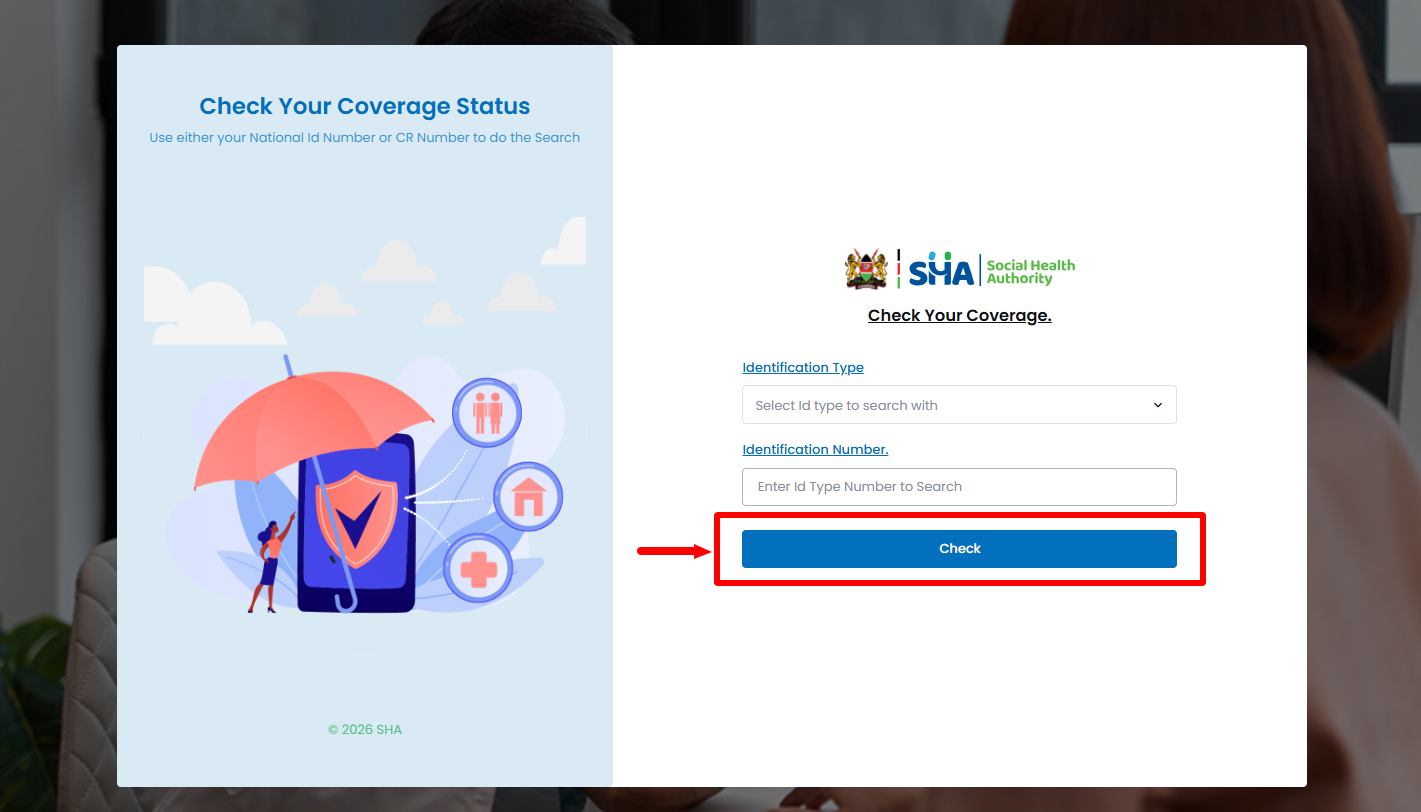
Once you have selected the identification type and have entered the identification number, proceed and click on the “Check” button to check your SHA Status Coverage online (SHA Eligibilty Status).
- Step 5: SHA Coverage Status
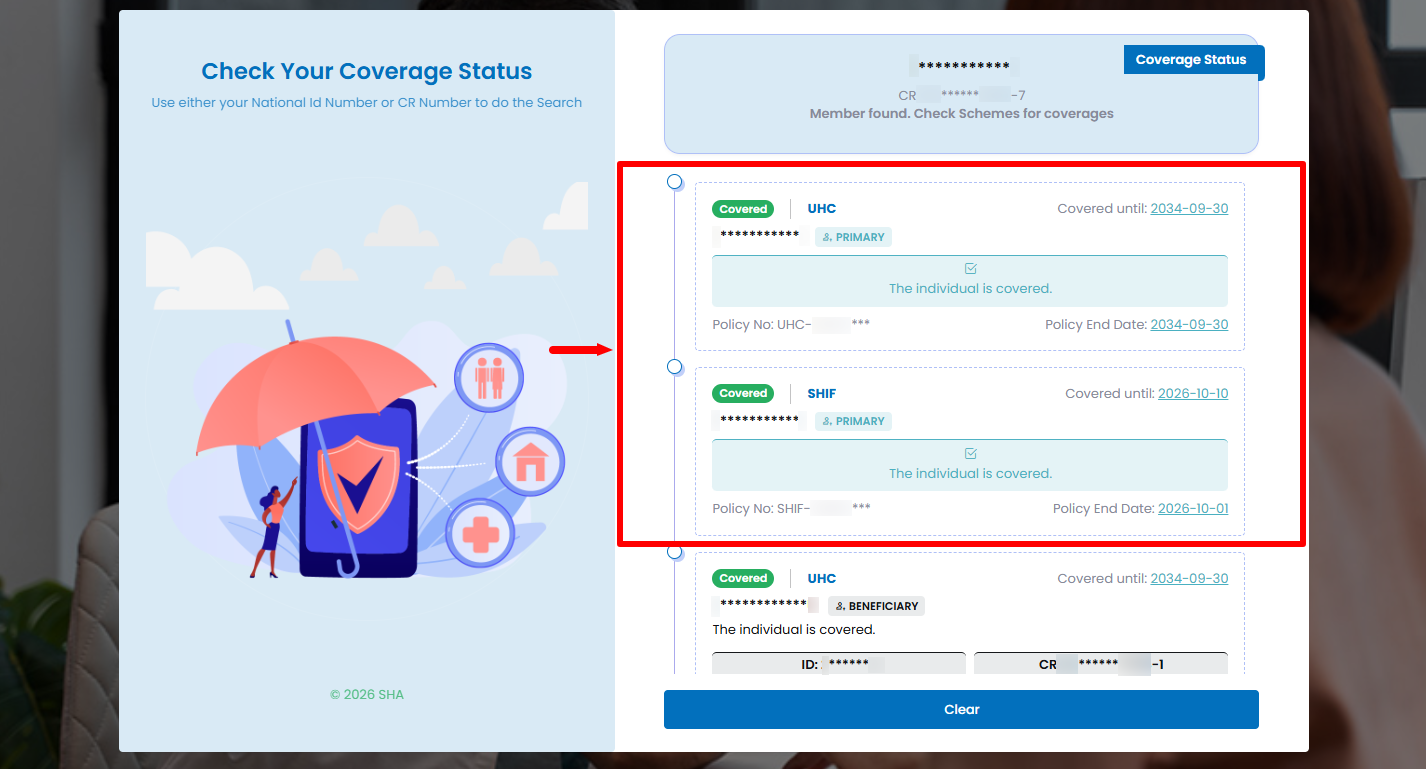
Lastly, your SHA Coverage Status will be displayed for you to check and confirm the same. You can check the various coverages such as UHC and SHIF with status being “Covered” in the status of SHA coverage in Kenya. You will notice that for each SHA scheme, there is “Covered Until” and “Policy End Date” which are very important to take note of in your SHA coverage status.
Overview: SHA Coverage Status Check
To begin the process of checking your SHA coverage status online, visit the SHA Eligibility website and select the appropriate Identification Type from the available options. Enter your Identification Number in the required field, making sure that the number corresponds to the identification type you selected. Once you have entered the required details, click Check to submit your information and search for your SHA coverage details.
READ ALSO: How To Download Afyangu App
After submitting the search, the SHA Coverage Status Results will be displayed on the screen. Review the results to confirm your current SHA coverage status and the information provided. This allows you to verify your SHA coverage online using your identification type i.e. national ID and identification number. Take note of the key SHA schemes and dates of your SHA coverage status in Kenya.